Google Drive (now Backup and Sync from Google) desktop software is for personal use & terminates the software execution as soon as the user logs off from the computer. We needed a solution for a server in which we were using Google drive for legacy database backups. Following the instructions @ http://www.myrtec.com.au/kb/331-running-google-drive-as-a-windows-service, we were able to setup a Windows service executing the drive executable, which looked bit dirty from different angles as we were using some stone age software to run the Service.
and, were able to design a far better solution. Here how it works:
Install & setup Google Drive (Backup and Sync) software (your box/Server)
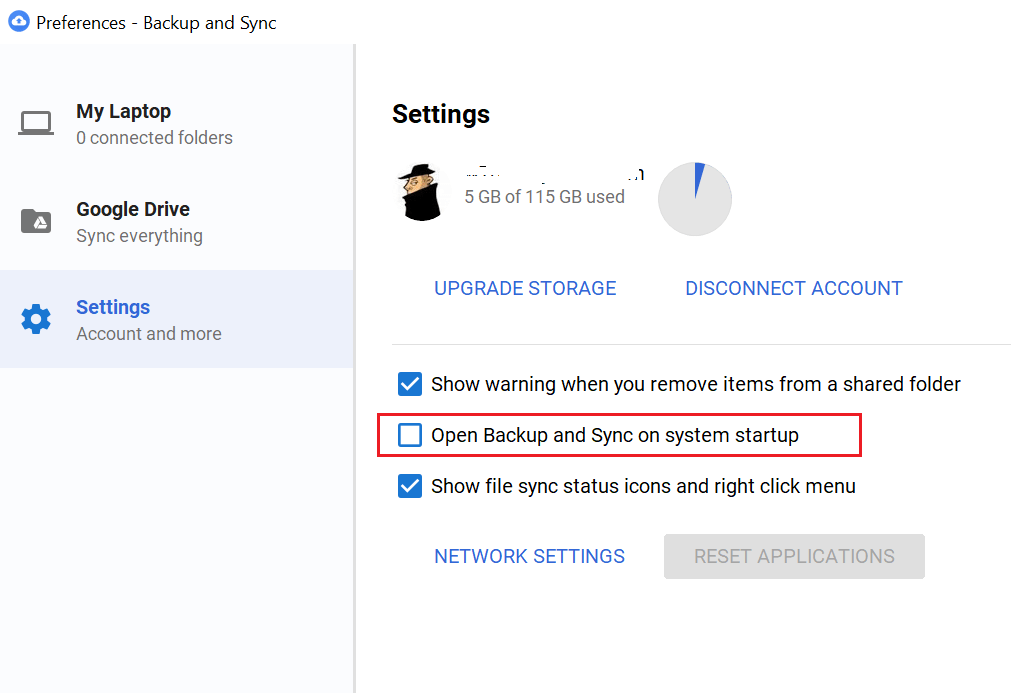
Go to settings & disable “Open Backup and Sync” on system startup
Now, you can safely quit the Backup and Sync software (Right click, quit)
Fire up Windows Task Scheduler and create a task, let us called it “Google backup and sync”
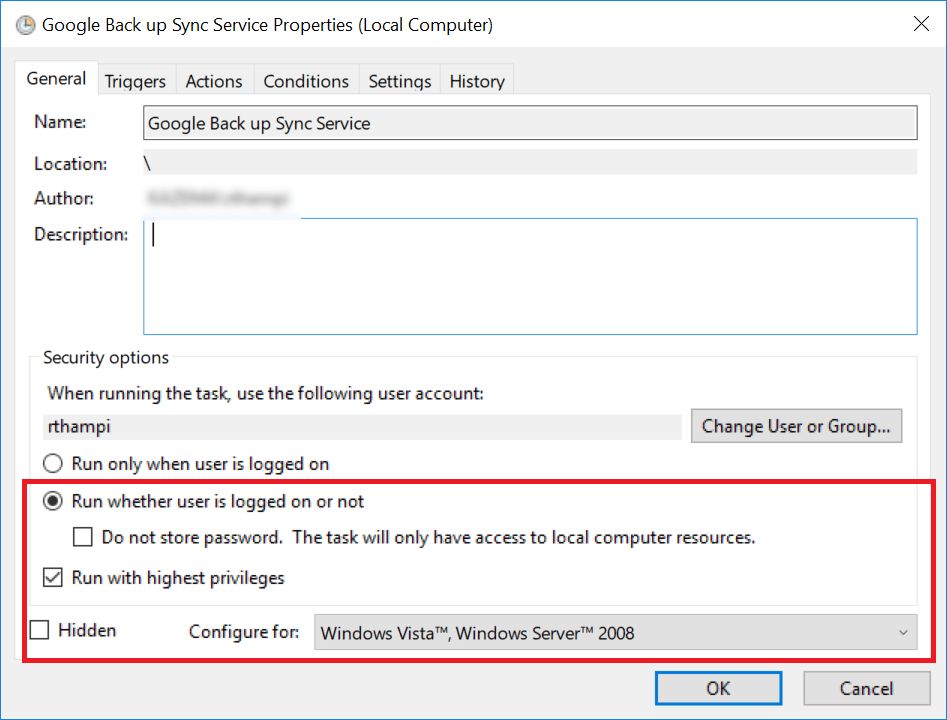
Make sure the tasks runs without the user being logged in.
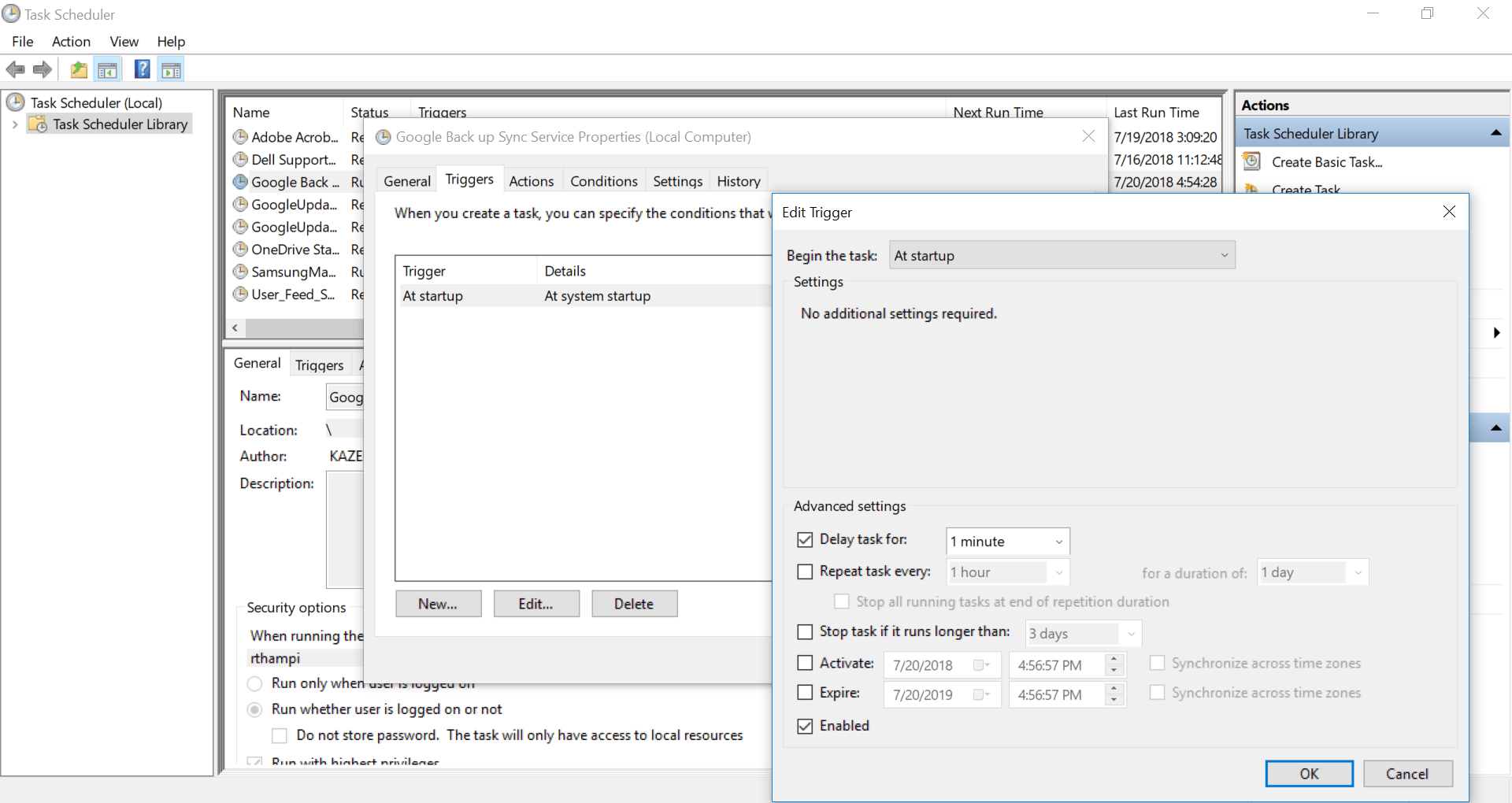
Depending upon the startup load on the server (If your server/box many services which require maximum memory and processor, delay starting the this new task by few minutes)
It is advisable to setup the startup path for the task. Just copy and paste the executable path.
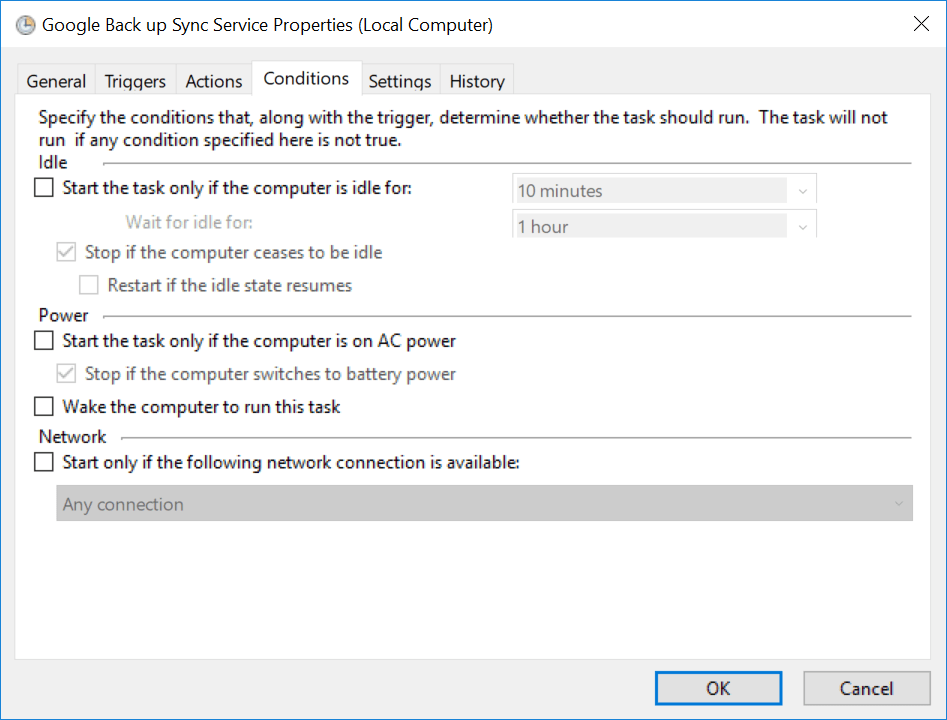
Most importantly, if you are using a laptop, make sure you are setting up whether the drive sync task should start while the laptop is on battery power.
Once all these settings, you will be asked to provide the current user password. If you have a password policy, remember to change the password for the task once after you change the account password.
That’s all. Right click and execute the task and monitor the task manager, you should see two instances of google drive sync exe file. Now, logging off shouldn’t terminate the google backup and sync.
I hope this post makes it easier for you to setup Google backup and sync for Windows servers.
Yesterday I was contacted by one of the visitors after referring my posts about Classic ASP connection to Oracle databases in general & I revisited this “area” after a long time. It took a while for me to setup everything, however the results were pretty awesome. So here comes one more post about Classic ASP with Oracle database, this time Oracle 12c 64Bit.
OS: Windows 10/64Bit Windows Server OS
Prerequisites
Setup IIS for publish classic ASP with Oracle 12c database
Software requirement(s):
Oracle client 32Bit, 12c (for best connectivity)
Launch IIS and create a new application pool, as shown with the image.
Now go to the advanced settings for the application pool that you have created & switch “Enable 32-Bit Applications” from “false” to “True”
Connection possibilities
There are two ways to connect to Oracle database from Classic ASP
Using DSN (Data Source Name)
DSN less connections. Here we will use the Oracle tnsnames.ora file to identify and connect to the database. We have to insure that the TNS_HOME directory is set at the environment level, or the client that is used is 1st entry in the environment variable “PATH” for Oracle products in case of multi Oracle homed hosts.
Create a DSN
Classic ASP could interact with only 32Bit environment, hence the IIS server hosting machine must have the latest Oracle 32-Bit client installed (older clients may not connect to later databases properly). As I am writing this post, Oracle 12c 12.2.0 is the latest client available.
Logged with an account having “Administrator” privileges, Open ODBC Data Source (32-bit)
Please note, my box has multiple Oracle products, hence don’t get confused by the names in next few screens.
If your installation for the Oracle client was correct, you should able to see an entry for the Oracle driver like the one you could see the image above.
Click “Finish”. This will pop up another window. Under the “System DSN” tab we have to create our new DSN
Provide a name of your choice for the “Data Source Name” and “Description”
Make sure you have the “TNS Service Name” already available with the listener.ora file. Oracle 12c passwords are case sensitive. Hence make sure you are going to provide the case sensitive password while testing the connection.
If you don’t have previous experiences with creating net service names, please follow the instructions below.
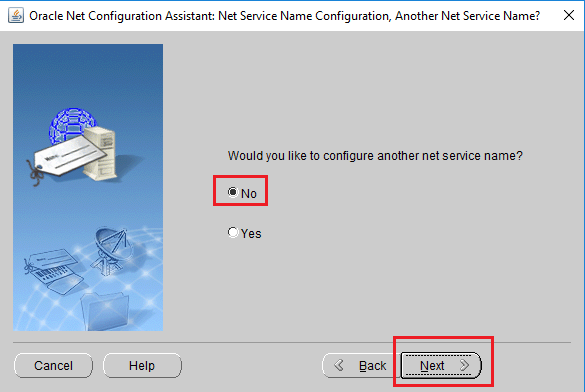
Start “Net Configuration Assistant” from the Oracle Home and follow the images below.
Read the help texts available, especially if you are new to Oracle
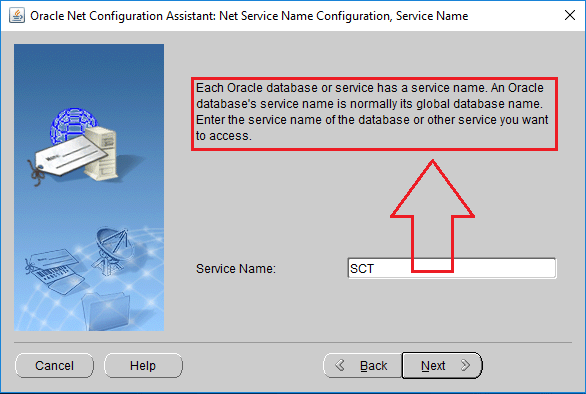
Provide the service name, which is your database name usually.
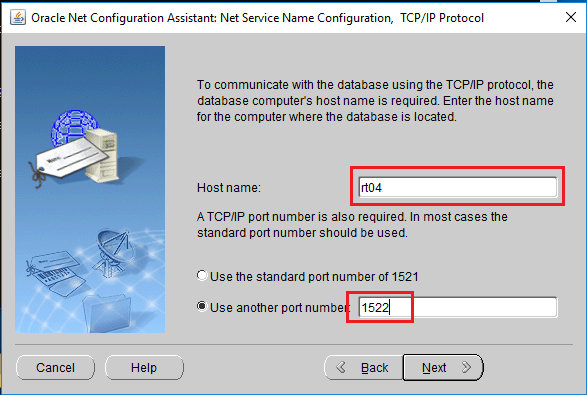
Provide the FQDN (fully qualified domain name), ie, your computer name like “rajesh-pc.abc.com” in case if you are connected to a domain, else just the name of your computer, like “rajesh-pc”
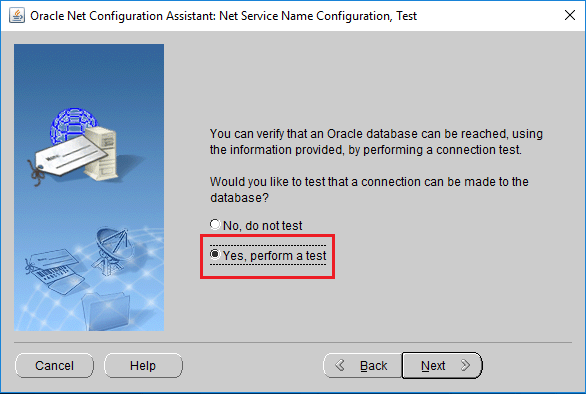
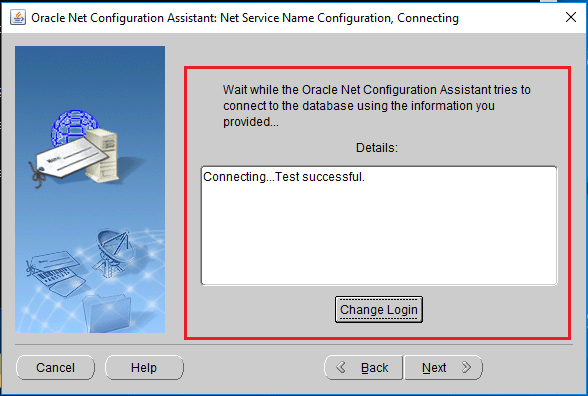
I would suggest doing a test, if you are sure that all the details provided are correct & no need to test, you can skip this step
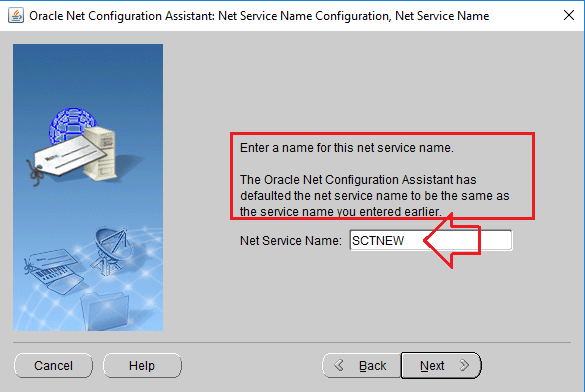
By default the configuration tool would suggest you the Oracle service name as new net service name, which you can change to any name. Just make sure that you will remember it.
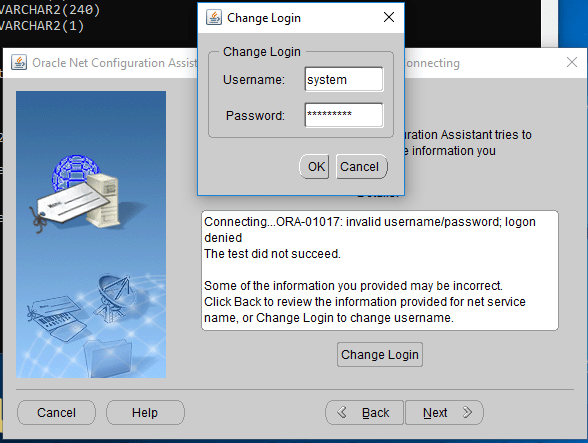
Now let us test the new service name we have just created.
Once the Net Service Name is created, we will see both the scenarios using 2 different asp files, both using different connection approaches
<html>
<head>
<title>Connecting to an Oracle database using ODBC and DSN connection</title>
</head>
<body>
<%
SET myConn=SERVER.createobject("adodb.connection")
myConn.Open "DSN=BAC;" & _
"Uid=APPS;" & "Pwd=APPS"
SQLStr="SELECT BANK_ID, BANK_NAME, BANK_TYPE FROM BAC_BANKS"
SET result=adoCon.execute(SQLStr)
IF NOT result.EOF thEN
response.write("<h2>Oracle ASP Example</h2>")
response.write("<p>Connecting to the Oracle11g database using ODBC & without a DSN</p>")
response.write("<table BORDER=3 BGCOLOR=#0099CC><tr><th>BANK ID</th>" & _
"<th>Name</th><th>TYPE</th>")
WHILE NOT result.EOF
response.write("<tr><td>" & result("BANK_ID") & "</td>")
response.write("<td>" & result("BANK_NAME") & "</td>")
response.write("<td>" & result("BANK_TYPE") & "</td></tr>")
result.movenext()
WEND
response.write("</table>")
ELSE
response.write("<p>Error retrieving bank data!!</p>")
END IF
adoCon.Close()
%>
</body>
</html>
2. Connecting to 12c without DSN
<% Dim adoCon 'Holds Connection Dim rsViewRecords 'Holds Record Set
'Initiate connection
Set adoCon = Server.CreateObject("ADODB.Connection")
if Err.Number <> 0 then Response.Clear() response.Write "<hr>ORASESSION Error<br>" & err.number & " — " & err.Description & "<hr>" response.End end if
SQLStr="SELECT BANK_ID, BANK_NAME, BANK_TYPE FROM BAC_BANKS" SET result=adoCon.execute(SQLStr) IF NOT result.EOF thEN response.write("<h2>Oracle ASP Example</h2>") response.write("<p>Connecting to the Oracle11g database using ODBC & without a DSN</p>") response.write("<table BORDER=3 BGCOLOR=#0099CC><tr><th>BANK ID</th>" & _ "<th>Name</th><th>TYPE</th>") WHILE NOT result.EOF response.write("<tr><td>" & result("BANK_ID") & "</td>") response.write("<td>" & result("BANK_NAME") & "</td>") response.write("<td>" & result("BANK_TYPE") & "</td></tr>") result.movenext() WEND response.write("</table>") ELSE response.write("<p>Error retrieving bank data!!</p>") END IF adoCon.Close() %>
Hope this helps few “Classic ASP” guys out there ;)
and one of my observations was strictly around the connection to database. I found forms those make calls to database level packages/procedures/functions crashing the developer when they are opened while no established connection with database exists.
Recently I was contacted by one of the visitors asking for help to resolve his issues with the crashes experienced while opening forms those were developed by someone else. We had a short TeamViewer session I realized that the issues were more than mere database connection specific. Then I remembered fixing few of such issues which were caused by missing table columns, packages/procedures/functions at the database level.
I located one of the backups and tried to open a form which I was extremely sure of crashing the developer due to missing objects at database level. All I remembered that I have added additional columns to a table that was in the form and a modified database level procedure, which were missing from freshly cloned database.
Unless I open this particular form, I will not able to re-create the objects and continue with the development as I don’t have any logging for the changes I have made to the form/tables/other objects during the development.
Then I remembered that Developer 6i hardly ever crashed due to missing objects, instead it did warn. As I had a classic domain setup using Weblogic 12c 12.2.1.3 recently with forms and reports developers, I decided to open this problematic forms module with the 12c forms developer.
That was the solution.
(The best thing about Weblogic 12c Forms is, you can opt for a standalone installation of the developer, avoiding all complexities around setting up the entire Weblogic infrastructure. Oracle have so much crap in their decision making team, having weird ideas like forcing the developers to setup an entire Weblogic infrastructure for mere development? duh!)
Now, if you are having such a situation, follow the below instructions:
MAKE many copies OF YOUR TROUBLESOME FORM, KEEP THEM IN DIFFERENT PLACES
Open Forms developer 12c, establish connection to database
Open a copy of the form that crashes 10g developer
If the form open (it should in case if it was crashing due to missing objects!), compile all objects (CTRL+SHIFT+T). This should start throwing errors about missing columns and other objects.
Alter your tables, create missing objects and open your form using Developer 10g
That’s it. You must be glad to have it fixed.
Hope this helps few Oracle developers who are mainly developing for Oracle Applications R12 using Developer 10g Suite.
We are using Oracle applications R12 12.0.6 with JDK 6.0 while most of the clients are using JRE 7/8 based on different business requirements (With full knowledge that there would be unexpected results due to the compiled versions). We’ve observed a peculiar issue with the JRE applet once after the upgrade to Windows 10 version 1803. The Java applet started showing too small fonts while launched from displays with high DPI resolutions.
Digging in brought me to the following discussion:
Although there are multiple recommendations, for EBS environment, Please follow the below instructions:
Launch the JAVA applet by opening a forms based module.
Open task manager and locate “Java(TM) Platform…”, right click and open properties. This will open the properties for “jp2launcher.exe”. Click on “Compatibility” and click on “Change high DPI settings”. Now check “Override high DPI scaling behavior. Scaling performed by:” to “Application”. Refer the image for more details.
Once the changes are made to the properties of the executable, restart the box. It could be specific case, the changes were not applied until a restart for me.
Although it fixes the font scaling issues, the toolbar area of the Oracle forms are remains scaled with pretty small icons. I am yet to find out a fix for this minor annoyance. May be quite soon.
Windows 10 gets more interesting day after day. I feel like Microsoft is slowly helping my HUGE beasty desktop machines to start looking like a MOBILE PHONE, well enough said.
One of the latest issues with Windows 10 version 1803 (build: 17134.81) is, one cannot add the .NET Framework 3.5 feature using “Turn Windows features…”, the attempts start reporting you are not connected to internet, which is not true (Microsoft should grow up)
So if you are looking for a quick solution to the said, don’t worry, Microsoft has truly messed up documentations available here:
Or if you don’t want to get confused, follow the instructions below:
Using the Windows Media Creation Tool for Version 1803, create ISO and mount it
Browse to sources\sxs folder within the ISO that’s been already mounted. Example, my ISO file is mounted on J: drive, hence the path to sources files is “J:\sources\sxs”
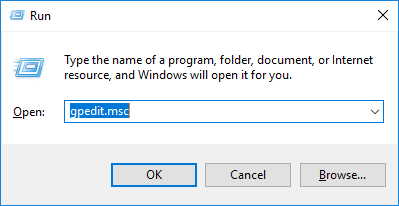
Copy the path and with an administrator account, open “LOCAL” group policy editor
Click Computer Configuration, click Administrative Templates, click System, and then double-click the Specify settings for optional component installation and component repair setting.
and once the LOCAL policies are updated, you have to apply it. Apply the policy changes using “gpupdate /force”. Don’t worry about domain policies (if you are using a domain joined computer)
Now try to install “.NET Framework 3.5”, should complete without giving more errors.
Downloading the installing Oracle software could be a challenging task at times, WebLogic 12c Forms & Reports installation is NOT very different Especially if you are as usual skipping the “read me” areas)
I will try to explain the download and extraction activities related Oracle forms and reports 12c below.
Once the files are downloaded, you need to extract both the zip files into a single folder
1st ZIP archive extracts “setup_fmw_12.2.1.3.0_fr_win64.exe” & 2nd ZIP archive extracts “setup_fmw_12.2.1.3.0_fr_win64-2.zip”. During installation, “setup_fmw_12.2.1.3.0_fr_win64.exe” expects “setup_fmw_12.2.1.3.0_fr_win64-2.zip”, hence, do NOT extract “setup_fmw_12.2.1.3.0_fr_win64-2.zip”. To make it simple, for Oracle installation, move the following files to a new folder, call it “Forms_Installer_12c”
D:\Forms_Installer_12c
and copy/move both “setup_fmw_12.2.1.3.0_fr_win64.exe” & “setup_fmw_12.2.1.3.0_fr_win64-2.zip” to this folder. Less confusing this way :)
========
One of the posts that is doing great according to a blogger’s expectation is about WebLogic 12c installation & configuring it for deploying Oracle forms/reports based applications.
Well, I totally missed the fact that Oracle periodically updates their software & missed out the current version of WebLogic 12c 12.2.1.3. It didn’t even ring a single bell when someone asked me about an error that was happening during his attempts to get 12c installed, which was specific to 12.2.1.3.
My previous post about WebLogic 12c strictly deals with version 12.2.1.0.0 for the areas of creating a new repository for WebLogic infrastructure and configuring a user domain. There are minor changes with 12.2.1.3, and those changes sure require mentions.
Prerequisites
Oracle WebLogic 12c, Oracle forms and reports require Visual C++ verion 11 preinstalled. Although the installation would proceed after showing missing prerequisites, I will NOT suggest you to take unknown risks. If possible, make sure your box is completely updated with latest Microsoft patches for the specific operating system.
This time I will take the freedom to believe that you already have Oracle 12c database installed and avoid going through the database installation procedures.
As a thumb rule, install Java JDK 8, the latest version available in a folder like C:\java\jdk or C:\JDK or D:\Jdk (the shortest path name possible).
Switch to the folder where you have downloaded the software required for Weblogic 12.2.1.3 installation and configuration from an “elevated” command prompt.
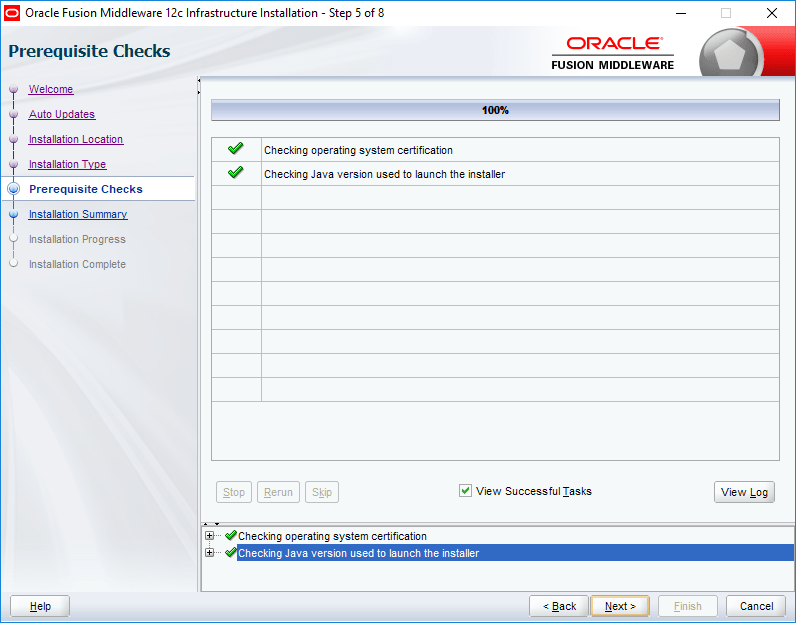
Check the below image for details:
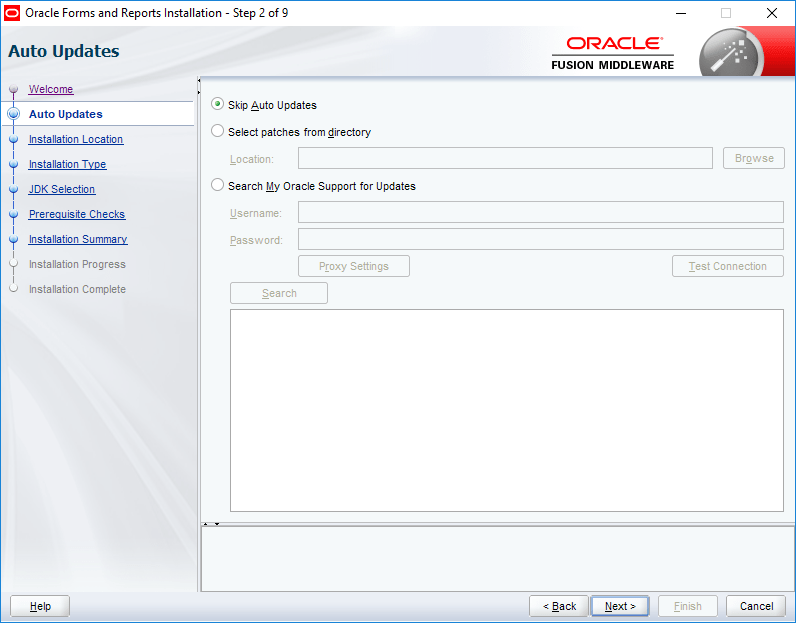
It looks like Oracle has finally realized that 99% of the public will opt skip updates, hence they made it as default this time ;)
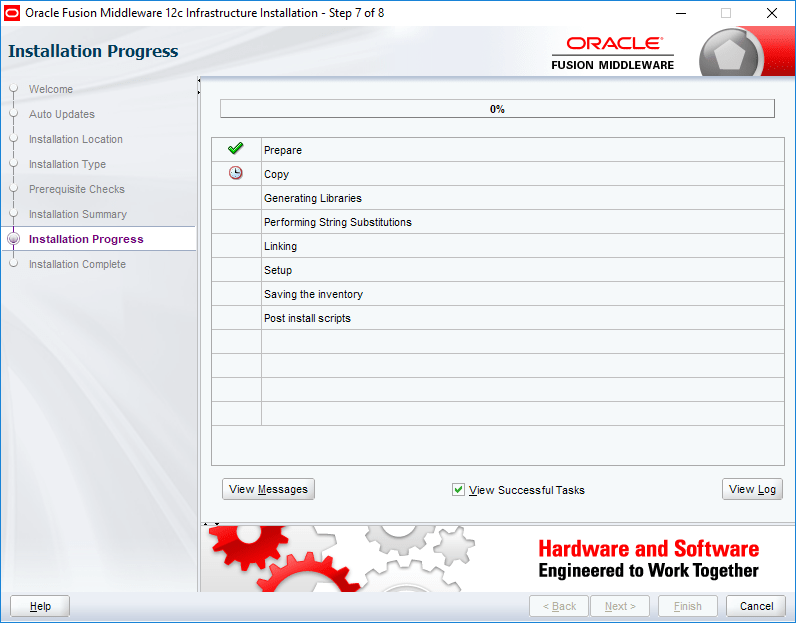
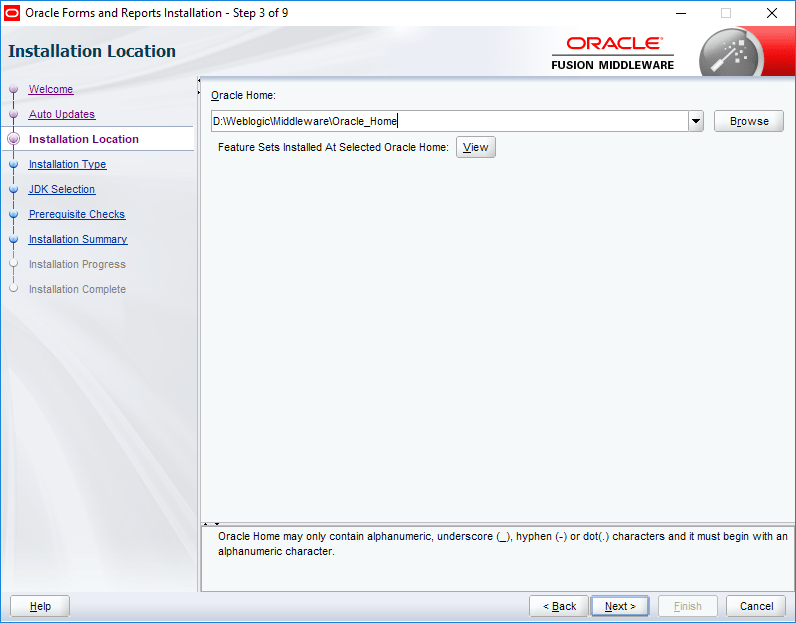
By following the classic way of naming the installation folders, you save tremendous time & efforts to locate configuration files (Especially if you are following my posts). I always choose to install the weblogic stack on D:\Weblogic\Middleware\Oracle_Home. This helps me to setup the environment next time by keeping exact path information for configuration files etc.
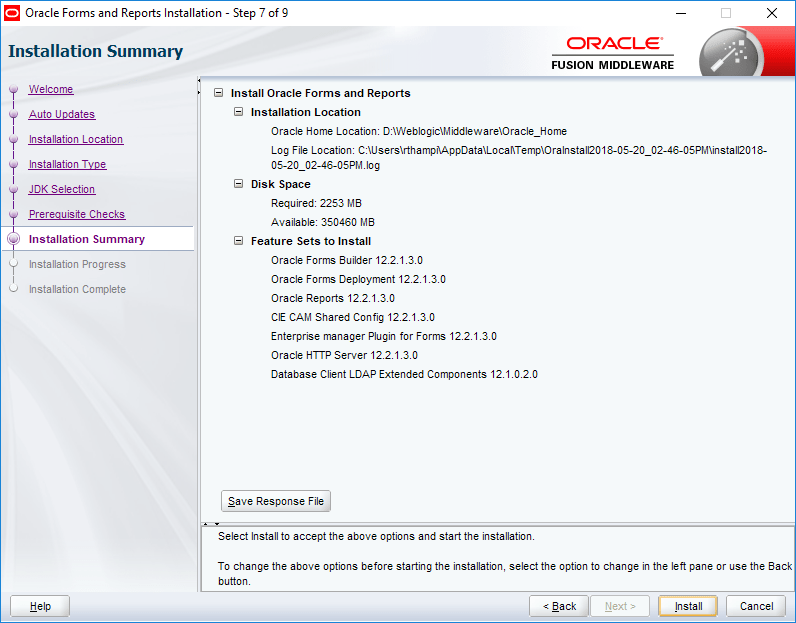
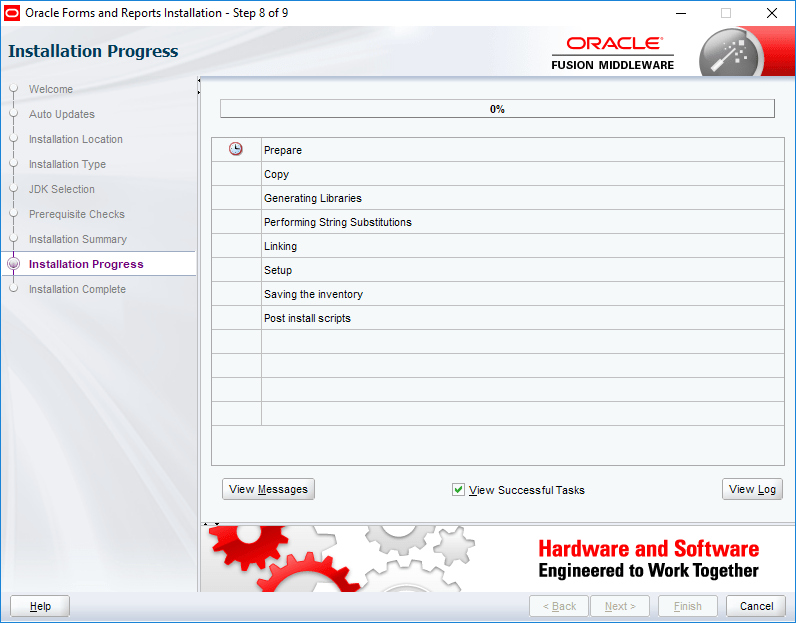
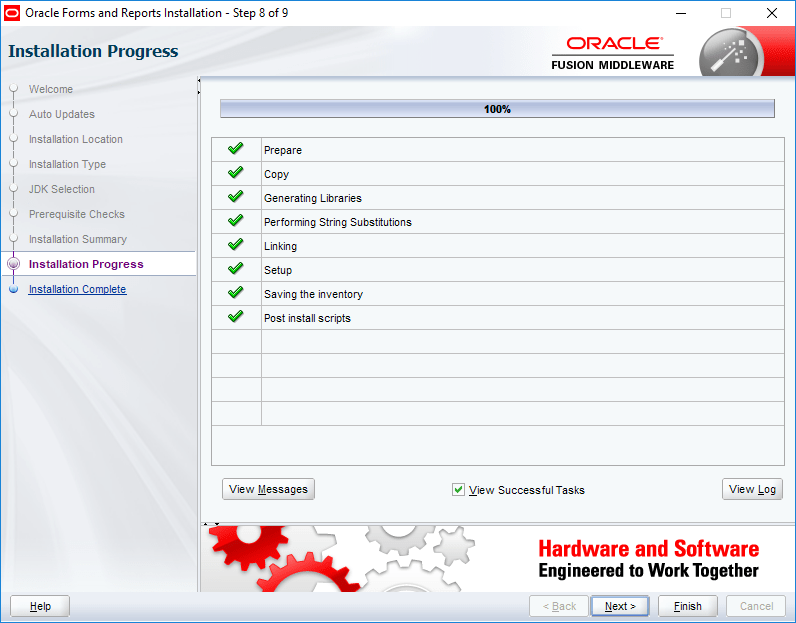
That’s all folks, your Weblogic stack is installed & you are ready to go ahead with the installation of Oracle forms and reports 12c now.
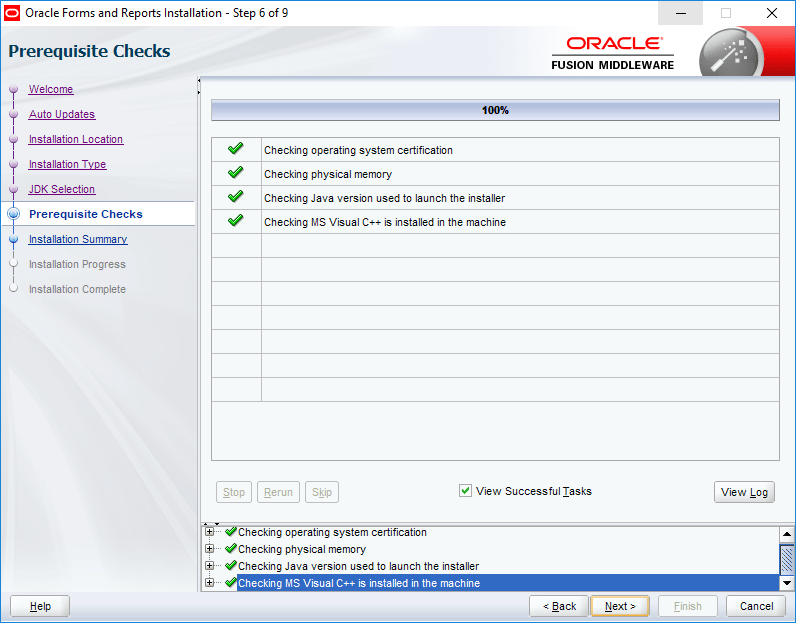
Basically you shouldn’t ignore the following “Warning” about Visual C++ element. I’ve found that Visual C++ causing serious issues with OHS instance starting during my previous attempts, hence make sure you install Visual C++ recommended version is installed in the machine.
The above installation(s) should be go all smoother than previous versions & now we can move to configuring our first domain using the latest WebLogic Stack installed.
Setup repository for the domain
Suggestion(s):
I suggest you totally disabling the password expiry for the entire database that you will be using for your WebLogic lab (12c). Ignoring this element could land you in difficult situations in case if you are not meticulously maintaining the password changing routines.
Always invoke scripts as administrator, this provides you the elevation on Windows 7 onward Windows OS
Execute rcu.bat from the following installation path. Please note, I have installed WebLogic software onD:\Weblogic\Middleware\Oracle_Home\oracle_common\bin folder (Which is the standard way I name the installation folder, this helps me to copy much of the elements between installations, upgrade processes), so I will be executing the “rcu.bat” file from “D:\Weblogic\Middleware\Oracle_Home\oracle_common\bin”. Adjust your path accordingly.
We will choose “System Load and Product Load” which is default for our repository as well. Please note, you should use the same “rcu.bat” for dropping the repositories, if you have to at later stages.
For all WebLogic labs, I suggest the same password for Database and WebLogic. You can go for simple passwords like “YourName123” which satisfies “most” of the implied complexity for passwords.
If you have entered the database credentials and other details correctly, the checking should be done within no time.
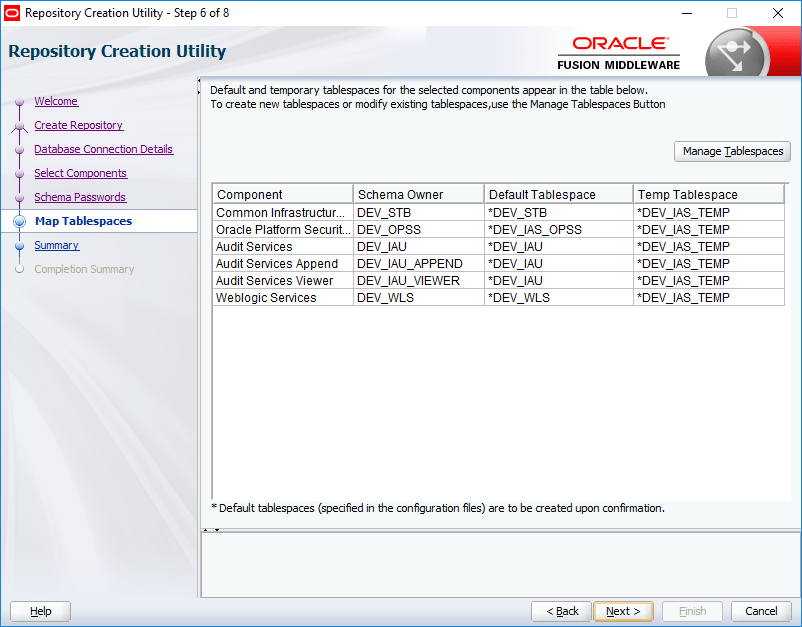
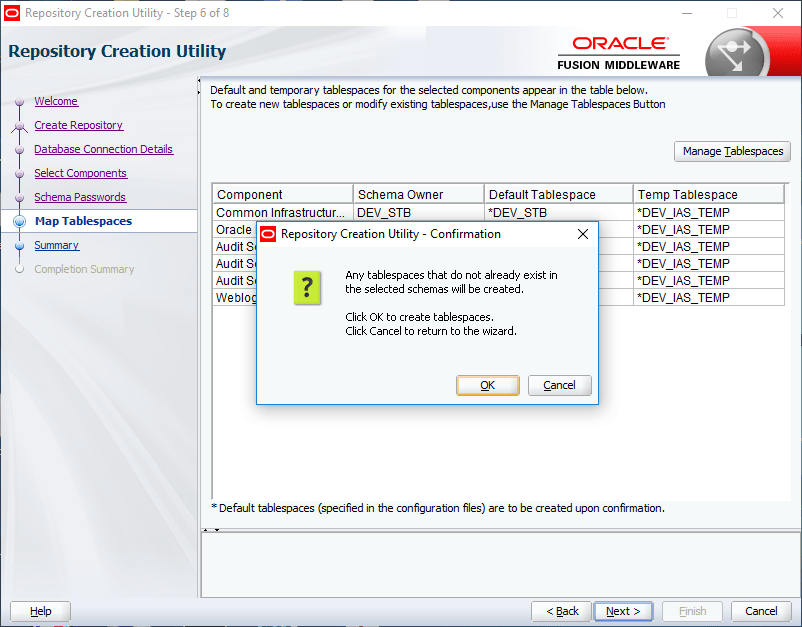
Now we will create the repository for our domain. Please note, the new profile name could be anything. Instead of “DEV” which is by default assigned by Oracle, you may choose your name in that place. Make sure you note down the name of the profile somewhere for future references. Select all the components as seen with the below image.
(Please note, I have copied the images from 12.2.1.4 installation and replaced few of the images with this post as one comment mentioned that I didn’t choose MetaData Services with the old image(s) provided, so please don’t get confused. Rest of the images provided may “miss” the metadata services related information & instead of “DEV”, you may see “DEV1” at places. Please ignore)
Select same password for all schema.
I have the entire setup on a SSD, hence the time to create and configure the repo could be significantly much less than over a spinning drive system.
That completes our repository creation. Please make sure that you note down the repository name and the password(s) somewhere for future references.
Now we will create our 1st domain with our fresh Weblogic 12c 12.2.1.3 environment. Just make sure that the JDK installation path is the 1st entry in the PATH environment variable.
Invoke “config.cmd” file as administrator from “D:\Weblogic\Middleware\Oracle_common\common\bin” folder. Adjust the path according to your installation preferences.
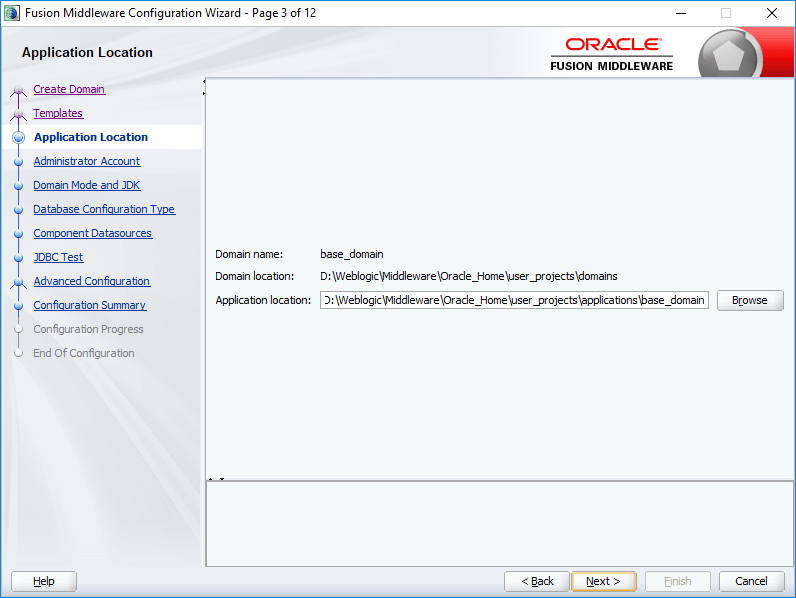
We will create a new domain for the lab now. Leave the default domain location as suggested by Oracle. Change it ONLY if you know what you are doing at this point of time.
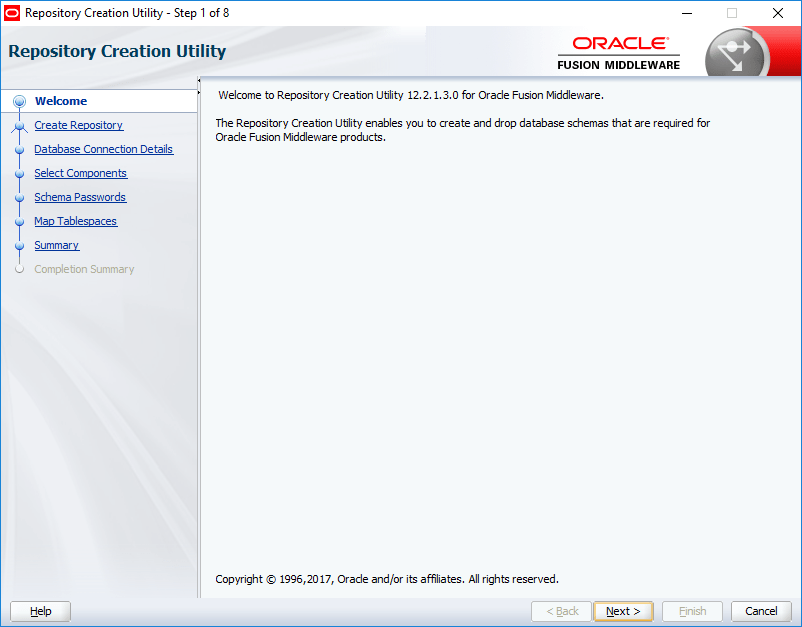
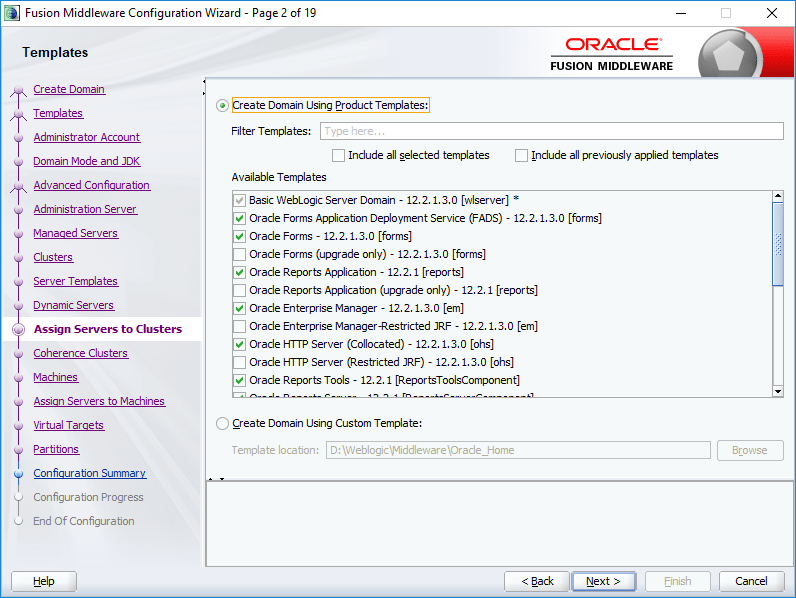
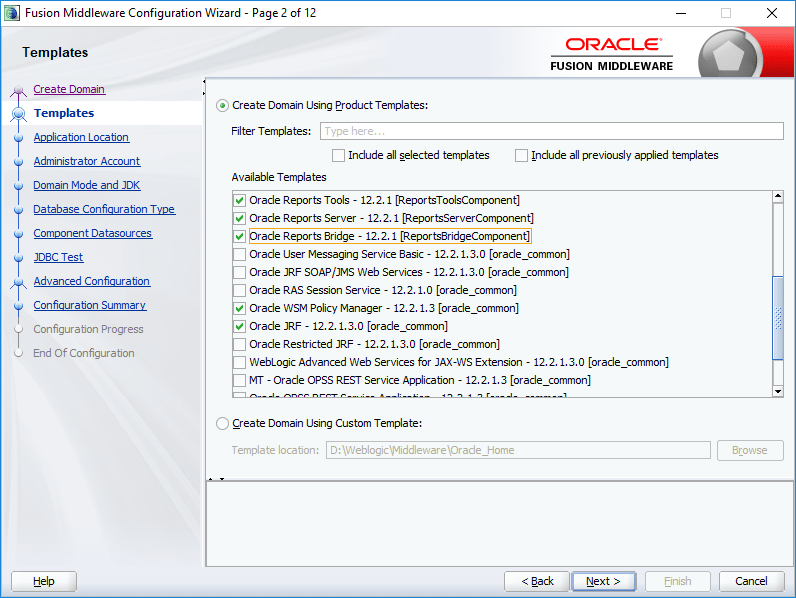
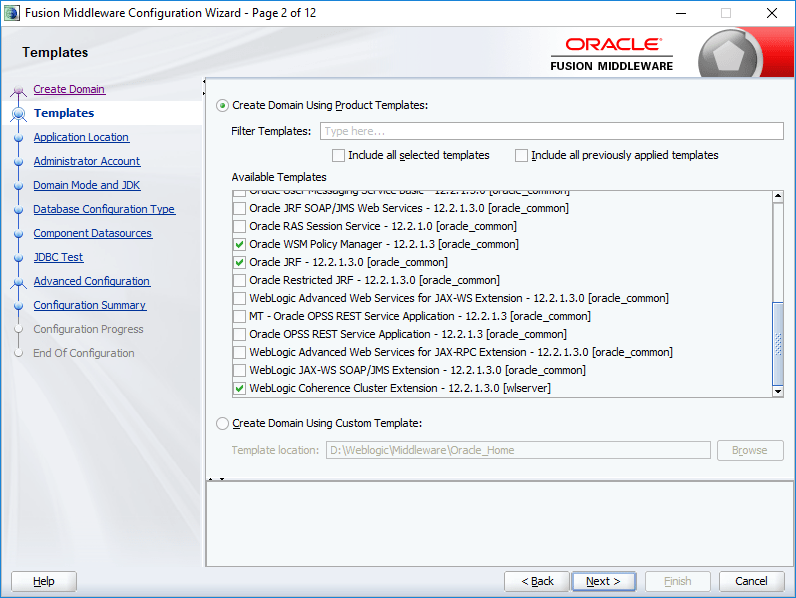
For Oracle Forms and reports, the below product selection is spanned over 3 different images. Make a list of the items selected, and make sure you don’t miss any of them before proceeding to next step.
Once all elements are selected for the domain, you can proceed.
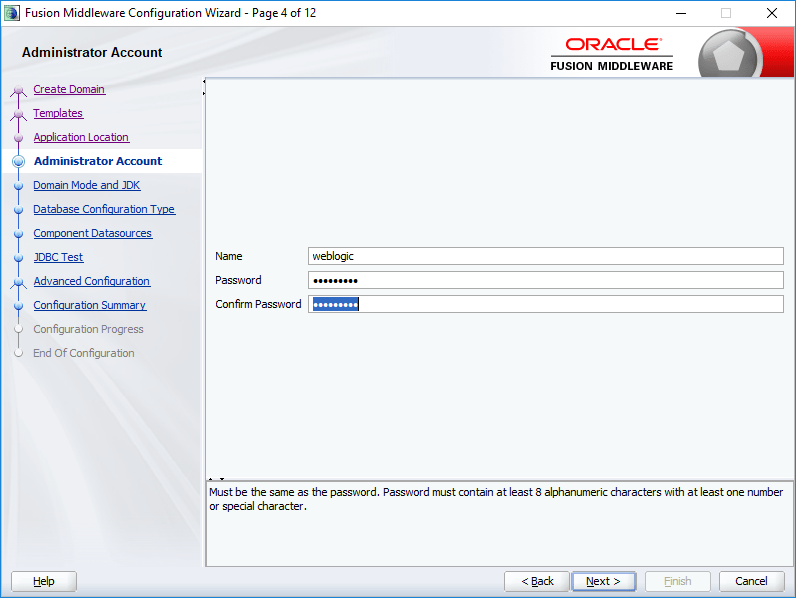
As a standard approach, I am using the same password for the WebLogic Administrator account, leave the suggested administrator name as “weblogic”
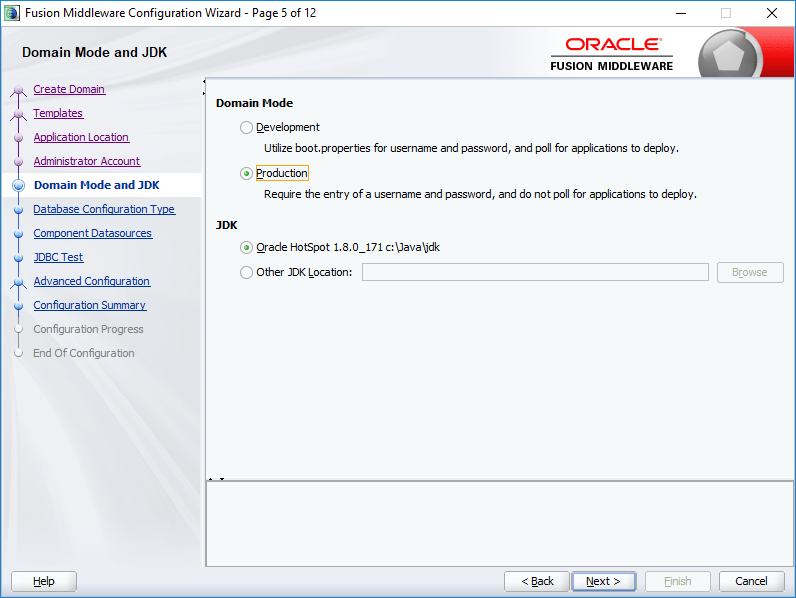
We’ll go for production for Domain Mode. JDK location will be automatically picked. Do not change it, unless you have a valid reason.
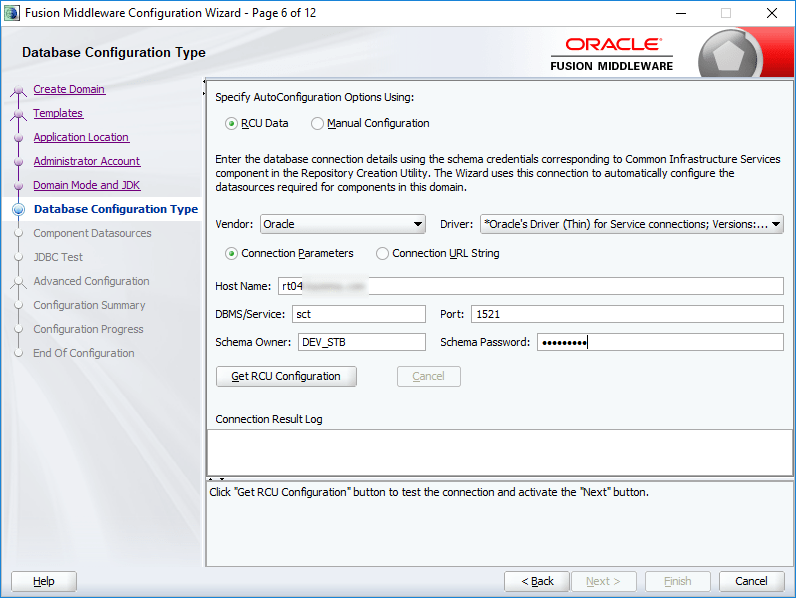
Now we have to supply the repository details, those we have saved during the creation of repository. The details will be cross checked prior by the configuration tool. Once after supplying the details click the “Get RCU Configuration” button.
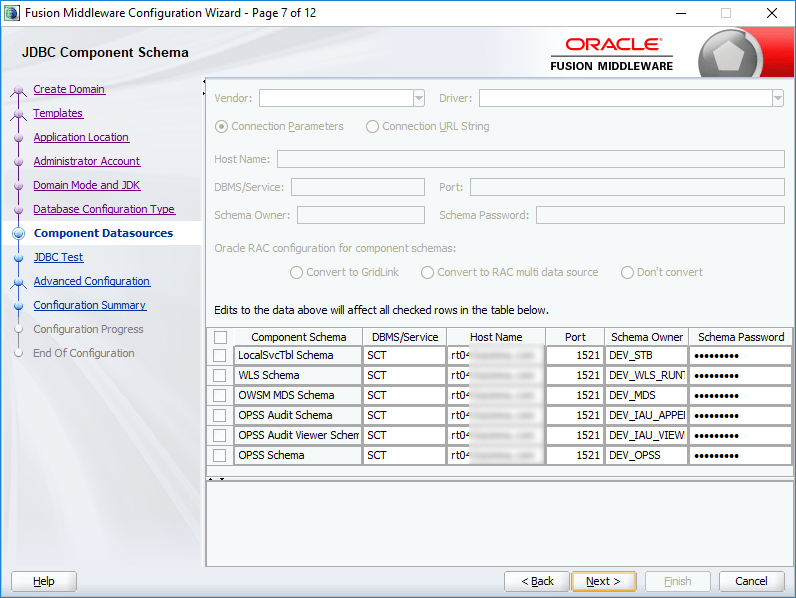
Once the repository validations done, it’s time to select the components for your domain. Make sure the checked elements are selected for your domain as well.
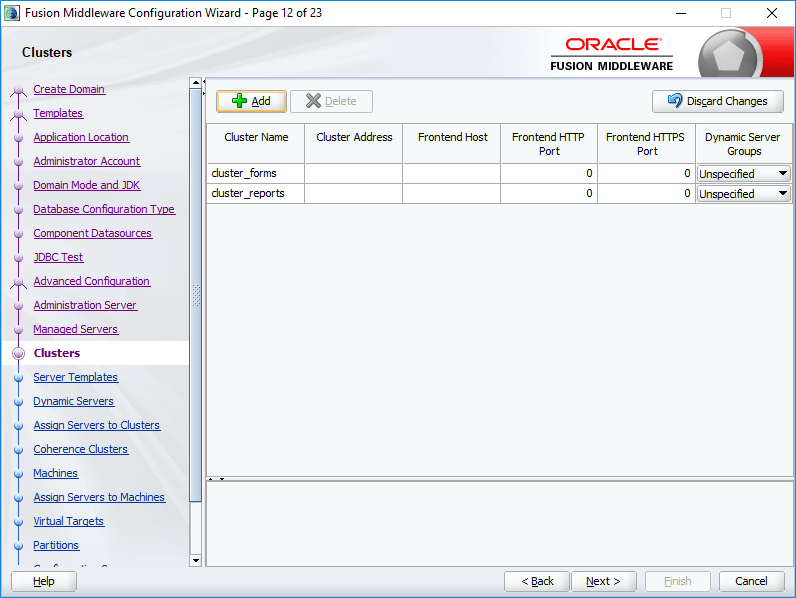
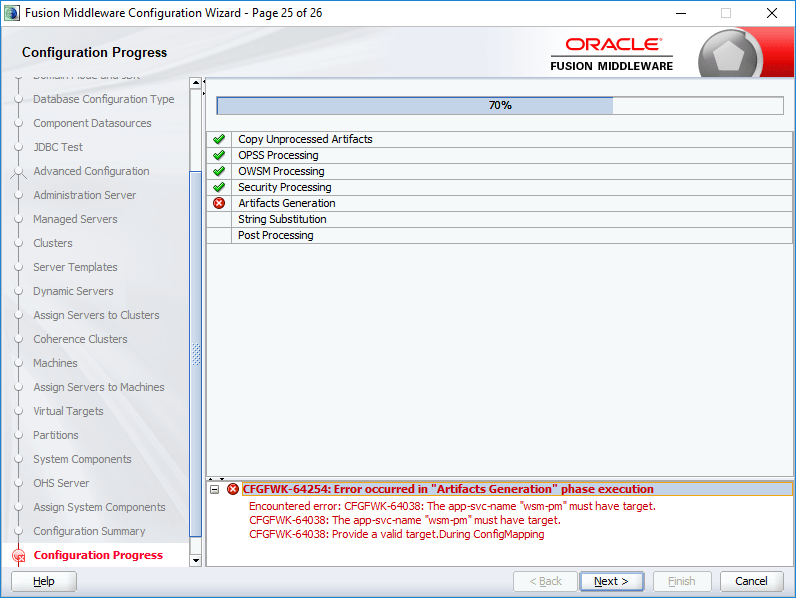
Do not miss to select “WSMPM-MAN-SVR” for the Server Groups, failing will FAIL the configuration of the domain. I don’t know what the heck it is, I may read about it one day and update myself. For now, I suggest you select the said group from the drop down list and proceed.
Failing to select the Server Groups will land you on this page, which you don’t want! Make sure you will do the “WSMPM-MAN-SVR” Selection for the Server Groups.
I corrected the error at my side by dropping the repository, recreating & configuring the domain once again.
So we have created a classic domain now. We need to setup an OHS instance and setup the domain for deploying our forms based applications now.
To configure the newly configured domain, you may use the 12.2.1.2 configuration instructions as posted here
Right now, you can use my previous posts about Install Weblogic 12c and setting up OHS, forms & reports for WebLogic 12c as reference materials to setup your new classic domain or wait for me to post a followup with version specific details.
The good thing is I found a “solution” myself after wasting almost a working day, just because I was stupid enough not to read my own POST dealing with it :/
I will publish a new POST detailing what has changed & how you could avoid getting into a mess with WLS LAMP installations & configurations in a day or two.
Update: 18th April 2019
Although I was able to successfully install LAMP on multiple Windows 10 stand alone machine WLS, yet to figure out a way to install MySQL on a Windows machine running WLS that has already joined a domain. I am not sure whether it is due to some domain policy related issues, access issues or due to a corruption with my Windows. I will definitely try to find out the root cause (hopefully).
====
Usually I prefer a virtual machine for all my Linux/Development requirements. Well, Microsoft is “trying” to setup a Linux subsystem within Windows 10 from a while, which is “yet” to be fully functional in many means. Many benchmarks proven that Microsoft Subsystem for Linux for has the poorest I/O which Microsoft claims, will be addressed in the future releases.
So, why someone will choose WSL against a VM which has better functionalities? From an eager inquisitive person’s perspectives, I will choose WSL for just couple of reasons and they are:
WSL could access the full hardware, when a VM has limited resources. Ie, say your computer running has 4 cores and 8GB memory, you will be limited to 2 cores for your VM (anything beyond that would cause unexpected issues) and maximum of 4GB memory. Here WSL don’t have such limitations, it could access all your 4 cores and the maximum memory & could be launched like just another win32 application!
I’ve been trying to setup WSL using both Ubuntu & OpenSUSE Leap 42.3 over my Windows 10 1709 & I had better results with Ubuntu. OpenSuse has many issues those were beyond my skills to address and resolve. Hence, I chose to stick with Ubnutu for now.
So, installation of WSL on Windows 10 recent versions were made pretty easier compared to the previous releases. A seasoned Windows user could install Ubuntu for WSL very easily by following the instructions below
Once rebooted, from the Windows store, search for Ubuntu or OpenSUSE and just install it! That simple it is.
Once installed, as mentioned with the first image, one can start the WSL either from command prompt or by clicking the tile that is available with the start menu.
As a developer, I would take the pain to setup the WSL for ONLY few reasons like testing PHP application(s) those are based on MySQL database (and outta curiosity)
So next, let us see we can setup LAMP server (LAMP is an archetypal model of web service stacks, named as an acronym of the names of its original four open-source components: the Linux operating system, the Apache HTTP Server, the MySQL relational database management system (RDBMS), and the PHP programming language. The LAMP components are largely interchangeable and not limited to the original selection. As a solution stack, LAMP is suitable for building dynamic web sites and web applications) on our new WSL
You may refer to this post for a detailed information about how to install individual components like apache, MySQL and PHP. Please note, the link that I provided deals with PHP5, which is not anymore available from Ubuntu repositories, hence I chose to go ahead with PHP7.0 for my WSL instance
Issue the following command(s) to install Apache, MySQL,PHP and phpMyAdmin
During the installation, you will be prompted for setting up MySQL root credentials, which is mandatory in order to access the MySQL server at later stages using phpmyadmin module
For PHP, you must install libapache2-mod-php, else you would experience php pages being blank when functions like phpinfo(); are called.
Once the packages are installed (without errors) you can restart apache to verify everything is working fine
[code language="text" gutter="false"]

sudo service apache2 restart or sudo /etc/init.d/apache2 restart

[/code]
If your windows box already has IIS listening to port 80 and a Windows instance for MySQL is listening to port 3306, then you must change the ports for both apache and MySQL before restarting the services.
MySQL installation will GET IN TO a number of undocumented errors if you have another instance of MySQL listening to 3306 (ie, on your Windows box). Hence make sure that you shutdown the instance before attempting to install MySQL on WLS. Please remember, WLS is not another virtual machine, so if a port is open on your “HOST”, that is definitely a conflict for the WLS.
For changing the port of Apache server edit the following file
During the installation you will be prompted for selecting the http server stack and password for MySQL root account. You must provide the root password that you have set during the MySQL installation at this prompt
Once the phpmyadmin is installed, you need to manually enable couple of extensions and they are dealt like following:
(I did a fresh WLS instance on 17th April 2019 & the phpmyadmin installation has changed a little bit here and there, asking for the webserver & an additional setup that helps to setup the phpmyadmin user passwords etc)
[code language="text" gutter="false"]

sudo service apache2 restart

sudo service MySQL restart

[/code]
Example:
[code language="text" gutter="false"]

rajesh@rt04:/etc/apache2$ sudo service apache2 restart
* Restarting Apache httpd web server apache2 [ OK ]
rajesh@rt04:/etc/apache2$ sudo service mysql restart
* Stopping MySQL database server mysqld [ OK ]
* Starting MySQL database server mysqld [ OK ]
rajesh@rt04:/etc/apache2$

[/code]
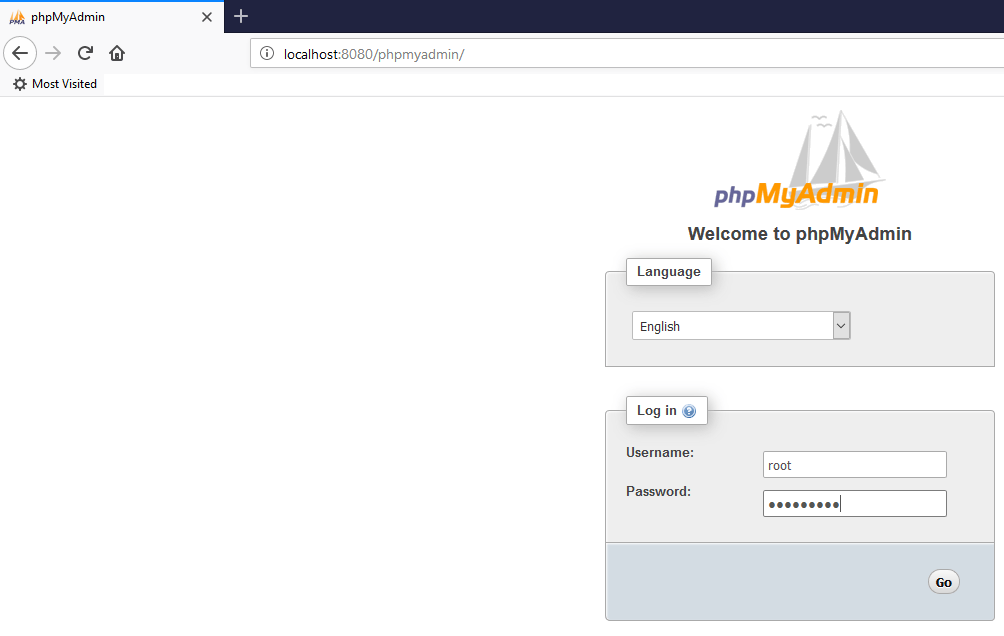
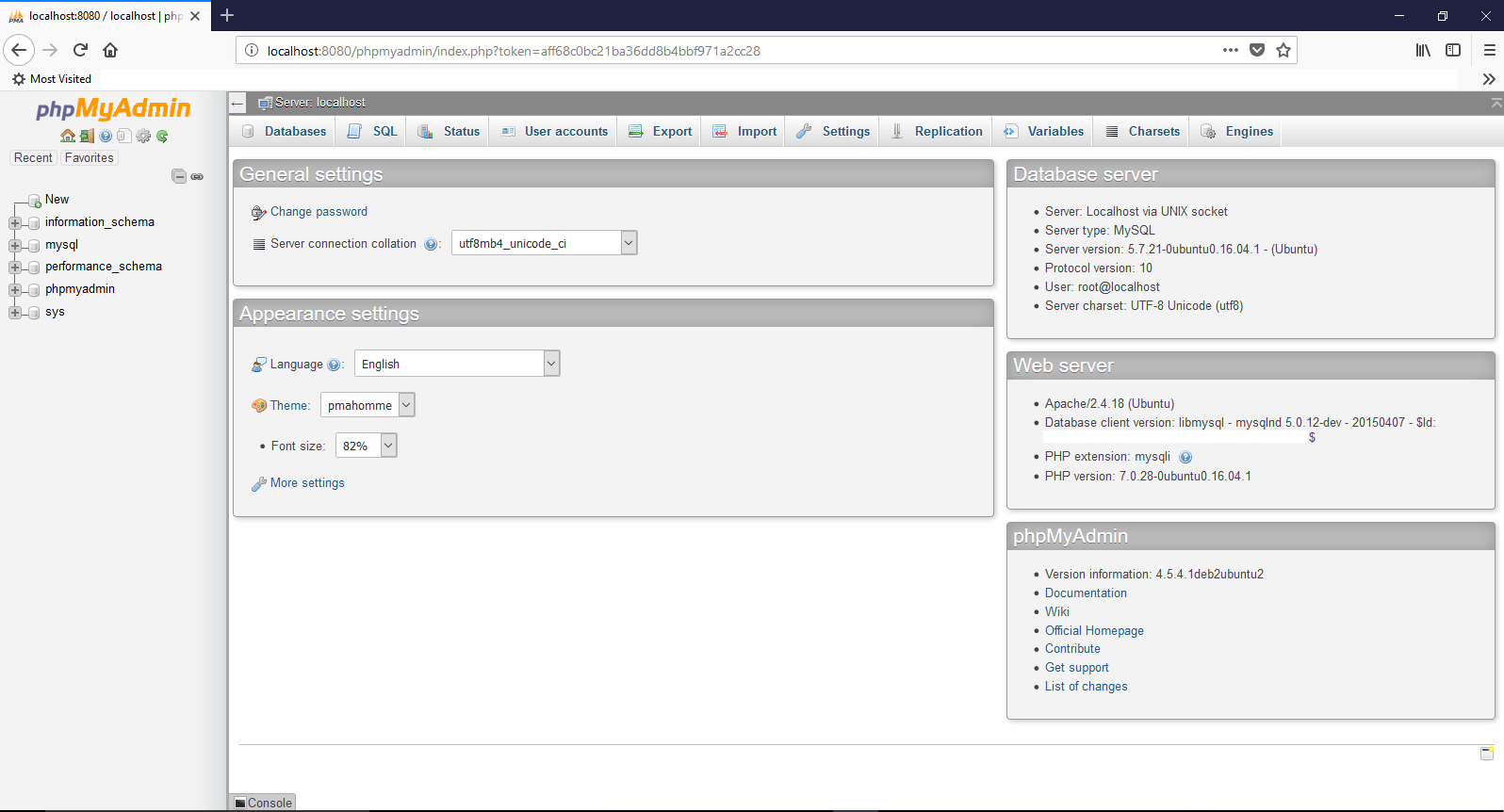
Now you can see that there are no errors or warning while starting both apache and MySQL. So let us go ahead and check phpmyadmin
That’s all folks!
There is no shutdown for WSL, just type “exit” and you are good. I am yet to test whether mere exiting does anything harmful to running instances of apache and MySQL. Until I find them…
Finally
I don’t really understand why, yet, many users are asking for a “way” to ssh into the Linux subsystem. The pre-installed openBDS ssh server doesn’t allow a connection from clients like putty. Hence a re-installation of SSH server is required.
[code language="text" gutter="false"]

sudo apt-get remove --purge openssh-server
sudo apt-get install openssh-server
sudo service ssh --full-restart

Create a firewall inbound rule if required

[/code]
Now you should able to connect to WSL instance using a client like putty.
Update: In my case, I was able to fix the issues by re-installing Windows using the installation media over an existing Windows 10 1709 installation. I chose to keep files and applications and once after the re-installation successfully completed, achieved the desired results.
Update: Basically this is a bug, which doesn’t affect those who were keeping on upgrading from builds to new builds (ie from 15xx to 17xx). Affects most of the users who did clean installation of 1703/1709 which is yet to be addressed by Microsoft. My case, I did an upgrade from 16xx and resetting the TCP/IP, Winsock etc did the damage for me (Well, it realized that, this issue also exists ;) )
Today, I managed to realize that by just unchecking OK, Checking again and OK combinations on File and Printer Sharing Services for the network adapter fixes the dreaded issues until a restart.
Here are the workaround solutions until Microsoft finally releases a patch/update for it.
Recently I tried to enable mobile hotspot on my Windows 10 (1709) Pro machine at work that is a domain member. By the time I figured out that the connection issues clients connected to the ad-hoc network were purely related to some authentication issues with our UTM device…it was too late.
I did enough damage to the network stack of my box, reset winsock, rebuilt TCP/IP, resetting the firewall.. and after fixing the issues with mobile hotspot, started having issues with the HP printer and a particular folder that I share with my team.
Both the printer and shared folder cannot be accessed over network, the funniest part was from my local machine itself I couldn’t access the shared folder by calling it like
\\mymachinename\foldername
So as usual I tried to fix the issues using Windows trouble shooters and all the time I was getting the same info “0x80070035” and further diagnostics gave me:
“The device or resource <<HOSTNAME>> is not set up to accept connections on port “The File and printer sharing (SMB)”.”
I tried to find more details, especially about the above statement and unfortunately, none of the questions asked by users in relation were satisfactorily answered by Microsoft.
Then I landed on a Microsoft page @ https://answers.microsoft.com/en-us/windows/forum/windows_10-networking/windows-10-pc-rejecting-incoming-connections/a36974c7-3208-4489-ad44-962838c38b29
The last contributor asks “Is “File and Printer sharing for Microsoft Networks” enabled under the properties of the network card?“, for obvious reasons I was sure that this service is enabled under the network properties of my Ethernet device.
Logically, my next approach was to uninstall this service from the adaptor, re-install it. Immediately after reinstalling the service, all the shared assets from my laptop were accessible over the network.
Still not happy, I rebooted the machine, to find out that the shares were once again having the same issue(s).
0x80070035
So I uninstalled and reinstalled the “File and Printer sharing for Microsoft Networks” service and this time reset the Defender Firewall to defaults. Instead of restart I did a shutdown, waited few minutes and restarted it.
As I am drafting this post, I have checked the access it is working perfect. Will reboot one more time to insure that this fix is permanent.
I don’t know the technical reasons behind this erratic behavior, however it looks like one more time uninstalling and installing the “File and Printer sharing for Microsoft Networks” fixes the issues (minimum for now) & until a reboot.
If you are facing the same issue(s), why don’t give it a try.
Recently I’ve started experiencing a peculiar issue with my Windows 10 VM on Windows 10. Once the VM starts, the entire desktop for the VM is either a white/black blank screen, however the Preview pan for the VM shows the proper desktop as loaded.
I’ve gone through multiple such complaints those are posted at VirtualBox forum, however none of them with a proper solution. One of the solutions which works in all cases is turning off the 3D under display settings for the VM
The another “hack” which works in my case is using the HOST+f (full screen) key combinations. This forces the VM to occupy the entire monitor and somehow the desktop is loaded to the view. To return, press HOST+f key once again. If you don’t know what is the HOST key, it is the right “Ctrl” button. A standard keyboard now days should have two numbers of “Ctrl” keys. Once by the extreme left side of the keyboard and the 2nd one by the right hand side, just below the Enter & Shift keys.
VirtualBox guys were saying this issue is mostly seen with Nvidia graphics, which should be true as my work laptop has Intel+NVidia combo, where low power applications are using Intel as primary display.
Give it a try and let us know whether this hack brings back your VM desktop/display. Let us hope VirtualBox fixes (if it is a bug from their software) or wait for another update from Microsoft fixes it.
Once after I built the Windows Instance from Linux Backups, I have started a thread with community.oracle.com, expecting answers for few concerns. Below, please have a look at the thread
jgarry states, as the redo logs are not applied, I am risking data loss. Now, I don’t really think someone would move from Linux to Windows for Oracle database, when the opposite happens most of the times.
We will consider the entire exercise as limited LAB & for some reasons, if this has to be performed for a production instance, make sure AN IMAGE BACKUP/Cold Backup is available to avoid possible data loss. Cold backup routine as below:
RMAN> shutdown immediate;
RMAN> startup mount;
RMAN>backup database; #replace with your backup routine
RMAN>
Hi guys
Greetings. I have been hell busy during last few weeks. Traveling, fixing stuffs & as usual learning new “things”. This time I am working with RMAN, the recovery manager for Oracle database & trying to establish something that is NOT that orthodox or this is how I feel once after going through many documents. Well, remember we did hack installations, we got “stuffs” work ;). So why not give it a try?
Attempted: Restoring Linux RMAN backup(s) to Windows. Doable? Well, YES.
Cons: No idea yet (6-March-2018, possible data loss as the redo log files will not be readable)
Could be used at Production: At your own risk
I am not going to break the flow anywhere, it is a lengthy one shot document. Prior giving it a try, make sure you have copied the backups from Linux machine to your Windows Machine.
Microsoft Windows [Version 10.0.16299.248]
(c) 2017 Microsoft Corporation. All rights reserved.

C:\WINDOWS\system32>d:

D:\>cd Oracle11g64\product\11.2.0\dbhome_1\BIN

D:\Oracle11g64\product\11.2.0\dbhome_1\BIN>oradim -new -sid LINUXDB
Instance created.

D:\Oracle11g64\product\11.2.0\dbhome_1\BIN>set ORACLE_SID=LINUXDB

D:\Oracle11g64\product\11.2.0\dbhome_1\BIN>rman target /

Recovery Manager: Release 11.2.0.4.0 - Production on Thu Mar 1 13:34:58 2018

Copyright (c) 1982, 2011, Oracle and/or its affiliates. All rights reserved.

connected to target database (not started)

RMAN> set DBID=439294518 shutdown immediate

using target database control file instead of recovery catalog
Oracle instance shut down
--We will use a copy of Windows environment specific INIT file to
--Manually create a INIT file for our new database
--sample
--make sure you have created all paths mentioned in the INIT file prior restarting the database
LINUXDB.__db_cache_size=486539264
LINUXDB.__java_pool_size=8388608
LINUXDB.__large_pool_size=8388608
LINUXDB.__shared_pool_size=746586112
LINUXDB.__streams_pool_size=0
*.audit_file_dest='D:\Oracle11g64\admin\LINUXDB\adump'
*.compatible='11.2.0.4.0'
*.control_files='D:\Oracle11g64\oradata\LINUXDB\control01.ctl','D:\Oracle11g64\oradata\LINUXDB\control02.ctl','D:\Oracle11g64\oradata\LINUXDB\control03.ctl'
*.db_block_size=8192
*.db_domain=''
*.db_file_multiblock_read_count=16
*.db_name='DB11G' #source database name
*.db_recovery_file_dest='D:\Oracle11g64\oradata\LINUXDB\flash_recovery_area'
*.db_recovery_file_dest_size=2147483648
*.dispatchers='(PROTOCOL=TCP) (SERVICE=DB11GXDB)'
*.job_queue_processes=10
*.log_archive_dest_1='LOCATION=H:\db11g\archivelog'
*.log_archive_format='DB11G_ARC%S_%R.%T'
*.open_cursors=300
*.pga_aggregate_target=418381824
*.processes=150
*.remote_login_passwordfile='EXCLUSIVE'
*.sga_target=1256194048
*.undo_management='AUTO'
*.undo_tablespace='UNDOTBS1'
--Sample INITFILE end

RMAN> startup nomount;

connected to target database (not started)
Oracle instance started

Total System Global Area 1252663296 bytes

Fixed Size 2280816 bytes
Variable Size 402653840 bytes
Database Buffers 838860800 bytes
Redo Buffers 8867840 bytes

RMAN> restore controlfile from 'H:\db11g\backup\bkpcontrol_file.ctl_DB11G_20180301';

Starting restore at 01-MAR-18
allocated channel: ORA_DISK_1
channel ORA_DISK_1: SID=63 device type=DISK

channel ORA_DISK_1: restoring control file
channel ORA_DISK_1: restore complete, elapsed time: 00:00:03
output file name=D:\ORACLE11G64\ORADATA\LINUXDB\CONTROL01.CTL
output file name=D:\ORACLE11G64\ORADATA\LINUXDB\CONTROL02.CTL
output file name=D:\ORACLE11G64\ORADATA\LINUXDB\CONTROL03.CTL
Finished restore at 01-MAR-18

RMAN> alter database mount;

database mounted
released channel: ORA_DISK_1

RMAN> catalog start with 'H:\db11g\backup';

Starting implicit crosscheck backup at 01-MAR-18
allocated channel: ORA_DISK_1
channel ORA_DISK_1: SID=191 device type=DISK
allocated channel: ORA_DISK_2
channel ORA_DISK_2: SID=129 device type=DISK
Crosschecked 18 objects
Finished implicit crosscheck backup at 01-MAR-18

Starting implicit crosscheck copy at 01-MAR-18
using channel ORA_DISK_1
using channel ORA_DISK_2
Finished implicit crosscheck copy at 01-MAR-18

searching for all files in the recovery area
cataloging files...
no files cataloged

searching for all files that match the pattern H:\db11g\backup

List of Files Unknown to the Database
=====================================
File Name: H:\DB11G\backup\archive_DB11G_lvl0_07ssmmpl_1_1
File Name: H:\DB11G\backup\archive_DB11G_lvl0_08ssmmpl_1_1
File Name: H:\DB11G\backup\archive_DB11G_lvl0_0kssmnh4_1_1
File Name: H:\DB11G\backup\archive_DB11G_lvl0_0lssmnh4_1_1
File Name: H:\DB11G\backup\bkpcontrol_file.ctl_DB11G_20180301
File Name: H:\DB11G\backup\ctl_c-439294518-20180301-00
File Name: H:\DB11G\backup\ctl_c-439294518-20180301-01
File Name: H:\DB11G\backup\ctl_c-439294518-20180301-02
File Name: H:\DB11G\backup\ctl_c-439294518-20180301-03
File Name: H:\DB11G\backup\ctl_c-439294518-20180301-04
File Name: H:\DB11G\backup\rman_comp_DB11G_lvl0_01ssmmoc_1_1
File Name: H:\DB11G\backup\rman_comp_DB11G_lvl0_02ssmmoc_1_1
File Name: H:\DB11G\backup\rman_comp_DB11G_lvl0_03ssmmoc_1_1
File Name: H:\DB11G\backup\rman_comp_DB11G_lvl0_04ssmmoc_1_1
File Name: H:\DB11G\backup\rman_comp_DB11G_lvl0_05ssmmoe_1_1
File Name: H:\DB11G\backup\rman_comp_DB11G_lvl0_0essmng7_1_1
File Name: H:\DB11G\backup\rman_comp_DB11G_lvl0_0fssmng7_1_1
File Name: H:\DB11G\backup\rman_comp_DB11G_lvl0_0gssmng7_1_1
File Name: H:\DB11G\backup\rman_comp_DB11G_lvl0_0hssmng7_1_1
File Name: H:\DB11G\backup\rman_comp_DB11G_lvl0_0issmnga_1_1

Do you really want to catalog the above files (enter YES or NO)? YES
cataloging files...
cataloging done

List of Cataloged Files
=======================
File Name: H:\DB11G\backup\archive_DB11G_lvl0_07ssmmpl_1_1
File Name: H:\DB11G\backup\archive_DB11G_lvl0_08ssmmpl_1_1
File Name: H:\DB11G\backup\archive_DB11G_lvl0_0kssmnh4_1_1
File Name: H:\DB11G\backup\archive_DB11G_lvl0_0lssmnh4_1_1
File Name: H:\DB11G\backup\bkpcontrol_file.ctl_DB11G_20180301
File Name: H:\DB11G\backup\ctl_c-439294518-20180301-00
File Name: H:\DB11G\backup\ctl_c-439294518-20180301-01
File Name: H:\DB11G\backup\ctl_c-439294518-20180301-02
File Name: H:\DB11G\backup\ctl_c-439294518-20180301-03
File Name: H:\DB11G\backup\ctl_c-439294518-20180301-04
File Name: H:\DB11G\backup\rman_comp_DB11G_lvl0_01ssmmoc_1_1
File Name: H:\DB11G\backup\rman_comp_DB11G_lvl0_02ssmmoc_1_1
File Name: H:\DB11G\backup\rman_comp_DB11G_lvl0_03ssmmoc_1_1
File Name: H:\DB11G\backup\rman_comp_DB11G_lvl0_04ssmmoc_1_1
File Name: H:\DB11G\backup\rman_comp_DB11G_lvl0_05ssmmoe_1_1
File Name: H:\DB11G\backup\rman_comp_DB11G_lvl0_0essmng7_1_1
File Name: H:\DB11G\backup\rman_comp_DB11G_lvl0_0fssmng7_1_1
File Name: H:\DB11G\backup\rman_comp_DB11G_lvl0_0gssmng7_1_1
File Name: H:\DB11G\backup\rman_comp_DB11G_lvl0_0hssmng7_1_1
File Name: H:\DB11G\backup\rman_comp_DB11G_lvl0_0issmnga_1_1

--Once the catalog built, query the schema for datafile details
RMAN> report schema;

RMAN-06139: WARNING: control file is not current for REPORT SCHEMA
Report of database schema for database with db_unique_name DB11G

List of Permanent Datafiles
===========================
File Size(MB) Tablespace RB segs Datafile Name
---- -------- -------------------- ------- ------------------------
1 0 SYSTEM *** /u01/app/oracle/oradata/DB11G/system01.dbf
2 0 SYSAUX *** /u01/app/oracle/oradata/DB11G/sysaux01.dbf
3 0 UNDOTBS1 *** /u01/app/oracle/oradata/DB11G/undotbs01.dbf
4 0 USERS *** /u01/app/oracle/oradata/DB11G/users01.dbf

List of Temporary Files
=======================
File Size(MB) Tablespace Maxsize(MB) Tempfile Name
---- -------- -------------------- ----------- --------------------
1 20 TEMP 32767 /u01/app/oracle/oradata/DB11G/temp01.dbf

--We can get the last sequence number of the archivelog by running the below query
--Which we will use for media recovery

RMAN> list archivelog all;

List of Archived Log Copies for database with db_unique_name DB11G
=====================================================================

Key Thrd Seq S Low Time
------- ---- ------- - ---------
1 1 5 A 01-MAR-18
Name: /u02/archivelog/DB11G_ARC0000000005_0969624950_0001.arc

2 1 6 A 01-MAR-18
Name: /u02/archivelog/DB11G_ARC0000000006_0969624950_0001.arc

3 1 7 A 01-MAR-18
Name: /u02/archivelog/DB11G_ARC0000000007_0969624950_0001.arc

4 1 8 A 01-MAR-18
Name: /u02/archivelog/DB11G_ARC0000000008_0969624950_0001.arc

--As 8 being the last sequence, we will add 8+1=9 AS the sequence number for the media recovery
RMAN> run
{
SET UNTIL SEQUENCE 9 THREAD 1;
set newname for datafile 1 to 'D:\Oracle11g64\oradata\LINUXDB\system01.dbf';
set newname for datafile 2 to 'D:\Oracle11g64\oradata\LINUXDB\sysaux01.dbf';
set newname for datafile 3 to 'D:\Oracle11g64\oradata\LINUXDB\undotbs01.dbf';
set newname for datafile 4 to 'D:\Oracle11g64\oradata\LINUXDB\users01.dbf';
restore database;
switch datafile all;
recover database;
}

executing command: SET until clause

executing command: SET NEWNAME

executing command: SET NEWNAME

executing command: SET NEWNAME

executing command: SET NEWNAME

Starting restore at 01-MAR-18
using channel ORA_DISK_1
using channel ORA_DISK_2

channel ORA_DISK_1: starting datafile backup set restore
channel ORA_DISK_1: specifying datafile(s) to restore from backup set
channel ORA_DISK_1: restoring datafile 00004 to D:\Oracle11g64\oradata\LINUXDB\users01.dbf
channel ORA_DISK_1: reading from backup piece H:\DB11G\BACKUP\RMAN_COMP_DB11G_LVL0_0ISSMNGA_1_1
channel ORA_DISK_2: starting datafile backup set restore
channel ORA_DISK_2: specifying datafile(s) to restore from backup set
channel ORA_DISK_2: restoring datafile 00003 to D:\Oracle11g64\oradata\LINUXDB\undotbs01.dbf
channel ORA_DISK_2: reading from backup piece H:\DB11G\BACKUP\RMAN_COMP_DB11G_LVL0_0GSSMNG7_1_1
channel ORA_DISK_1: piece handle=H:\DB11G\BACKUP\RMAN_COMP_DB11G_LVL0_0ISSMNGA_1_1 tag=DAILYFULL_DB_LVL0_BKP
channel ORA_DISK_1: restored backup piece 1
channel ORA_DISK_1: restore complete, elapsed time: 00:00:02
channel ORA_DISK_1: starting datafile backup set restore
channel ORA_DISK_1: specifying datafile(s) to restore from backup set
channel ORA_DISK_1: restoring datafile 00002 to D:\Oracle11g64\oradata\LINUXDB\sysaux01.dbf
channel ORA_DISK_1: reading from backup piece H:\DB11G\BACKUP\RMAN_COMP_DB11G_LVL0_0FSSMNG7_1_1
channel ORA_DISK_2: piece handle=H:\DB11G\BACKUP\RMAN_COMP_DB11G_LVL0_0GSSMNG7_1_1 tag=DAILYFULL_DB_LVL0_BKP
channel ORA_DISK_2: restored backup piece 1
channel ORA_DISK_2: restore complete, elapsed time: 00:00:08
channel ORA_DISK_2: starting datafile backup set restore
channel ORA_DISK_2: specifying datafile(s) to restore from backup set
channel ORA_DISK_2: restoring datafile 00001 to D:\Oracle11g64\oradata\LINUXDB\system01.dbf
channel ORA_DISK_2: reading from backup piece H:\DB11G\BACKUP\RMAN_COMP_DB11G_LVL0_0ESSMNG7_1_1
channel ORA_DISK_1: piece handle=H:\DB11G\BACKUP\RMAN_COMP_DB11G_LVL0_0FSSMNG7_1_1 tag=DAILYFULL_DB_LVL0_BKP
channel ORA_DISK_1: restored backup piece 1
channel ORA_DISK_1: restore complete, elapsed time: 00:00:22
channel ORA_DISK_2: piece handle=H:\DB11G\BACKUP\RMAN_COMP_DB11G_LVL0_0ESSMNG7_1_1 tag=DAILYFULL_DB_LVL0_BKP
channel ORA_DISK_2: restored backup piece 1
channel ORA_DISK_2: restore complete, elapsed time: 00:00:35
Finished restore at 01-MAR-18

datafile 1 switched to datafile copy
input datafile copy RECID=5 STAMP=969632161 file name=D:\ORACLE11G64\ORADATA\LINUXDB\SYSTEM01.DBF
datafile 2 switched to datafile copy
input datafile copy RECID=6 STAMP=969632161 file name=D:\ORACLE11G64\ORADATA\LINUXDB\SYSAUX01.DBF
datafile 3 switched to datafile copy
input datafile copy RECID=7 STAMP=969632161 file name=D:\ORACLE11G64\ORADATA\LINUXDB\UNDOTBS01.DBF
datafile 4 switched to datafile copy
input datafile copy RECID=8 STAMP=969632162 file name=D:\ORACLE11G64\ORADATA\LINUXDB\USERS01.DBF

Starting recover at 01-MAR-18
using channel ORA_DISK_1
using channel ORA_DISK_2

starting media recovery

channel ORA_DISK_1: starting archived log restore to default destination
channel ORA_DISK_1: restoring archived log
archived log thread=1 sequence=7
channel ORA_DISK_1: reading from backup piece H:\DB11G\BACKUP\ARCHIVE_DB11G_LVL0_0KSSMNH4_1_1
channel ORA_DISK_2: starting archived log restore to default destination
channel ORA_DISK_2: restoring archived log
archived log thread=1 sequence=8
channel ORA_DISK_2: reading from backup piece H:\DB11G\BACKUP\ARCHIVE_DB11G_LVL0_0LSSMNH4_1_1
channel ORA_DISK_1: piece handle=H:\DB11G\BACKUP\ARCHIVE_DB11G_LVL0_0KSSMNH4_1_1 tag=TAG20180301T132700
channel ORA_DISK_1: restored backup piece 1
channel ORA_DISK_1: restore complete, elapsed time: 00:00:01
archived log file name=H:\DB11G\ARCHIVELOG\DB11G_ARC0000000007_0969624950.0001 thread=1 sequence=7
channel ORA_DISK_2: piece handle=H:\DB11G\BACKUP\ARCHIVE_DB11G_LVL0_0LSSMNH4_1_1 tag=TAG20180301T132700
channel ORA_DISK_2: restored backup piece 1
channel ORA_DISK_2: restore complete, elapsed time: 00:00:01
archived log file name=H:\DB11G\ARCHIVELOG\DB11G_ARC0000000008_0969624950.0001 thread=1 sequence=8
media recovery complete, elapsed time: 00:00:02
Finished recover at 01-MAR-18

RMAN> exit

Recovery Manager complete.

D:\Oracle11g64\product\11.2.0\dbhome_1\BIN>

--SQL Activities
Microsoft Windows [Version 10.0.16299.248]
(c) 2017 Microsoft Corporation. All rights reserved.

C:\WINDOWS\system32>d:

D:\>cd D:\Oracle11g64\product\11.2.0\dbhome_1\BIN

D:\Oracle11g64\product\11.2.0\dbhome_1\BIN>set ORACLE_SID=LINUXDB

D:\Oracle11g64\product\11.2.0\dbhome_1\BIN>sqlplus / as sysdba

SQL*Plus: Release 11.2.0.4.0 Production on Thu Mar 1 14:18:44 2018

Copyright (c) 1982, 2013, Oracle. All rights reserved.

Connected to:
Oracle Database 11g Enterprise Edition Release 11.2.0.4.0 - 64bit Production
With the Partitioning, OLAP, Data Mining and Real Application Testing options

SQL> SELECT GROUP#, STATUS FROM V$LOG
2 /

GROUP# STATUS
---------- ----------------
1 INACTIVE
3 CURRENT
2 INACTIVE

SQL> SELECT MEMBER FROM V$LOGFILE;

MEMBER
--------------------------------------------------------------------------------
/u01/app/oracle/oradata/DB11G/redo03.log
/u01/app/oracle/oradata/DB11G/redo02.log
/u01/app/oracle/oradata/DB11G/redo01.log

--As the datafiles for the redo logs are pointing towards the LINUX file system
--We need to recreate redo log files for the Windows environment
--Prior that, we will try to drop those redo log groups which are inactive
--In our case redo log group 3 is the one active, hence 1,2 should be available to be dropped

SQL> alter database drop logfile group 1;

Database altered.

SQL> alter database drop logfile group 2;
alter database drop logfile group 2
*
ERROR at line 1:
ORA-01567: dropping log 2 would leave less than 2 log files for instance
linuxdb (thread 1)
ORA-00312: online log 2 thread 1: '/u01/app/oracle/oradata/DB11G/redo02.log'

--Minimum 2 redo log files are required for the instance, so dropping redo log group 2 fails in our case
--So we will add more redo groups to the database

SQL> alter database add logfile group 4
2 ('D:\Oracle11g64\oradata\LINUXDB\redo04.rdo','D:\Oracle11g64\oradata\LINUXDB\redo04a.rdo') size 50M;

Database altered.

SQL> alter database add logfile group 5
2 ('D:\Oracle11g64\oradata\LINUXDB\redo05.rdo','D:\Oracle11g64\oradata\LINUXDB\redo05a.rdo') size 50M;

Database altered.

SQL> alter database add logfile group 6
2 ('D:\Oracle11g64\oradata\LINUXDB\redo06.rdo','D:\Oracle11g64\oradata\LINUXDB\redo06a.rdo') size 50M;

Database altered.

--Now try to drop the rego log file group 2
SQL> alter database drop logfile group 2;

Database altered.

--Can we drop the redo group 3 finally?
SQL> alter database drop logfile group 3;
alter database drop logfile group 3
*
ERROR at line 1:
ORA-01623: log 3 is current log for instance linuxdb (thread 1) - cannot drop
ORA-00312: online log 3 thread 1: '/u01/app/oracle/oradata/DB11G/redo03.log'

--We cannot drop the redo group 3 because it is being the current redo group for the database
--We cannot switch the log file group because the database is not open

SQL> alter system switch logfile;
alter system switch logfile
*
ERROR at line 1:
ORA-01109: database not open

--We cannot rename the redo log group members because the filenames are not recognized by the Windows environment

SQL> alter database rename file '/u01/app/oracle/oradata/DB11G/redo03.log' to 'D:\Oracle11g64\oradata\LINUXDB\redo03.log';
alter database rename file '/u01/app/oracle/oradata/DB11G/redo03.log' to 'D:\Oracle11g64\oradata\LINUXDB\redo03.log'
*
ERROR at line 1:
ORA-01511: error in renaming log/data files
ORA-01516: nonexistent log file, data file, or temporary file
"/u01/app/oracle/oradata/DB11G/redo03.log"

--Though we know the database cannot be opened, let us give it an attempt
SQL> alter database open resetlogs;
alter database open resetlogs
*
ERROR at line 1:
ORA-00344: unable to re-create online log
'/u01/app/oracle/oradata/DB11G/redo03.log'
ORA-27040: file create error, unable to create file
OSD-04002: unable to open file
O/S-Error: (OS 3) The system cannot find the path specified.
--Expected, we will proceed to next step

SQL> shutdown immediate
ORA-01109: database not open

Database dismounted.
ORACLE instance shut down.
SQL> startup nomount
ORACLE instance started.

Total System Global Area 1252663296 bytes
Fixed Size 2280816 bytes
Variable Size 402653840 bytes
Database Buffers 838860800 bytes
Redo Buffers 8867840 bytes
SQL> alter database backup controlfile to trace as 'D:\Oracle11g64\oradata\LINUXDB\ctrlfile.trc';
alter database backup controlfile to trace as 'D:\Oracle11g64\oradata\LINUXDB\ctrlfile.trc'
*
ERROR at line 1:
ORA-01507: database not mounted

SQL> alter database mount
2 /

Database altered.
--We will trace the current control file to a readable format now

SQL> alter database backup controlfile to trace as 'D:\Oracle11g64\oradata\LINUXDB\ctrlfile.trc';

Database altered.

SQL> shutdown immediate;
ORA-01109: database not open

Database dismounted.
ORACLE instance shut down.

--Start the database in nomount state, so that we can try to create a fresh control file for the database
--Using NORESETLOGS
--COPY AND PASTE THE CREATE CONTROL FILE SEGEMENT FROM THE controlfile trace
--Do not forget to remove the line(s) pointing towards redo log files from LINUX enviornment
SQL> startup nomount
ORACLE instance started.

Total System Global Area 1252663296 bytes
Fixed Size 2280816 bytes
Variable Size 402653840 bytes
Database Buffers 838860800 bytes
Redo Buffers 8867840 bytes
SQL> CREATE CONTROLFILE REUSE DATABASE "DB11G" NORESETLOGS ARCHIVELOG
2 MAXLOGFILES 16
3 MAXLOGMEMBERS 3
4 MAXDATAFILES 100
5 MAXINSTANCES 8
6 MAXLOGHISTORY 292
7 LOGFILE
8 GROUP 4 (
9 'D:\ORACLE11G64\ORADATA\LINUXDB\REDO04.RDO',
10 'D:\ORACLE11G64\ORADATA\LINUXDB\REDO04A.RDO'
11 ) SIZE 50M BLOCKSIZE 512,
12 GROUP 5 (
13 'D:\ORACLE11G64\ORADATA\LINUXDB\REDO05.RDO',
14 'D:\ORACLE11G64\ORADATA\LINUXDB\REDO05A.RDO'
15 ) SIZE 50M BLOCKSIZE 512,
16 GROUP 6 (
17 'D:\ORACLE11G64\ORADATA\LINUXDB\REDO06.RDO',
18 'D:\ORACLE11G64\ORADATA\LINUXDB\REDO06A.RDO'
19 ) SIZE 50M BLOCKSIZE 512
20 -- STANDBY LOGFILE
21 DATAFILE
22 'D:\ORACLE11G64\ORADATA\LINUXDB\SYSTEM01.DBF',
23 'D:\ORACLE11G64\ORADATA\LINUXDB\SYSAUX01.DBF',
24 'D:\ORACLE11G64\ORADATA\LINUXDB\UNDOTBS01.DBF',
25 'D:\ORACLE11G64\ORADATA\LINUXDB\USERS01.DBF'
26 CHARACTER SET AL32UTF8
27 ;
CREATE CONTROLFILE REUSE DATABASE "DB11G" NORESETLOGS ARCHIVELOG
*
ERROR at line 1:
ORA-01503: CREATE CONTROLFILE failed
ORA-01192: must have at least one enabled thread

--So, next attempt we will try to create the control file using RESETLOGS

SQL> CREATE CONTROLFILE REUSE DATABASE "DB11G" RESETLOGS ARCHIVELOG
2 MAXLOGFILES 16
3 MAXLOGMEMBERS 3
4 MAXDATAFILES 100
5 MAXINSTANCES 8
6 MAXLOGHISTORY 292
7 LOGFILE
8 GROUP 4 (
9 'D:\ORACLE11G64\ORADATA\LINUXDB\REDO04.RDO',
10 'D:\ORACLE11G64\ORADATA\LINUXDB\REDO04A.RDO'
11 ) SIZE 50M BLOCKSIZE 512,
12 GROUP 5 (
13 'D:\ORACLE11G64\ORADATA\LINUXDB\REDO05.RDO',
14 'D:\ORACLE11G64\ORADATA\LINUXDB\REDO05A.RDO'
15 ) SIZE 50M BLOCKSIZE 512,
16 GROUP 6 (
17 'D:\ORACLE11G64\ORADATA\LINUXDB\REDO06.RDO',
18 'D:\ORACLE11G64\ORADATA\LINUXDB\REDO06A.RDO'
19 ) SIZE 50M BLOCKSIZE 512
20 -- STANDBY LOGFILE
21 DATAFILE
22 'D:\ORACLE11G64\ORADATA\LINUXDB\SYSTEM01.DBF',
23 'D:\ORACLE11G64\ORADATA\LINUXDB\SYSAUX01.DBF',
24 'D:\ORACLE11G64\ORADATA\LINUXDB\UNDOTBS01.DBF',
25 'D:\ORACLE11G64\ORADATA\LINUXDB\USERS01.DBF'
26 CHARACTER SET AL32UTF8
27 ;

Control file created.

SQL> alter database open resetlogs;

Database altered.

SQL> shutdown immediate;
Database closed.
Database dismounted.
ORACLE instance shut down.
SQL> startup
ORACLE instance started.

Total System Global Area 1252663296 bytes
Fixed Size 2280816 bytes
Variable Size 402653840 bytes
Database Buffers 838860800 bytes
Redo Buffers 8867840 bytes
Database mounted.
Database opened.
SQL> create temporary tablespace TEMP01 TEMPFILE 'D:\Oracle11g64\oradata\LINUXDB\TEMP01.dbf' SIZE 200M;

Tablespace created.

SQL> ALTER DATABASE DEFAULT TEMPORARY TABLESPACE TEMP01;

Database altered.

SQL> drop tablespace TEMP including contents and datafiles;

Tablespace dropped.

SQL> create temporary tablespace TEMP TEMPFILE 'D:\Oracle11g64\oradata\LINUXDB\TEMP02.dbf' SIZE 200M;

Tablespace created.

SQL> ALTER DATABASE DEFAULT TEMPORARY TABLESPACE TEMP;

Database altered.

--You may drop the TEMP01 tablespace and content once after a shutdown, startup procedure

--Now we will attempt to change the DBID & DATABASE name for the database

SQL> shutdown immediate
Database closed.
Database dismounted.
ORACLE instance shut down.
SQL> startup mount
ORACLE instance started.

Total System Global Area 1252663296 bytes
Fixed Size 2280816 bytes
Variable Size 402653840 bytes
Database Buffers 838860800 bytes
Redo Buffers 8867840 bytes
Database mounted.
SQL> quit
Disconnected from Oracle Database 11g Enterprise Edition Release 11.2.0.4.0 - 64bit Production
With the Partitioning, OLAP, Data Mining and Real Application Testing options

D:\Oracle11g64\product\11.2.0\dbhome_1\BIN>nid target=/ DBNAME=LINUXDB

DBNEWID: Release 11.2.0.4.0 - Production on Thu Mar 1 14:52:32 2018

Copyright (c) 1982, 2011, Oracle and/or its affiliates. All rights reserved.

Connected to database DB11G (DBID=439294518)

Connected to server version 11.2.0

Control Files in database:
D:\ORACLE11G64\ORADATA\LINUXDB\CONTROL01.CTL
D:\ORACLE11G64\ORADATA\LINUXDB\CONTROL02.CTL
D:\ORACLE11G64\ORADATA\LINUXDB\CONTROL03.CTL

Change database ID and database name DB11G to LINUXDB? (Y/[N]) => Y

Proceeding with operation
Changing database ID from 439294518 to 3227660209
Changing database name from DB11G to LINUXDB
Control File D:\ORACLE11G64\ORADATA\LINUXDB\CONTROL01.CTL - modified
Control File D:\ORACLE11G64\ORADATA\LINUXDB\CONTROL02.CTL - modified
Control File D:\ORACLE11G64\ORADATA\LINUXDB\CONTROL03.CTL - modified
Datafile D:\ORACLE11G64\ORADATA\LINUXDB\SYSTEM01.DB - dbid changed, wrote new name
Datafile D:\ORACLE11G64\ORADATA\LINUXDB\SYSAUX01.DB - dbid changed, wrote new name
Datafile D:\ORACLE11G64\ORADATA\LINUXDB\UNDOTBS01.DB - dbid changed, wrote new name
Datafile D:\ORACLE11G64\ORADATA\LINUXDB\USERS01.DB - dbid changed, wrote new name
Datafile D:\ORACLE11G64\ORADATA\LINUXDB\TEMP02.DB - dbid changed, wrote new name
Control File D:\ORACLE11G64\ORADATA\LINUXDB\CONTROL01.CTL - dbid changed, wrote new name
Control File D:\ORACLE11G64\ORADATA\LINUXDB\CONTROL02.CTL - dbid changed, wrote new name
Control File D:\ORACLE11G64\ORADATA\LINUXDB\CONTROL03.CTL - dbid changed, wrote new name
Instance shut down

Database name changed to LINUXDB.
Modify parameter file and generate a new password file before restarting.
Database ID for database LINUXDB changed to 3227660209.
All previous backups and archived redo logs for this database are unusable.
Database is not aware of previous backups and archived logs in Recovery Area.
Database has been shutdown, open database with RESETLOGS option.
Succesfully changed database name and ID.
DBNEWID - Completed succesfully.

D:\Oracle11g64\product\11.2.0\dbhome_1\BIN>sqlplus / as sysdba

SQL*Plus: Release 11.2.0.4.0 Production on Thu Mar 1 14:52:57 2018

Copyright (c) 1982, 2013, Oracle. All rights reserved.

Connected to an idle instance.

SQL> startup nomount;
ORACLE instance started.

Total System Global Area 1252663296 bytes
Fixed Size 2280816 bytes
Variable Size 402653840 bytes
Database Buffers 838860800 bytes
Redo Buffers 8867840 bytes

SQL> create spfile from pfile;

File created.

SQL> shutdown immediate;
ORA-01507: database not mounted

ORACLE instance shut down.
SQL> startup nomount;
ORACLE instance started.

Total System Global Area 1252663296 bytes
Fixed Size 2280816 bytes
Variable Size 402653840 bytes
Database Buffers 838860800 bytes
Redo Buffers 8867840 bytes
SQL> alter system set DB_NAME=LINUXDB scope=spfile;

System altered.

SQL> shutdown immediate;
ORA-01507: database not mounted

ORACLE instance shut down.
SQL> startup mount;
ORACLE instance started.

Total System Global Area 1252663296 bytes
Fixed Size 2280816 bytes
Variable Size 402653840 bytes
Database Buffers 838860800 bytes
Redo Buffers 8867840 bytes
Database mounted.
SQL> alter database open resetlogs;

Database altered.
Give it a try, recompile the invalid objects (my case there were none).