2012 in review

The WordPress.com stats helper monkeys prepared a 2012 annual report for this blog.

Here’s an excerpt:

19,000 people fit into the new Barclays Center to see Jay-Z perform. This blog was viewed about 90,000 times in 2012. If it were a concert at the Barclays Center, it would take about 5 sold-out performances for that many people to see it.

Click here to see the complete report.

How to Drill down to Oracle Flexfield details?


Oracle provides the extendibility of it’s e-business suite data capturing through set of attribute columns with seeded tables. according to the business requirements, implementers will use one more more columns for additional data capturing. Registering flexfields could be quite interesting and challenging depending upon the actual scenarios. please find below how one could view the details of already registered/defined/compiled flexfield details.


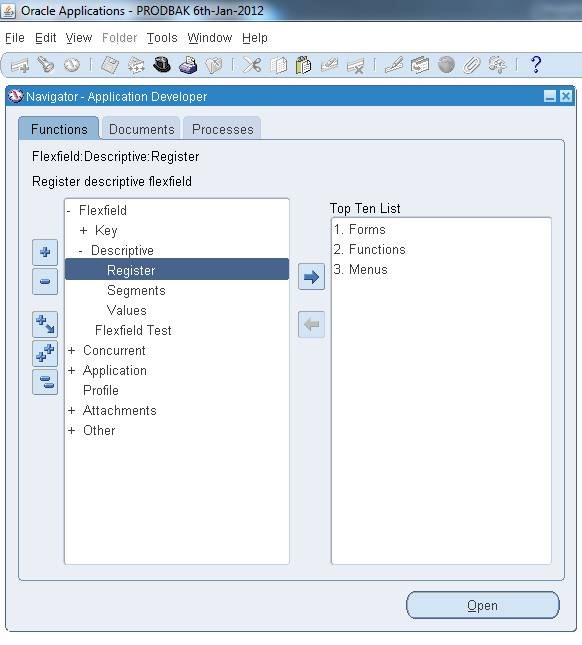
As Application Developer (N)-> Flexfields->descriptive->Register

clip_image002

And query by table name (eg: PO_HEADERS_ALL)

clip_image004

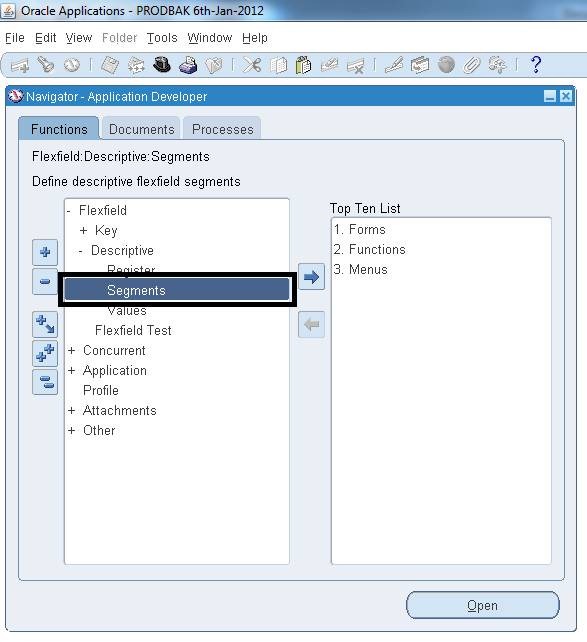
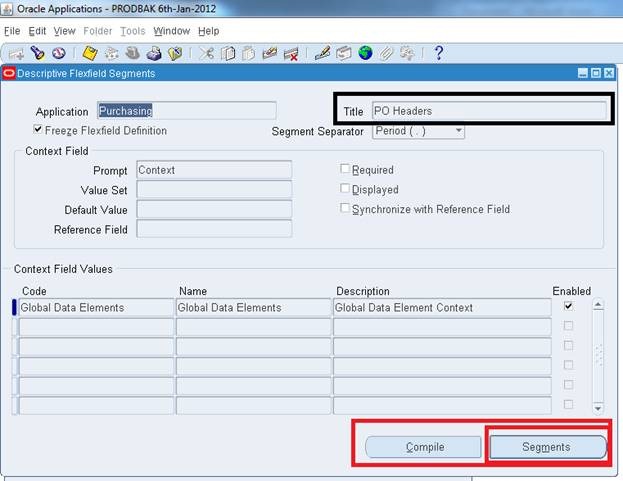
Once the title of the Descriptive flexfield collected, ( N ) –> Flexfields->Descriptive –>Segments

clip_image006

clip_image008

Click on segments for details of ATTRIBUTE column mappings, list of value attached etc

clip_image010

clip_image012

We hope you enjoyed this document.

For Windows7bugs

Admin

Windows Live Writer (on Windows 7)


* If you are an employee and you are getting connected to internet through regulated access, based on your access level, you may not able to use this application to get connected or post new entries.

We tried to use this application provided as a part of Windows live essentials and always failed behind Microsoft ISA firewall and hardly could remember any settings being provided to setup the proxy details until recent times.

So trying out Windows live writer! Stay tuned we have much for you


Regards,

Admin

Yahoo Messenger 11 connectivity issues behind ISA 2006 firewall

Update

With update 11.5.0.155-us Yahoo messenger has additional issues with negotiating a handshake with ISA server. Please read this KB article http://support.microsoft.com/kb/309347 for additional IE setting changes in order to let yahoo through ISA server.


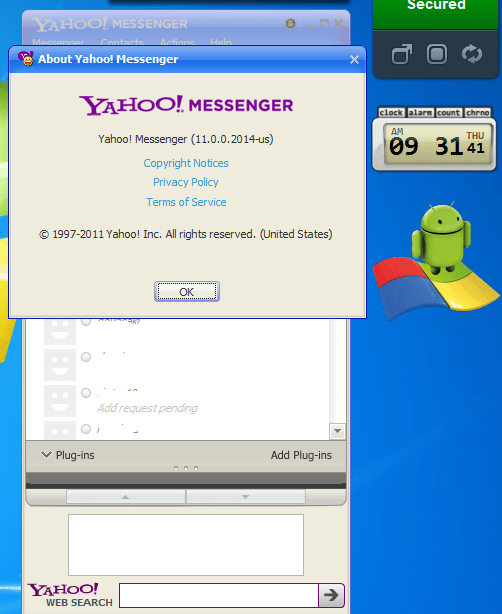
Do you “still” IM using yahoo messenger? The latest version has facebook integration and more to offer which allows you to communicate (chat) with your friends online over social networks.

However, Yahoo messenger fails to establish a connection to it’s servers if behind ISA firewall. Here we are offering you some guidelines dealing with such scenarios.

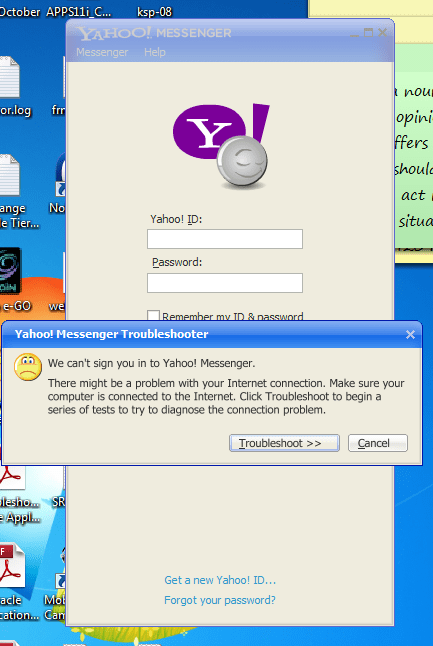
Most acceptible reasoning for connectivity issues behind ISA firewall should be, YM failing to forward the NTLM authentication credentials to ISA fiewall while trying to establish a connection. Once failed to establish a connection, user will be provided a chance to troubleshoot the issue, which does the trick!

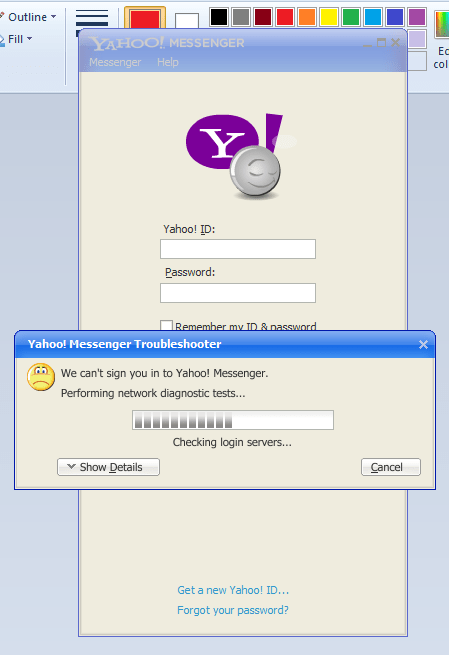
All you need to do is to click the troubleshoot button and wait for the process to complete. If curious, click on the details button to see multiple connectivity checks performed by YM. As soon as the troubleshoot activity completed, rush to login again with your username and password

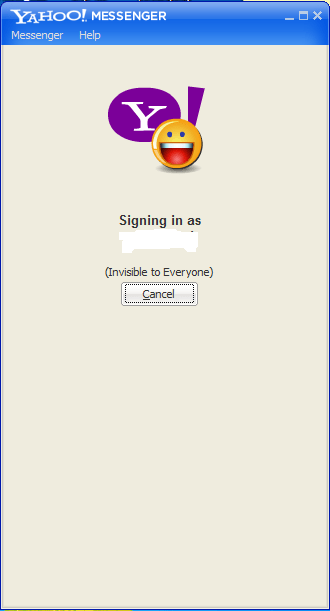
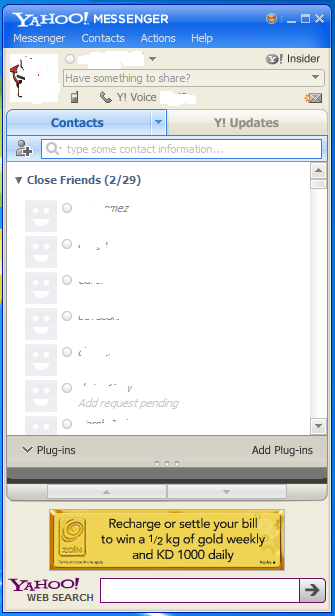
You should able to logon to yahoo services without troubles this time. Please note, you should try to logon immediately once after the troubleshooting process is completed. This means you cannot wait minutes after the troubleshoot activity is completed. Else you will once again have to go through the entire process of troubleshooting until you manage to logon.

Enjoy all new features offered by Yahoo Messenger from “work” now

Fix VMware connectivity problems after installing Avast Internet Security

This article is copied from http://blog.timmattison.com/

Entry Says ”
I am a big fan of the Avast! line of security products. I just upgraded from Pro to Internet Security since I got a new laptop and getting the Pro version for that was the same price as the Internet Security version and I figured that an added firewall couldn’t hurt. Naturally, it’s never that simple and I realized that after I rebooted the firewall was causing the web browsers in my virtual machines to lose access to the Internet. I was still able to ping things via the command line but I couldn’t do much else.

In order to fix this I found out that you just need to do the following steps and you’re back online:
1.Open Avast!
2.Click the Firewall tab
3.Make sure the Firewall Settings sub-tab is selected
4.Click “Expert Settings” next to the “Stop” button
5.Check “Internet Connection Sharing mode”
6.Click OK
7.Close Avast!

Now your VMs are back online.”

and we confirm it!

Regards,

Admin

Oracle client server architecture, TNS error “Unable to connect”

Okay guys, a new topic after a long break. We had a situation with a client server based 3rd party application printing certain reports adhering Kuwaiti labor rules (Arabic reports). For reasons unknown our R12 implementation partner has decided to make a set of forms and reports which were copied to individual user computers and called upon requirement.

Recently we wanted to copy the same application for a new user and came across a problem with TNS error “Unable to connect”. Our team has gone through hours to figure out the issue, futile. Ironically legacy applications which were client server architecture were running smooth without triggering the TNS errors at the same time!

Finally, while grouping the folder items by “type” we noticed the presence of a “tnsnames.ora” file along with runtimes (.fmx and .rdp/.rpt files)

Bingo! removing the file resolved almost 48 hours pain in the ***! So, if you come across such a siutation, have a look inside the folder, where ifrun60.EXE “starts in” (Right click the application, check the “Starts in” folder) and make sure that a copy of tnsnames.ora is not present in the same folder with wrong tns entries.

for Windows7bugs,

admin

How to reproduce the darn “Additional log on information may be required” Windows “false” error message.

Are you feeling glad? During last few updates, Microsoft has fixed(?) this annoying notification to a greater extend. However if you want to reproduce this error do the following:
Disable your network adaptor.
Connect your computer to another available connection (Preferably to a tethered connection)
Disconnect from the new network
Enable your default connection

Now watch the notification popping up and the network connection with “famous” yellow triangle (Warning) until next restart.

for Windows7bugs
Admin

2010 in review

The stats helper monkeys at WordPress.com mulled over how this blog did in 2010, and here’s a high level summary of its overall blog health:

Healthy blog!

The Blog-Health-o-Meter™ reads Wow.

Crunchy numbers

Featured image

The average container ship can carry about 4,500 containers. This blog was viewed about 20,000 times in 2010. If each view were a shipping container, your blog would have filled about 4 fully loaded ships.

In 2010, there were 35 new posts, not bad for the first year! There were 13 pictures uploaded, taking up a total of 1mb. That’s about a picture per month.

The busiest day of the year was July 7th with 146 views. The most popular post that day was Install Oracle 10g onward database, developer on Windows 7.

Where did they come from?

The top referring sites in 2010 were forums.oracle.com, it.toolbox.com, oracle.ittoolbox.com, social.technet.microsoft.com, and google.com.

Some visitors came searching, mostly for additional logon information may be required, additional logon information may be required windows 7, additional log on information may be required, and frm-18108.

Attractions in 2010

These are the posts and pages that got the most views in 2010.

1

Install Oracle 10g onward database, developer on Windows 7 February 2010
32 comments

2

Installing Oracle Developer (forms & reports 6i) on Windows 7 64bit March 2010
4 comments

3

Dealing with “Windows 7 Additional log on information may be required” March 2010
1 comment

4

Windows 7 domain network “no internet access”- A temporary fix! March 2010
1 comment

5

Windows 7, Oracle developer 10g Crash, Work around March 2010
3 comments