Oracle EBS R12 AP invoice batches entry WHEN-VALIDATE-ITEM error

Even Oracle’s developers could miss few details and end up with nasty bugs at customers’ end. Would they fix them against customer reports? Not always…This leaves few of the bugs open for years.

The perfect example is Oracle Accounts Payable Invoice batches entry form. If the Supplier site doesn’t have a valid payment method set, the form will show you a WHEN-VALIDATE-ITEM error message by the status line and will not let you proceed further.

Simple, efficient and system generated! Nothing else to be done. Well, if you are stuck, open the supplier details and check whether the party has a default payment method set, if yes, go to the supplier site record for the organization where the error happens set up the payment method. For other errors, Oracle might have some other error messages ;)

Oracle EBS R12 receivables | SQL Query for customer invoices and payments

This is our 13th year with Oracle EBS R12 and we hardly use any standard reports. Recently, after implementing Tax for our Bahrain operations, I was asked to modify the Customer SOA accommodating the tax requirements.

I opened up the view, that the implementation partner made, and found that the view had unnecessary joins and grouping using names for transactions and other. I changed the base query with the below.

Select 
a.org_id, a.payment_schedule_id,
a.amount_due_original, a.amount_due_remaining, a.class, a.invoice_currency_code, a.customer_id, a.customer_trx_id,
a.amount_line_items_original, a.amount_line_items_remaining
,a.tax_original, a.tax_remaining, a.discount_original, a.discount_remaining
,a.trx_number,a.trx_date, b.purchase_order, b.interface_header_attribute1 order_number, interface_header_attribute2 order_type,interface_header_attribute6 order_line_id
,c.header_id order_header_id
,sum(a.amount_due_remaining) over (order by a.payment_schedule_id asc) running_total
from AR_PAYMENT_SCHEDULES_ALL a 
left outer join RA_CUSTOMER_TRX_ALL b on a.CUSTOMER_TRX_ID = b.CUSTOMER_TRX_ID
left outer join oe_order_lines_all c on b.interface_header_attribute6=c.line_id
where
1=1
and a.org_id = 285
and a.customer_id=(select customer_id from ar_customers where customer_number='227634')
--and a.amount_due_remaining > 0 --uncomment for unmatched invoices only listing
order by a.payment_schedule_id
/

Later a new view was created like following:

CREATE OR REPLACE VIEW OMSCUSTSOA_V
AS
Select 
a.org_id, a.payment_schedule_id,
a.amount_due_original, a.amount_due_remaining, a.class, a.invoice_currency_code, a.customer_id, a.customer_trx_id,
a.amount_line_items_original, a.amount_line_items_remaining
,a.tax_original, a.tax_remaining, a.discount_original, a.discount_remaining
,a.trx_number,a.trx_date, b.purchase_order, b.interface_header_attribute1 order_number, interface_header_attribute2 order_type,interface_header_attribute6 order_line_id
,c.header_id order_header_id
from AR_PAYMENT_SCHEDULES_ALL a 
left outer join RA_CUSTOMER_TRX_ALL b on a.CUSTOMER_TRX_ID = b.CUSTOMER_TRX_ID
left outer join oe_order_lines_all c on b.interface_header_attribute6=c.line_id
where
1=1
/

Subsequently, for any customer, the view is referred in the final query.

Select a.*, sum(amount_due_original) over(order by payment_schedule_id asc) running_total
from OMSCUSTSOA_V a
where 
1=1
and a.org_id=285 
--and a.amount_due_remaining > 0 --this condition will fetch open invoices that are yet to be matched
and a.customer_id=(select customer_id from ar_customers where customer_number='227634')
order by payment_schedule_id
/

Hope this helps few out there!

Oracle Inventory | Item update API | EGO_ITEM_PUB.ITEM_TBL_TYPE

Kuwait commerce department is making it mandatory to include Arabic in the item descriptions and we also started working on this requirement. Our Oracle EBS R12 environment is set for both English and Arabic, hence the only task was to update the Arabic description for the items. We’ve considerably large items database and updating such a huge repository definitely required an API interface. We selected a small set of items for the first attempt and everything worked as expected, however started getting multiple errors when we tried to execute the same API for 10k items. One of the errors as seen below (The question marks should be SQL Developer’s bug) and I was able to pick the words “MTL_ITEM_BULKLOAD_RECS_N2” and “APPS_TS_INTERFACE” from the error message.

EGO_ITEM_PVT Process_Items: ORA-01654: INV.MTL_ITEM_BULKLOAD_RECS_N2 APPS_TS_INTERFACE
Initialized applications context: 1353 50599 401
Error Messages :
??? ??? ??? ????? ?? ????? EGO_ITEM_PVT ?????? Process_Items: ORA-01654: ?? ???? ?? ???? INV.MTL_ITEM_BULKLOAD_RECS_N2 ?????? 16  ?????? ?????? APPS_TS_INTERFACE
 ???? ??????? ?????? ?????? ?? ?????? ????? ?????

Searched Oracle support documents and couldn’t find anything relevant until I noticed the term “APPS_TS_INTERFACE” & as I handle the Oracle EBS R12 12.2 database myself, immediately assumed the same to be another APPS related tablespace. I was not wrong, the seeded tablespace comes with 2 data files and both were almost full with just few kilobytes left. All I needed was to add new data file with a size of 4GB (didn’t want to take another risk). We’ve been using the application for last 13 years and the tablespace size until the new file was merely 3GBs, hence the new data file should hold the fort for another many years ahead.

We were updating the Arabic description part of the master items and the sample API as given below.

SET DEFINE OFF;
SET SERVEROUTPUT ON SIZE UNLIMITED;

DECLARE
        x_item_tbl		     EGO_ITEM_PUB.ITEM_TBL_TYPE;     
        x_message_list     Error_Handler.Error_Tbl_Type;
        x_return_status		 VARCHAR2(2);
        x_msg_count		     NUMBER := 0;
    
        l_user_id		      NUMBER := -1;
        l_resp_id		      NUMBER := -1;
        l_application_id	NUMBER := -1;
        
        l_rowcnt		      NUMBER := 1;
        l_api_version		   NUMBER := 1.0; 
        l_init_msg_list		 VARCHAR2(2) := FND_API.G_TRUE; 
        l_commit	      	 VARCHAR2(2) := FND_API.G_FALSE; 
        l_item_tbl		     EGO_ITEM_PUB.ITEM_TBL_TYPE; 
        l_role_grant_tbl	 EGO_ITEM_PUB.ROLE_GRANT_TBL_TYPE; 
        l_user_name		VARCHAR2(30) := 'USERNAME';
        l_resp_name		VARCHAR2(30) := 'XYZ INV Super User';    
        
        l_item_catalog_group_id NUMBER := 0;
		
		--CREATE a staging table with the column names as given in the below select statement.
		--If your staging table has different column names, adjust the below select statement.
        
        CURSOR item_list IS
        SELECT ORG_ID,INVENTORY_ITEM_ID,ITEM_CODE, DESC_AR FROM XX_AR_DESCRIPTIONS
        WHERE NVL(STATUS,'E')='E'; -- for retry purposes.


BEGIN
         -- Get the user_id
          SELECT user_id
          INTO l_user_id
          FROM fnd_user
          WHERE user_name = l_user_name;
        
          -- Get the application_id and responsibility_id
          SELECT application_id, responsibility_id
          INTO l_application_id, l_resp_id
          FROM fnd_responsibility_vl
          WHERE responsibility_name = l_resp_name;
        
          FND_GLOBAL.APPS_INITIALIZE(l_user_id, l_resp_id, l_application_id);  

--Set the language context, here we are updating the item master with Arabic language

--Sample few other languages
--FND_GLOBAL.SET_NLS_CONTEXT(P_NLS_LANGUAGE => 'PORTUGUESE');
--FND_GLOBAL.SET_NLS_CONTEXT(P_NLS_LANGUAGE => 'AMERICAN');
--FND_GLOBAL.SET_NLS_CONTEXT(P_NLS_LANGUAGE => 'JAPANESE');
--Is It Possible to Update Item Description in Local Language in MTL_SYSTEM_ITEMS_TL Using Public API ? (Doc ID 2542546.1)

  
  FND_GLOBAL.SET_NLS_CONTEXT(P_NLS_LANGUAGE => 'ARABIC');
          dbms_output.put_line('Initialized applications context: '|| l_user_id || ' '|| l_resp_id ||' '|| l_application_id );

        
        FOR i in item_list loop
            l_item_tbl(l_rowcnt).Transaction_Type := 'UPDATE';
            l_item_tbl(l_rowcnt).inventory_item_id := i.inventory_item_id;
            l_item_tbl(l_rowcnt).organization_id := i.org_id;--Should be your master inventory organization id.
            --l_item_tbl(l_rowcnt).ATTRIBUTE6 := i.movement;
            l_item_tbl(l_rowcnt).Description := i.DESC_AR;

          -- call API to load Items
         EGO_ITEM_PUB.PROCESS_ITEMS( 
                                   p_api_version            => l_api_version
                                   ,p_init_msg_list         => l_init_msg_list
                                   ,p_commit                => l_commit
                                   ,p_item_tbl              => l_item_tbl
                                   ,p_role_grant_tbl        => l_role_grant_tbl
                                   ,x_item_tbl              => x_item_tbl
                                   ,x_return_status         => x_return_status
                                   ,x_msg_count             => x_msg_count);
                                    

--How To Clean Or Avoid Error Data In Interface Tables Using EGO_ITEM_PUB.Process_Item (Doc ID 1548555.1)

        IF (x_return_status <> FND_API.G_RET_STS_SUCCESS) THEN
          DBMS_OUTPUT.PUT_LINE('Error Messages :');
          Error_Handler.GET_MESSAGE_LIST(x_message_list=>x_message_list);
          FOR i IN 1..x_message_list.COUNT LOOP
            DBMS_OUTPUT.PUT_LINE(x_message_list(i).message_text);
          END LOOP;
          DBMS_OUTPUT.PUT_LINE( i.item_code||' Failed Update'); --comment, only for correction purposes.
--We willl update the staging table with failed status
          UPDATE XX_AR_DESCRIPTIONS SET STATUS='E' WHERE INVENTORY_ITEM_ID=i.INVENTORY_ITEM_ID;
          ELSE
--Update the staging table with success status
          UPDATE XX_AR_DESCRIPTIONS SET STATUS='S' WHERE INVENTORY_ITEM_ID=i.INVENTORY_ITEM_ID;
       END IF;
END loop;
commit;

EXCEPTION
WHEN OTHERS THEN
DBMS_OUTPUT.PUT_LINE('Exception Occurred :');
DBMS_OUTPUT.PUT_LINE(SQLCODE ||':'||SQLERRM);
DBMS_OUTPUT.PUT_LINE('=====================================');
ROLLBACK;
RETURN;
        
END;


The following documents were referred during the attempts, which you may not experience.

  • Is It Possible to Update Item Description in Local Language in MTL_SYSTEM_ITEMS_TL Using Public API ? (Doc ID 2542546.1)
  • How To Clean Or Avoid Error Data In Interface Tables Using EGO_ITEM_PUB.Process_Item (Doc ID 1548555.1)

Oracle EBS R12 | Monitoring tablespace | Sending email using utl_smtp package

Today we will checkout a PL/SQL procedure that will keep monitoring Oracle EBS application specific Tablespaces and send emails to concerned parties whenever the free storage falls below a certain percentage. The below stored procedure checks the free spaces of all Tablespaces that have a name starting with “APPS”.

create or replace procedure XXTBLSPCE_MAIL( errbuf  OUT    VARCHAR2, retcode   OUT    VARCHAR2) AS
cursor c1 is
SELECT F.TABLESPACE_NAME,
(T.TOTAL_SPACE -  F.FREE_SPACE) "USED_MB",
(F.FREE_SPACE) "FREE_MB",
(T.TOTAL_SPACE) "TOTAL_MB",
(ROUND ((F.FREE_SPACE/T.TOTAL_SPACE)*100)) PER_FREE
 FROM   (
 SELECT       TABLESPACE_NAME,
 ROUND (SUM (BLOCKS*(SELECT VALUE/1024
 FROM V$PARAMETER
 WHERE NAME = 'db_block_size')/1024)
 ) FREE_SPACE
 FROM DBA_FREE_SPACE
 WHERE TABLESPACE_NAME LIKE 'APPS%'
 GROUP BY TABLESPACE_NAME
 ) F,
 (
 SELECT TABLESPACE_NAME,
 ROUND (SUM (BYTES/1048576)) TOTAL_SPACE
 FROM DBA_DATA_FILES
 GROUP BY TABLESPACE_NAME
 ) T
 WHERE F.TABLESPACE_NAME = T.TABLESPACE_NAME
 AND (ROUND ((F.FREE_SPACE/T.TOTAL_SPACE)*100)) < 10;
 
 /* Mail specific variables*/

mailhost VARCHAR2 (30) := 'smtp.yourmaildomain.com';
mail_conn utl_smtp.connection;
crlf VARCHAR2(2) := CHR (13) || CHR (10);
message_1 CLOB;
v_email varchar2(16000);
v_sub varchar2(10000);
vcount NUMBER := 0;

name_array     DBMS_SQL.varchar2_table;

CC_parties     VARCHAR2 (2000) := NULL;

Cursor ec1 is
(select 'rec1.it@yourmaildomain.com'  user_email from dual
union all
select 'rec2.it@yourmaildomain.com'  user_email from dual
);


 v_Mail_Exception Exception;
 
 --15/10/2020
 
   l_host_name varchar2(240);
   l_db_name varchar2(240);
 
 BEGIN
 
  BEGIN
        select sys_context ( 'USERENV', 'DB_NAME' ) db_name,
        sys_context ( 'USERENV', 'SERVER_HOST' ) db_host into l_db_name, l_host_name
        from dual;
        EXCEPTION 
        WHEN NO_DATA_FOUND THEN
        l_host_name := 'NO HOST';
        l_db_name := 'NO DBNAME';
        
        END;
        

mail_conn := utl_smtp.open_connection (mailhost, 25);
utl_smtp.helo (mail_conn, mailhost);
utl_smtp.mail (mail_conn, 'sender@yourmaildomain.com');

FOR m IN ec1
   LOOP
      vcount := vcount + 1;
      name_array (VCOUNT) := m.user_email;
   END LOOP;


 FOR n IN name_array.FIRST .. name_array.LAST
   LOOP
      CC_parties := CC_parties || ';' || name_array (n);
      UTL_SMTP.Rcpt (mail_conn, name_array (n));
   END LOOP;

if CC_parties is NULL then
RAISE v_Mail_Exception;
end if;

for ts in c1 loop
if (ts.FREE_MB < 1024) then
if (trim(message_1) is not null) then
message_1 := message_1||ts.tablespace_name ||' is running out of storage space. Current free space is '||ts.FREE_MB||' MB. ';
else
message_1 := ts.tablespace_name ||' is running out of storage space. Current free space is '||ts.FREE_MB||' MB. ';
end if;
end if;
end loop;

if (trim(message_1) is not null) then
message_1 := message_1||' ( Note: add datafiles with size nothing less than 2GB for APPS_TS tablespaces.) '; 

v_sub := 'Subject: '||'Table Space(s) running out of space! Urgent(Instance: '||l_host_name||', Database: '||l_db_name||' )';
 message_1 :=  'From: Oracle Database sender  < sender@yourmaildomain.com >' ||crlf||v_sub||crlf||'To:'||CC_parties||crlf||crlf||crlf||message_1;
 
 utl_smtp.data(mail_conn, 'MIME-Version: 1.0' ||CHR(13)||
 CHR(10)||'Content-type: text/html' || CHR(13)||CHR(10)||message_1);
 utl_smtp.quit (mail_conn);
 
 end if;
 

EXCEPTION
WHEN v_Mail_Exception Then
   null;
WHEN OTHERS THEN

--err_code := SQLCODE;
--err_msg := SUBSTR(SQLERRM, 1, 200);
message_1 := 'Failed to send email, error explanation:  '||SQLCODE||'  '||SQLERRM;

v_sub := 'Subject: '||'Table Space(s) running out of space! Urgent';
message_1 := 'From: Oracle Database sender  < sender@yourmaildomain.com >' ||crlf||v_sub||crlf||crlf||message_1;

 utl_smtp.data(mail_conn, 'MIME-Version: 1.0' ||CHR(13)||
 CHR(10)||'Content-type: text/html' || CHR(13)||CHR(10)||message_1);
 utl_smtp.quit (mail_conn);
 

 End;

Create a concurrent program and submit as a scheduled, setting up frequencies based on your specific requirements. The above program works perfectly under the below conditions.

Oracle EBS R12 12.2.10, 19c multi-tenant database, Local SMTP server.

Oracle EBS R12 12.2 database cloning

I am not a certified Database/APPS DBA. I wanted to develop a shell/bash script or set of scripts that could duplicate the Oracle EBS PRODUCTION database on demand on a test instance. I thought of doing it as a single script, step by step and later decided to go with multiple scripts to narrow down the damages/or better error correction. Please note, you cannot just copy and start using these scripts at your environment already! You may have to modify many of the parameters & kindly be reminded that, these scripts were developed for an environment that was being cloned repeatedly. Remember to run the main script as “root”

Environment: OS: Oracle Linux 7, Oracle EBS R12 12.2.10, Oracle database 19c, multi-tenant. Approximate size 700GB

Let us create a parameter file for the duplication of EBS database on the TEST instance. The hostname and few other details will be automatically picked up by the shell scripts, however, few other details are provided by the parameter file. This approach gives me greater flexibility to utilize the scripts with different hostnames and contexts. I call this parameter file as “restoreparam.txt”. If you are planning to change the name, you have to replace it in each and every other bash script that is used within the main script.

#Oracle base
s_target_base=/u01/test/
# Source CDB sid
s_source_cdbSid=PRODCDB
# Target CDB sid
s_target_cdbSid=DEVPCDB
# Source EBS database sid (PDB)
s_source_dbSid=PROD
# Target EBS database sid (PDB)
s_target_dbSid=DEVP
# We have database files for both CBD and EBS kept in different paths
# Defining these paths and modifying the RMAN run instructions are crucial for successful restoration and cloning.
s_source_data_path_1=/u01/prod/oradata/PRODCDB/
s_source_data_path_2=/u01/prod/PROD/db/apps_st/data/
# Target data paths
s_data_path_1=/u01/test/oradata/DEVPCDB/
s_data_path_2=/u01/test/DEVP/db/apps_st/data/
# Target PDB Service requires it's own listener information
s_listener_port=1526
# Oracle and Appl manager OS level users
s_db_user=oracle
s_appl_manager=applmgr
# EBS user, by default it is "apps"
s_apps_user=apps
s_apps_pass=********
# Oracle database system account password
s_system_pass=*******
# Path where RMAN backup chunks are kept
s_rman_path=/u04/RMAN/DAILYBKP
# Path where this file be created.
s_rman_param_path=/u04/RMAN/RESTORE
# Target system Oracle inventory path
s_ora_invenoty_path=/u01/test/oraInventory
# Oracle inventory entry identifier for the database. Using this string, entry for the database will be
# deleted from the inventory file. So don't make mistakes
s_ora_inv_dbString=DEVP_DB__u01_test_DEVP_db_tech_st_19_0_0

You can’t make mistakes with the above parameter file. Now we will create the main shell script “doclone.sh”

#!/bin/sh

: <<'END'
This script & associated must be executed as root
This script is meant for single instances.
This script expects both ORACLE, APPLMGR users bash profiles sourcing environment files.
This script was last tested against Oracle EBS R12 12.2.10/19c
Last modified on: 21st October 2024
Author: Rajesh Thampi
License: Public
END

me=$(basename "$0")
parameter_file="/u04/RMAN/RESTORE/restoreparam.txt"
ORACLE_USER=`grep 's_db_user' $parameter_file | cut -d "=" -f2`
APPS_USER=`grep 's_appl_manager' $parameter_file | cut -d "=" -f2`
db_path_1=`grep 's_data_path_1' $parameter_file | cut -d "=" -f2`
db_path_2=`grep 's_data_path_2' $parameter_file | cut -d "=" -f2`
rman_path=`grep 's_rman_path' $parameter_file | cut -d "=" -f2`

ORACLE_HOME=$(su - ${ORACLE_USER} -c 'echo "$ORACLE_HOME"')
ORACLE_SID=$(su - ${ORACLE_USER} -c 'echo "$ORACLE_SID"')
ORACLE_CONTEXT=$(su - ${APPS_USER} -c 'echo "$CONTEXT_NAME"')
APPS_SCRIPTS_HOME=$(su - ${APPS_USER} -c 'echo "$RUN_BASE/inst/apps/$CONTEXT_NAME/admin/scripts"')
DB_SCRIPTS_HOME=$(su - ${ORACLE_USER} -c 'echo "$ORACLE_HOME"')/appsutil/scripts/$ORACLE_CONTEXT


# We'll stop the application and database instances now.
echo "We'll shutdown the EBS instace now"

sh startstopebsr12.sh stop
if [ $? -eq 0 ]; then
echo "We'll shutdown the EBS instace now"
sleep 60
else
echo "There was an error shutting down the instance."
exit 1
fi

# As we are cloning the instance, we can kill all ORACLE & APPLMGR processes immediately
pkill -9 -u ${APPS_USER}
pkill -9 -u ${ORACLE_USER}
echo "All services for ORACLE, APPLMGR are terminated now"

# remove the datafiles from data tops now
rm -rf ${db_path_1}*
rm -rf ${db_path_2}*
echo "All data files are removed from the data tops now"

#change of the ownership of the rman chunks now
chown -R ${ORACLE_USER}:oinstall ${rman_path}

sleep 10

# Start the database as not mounted

sh startdbnomount.sh
if [ $? -eq 0 ]; then
    echo "Database started nomount"
else
    echo "There were some errors starting the database in the nomount status"
    exit 1
fi

# Start RMAN Restore

sleep 10
echo "Starting RMAN restore processes now, this could take many hours based on the current size of the database"
sh dormanrestore.sh

if [ $? -eq 0 ]; then
    echo "RMAN restore completed"
else
    echo "There were some errors starting the database in the nomount status"
    exit 1
fi
sleep 10

# Startup the database and disable archive logging

sh startdbmount.sh
if [ $? -eq 0 ]; then
    echo "Starting database and disabling archivelog. Sleep 15 seconds"
else
    exit 1
fi
sleep 15
# We will create a backup for the oracle inventory file and remove the database entry before running the adcfgclone
sh dofirstclone.sh
if [ $? -eq 0 ]; then
    echo "Initial Cloning completed. Sleep 15 seconds"
else
    exit 1
fi
sleep 15

# Setup the PDB and related services now
sh dodbsetup.sh
if [ $? -eq 0 ]; then
    echo "PDB recreated and all services are restarted, will sleep 15 seconds"
else
    exit 1
fi
sleep 15

# We will setup the UTL files and run the adcfgclone
sh doutlfile.sh
if [ $? -eq 0 ]; then
    echo "UTL directories set, final cloning completed. Will sleep 15 seconds"
else
    exit 1
fi
sleep 15

# Finally we will run the autoconfig on database and both application file systems
sh doautoconfig.sh
if [ $? -eq 0 ]; then
    echo "All done. You can try to restart the applicatio now. Sleeping 10"
else
    exit 1
fi

Now we will create other shells scripts that are called from the main script and I will try to explain them briefly as much of them will be pretty familiar for a seasoned DBA. Script “startstopebsr12.sh” accepts one input value, either “start” or “stop”. This script is used to stop the instance from the main script and not parameterized because I use it for multiple contexts.

#!/bin/sh

: <<'END'
This script is meant for single instances.
This script expects both ORACLE, APPLMGR users bash profiles sourcing environment files.
This script was last tested against Oracle EBS R12 12.2.10/19c
Last modified on: 2nd October 2024
Author: Rajesh Thampi
License: Public
END


# I will not be using the clone parameter file as this script is multiple places in different contexts.
# If you want to use it exclusively for the cloning purpose, please refer it here.

me=$(basename "$0")
ORACLE_SID=$(su - oracle -c 'echo "$ORACLE_SID"')
APPS_ORACLE_CONTEXT=$(su - applmgr -c 'echo "$CONTEXT_NAME"')
APPS_SCRIPTS_HOME=$(su - applmgr -c 'echo "$RUN_BASE/inst/apps/$CONTEXT_NAME/admin/scripts"')
DB_SCRIPTS_HOME=$(su - oracle -c 'echo "$ORACLE_HOME"')/appsutil/scripts/$APPS_ORACLE_CONTEXT

if [[ -z $1 ]]; then
    echo "No parameter was passed"
    exit 1
else
    if [[ "$1" == "start" ]]; then
        echo "All Oracle EBS R12 Services will be started now."
        su - oracle -c "sh $DB_SCRIPTS_HOME/adcdbctl.sh start;"
        if [ $? -ne 0 ]; then
            echo "Couldn't start the database services successfully. Aborting"
            exit 1
        else
            su - oracle -c "sh $DB_SCRIPTS_HOME/adcdblnctl.sh start $ORACLE_SID;"
        fi
        if [ $? -ne 0 ]; then
            echo "Couldn't start the listener services successfully. Aborting"
            exit 1
        else
            su - applmgr -c "cd $APPS_SCRIPTS_HOME;{ echo apps; echo apps; echo welcome123; } | adstrtal.sh;"
        fi
        if [ $? -ne 0 ]; then
            echo "Couldn't start the Application services successfully. Check log files for errors and try again"
        else
            echo "All EBS Services were successfully started."
        fi

    elif [[ "$1" == "stop" ]]; then
        echo "All Oracle EBS R12 Services will be stopped now."
        su - applmgr -c "cd $APPS_SCRIPTS_HOME;{ echo apps; echo apps; echo welcome123; } | adstpall.sh;"
        if [ $? -ne 0 ]; then
            echo "Couldn't stop the application services successfully. Aborting"
            exit 1
        else
            su - oracle -c "sh $DB_SCRIPTS_HOME/adcdblnctl.sh stop $ORACLE_SID;"
        fi
        if [ $? -ne 0 ]; then
            echo "Couldn't stop the Listener services successfully. Aborting"
            exit 1
        else
            su - oracle -c "sh $DB_SCRIPTS_HOME/adcdbctl.sh stop immediate;"
        fi
        if [ $? -ne 0 ]; then
            echo "Couldn't stop the Database services successfully. Check log files for errors and try again."
            exit 1
        else
            echo "All EBS Services were successfully stopped."
        fi
    else
        echo "Syntax: sh $me start/stop"

    fi
fi

The main script will continue once after both application and database instances are stopped. data files from the data paths will be deleted & ownership of the RMAN files will be set for Oracle user. Oracle services will restarted and the database will not be mounted using the script “startdbnomount.sh”. I didn’t feel parameterization was necessary for this script ;)

#!/bin/sh
su - oracle -c "sqlplus / as sysdba <<EOF
startup nomount;
quit;
EOF"

Now, the main script will call “dormanrestore.sh” script, which is one of the most critical scripts, duplicating the PRODUCTION database. You have to carefully adjust the below to ensure that your database is duplicated successfully. Please give special attentions to comments provided inside the script.

#!/bin/sh

parameter_file="/u04/RMAN/RESTORE/restoreparam.txt"
rman_param_path=$(grep 's_rman_param_path' $parameter_file | cut -d "=" -f2)
target_cdbsid=$(grep 's_target_cdbSid' $parameter_file | cut -d "=" -f2)
rman_path=$(grep 's_rman_path' $parameter_file | cut -d "=" -f2)
s_data_path_1=$(grep 's_source_data_path_1' $parameter_file | cut -d "=" -f2)
s_data_path_2=$(grep 's_source_data_path_2' $parameter_file | cut -d "=" -f2)
t_data_path_1=$(grep 's_data_path_1' $parameter_file | cut -d "=" -f2)
t_data_path_2=$(grep 's_data_path_2' $parameter_file | cut -d "=" -f2)

LOGFILE=${rman_param_path}"/full_restore_`date +%d%b%y_%H%M%S`.log"

# Make sure that db_file_name_convert & number of channels are adjusted based on your specific environments.
# Keeping multiple channels open could directly affect the restoration and overall performance of the process.
# Adjust the number of redo log files, size & path based on your specific requirements.
echo "RMAN restore will start now"

su - oracle <<EOF
rman auxiliary / log='$LOGFILE' <<RMN
run
{
ALLOCATE AUXILIARY CHANNEL c1 DEVICE TYPE disk;
ALLOCATE AUXILIARY CHANNEL c2 DEVICE TYPE disk;
ALLOCATE AUXILIARY CHANNEL c3 DEVICE TYPE disk;
ALLOCATE AUXILIARY CHANNEL c4 DEVICE TYPE disk;
duplicate database to "${target_cdbsid}" backup location '${rman_path}' nofilenamecheck
db_file_name_convert=('${s_data_path_1}','${t_data_path_1}','${s_data_path_2}','${t_data_path_2}')
LOGFILE
GROUP 1 (
'${t_data_path_1}redo01a.log',
'${t_data_path_1}redo01b.log'
) SIZE 1200M ,
GROUP 2 (
'${t_data_path_1}redo02a.log',
'${t_data_path_1}redo02b.log'
) SIZE 1200M ,
GROUP 3 (
'${t_data_path_1}redo03a.log',
'${t_data_path_1}redo03b.log'
) SIZE 1200M ,
GROUP 4 (
'${t_data_path_1}redo04a.log',
'${t_data_path_1}redo04b.log'
) SIZE 1200M ;
}
RMN
EOF

RMAN duplication could take hours based on multiple factors. Size of the database, channels and hardware efficiency. The log file will bear the data and time stamp, keep monitoring it for the progress. Once RMAN successfully completes, main script will call the script “startdbmount.sh”. This script will start the database and mount it, without opening it. The archive logging will be disabled during this stop for the duplicated database.

#!/bin/sh

su - oracle -c "sqlplus / as sysdba <<EOF
shutdown immediate;
startup mount;
alter database noarchivelog;
shutdown immediate;
quit;
EOF"

Now the main script will call “dofirstclone.sh”, that will do the initial clone of the database. A number of parameters are referenced from the parameter file, hence make sure that your parameter is constructed with utmost attention.

#!/bin/sh

parameter_file="/u04/RMAN/RESTORE/restoreparam.txt"
rman_param_path=$(grep 's_rman_param_path' $parameter_file | cut -d "=" -f2)
ora_inventory_path=$(grep 's_ora_invenoty_path' $parameter_file | cut -d "=" -f2)
ora_inv_dbString=$(grep 's_ora_inv_dbString' $parameter_file | cut -d "=" -f2)
ORACLE_USER=$(grep 's_db_user' $parameter_file | cut -d "=" -f2)
APPS_USER=$(grep 's_appl_manager' $parameter_file | cut -d "=" -f2)

ORACLE_HOME=$(su - ${ORACLE_USER} -c 'echo "$ORACLE_HOME"')
ORACLE_SID=$(su - ${ORACLE_USER} -c 'echo "$ORACLE_SID"')
ORACLE_CONTEXT=$(su - ${APPS_USER} -c 'echo "$CONTEXT_NAME"')
APPS_SCRIPTS_HOME=$(su - ${APPS_USER} -c 'echo "$RUN_BASE/inst/apps/$CONTEXT_NAME/admin/scripts"')
DB_SCRIPTS_HOME=$(su - ${ORACLE_USER} -c 'echo "$ORACLE_HOME"')/appsutil/scripts/$ORACLE_CONTEXT

# Application user password

APPS_PASSWD=$(grep 's_apps_pass' $parameter_file | cut -d "=" -f2)

su - ${ORACLE_USER} <<EOF
cd ${ora_inventory_path}/ContentsXML
cp -f inventory.xml inventory_backup.xml
awk '!/'${ora_inv_dbString}'/' inventory.xml  > tmpfile.xml && mv tmpfile.xml inventory.xml
EOF

su - ${ORACLE_USER} <<EOF
cd $ORACLE_HOME/appsutil/clone/bin
{ echo $APPS_PASSWD; } | perl adcfgclone.pl dbTechStack $ORACLE_HOME/appsutil/${ORACLE_CONTEXT}.xml
EOF

echo "Cloning successfully completed, will sleep 10 seconds"
sleep 10

su - ${ORACLE_USER} <<EOF
cd $ORACLE_HOME/appsutil/install/$ORACLE_CONTEXT
sqlplus / as sysdba;
startup;
@adupdlib.sql so;
shutdown immediate;
EOF
echo "Database shutdown completed. Sleep 15 seconds"
sleep 15

su - ${ORACLE_USER} <<EOF
sqlplus / as sysdba;
startup;
quit;
EOF
echo "Database restart completed."

Initial cloning should happen without throwing errors. Once the initial cloning done, next script “dodbsetup.sh” setup will drop the PDB from PRODUCTION and recreate the TEST PDB instance, rename the services, reconfigure the local listener for PDB etc.

#!/bin/sh
ORACLE_SID=$(su - oracle -c 'echo "$ORACLE_SID"')
ORACLE_HOME=$(su - oracle -c 'echo "$ORACLE_HOME"')
parameter_file="/u04/RMAN/RESTORE/restoreparam.txt"
SOURCE_SID=`grep 's_source_dbSid' $parameter_file | cut -d "=" -f2`
TARGET_SID=`grep 's_target_dbSid' $parameter_file | cut -d "=" -f2`
ORACLE_BASE=`grep 's_target_base' $parameter_file | cut -d "=" -f2`
ORACLE_USER=`grep 's_db_user' $parameter_file | cut -d "=" -f2`
LISTENER_PORT=`grep 's_listener_port' $parameter_file | cut -d "=" -f2`
TARGET_LISTNER=$HOSTNAME:$LISTENER_PORT

source_ebs_patch=$SOURCE_SID"_ebs_patch"
target_ebs_patch=$TARGET_SID"_ebs_patch"

su - ${ORACLE_USER} <<EOF
sqlplus / as sysdba
alter pluggable database ${SOURCE_SID} unplug into '${ORACLE_HOME}/dbs/${SOURCE_SID}.xml';
drop pluggable database ${SOURCE_SID};
create pluggable database ${TARGET_SID} using '${ORACLE_HOME}/dbs/${SOURCE_SID}.xml' NOCOPY SERVICE_NAME_CONVERT=('ebs_${SOURCE_SID}','ebs_${TARGET_SID}','${SOURCE_SID}_ebs_patch', '${TARGET_SID}_ebs_patch');
alter pluggable database all open read write services=all;
alter pluggable database all save state;
alter session set container=${TARGET_SID};
alter system set local_listener='${TARGET_LISTNER}' scope=spfile;
shutdown immediate;
startup;
exit;
EOF

echo "Finished setting up PDB. Sleep 15 seconds after shutdown"
sleep 15

Creation of the PDB and rest shouldn’t take too much time. Now it is time for the final cloning, that will setup the UTL directories and more. Let us see the “doutlfile.sh” now. Please note, prior executing the below script, you must create a copy of PDBNAME_utlfiledir.txt that is available in $ORACLE_HOME/dbs/ path to PDBNAME_utlfiledir.txt.backup (example: DEVP_utlfiledir.txt to DEVP_utlfiledir.txt.backup). This backup will be used for replacing the UTL file directory paths setup within this cycle.

#!/bin/sh

parameter_file="/u04/RMAN/RESTORE/restoreparam.txt"
target_dbsid=$(grep 's_target_dbSid' $parameter_file | cut -d "=" -f2)

ORACLE_USER=`grep 's_db_user' $parameter_file | cut -d "=" -f2`
APPS_USER=`grep 's_appl_manager' $parameter_file | cut -d "=" -f2`
echo ${ORACLE_USER}

APPS_PASSWD=`grep 's_apps_pass' $parameter_file | cut -d "=" -f2`
EBS_USER=`grep 's_apps_user' $parameter_file | cut -d "=" -f2`
SYSTEM_PASSWD=`grep 's_system_pass' $parameter_file | cut -d "=" -f2`

ORACLE_HOME=$(su - ${ORACLE_USER} -c 'echo "$ORACLE_HOME"')
ORACLE_SID=$(su - ${ORACLE_USER} -c 'echo "$ORACLE_SID"')
ORACLE_CONTEXT=$(su - ${APPS_USER} -c 'echo "$CONTEXT_NAME"')
APPS_SCRIPTS_HOME=$(su - ${APPS_USER} -c 'echo "$RUN_BASE/inst/apps/$CONTEXT_NAME/admin/scripts"')
DB_SCRIPTS_HOME=$(su - ${ORACLE_USER} -c 'echo "$ORACLE_HOME"')/appsutil/scripts/$ORACLE_CONTEXT


# We will use a copy of the utilfile for repeated cloning.

su - ${ORACLE_USER} <<EOF
cd ${ORACLE_HOME}
source ${ORACLE_CONTEXT}.env
sh $DB_SCRIPTS_HOME/adcdblnctl.sh start ${ORACLE_SID}


{ echo $APPS_PASSWD; } | perl ${ORACLE_HOME}/appsutil/bin/txkCfgUtlfileDir.pl -contextfile=${ORACLE_HOME}/appsutil/${ORACLE_CONTEXT}.xml -oraclehome=${ORACLE_HOME} -outdir=${ORACLE_HOME}/appsutil/log -mode=getUtlFileDir
cp -f ${ORACLE_HOME}/dbs/${target_dbsid}_utlfiledir.txt.backup ${ORACLE_HOME}/dbs/${target_dbsid}_utlfiledir.txt
{ echo $APPS_PASSWD; echo $SYSTEM_PASSWD; } | perl ${ORACLE_HOME}/appsutil/bin/txkCfgUtlfileDir.pl -contextfile=${ORACLE_HOME}/appsutil/${ORACLE_CONTEXT}.xml -oraclehome=${ORACLE_HOME} -outdir=${ORACLE_HOME}/appsutil/log -mode=setUtlFileDir -servicetype=onpremise
{ echo $APPS_PASSWD; } | perl ${ORACLE_HOME}/appsutil/bin/txkCfgUtlfileDir.pl -contextfile=${ORACLE_HOME}/appsutil/${ORACLE_CONTEXT}.xml -oraclehome=${ORACLE_HOME} -outdir=${ORACLE_HOME}/appsutil/log -mode=syncUtlFileDir -skipautoconfig=yes
cd ${ORACLE_HOME}/appsutil/clone/bin
{ echo $APPS_PASSWD; } | perl adcfgclone.pl dbconfig ${ORACLE_HOME}/appsutil/${ORACLE_CONTEXT}.xml


su - ${APPS_USER} -c "sqlplus ${EBS_USER}/${APPS_PASSWD}@${target_dbsid} <<EOF
EXEC FND_CONC_CLONE.SETUP_CLEAN;
Commit;
quit;
EOF"

Now we will do the autoconfiguration on both database and application tiers using the script “doautoconfig.sh”. I’m leaving the application env file path hardcoded as I missed parameterizing it in the file. Add a new value to the parameter file if you want to refer it from the it. Please note, both my Oracle and Applmgr users bash profiles are modified to call the respective environment files. Missing them in the bash profiles could be one of the reasons for the scripts failing.

#!/bin/sh

parameter_file="/u04/RMAN/RESTORE/restoreparam.txt"
ORACLE_USER=`grep 's_db_user' $parameter_file | cut -d "=" -f2`
APPS_USER=`grep 's_appl_manager' $parameter_file | cut -d "=" -f2`
APPS_PASSWD=`grep 's_apps_pass' $parameter_file | cut -d "=" -f2`
SYSTEM_PASSWD=`grep 's_system_pass' $parameter_file | cut -d "=" -f2`

ORACLE_SID=$(su - ${ORACLE_USER} -c 'echo "$ORACLE_SID"')
ORACLE_HOME=$(su - ${ORACLE_USER} -c 'echo "$ORACLE_HOME"')
ORACLE_CONTEXT=$(su - ${APPS_USER} -c 'echo "$CONTEXT_NAME"')
DB_SCRIPTS_HOME=$(su - ${ORACLE_USER} -c 'echo "$ORACLE_HOME"')/appsutil/scripts/$ORACLE_CONTEXT

su - ${ORACLE_USER} <<EOF
cd $DB_SCRIPTS_HOME
{ echo $APPS_PASSWD; } | sh adautocfg.sh
EOF


su - ${APPS_USER} <<EOF
{ echo $APPS_PASSWD; } | adautocfg.sh;
sqlplus system/${SYSTEM_PASSWD};
alter trigger ebs_logon disable;
quit;
EOF

su - ${APPS_USER} <<EOF
source /u02/oracle/apps/EBSapps.env patch;
{ echo $APPS_PASSWD; } | adautocfg.sh;
sqlplus system/${SYSTEM_PASSWD};
alter trigger ebs_logon enable;
quit;
EOF

su - ${APPS_USER} <<EOF
source /u02/oracle/apps/EBSapps.env run;
EOF

That’s all. If there were no errors, it is okay to start the test instance now. If you are coming across issues that I have overlooked, do let me through comments.

javax.net.ssl.SSLHandshakeException: sun.security.validator.ValidatorException

We’ve our own Microsoft Exchange server & recently we changed the multi-domain SSL certificate with one Wildcard certificate. We’ve got the new certificate against the same FQDN that was used with the MDC and things were working, until we had to restart our servers after a power cycle.

Exchange server stopped sending receiving and sending emails & we had to setup the Exchange Back End server with new Wildcard certificate, that we never did earlier whenever the MDC was renewed. Well, much more were in the pipeline.

After a regular maintenance restart, we noticed our Oracle Application R12 instance completely stopped sending Workflow mailer notifications that allowed our users to respond to work notifications through emails. The strangest thing was, we were able to send email from the EBS host console, using shell scripts…however reconfiguring the notification mailer always failed, complaining about wrong username or password. Checking the smtp log file shown us the error message:

%% Invalidated:  [Session-1, SSL_NULL_WITH_NULL_NULL]
%% Invalidated:  [Session-2, TLS_ECDHE_RSA_WITH_AES_256_CBC_SHA384]
Thread-10, SEND TLSv1.2 ALERT:  fatal, description = certificate_unknown
Thread-10, WRITE: TLSv1.2 Alert, length = 2
[Raw write]: length = 7
0000: 15 03 03 00 02 02 2E                               .......
Thread-10, called closeSocket()
Thread-10, handling exception: javax.net.ssl.SSLHandshakeException: sun.security.validator.ValidatorException: PKIX path validation failed: java.security.cert.CertPathValidatorException: validity check failed

We “knew” that there was nothing wrong with the certificate as it worked everywhere else. On 4th day, we decided to check the Exchange environment.

We found both expired (We moved to SSL 10+ years back and never removed expired certificates from the stores) & new certificates and yet everything looked as they should (Exchange was working!). After some quick discussions, decided to remove the expired certificate from Exchange to give it a try. That was it. Technically, it looks like both the expired and new certificates were matching FQDN and java mailer was referring the expired certificate as it was the first one in the list.

Oracle Applications (EBS R12) Site level Tax Profile API

No, there are no documented APIs are available for this requirement, or that is what claimed by Oracle community MOSC support on different discussions. So what happens when the country where you live and work decides to implement Tax (example, Middle East countries) and you were using Oracle applications(EBS) over a decade already without Tax setup? Are you going to open up each and every other customer/supplier account and setup the Tax profile? We are using Multi-organization structure and we have 8 companies under the same business group. We’ve 13,000 unique parties in our database and most of them are linked to all these organizations! It didn’t look good for us, I am sure it doesn’t look good for anyone else either!

Then I came across a poorly constructed sample for an API “zx_registrations_pkg.insert_row” that is “not well documented” by Oracle. This means, Oracle doesn’t categorize this API as public & they will not support the customer if something goes wrong while using this API. Hence, make sure that you are going to use an API that could turn stuffs into a nightmare.

Let’s see how to use this API now. Some technical details for better understanding where to look for some mandatory elements. Every time a new site created for customer or supplier, the TAX profile table (ZX_PARTY_TAX_PROFILE) is inserted with a new row, bearing the PARTY_ID column populated with newly created Site’s id (PARTY_SITE_ID) value. Given example below, I am setting up Tax profiles for customers and suppliers that were created for a new organization bearing organization id “285”

For the purpose, I created a new view comprise of both customer and supplier sites details. Please judge me because I am using “A” and “B” for aliases ;)

CREATE VIEW XXKCC_VAT_TABLE_V AS SELECT
hcas.org_id, ac.customer_id party_id, ac.customer_number party_number, ac.customer_name party_name,ac.customer_type party_type, hcas.party_site_id, 'CUSTOMER' as party_classification
FROM
hz_cust_acct_sites_all hcas
inner join ar_customers ac on ac.customer_id= hcas.cust_account_id
where
1=1
and hcas.status='A'
AND ac.status ='A'
AND NVL(ac.customer_type,'R') ='R'--Account type is empty for maximum bahrain customers
AND hcas.org_id=285
UNION ALL
select b.org_id, b.vendor_id party_id, A.segment1 party_number, a.vendor_name,NULL party_type, b.party_site_id, 'SUPPLIER' as party_classification
from AP_SUPPLIERS A
inner join AP_SUPPLIER_SITES_ALL B ON B.VENDOR_ID = A.VENDOR_ID
where B.ORG_ID = 285
/

I am using two different staging tables with VAT/TRN numbers & aliased as “B” in the following PL/SQL blocks. I executed the same script twice, once for customer and other time for supplier. Please note, I have hard coded many parameters, including TAX_AUTHORITY_ID. Make sure that you change such information to suit your environment. Although, we applied this solution to PRODUCTION, I would recommend everyone to practice caution, make backups.

DECLARE
CURSOR CUSTOMER_RECORD IS
SELECT B.VAT_TRN_NUMBER vat_registration_num,'VAT' REGISTRATION_TYPE_CODE, 'UP' ROUNDING_RULE_CODE,'TAX BH JURISDICTION' TAX_JURISDICTION_CODE,
'REGISTERED' REGISTRATION_STATUS_CODE, 'TAX BAHRAIN' TAX, 'TAX REGIME BAHRAIN' TAX_REGIME_CODE,5379228 TAX_AUTHORITY_ID,'N' SELF_ASSESS_FLAG,'IMPLICIT' REGISTRATION_SOURCE_CODE,
'N' INCLUSIVE_TAX_FLAG,'USER_DEFINED' RECORD_TYPE_CODE,
A.* FROM XXKCC_VAT_TABLE_V A
INNER JOIN XX_BAH_CUSTOMER_T B ON B.ERP_CUSTOMER_ID = A.PARTY_ID
WHERE
1=1
AND A.PARTY_CLASSIFICATION='CUSTOMER'
AND B.VAT_TRN_NUMBER IS NOT NULL;
--AND A.PARTY_SITE_ID=3702712;
g_return_status varchar2(1);
l_party_tax_profile_id NUMBER;
BEGIN
for i in CUSTOMER_RECORD loop
BEGIN
Select PARTY_TAX_PROFILE_ID into l_party_tax_profile_id from
ZX_PARTY_TAX_PROFILE
where party_id = i.party_site_id;
EXCEPTION
when no_data_found then
l_party_tax_profile_id:=NULL;
END;
IF l_party_tax_profile_id IS NOT NULL THEN
zx_registrations_pkg.insert_row(
p_request_id => NULL
,p_attribute1 => NULL
,p_attribute2 => NULL
,p_attribute3 => NULL
,p_attribute4 => NULL
,p_attribute5 => NULL
,p_attribute6 => NULL
,p_rounding_rule_code => i.ROUNDING_RULE_CODE
,p_validation_rule => NULL
,p_tax_jurisdiction_code => i.TAX_JURISDICTION_CODE
,p_self_assess_flag => i.SELF_ASSESS_FLAG
,p_registration_status_code => i.REGISTRATION_STATUS_CODE
,p_registration_source_code => i.REGISTRATION_SOURCE_CODE
,p_registration_reason_code => NULL
,p_tax => i.TAX
,p_tax_regime_code => i.TAX_REGIME_CODE
,p_inclusive_tax_flag => i.INCLUSIVE_TAX_FLAG
,p_effective_from => SYSDATE
,p_effective_to => NULL
,p_rep_party_tax_name => NULL
,p_default_registration_flag => NULL
,p_bank_account_num => NULL
,p_record_type_code => i.RECORD_TYPE_CODE
,p_legal_location_id => NULL
,p_tax_authority_id => i.TAX_AUTHORITY_ID
,p_rep_tax_authority_id => NULL
,p_coll_tax_authority_id => NULL
,p_registration_type_code => i.REGISTRATION_TYPE_CODE
,p_registration_number => i.vat_registration_num
,p_party_tax_profile_id => l_party_tax_profile_id
,p_legal_registration_id => NULL
,p_bank_id => NULL
,p_bank_branch_id => NULL
,p_account_site_id => NULL
,p_attribute14 => NULL
,p_attribute15 => NULL
,p_attribute_category => NULL
,p_program_login_id => NULL
,p_account_id => NULL
,p_tax_classification_code => NULL
,p_attribute7 => NULL
,p_attribute8 => NULL
,p_attribute9 => NULL
,p_attribute10 => NULL
,p_attribute11 => NULL
,p_attribute12 => NULL
,p_attribute13 => NULL
,x_return_status => g_return_status
);
END IF;
DBMS_OUTPUT.PUT_LINE(i.PARTY_NUMBER||', '||i.party_name||' Process status : '||g_return_status);
--"S" for success, any other means trouble ;)
END loop;
--COMMIT;
END;
/

That’s all folks. Have questions? Use the comments section to let me know.

Oracle EBS R12 Vision Instance

Did you ever wish for having your own copy of Oracle EBS R12? Well, Oracle provides a copy that is all yours called VISION instance. The below post is one of the best I came across, explaining how to setup your own VISION instance on Oracle VirtualBox

I hope, it was an easy ride. Oracle’s virtual appliance is perfectly sized for moderate hardware, without GUI out of the box. We’ll see how to install GUI, configure the appliance for network access etcetera in this post.

Basically you get Oracle Linux 7.9 OS, EBS R12 12.2.10 with Oracle database 19.9 in this appliance. You must update the OS to latest before installing GUI. So, let us setup the environment for the update now.

Stop the running application and database instances.

su - oracle
cd /u01/install/APPS/scripts
./stopapps.sh
./stopdb.sh

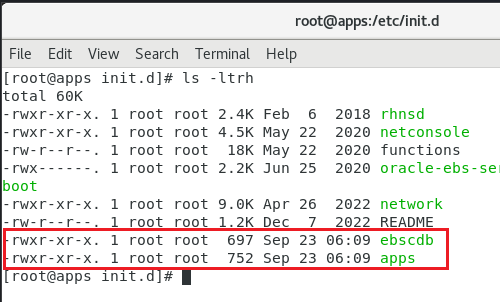
Oracle has the appliance set to start the database and application instances automatically during every reboot. I strongly suggest you to disable the automatic start of these instances. Oracle starts “ebscdb” and “apps” services every time when the box restarts. We can disable these services using chkconfig command

chkconfig apps off
chkconfig ebscdb off

That’s it. Now, when you restart the box, Oracle services will not start automatically.

Shutdown the server. Change the network configuration for the sever like seen in the below image.

This means, your server will start sharing the host’s active connection(s). If your host machine has an active internet connection, your EBS server will able to access internet this way from it’s environment.

Start the EBS server and complete the OS update. This should be around 2.2GB total downloads and minimum 30-40 minutes, depending upon the hardware resources you have allocated for the virtual machine.

Once the box is update, proceed with “Server with GUI” group installation.

yum groupinstall "Server with GUI"

Restart the server after GUI installed. You can temporarily switch to graphical run level by issuing the command

systemctl isolate graphical.target

and to make the graphical interface as default, issue the below command as root

systemctl set-default graphical.target

Please note, your box doesn’t have VirtualBox extensions yet, which is a MUST for proper mouse integration and more. Prior installing the VirtualBox extensions, make sure to install kernel devel package. Issue the following command

yum install kernel-uek-devel

Additionally install the packages gcc, make & perl (pre-installed usually)

yum install gcc make perl -y

Reboot the server & install the VirtualBox extensions.

If you remember, we changed the network settings earlier for the update & if you try to start the database and application, this may not work. Depending upon how you want to access the VISION instance, you have to configure additional networking now. I suggest to leave the NAT configuration as it is and to configure an additional Network adapter for the intended connectivity.

For example, if you want to share the VISION instance with your teammates within a Class C network, do the following.

Use “Bridged Adapter” & select the adaptor that is connected to the network under “Name”. Recent computers have multiple network and WiFi adapters & selecting the correct adapter is very important for client connectivity. Make sure to setup “Promiscous Mode” to “Allow All”.

Find one free IP address and set up the same for your EBS VISION box. You will have to setup this information at multiple places.

For example, change the hosts file (most important)

Network settings. My box have NAT as first Network Adapter and Host Only network as 2nd Network Adapter. Hence my configurations are like below

For the NAT (Connection #1) I have the following setup

and for the Host Only network (Connection #2)

By having the NAT as first adapter, my box is able to connect to internet, shared from the host and my host can access the EBS instance from the virtual machine using the host only network.

That’s all folks.

Oracle workflow builder can’t load (or register) custom control wfnvg20.ocx

Oracle workflow developer for Oracle Applications (EBS) R12 version 2.6.3.x has total 33k downloads. That gives us an idea how scarcely this software is used. Oracle sucks at one place the most, that is fixing their legacy software for new operating systems. For example, Oracle EBS R12 release 12.2 is expected to be supported until 2031, while the development tools for the same were supported till Windows XP OS. Then once in a while they boast about releasing another version of legacy tool, expected to work on later operating systems.

Oracle Workflow builder is not different. Their documentation misses one of the vital point about why one should install the software in a brand new Oracle home! Yes, if you have multiple Oracle products already installed on your computer, Workflow builder installer will pickup the first Oracle home it could read from the Windows registry and default it for the installation, which is the core of all problems you will face while & after the installation.

So, let us do a proper installation of Oracle workflow builder 2.6.3 this time.

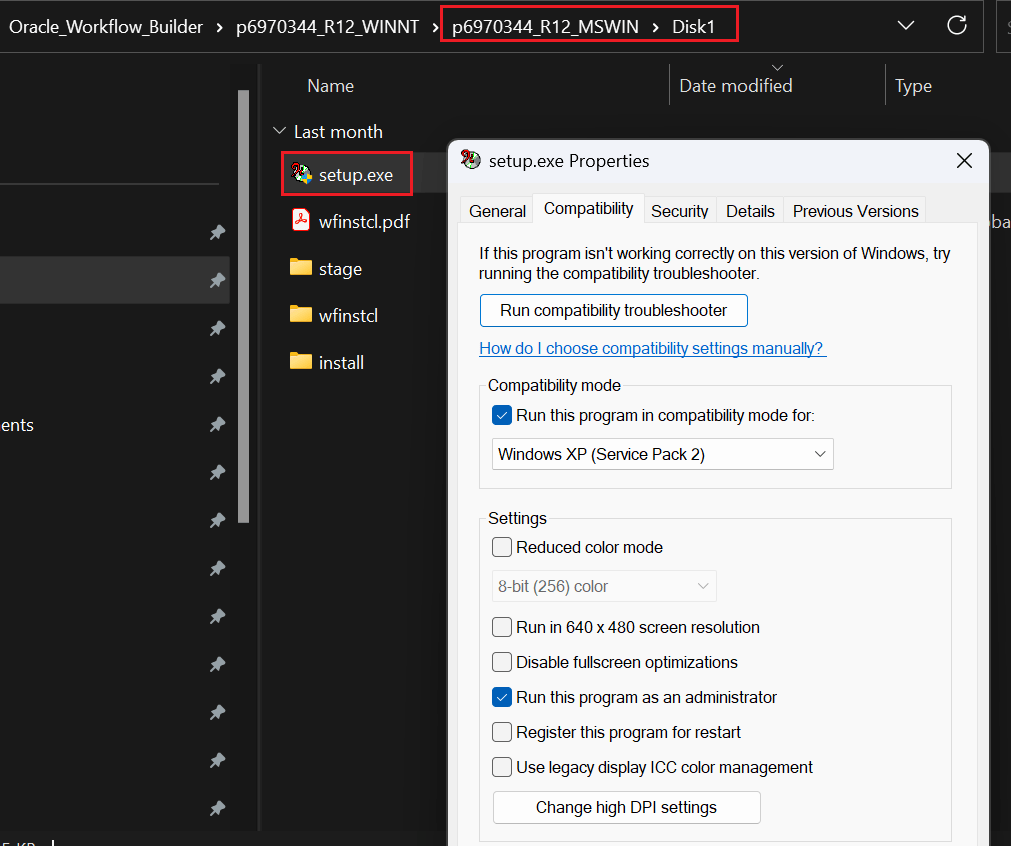
Download the installer, which might need a valid Oracle support (Please note, this particular post might only satisfy this particular version of Oracle workflow builder). Extract the archive, go to Disk1 folder and change the property of Setup.exe as seen in the below image.

Setup the compatibility and Running this program as administrator are mandatory for a successful installation.

Now, before starting the software installation, take a backup of your PATH environment variable. Please read my other post explaining how to make a backup for the PATH and later restoring it after the Workflow builder installation.

This is not mandatory, however advisable based on the number of software that you have already installed on your computer.

Once the setup starts make sure you will setup a fresh home for “Workflow builder”

If you made a correct decision for a fresh home, then installation must complete without issues. Please check the below images for additional details. If you try to install the workflow builder in one of the existing Oracle homes, you will comes across installation error(s)

If you ignored the errors and continued with the installation, you will not be presented with net configuration wizard or other post installation steps & you will not able to start Workflow builder, throwing a run-time error.

Leave the prompts to their defaults unless necessary.

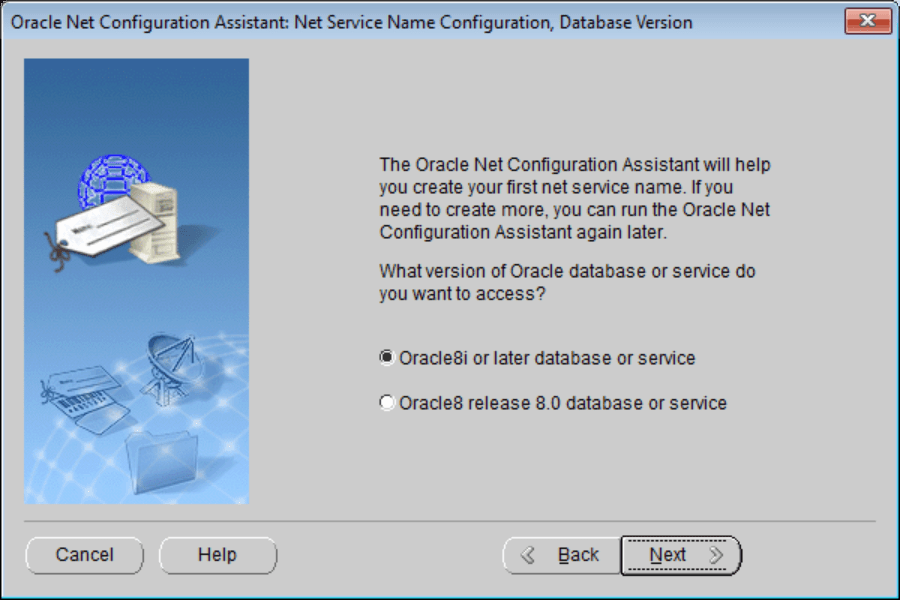
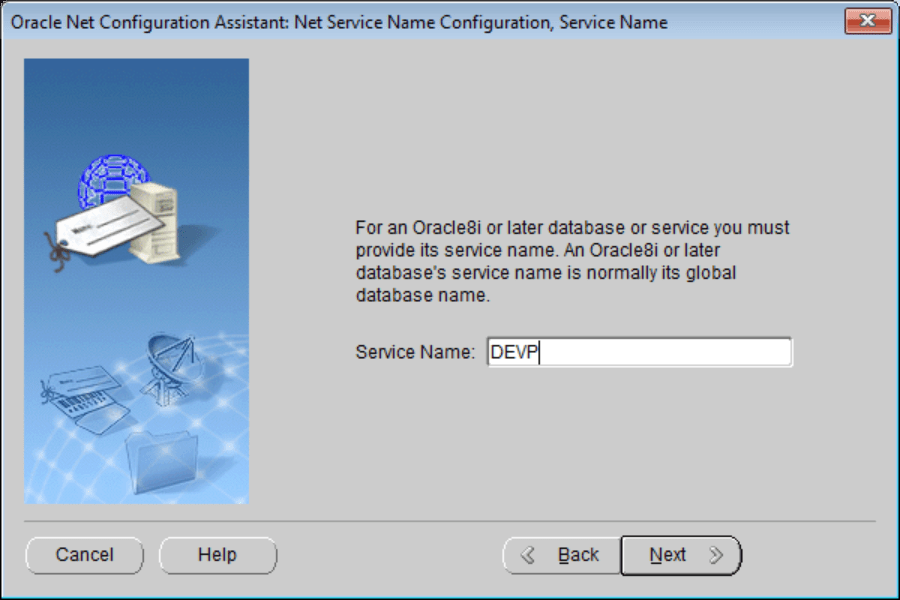
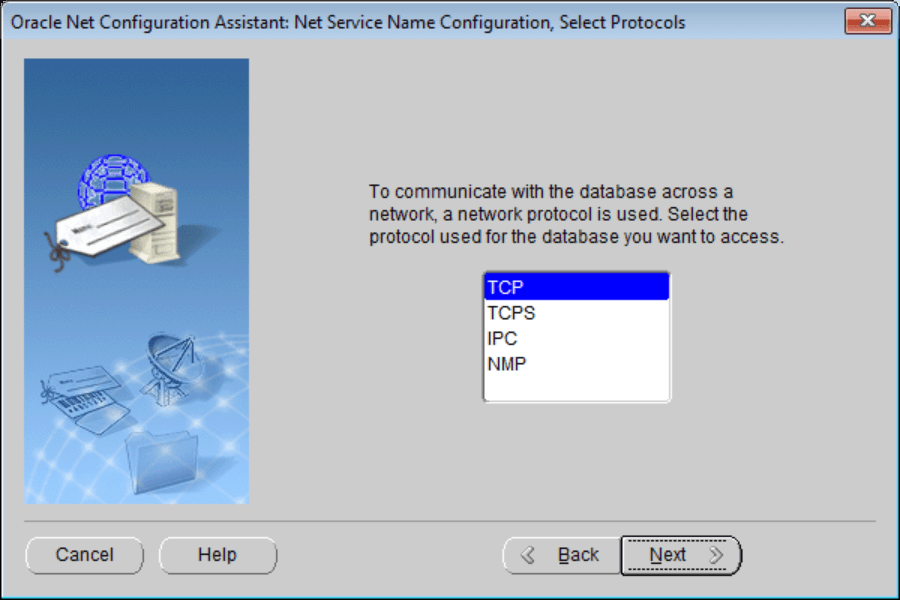
At the last phase of the installation, Net configuration assistant starts.

Well, there is no guarantee that the network configuration setup will complete successfully. My development machine has many Oracle products installed and has multiple JAVA runtimes, I think that should be one of the reasons why the configuration tool always failed to complete the setup successfully. Your case may differ.

Please note, you can Oracle XML Gateway Message Designer is also a part of the installation package, you can proceed to install the product if you want at this stage.

Once the installation(s) over, open Oracle Workflow Builder as administrator always, without which the software cannot read Windows Registry keys.

That’s all. Please note, you are installing a software that was made for Windows XP and hardly received much love from Oracle afterwards. Oracle is keeping it only to support legacy software like Oracle E-Business Suite, which Oracle dearly wants to the pull the plugs off, so that they could force the half cooked cloud based Fusion software & squeeze the customers further through subscriptions. Hence don’t expect Oracle fixing these installation ever, EVER!

Oracle Application R12 12.2 one user cannot logon

Updated on: 28th Feb 2023

Our previous solution to fix “one user cannot” logon was doomed by additional issues sooner than expected. We had to regenerate the jar files using ADADMIN finally to close the issue.

===

We are using Oracle EBS R12 for last 12 years and recently upgraded to 12.2.10. We hardly had much technical issues with the instance until recent days, then came a real annoyance.

One particular user was unable to logon. Instead of OA_HTML page, he was either getting redirected to logout page or the OA_HTML page keeps on trying to load. One of the workarounds we came across was, resetting his password. Once the password changed, he was taken to setup password page and to regular landing page. Well, this also turned into troublesome as each time his session expired, we were forced to reset his password.

So what went wrong? We had an issue with concurrent manager outputs and logs opening into a blank page recently. This happened after RMAN backup up, that is scheduled and we had to run autoconfig to fix this issue. Although autoconfig fixed that issue, opened issues with user logon, as explained above. We kept on watching the alerts for possible errors and there were none. Anyhow, we decided to do the following as the ONLY one relevant document we were able to find on Oracle support was “Unable To Login With One User On Oracle EBS Application (Doc ID 2480008.1)” and the case described was not our case.

This is what finally worked:

  • Cleared global cache (didn’t fix issues)
  • Shutdown Apps tier
  • Ran autoconfig on database Tier
  • Ran autoconfig on both Run and Patch file systems
  • Restarted Apps tier and the issues were resolved

We really don’t know what happened after the RMAN & we didn’t update/altered the OS (Oracle Linux 7). Well, things could go south once in a while, after all Oracle EBS is such a huge and complex repository!