I’ve created a custom top for APEX integration with Oracle EBS R12 12.2.10 recently & by mistake choose 5001 instead of 50000+ for application id. Then I wanted to do it correct and proceeded with the documented procedures.
perl adDeregisterCustomProd.pl
This script errored out as the application id was less than 20000 (unfortunately, I didn’t copy the exact error messages). So, started a session with gemini3, that I recently subscribed. Well, although the AI helped to a great extend, finally I had to refer a blog that helped me to resolve the related issues & finally come up with a clean context file.
Lets’ see how it works. Shutdown the application instance & start deleting the custom top specific entries from related tables. As user “apps”
DELETE FROM fnd_product_installations WHERE application_id = 5001
/
DELETE FROM fnd_application_tl WHERE application_id = 5001
/
DELETE FROM fnd_application WHERE application_id = 5001
/
DELETE FROM fnd_oracle_userid WHERE oracle_id = 5001
/
commit
/
Now, delete the entry for your custom application from fnd_oam_context_custom, a step that shouldn’t be missed. Use the select statement to find out specific information about your custom application
DELETE FROM fnd_oam_context_custom WHERE upper(oa_var) LIKE '%XXAPEX%'
/
COMMIT
/
Now, as Oracle user “system” you need to drop the custom schema. I wanted to drop the custom schema “XXAPEX”
SELECT editions_enabled FROM dba_users WHERE username = 'XXAPEX'
/
DROP USER XXAPEX CASCADE
/
Now, remove the physical path for the custom application
rm -rf $XXAPEX_TOP
Usually, one should proceed with auto config and do an adop fs_clone to replicate the changes while using dual file systems. For me, after auto config, I was still seeing the custom top entry within the context file & no questions will help the AI to pinpoint my issue. Suggestions after suggestion auto config recreated the entry for the custom top inside the context file.
I gave the AI some rest time & started scavenging through blogs & came across the below one
Here the blogger is dealing with a situation that was raised while using “adDeregisterCustomProd.pl”. Fortunately, the blogger has copied the entire log of the activities and I found a very interesting entry
XXAR entry in topfile.txt is removed succesfully ..!
Well, that was it! I hurried to AI once again and asked for the physical location for the topfile.txt & removed the custom top entry from the list. Manually deleted the line from context file & ran auto config once again on “run” environment. Once the config completed, there were no more entries for the custom application to be found.
As we are using SSL for the EBS instance, restarted the application and proceeded with fs_clone. I am noting the fs_clone issues while using SSL to avoid another post. If you initiate the fs_clone without the application server being up using SSL, you are prone to hit the error
[user: applmgr] [VirtualHost: main] (13)Permission denied: make_sock: could not bind to address [::]:443
The solution is simple, start the application server if it was shutdown & try fs_clone once again.
Last updated on 7th January 2026

The most awkward thing about the entire exercise is, we don't use Weblogic with a combination of Forms & Reports 12c/14c at work. The only Weblogic instance that we use is tied to Oracle EBS R12 & that's an ancient version.

Today I am expanding the article with initial setup (only for lab purposes), instructions for publishing a sample application & few issues related to reports. I lost the Windows 11 VM on which I had the  Weblogic installation on C:\ Drive. On the new VM I installed the stack on my default path "D:\Weblogic\Middleware\Oracle_Home". I hope the instructions that refer this path will not confuse you.
If you did refer my previous post(s) for Oracle Forms & Reports 12c installation, this note is not going to be much different other than for few more options one must choose in order to install the stack!
Your Windows Box, let it be desktop or server OS, patched to the latest.
Static IP address, proper hostname.
Minimum 8GB memory available for database + Middleware processes. More is merrier!
Always use old command prompt (cmd.exe) for installing, setting up and start weblogic services. You are warned!
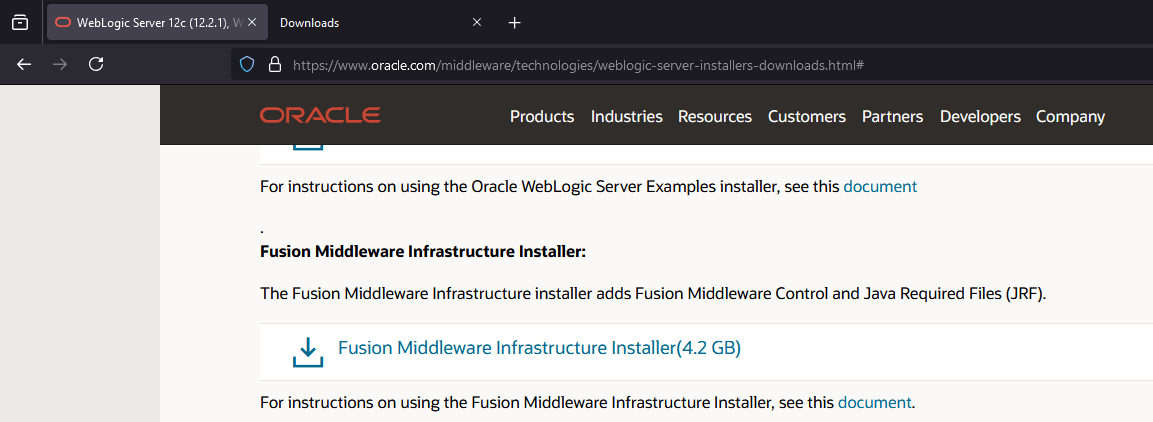
We will be installing Oracle Fusion Middleware 14.1.2/Weblogic Server using Oracle JDK version 21, that is the highest version supported as on date. You should download Fusion Middleware Infrastructure Installer, or Weblogic Installer from Oracle e-delivery portal for Windows. Please do the same for Oracle Forms & Reports also.
This time I installed the entire stack including a fresh 19c database instance on a fresh Windows 11 23H2 VM, to make sure no other Oracle products installed were interfering with the setup. Please refer this document ensure you have all the prerequisites met for the installation. To make is easier, if your Windows box is up to date, then you need to install Visual C++ run-time as mentioned in the document. Please note, these instructions are only valid for the current version of Weblogic/Fusion Middleware installation. You must refer updated documents for newer versions.
Once JDK 21 installed, make sure that you will adjust the PATH with JDK 21 being the first entry.
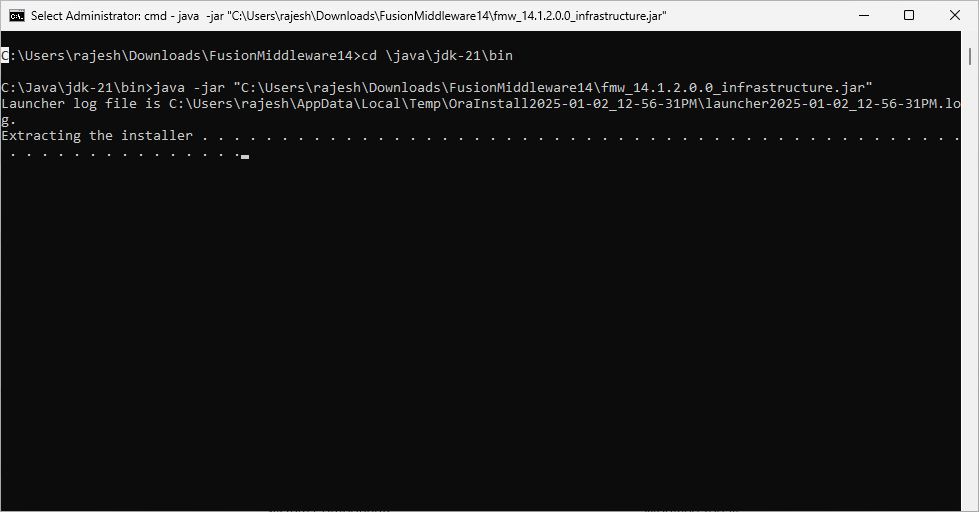
Let us start by Installing Weblogic/Fusion Middleware. Open an elevated command prompt and switch to the path where you have JDK installed. I usually always install JAVA software on C:\Java path. If you are on Windows 10 or Windows 11 use copy as path feature to get the filename along with complete path and proceed with the command. Please modify to suite your setup. Example
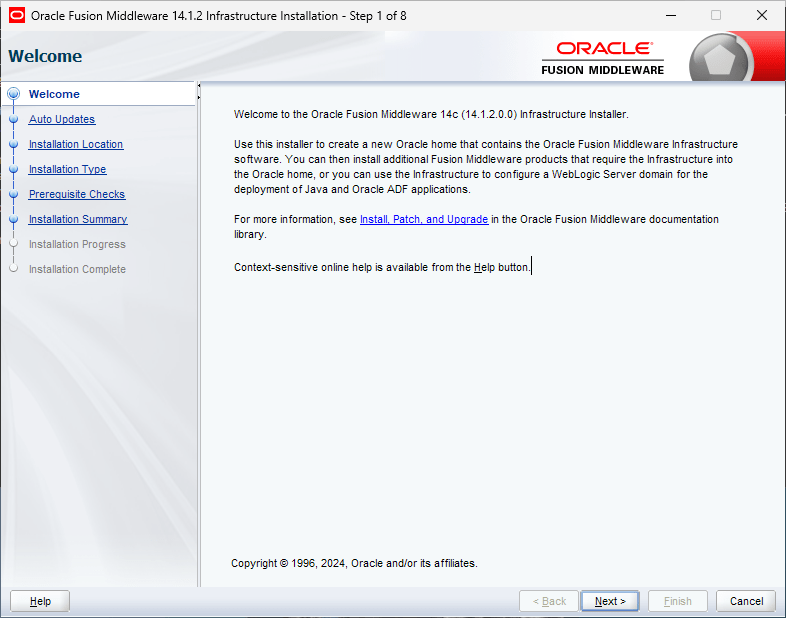
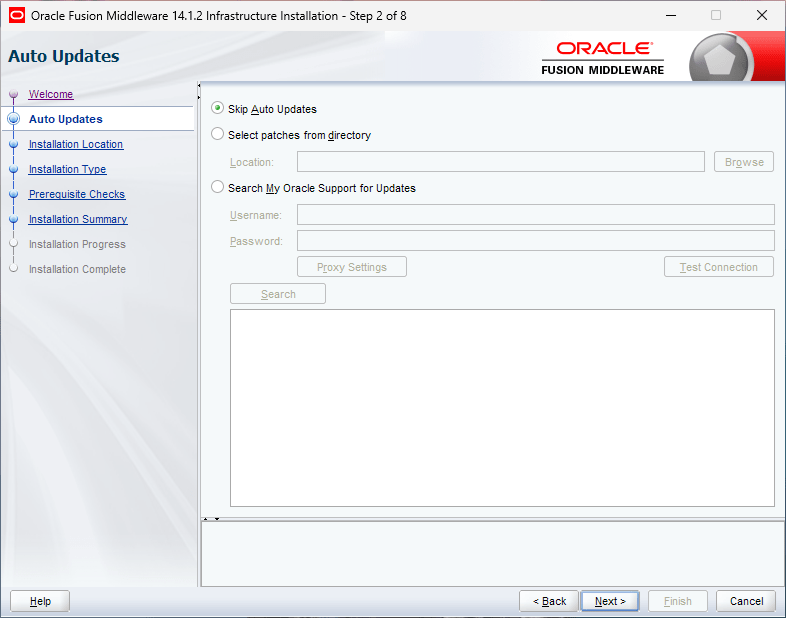
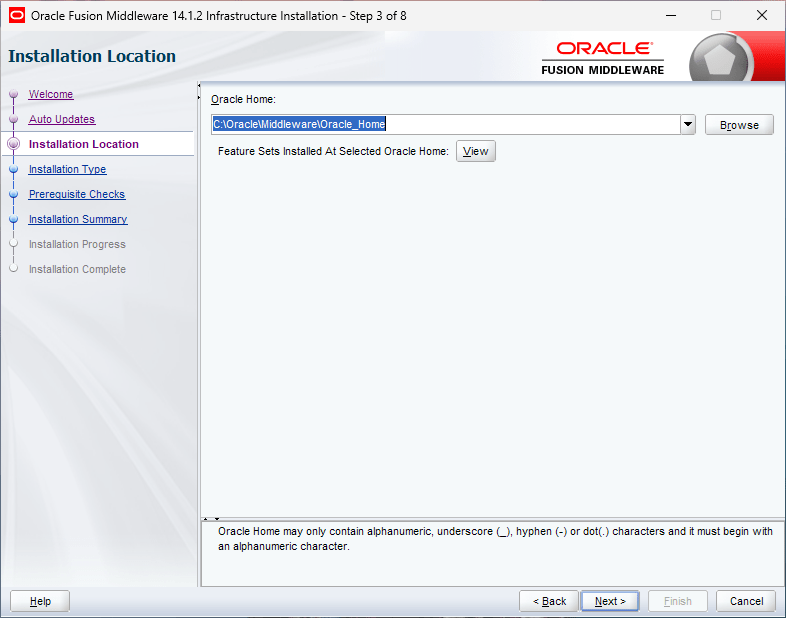
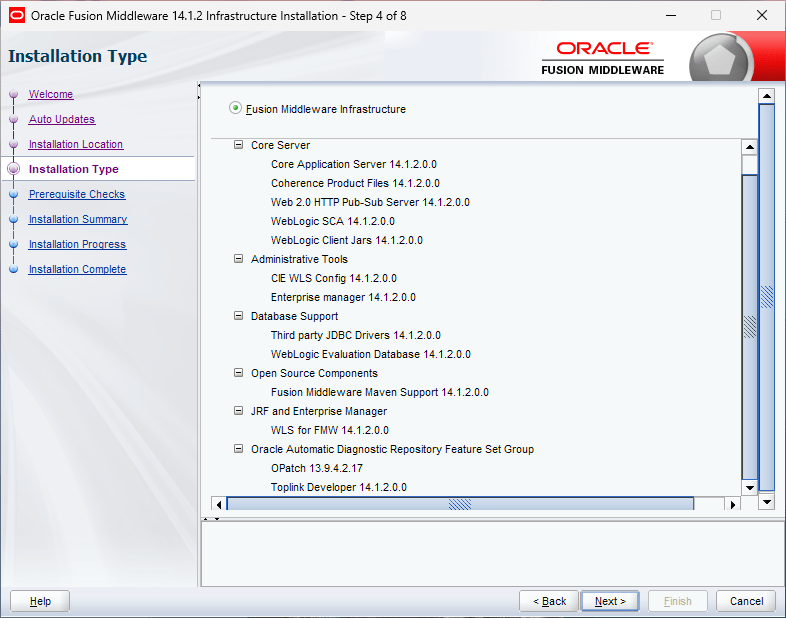
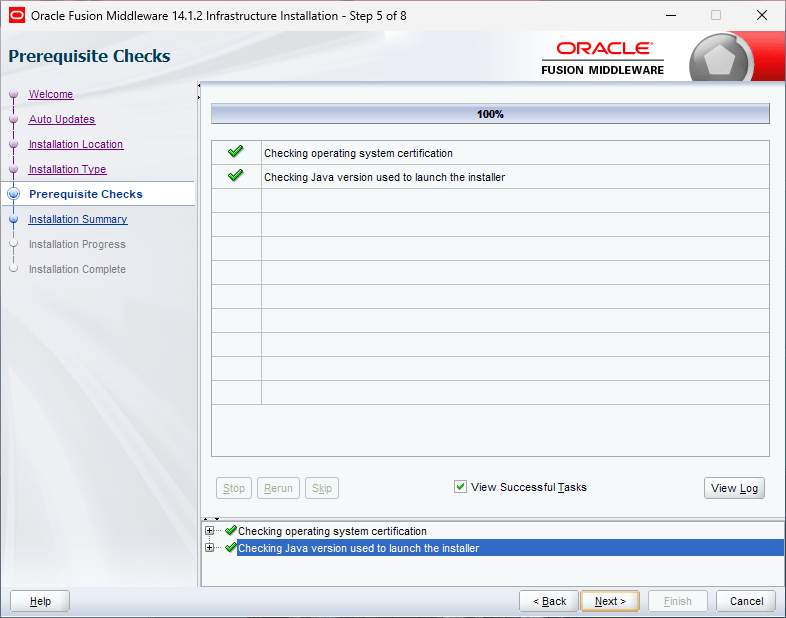
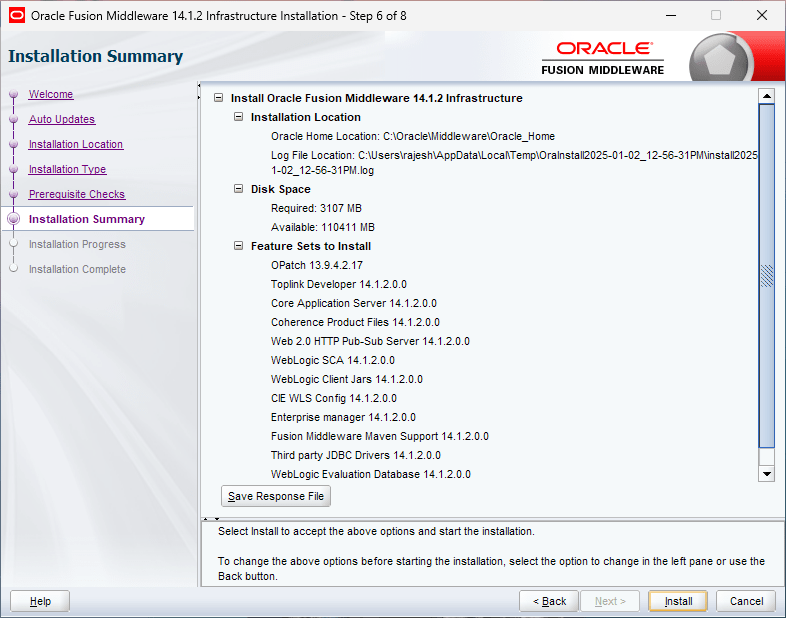
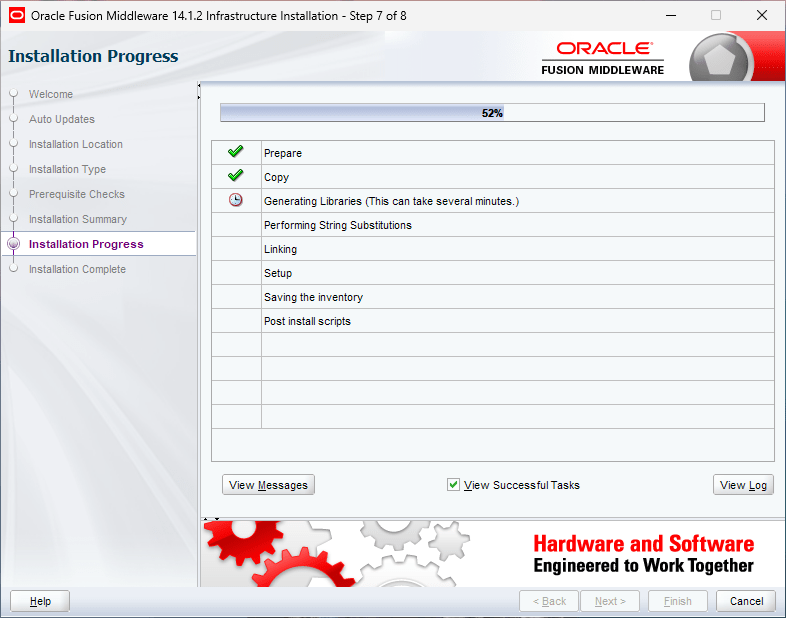
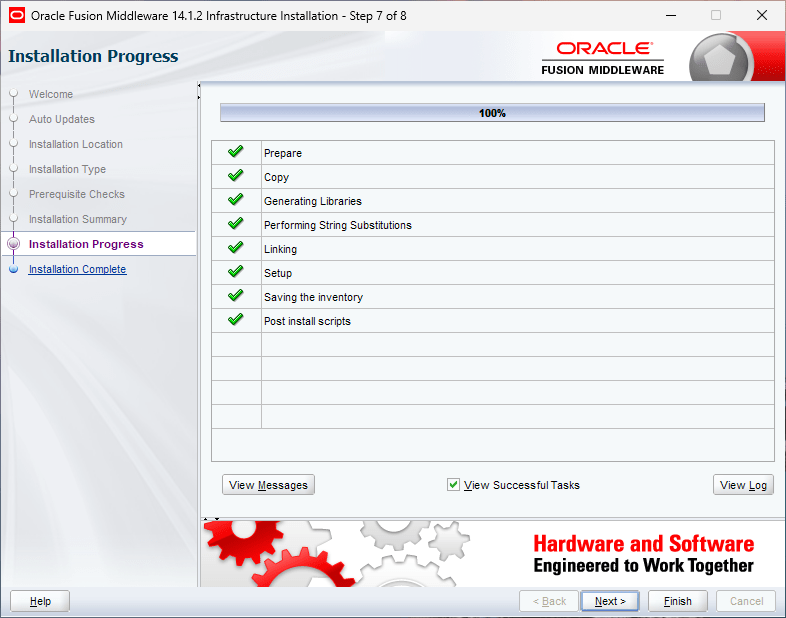
This could take a while based on the hardware resources available and soon you will be presented with the usual Oracle welcome screen. As this installation is “eventless”, I will not have much to explain further for the Weblogic installation. My new VM had only one partition C:, hence I installed Oracle database in C:\oracle folder and chose the same path for rest of the software as well.
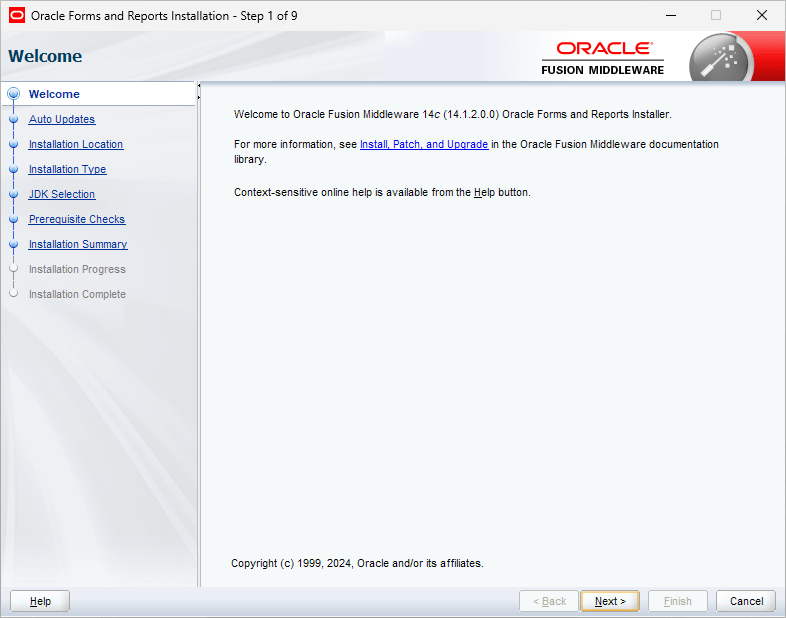
That’s all folks. As I mentioned earlier, installation of Weblogic 14.1.2 on a fully patched Windows OS is eventless. We will proceed with Oracle Forms and Reports 14.1.2 installation now. This is another installation that is as eventless as the previous one :)
Right click the installer and start as Administrator is the only geeky instruction for this installer.
You must make sure that forms & reports are getting installed on the same home where we have already installed Weblogic server. So when the installer prompts for the Oracle Home, pick the one from the dropdown list.
Oracle offers the developers to install the Forms developer as a standalone product, that will not serve our current purpose. Hence, select Forms and Reports Deployment.
Select the default JDK
That completes the Oracle Forms and Reports Installation.
Special note. Unless registered as service and database, many connections to the PDB will fail during and post setup, especially while Weblogic Admin Server startup. Make sure to add the listener port exception in the defender firewall for incoming connections also. I have added the PDB as a service and registered the same as Database with Listener prior setting up the REPO for the classic domain.
Now we will proceed with setting up Repository for our classic domain. I mentioned in the beginning of the article that I installed a fresh instance of Oracle database 19c for this purpose and during the installation I have created one PDB that will hold the repo data for our classic domain. Switch to the path where you have installed Weblogic server from an elevated command prompt. For example, C:\oracle\Middleware\Oracle_home. Now switch to oracle_common\bin and execute “rcu.bat” script file.
Choose the defaults, that is create repository with the option system load and product load.
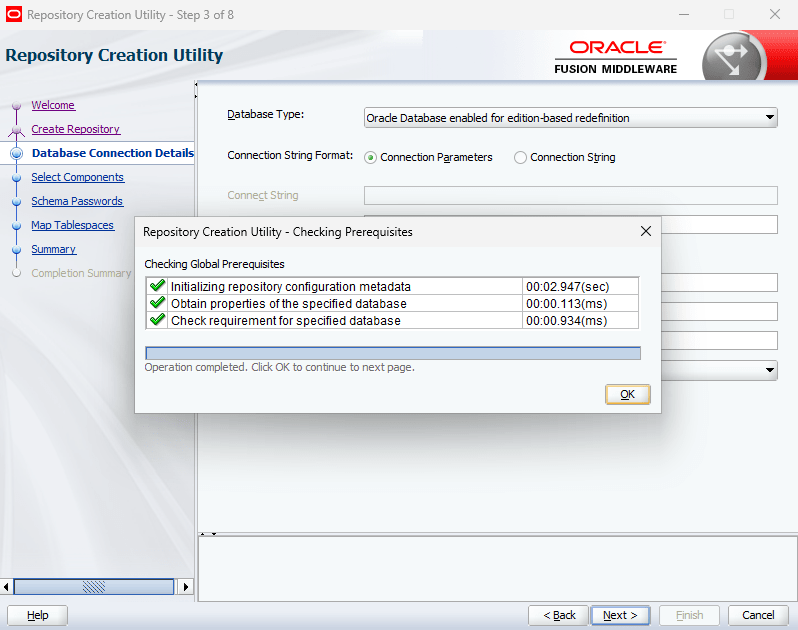
If there are no connection issues, you should see the below screen immediately.
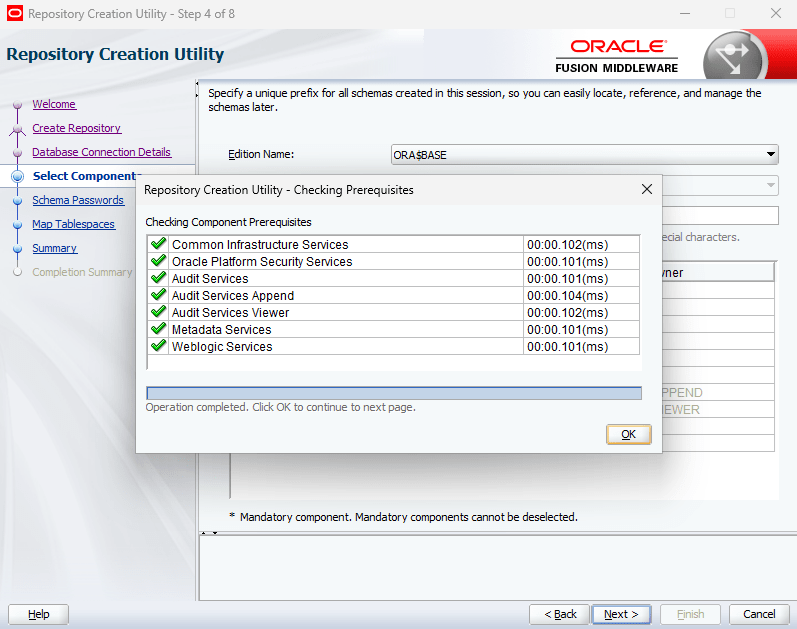
Select all components as seen with the below image.
Use the same password for all schemas.
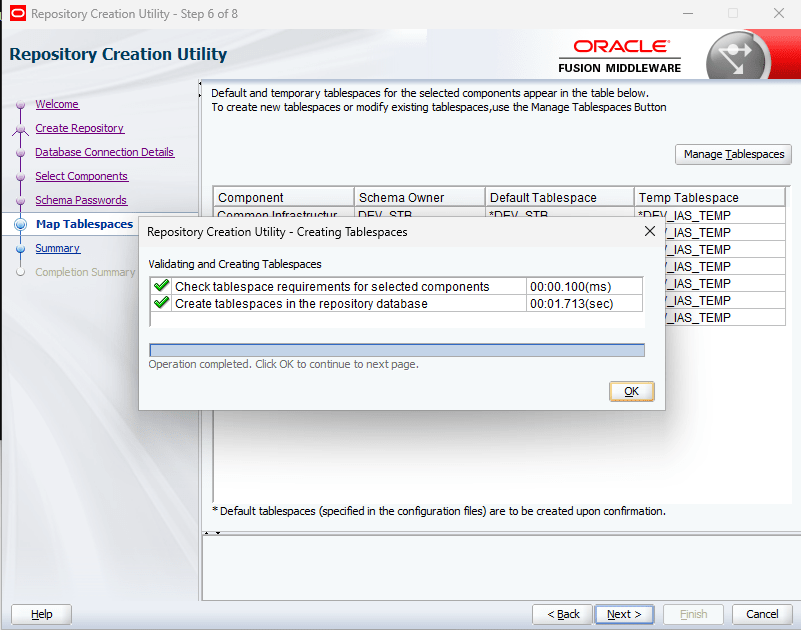
You may define a new tablespace for this purpose using the Manage Tablespace button.
This is another eventless setup, unless the PDB connections become a trouble. Now, we can go ahead and configure a classic domain, using which we will setup both FORMS & REPORTS instances for applications.
From the same path, execute the script file “config.cmd”
Whatever mistakes you make during this phase will force you to create new repo, go through these steps once again. So, make sure you will cross check all details prior proceeding to next steps. Considering you are creating a new classic domain, leave the suggestions as it is.
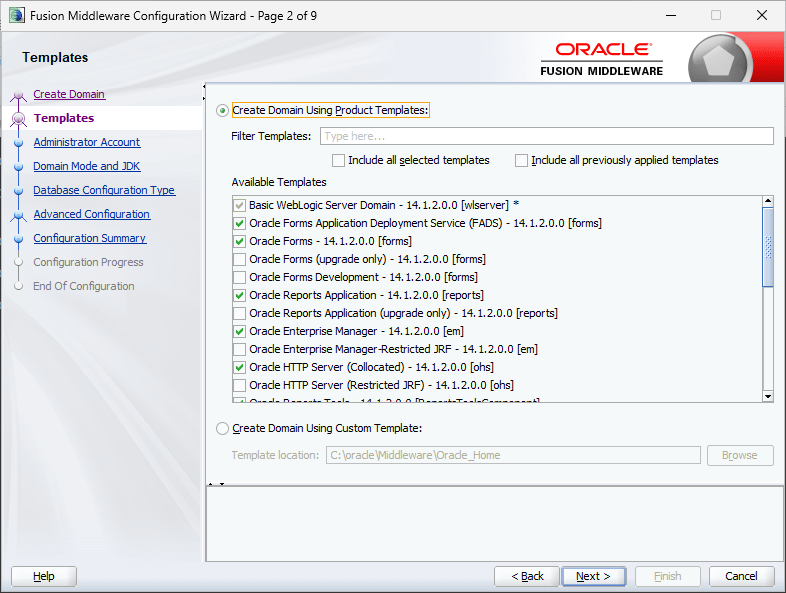
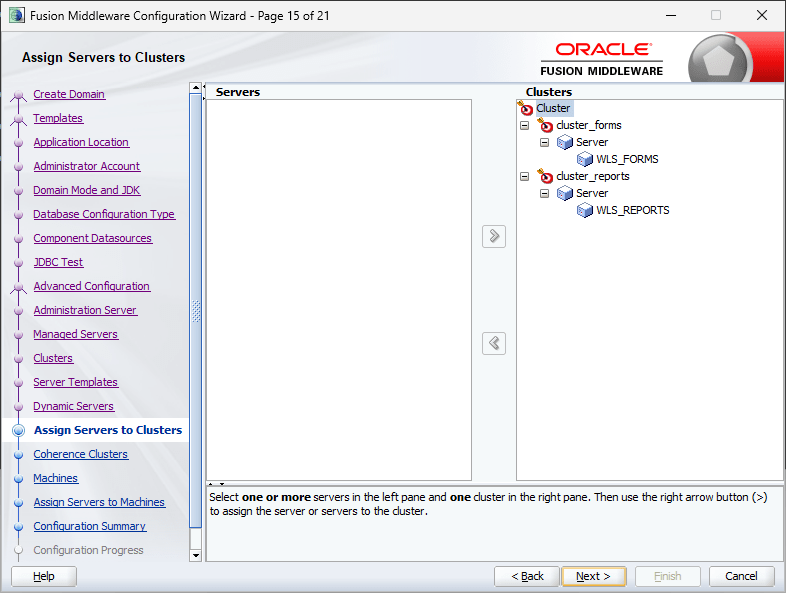
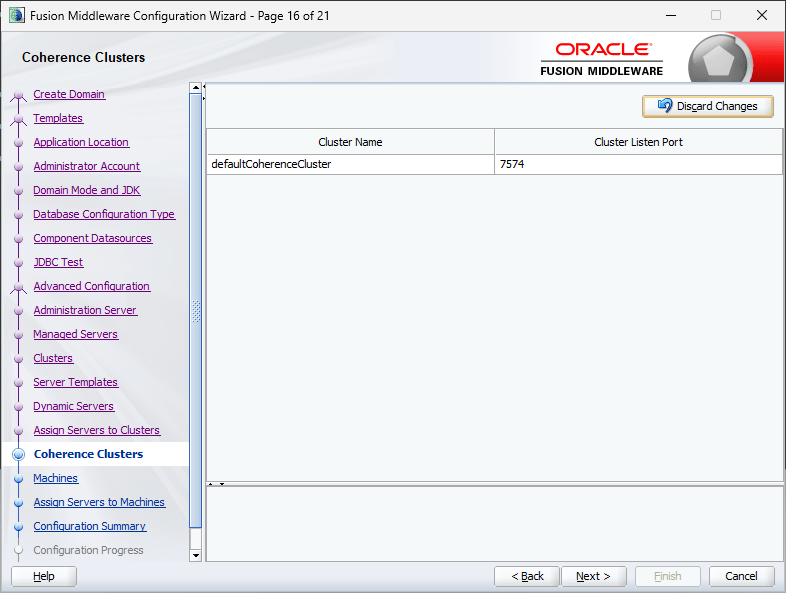
The above and next two images list the items that you are going to setup for the Classic domain.
We will not be setting up SSL, hence make the selections as seen with the image. I am not sure about the technical difficulties that one might face by enabling SSL at this point of time. You may safely ignore the warnings.
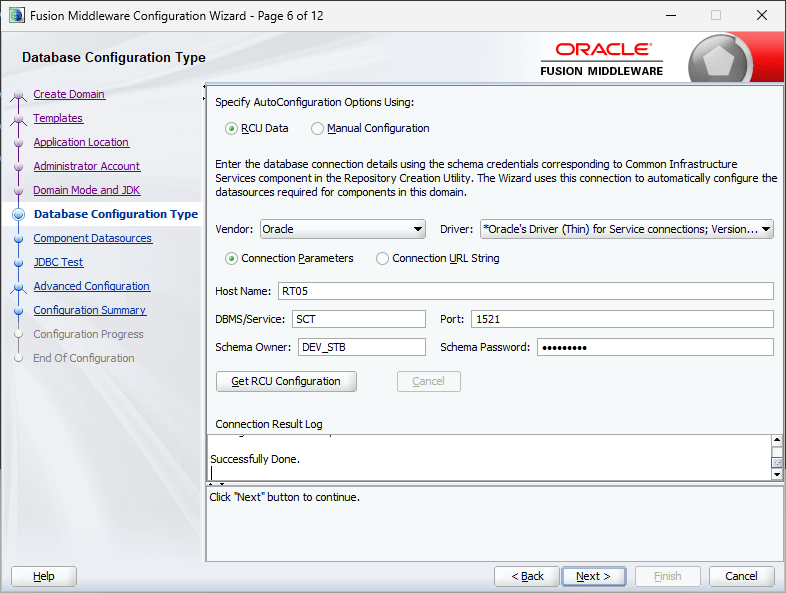
Now we have to supply the repository details that we have created previously.
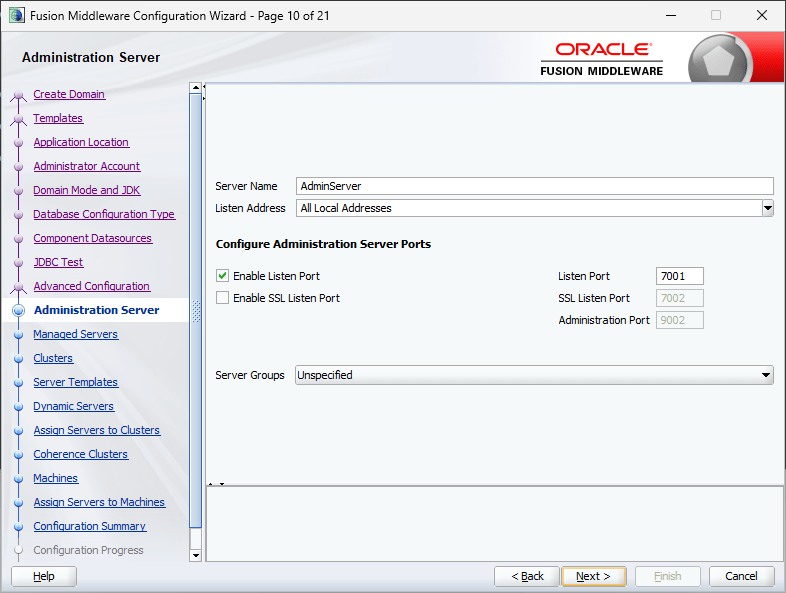
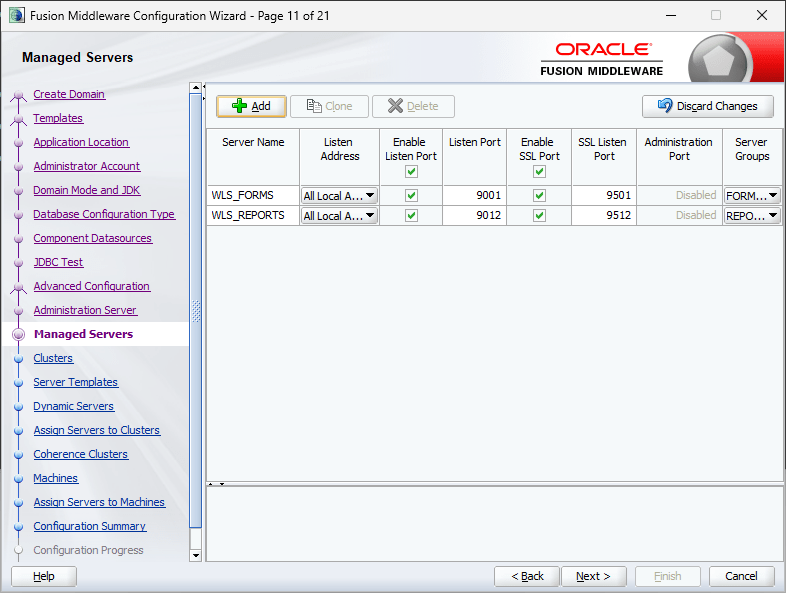
We will leave the SSL unchecked and make sure to select “WSMPM-MAN-SVR” for the Server Groups. Without this setting, the classic domain will fail to serve the purpose.
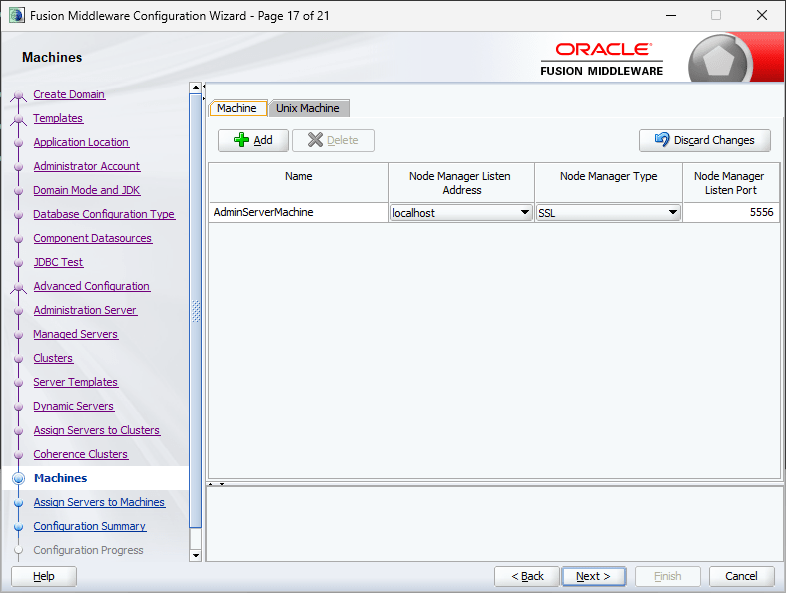
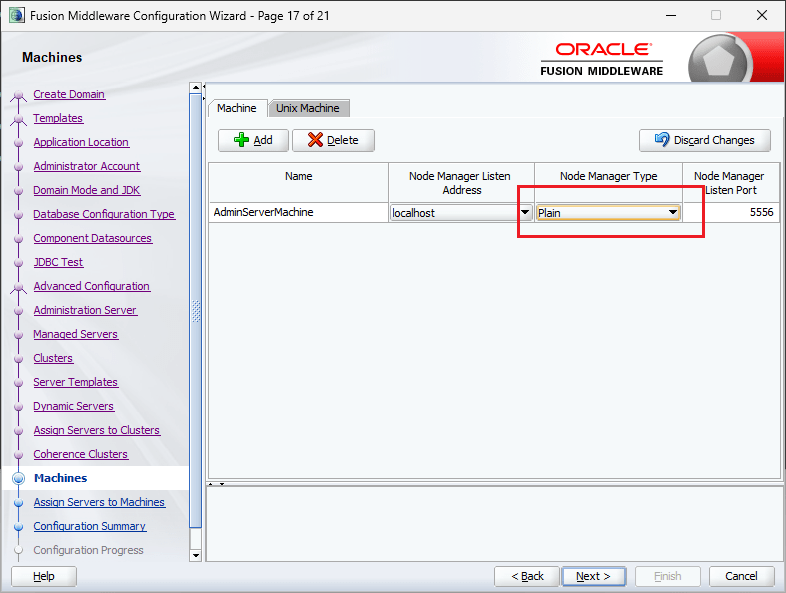
You can switch Node Manager Type from “SSL” to “Plain”, for me leaving it to defaults didn’t make any difference.
Change the Node Manager type to Plain
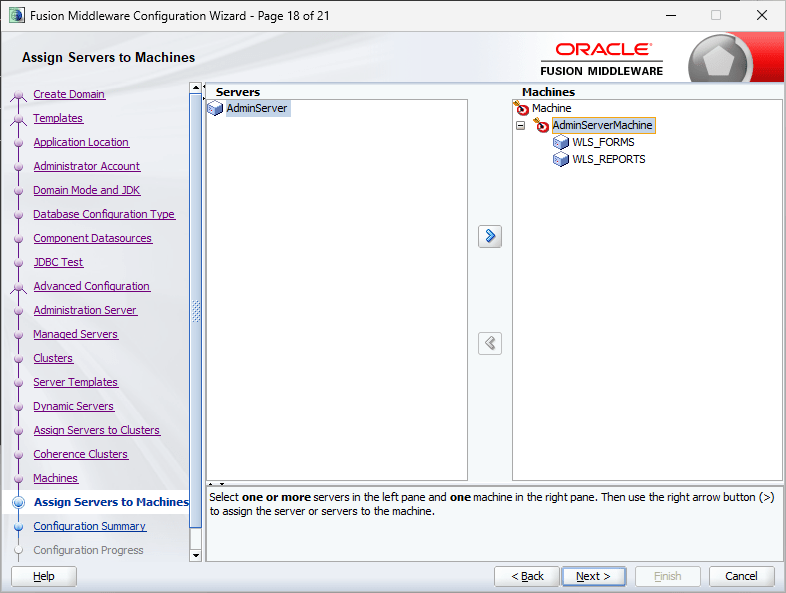
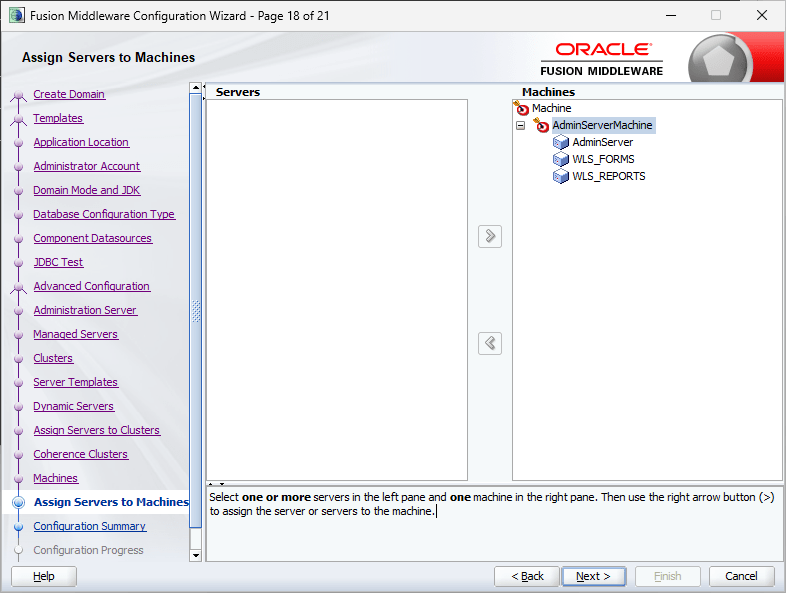
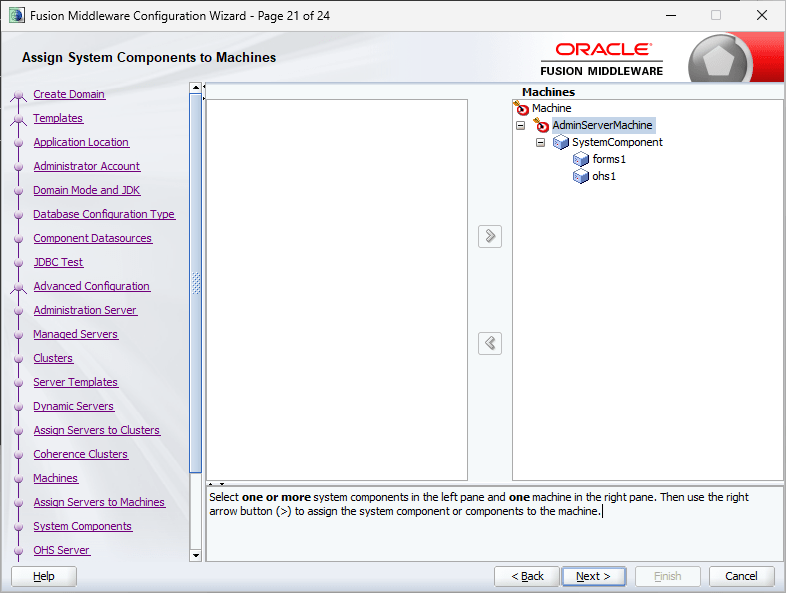
Click on the righthand side “AdminServerMachine” and the button to add “AdminServer” available in the left pan will get enabled. Add “AdminServer” to the “Machines” group.
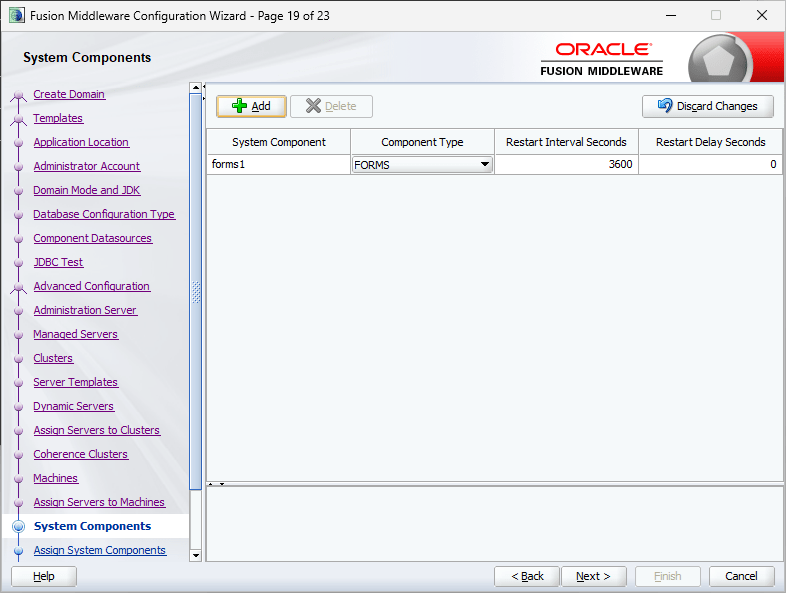
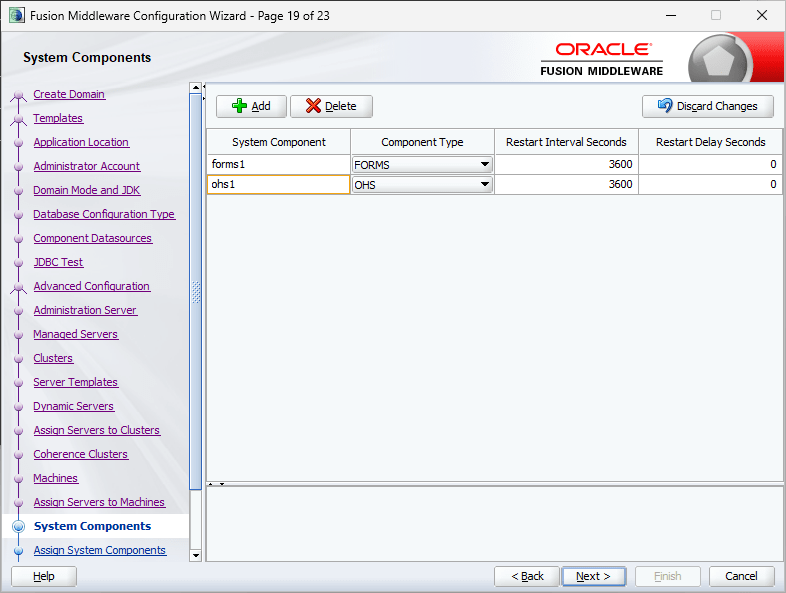
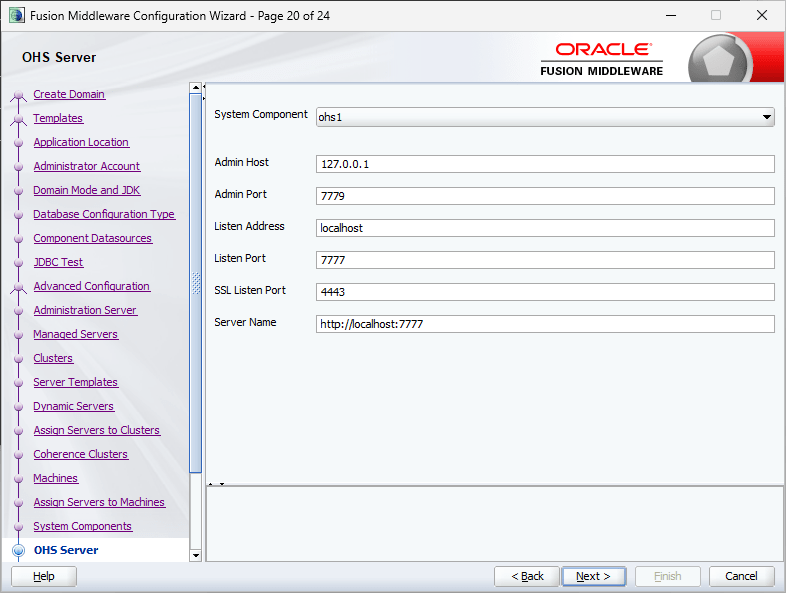
Now, we have only one system component that is Forms. We will add another component, Oracle HTTP Server or OHS.
Leave the defaults.
(Added on 7th January 2026, Oracle demands you not to use “localhost” for listen Address incase if you are planning others to connect. Instead you should use the hostname or static IP address. If you missed this instruction during installation, use the enterprise manager console to change the listen address to “any” while the OHS instance is shutdown)
Now move the system component ohs1 to the Machines group as explained above for “AdminServer”
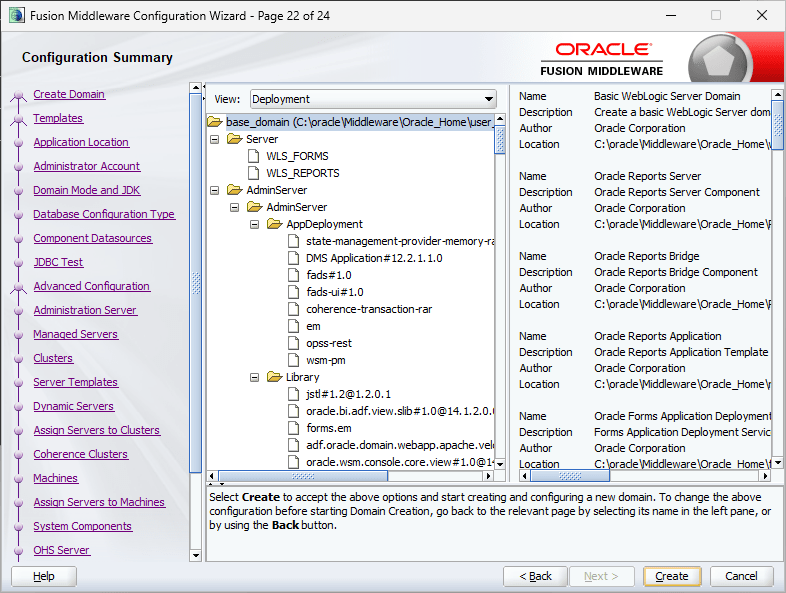
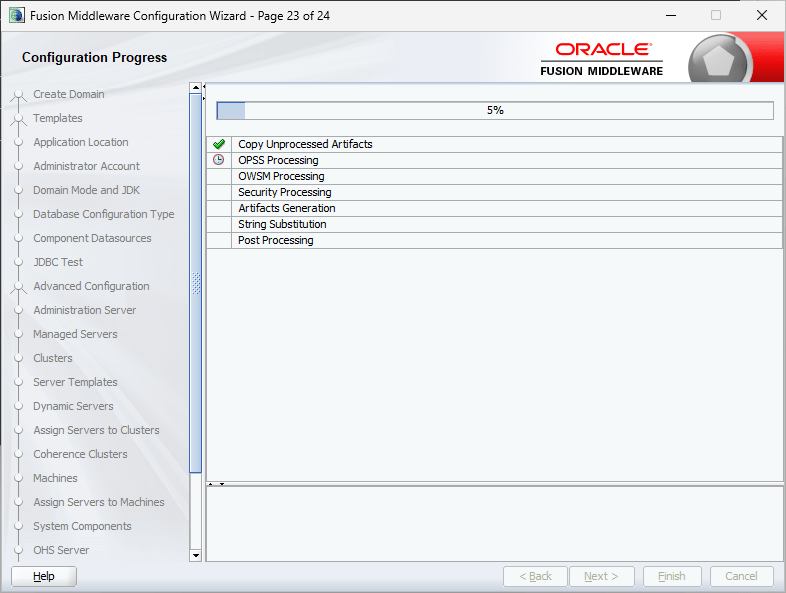
This completes the classic domain setup. Oracle has retired the good old browser based Weblogic Admin Server console and introduced a new tool called Weblogic remote control, that you can download from github About WebLogic Remote Console :: WebLogic Remote Console
It’s a pain until you get used to it.
Now we will see how to start the nodemanager and weblogic admin server.
from an elevated command prompt. Start the nodemanger now by issuing the command by executing the command “startnodemanger.cmd”
It may take few seconds to minutes until the node manager starts for the first time. Please remember, you shouldn’t close this command window, which will automatically stop the node manager.
I didn’t experience “Schema validation failure” JAVA error while starting the Weblogic admin server once after the PDB services were added. If JAVA throws “Schema validation failure” errors while starting the admin server, try the below workaround. Regardless, until you finish the initial setups, it is advisable to use the below hack to start the Weblogic Server.
set JAVA_OPTIONS=-Dweblogic.configuration.schemaValidationEnabled=false
startWeblogic.cmd
Okay, with node manager, 99.9% chances that you may not bite bullet. With Weblogic Admin server, this is not the case. For number reasons, the Server will try to start and give up in the middle. So don’t panic. If the Weblogic Admin Server is not coming up to a “RUNNING” status after extended period of waiting, go ahead and restart your computer. Start node manager and then try to start the weblogic admin server once again.
The initial startup could take up to 5-6 minutes (depending upon your hardware, this time could vary) & you should see a status like below. “Server state changed to RUNNING” means set and you are good for next step.
Remember not to close the command prompt window, which will immediately stop the Weblogic Admin Server. The status of the window will keep on updated against the activities happening at the server side. Once started, you can safely keep both node manager and Weblogic Admin Server CMD windows minimized.
As I said above, we cannot access the Weblogic Admin Server using browsers anymore and the Weblogic Remote Console is mandatory for the same. I have made a short video explaining how to start services using the console & leaving the rest on you to explore and learn how to make changes to existing parameters for rest of the setup that are required for publishing your applications 😍
Start both WLS_FORMS & WLS_REPORTS servers using the Weblogic Remote Console or using “startManagedWeblogic.cmd”. Once these servers started, let’s update the OHS instance that we created during the classic domain setup.
From an elevated command prompt, switch to Oracle_Common\common\bin folder
Now, start Weblogic Scripting tool (wlst.cmd), refer the below image for details. Use your weblogic admin server credentials when prompted.
Issue the command “ohs_updateInstances()” at the wlst prompt & once the configuration completed, exit wlst by issuing “exit()”
Using Enterprise Manager (http://localhost:7001/em) try to start the Oracle HTTP Server. My OHS instance is named “ohs_1” with the given image.
Under normal conditions Oracle HTTP Server should start without issues.
Now shutdown HTTP and WLS_FORMS & WLS_REPORTS servers using Enterprise manager and Weblogic Remote Console respectively. You can use stopManagedWeblogic.cmd to shutdown both WLS_FORMS & WLS_REPORTS servers alternatively.
As we didn’t configure “Node Manager” during the classic domain creation, let us quickly modify few parameters, that will help us to re-configure OHS instance properly at later stages.
Using Weblogic Remote Console, choose “Edit Tree” Tree element
Once the Tree opens, click on Expand “Environment”, then “Domain”, then “Security” and check “Show Advanced Fields” (Refer image). Enter a meaningful name for the Node Manager username and use the common password as password for the node manager user. Please remember, resetting the node manager password may not be a great experience at all ;)
Click on “Save” button. This action will add the changes to the cart button and you have open the cart button to apply the changes, which replaces the old lock and edit apply changes.
Shutdown the Weblogic Admin Server and Node Manager & restart both. Start both WLS_FORMS and WLS_REPORTS servers. We’ll restart the OHS instance later.
Now we will edit few configuration files for both Forms and Reports so that OHS will know where to look for their details.
You need to uncomment one of the blocks starting from until & add properties specific to your deployment, for example, my computer’s name is “RT05: and I am using default ports for both forms and reports applications, hence I have the properties set like following
Now we will edit the configuration file for reports. Please note, with Reports 14c, the default listening port has been changed from 9002 to 9012.
Switch to “D:\Weblogic\Middleware\Oracle_Home\reports\conf” folder & edit “reports_ohs.conf” and add a block like following (alter according to your setup)
Alternatively you can add the entries directly into “mod_wl_ohs.conf” file found in the path. This will be easier incase if you are planning to deploy web applications & use the same OHS instance to access them. For details, check the attached image.
Restart the OHS instance storing all the changes we made until now. Instead of using the Enterprise Manager, we will use the startComponent.cmd this time. Move to the domain base bin path. Example:
This will start the Weblogic Scripting tool & will prompt for node manager password.
Once a correct password is provided, the OHS instance (ohs_1) will be started & you are all ready to deploy your Forms/Reports based application(s). Please note, 12c was the latest supported version of Oracle Reports & provided with 14c only for backward compatibilities. You are advised to switch to “supported” Oracle BI alternatives.
Next step, we will modify more configuration files for deploying sample application. Please note, Oracle Weblogic is very sensitive around IPv6 protocol, especially the Reports Server. Hoping you already set a static IP address for your box, let’s add an entry to the hosts file first. On Windows you will find the “hosts” file on the path “C:\Windows\System32\drivers\etc”. Make sure to open Notepad as Administrator.
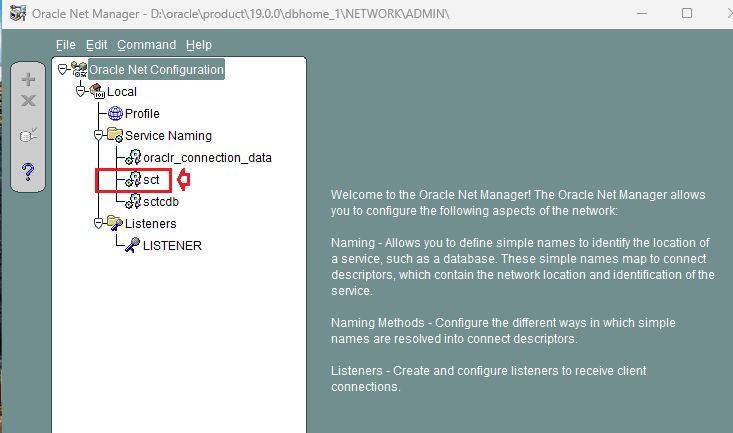
We’ll setup the TNS names for the Forms/Reports next. Copy the tnsnames.ora file from your database installation path and replace the one at the physical location. Usually at
Make sure that you will make a backup prior replacing the existing one.
I’ve noticed that recent installations of Oracle products set up the sqlnet.ora with NTS authentication as default. This could create issues when you try to connect Forms/Reports developers to database as well as while trying to launch applications.
Please modify the sqlnet.ora file at this physical path
D:\Weblogic\Middleware\Oracle_Home\network\admin
Now we will modify one of the environment files that should save us many troubles related to Report Server not being able to connect.
and edit the setDomainEnv.cmd after making backups. Modify the JAVA_OPTIONS
set "JAVA_OPTIONS=%JAVA_OPTIONS% -Dweblogic.ssl.AcceptKSSDemoCertsEnabled=true"
To
set "JAVA_OPTIONS=%JAVA_OPTIONS% -Dweblogic.ssl.AcceptKSSDemoCertsEnabled=true -Dweblogic.ssl.AcceptKSSDemoCertsEnabled=true -Djava.net.preferIPv4Stack=true -Djava.net.preferIPv4Addresses=true"
Save the file. This modification will help you to address few of the grave issues with Reports Server, that expects IPv4 instead of IPv6 protocol for network related negotiations.
REP-52266: The in-process Reports Server rep_wls_reports_rt05 failed to start.oracle.reports.RWException: IDL:oracle/reports/RWException:1.0
Multicast:init java.io.IOException: Network interface not configured for IPv4
Let us proceed to modify rest of the configuration files now. We will start with Reports configurations first, then Forms .
I believe, came across an Oracle forum post where the Product Manager Michael comments about using named Report Servers not supported on 14c. I am not sure, you have to find this out yourselves. I will be configuring the in-process Report server in next few steps.
All the Report Server configuration files are available on the same file path. Switch to the physical path
We will be modifying the 3 files listed below. Make sure to backup the files before you start modifying them.
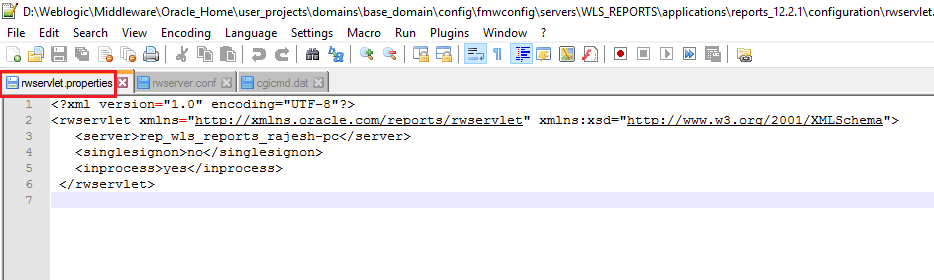
rwservlet.properties – Servlet specific properties
rwserver.conf – Server properties
cgicmd.dat – key mapping file
1. As far you are using in-process reports server, nothing much to alter with “rwservlet.properties” file. Basically you should see entries like following in the opened file:
2. rwserver.conf (Please check the below image)
3. cgicmd.dat: Many values we supply to call a report using Web.Show_Document method could potentially expose vital information like the database details & many other. “cgicmd.dat” file helps us to map such values to keys and later use them wherever applicable. With this example, I will demonstrate, how the database username, password and service name are mapped using a key. Please check the image attached below
Once these configurations files are altered, we need to create a report instance for the WLS_REPORT server. Open an elevated command prompt and switch to
Note, you can choose your own name for the report instance. We will use this tools instance with Forms for accessing report server. Once the report instance created, exit wlst and you can try to start the WLS_REPORT server from the weblogic console.
We will be modifying the files listed below. Make sure you make backup copies for the files prior modifying them.
formsweb.cfg
default.env
One of the major changes that happened between the version is, Internet Explorer is not anymore and the JAVA NAPI clients are not supported by modern browsers. This leaves the Forms enthusiastics with two options, Java Web Start and FSAL. Both have their own set of issues, that you must address when applied on PRODUCTION environments. Let us create a new section by the dead end of the formsweb.cfg file. Notice the REPORT_SERVLET entry, that is mandatory when you are using CREATE_REPORT_OBJECT calls from Forms.
# Application name "Balaji"
[myapp]
# The name of the starting form (ensure start.fmx is in your FORMS_PATH)
form=start.fmx
# Enable Java Web Start
webstart=enabled
# Template for the JNLP file (standard for non-WebUtil apps)
basejnlp=base.jnlp
# Optional: Set the width and height of the application window
width=1024
height=768
# Connection string (example: user/password@database)
userid=
# Specific environment file for this app (default.env or a custom one)
envFile=default.env
# Report Servlet path
REPORT_SERVLET=/reports/rwservlet
Save the file and let us modify the default.env that could be found in the same file path. You can tell the forms runtime to look in this file to locate the forms runtimes. For example, I’ve all the compiled runtimes available at D:\12c folder for the application that I am trying to deploy/publish. The FORMS_PATH is pointed to it & other paths wherever I have applications (eg: mapped path \\RT04\OPMAN12C\main). Make sure each path is separated using a “;”
Another mandatory entry you are going to make within the default.env is for the Reports Tools instance that you created earlier. Without specified, your reports may not work at all.
COMPONENT_CONFIG_PATH value is the physical path for the Report Server tools instance we created earlier. Save the default.env file and we’ll make changes to registry.dat file, that enhances the look and feels of few Forms objects live LOV and Required Fields. Switch to the path
Make a backup for registry.dat file and modify the existing entries like given below.
#
# Application level settings to control UI features
#
# app.ui.lovButtons=false
app.ui.lovButtons=true
# app.ui.requiredFieldVA=false
app.ui.requiredFieldVA=true
#    The background color is specified as an RGB triple.
# app.ui.requiredFieldVABGColor=255,0,0
app.ui.requiredFieldVABGColor=255,242,203
This completes the configurations for Forms.
As everything for a lab environment is set, let us quickly restart all services and servers to make sure that all are in place.
Shutdown all running servers and services. Follow the below sequence for shutting down the servers.
WLS SERVERS
HTTP Server
Weblogic Admin Server
Node Manager
We are restarting to services and servers to ensure that the changes made to environment files are activated. Start the services and servers sequentially
Node Manager
Weblogic Admin Server
WLS Servers (FORMS, REPORTS)
HTTP Server
Try to access your sample application from the address http://<hostname>:7777/forms/frmservlet?config=<config name>
Ensure that you have JRE 32-Bit (preferred) aleady installed. As my sample page doesn’t have an associated web application, as soon as I press Enter key after entering the URL, the browser will download a jnlp file (Java Web Start)
If you never worked with jnlp files, there will be few security warnings. Ignore them and you can keep and open the file in subsequent actions. Once opened, these files are useless, hence always open them if your browser permit. Firefox ESR versions are best for such situations. You might get some security warnings once again while opening the jnlp file, accept all to proceed.
So here we are
Let’s run a report using “Web.Show_Document” method, when the geeks are asking you to start using “RUN_REPORT_OBJECT” instead for better integration and security.
For the sample scenarios, I chose to stick to Web.Show_Document that supports parameter form.
Here is our report (PDF)
End notes:
I am a developer & the hacks and patches that I apply to get something working may not be copied to PRODUCTION environments. Please, don’t ask me for the “sample application” source code. If you are interested about the “Tree Menu”, I already shared the details with my “OOooOOtoob” channel. Hooking up the video for your references here.
I will recommend you to refer my 12c posts for setting up Forms & Reports environments for publishing applications. This could help you to figure out stuffs that I might have missed with the 14c document.
For FSAL setups. If you don’t have jacob.jar and associated dll files that are expected to be made available by “YOU”, an error like the below will arise.
D:\Weblogic\Middleware\Oracle_Home\user_projects\domains\base_domain\bin>C:\Java\jdk-21\bin\java.exe -jar "D:\Weblogic\Middleware\Oracle_Home\forms\java\frmsal.jar" -url "http://rt05:7777/forms/frmservlet?config=balaji_fsal"

Detected Java version: 21.0.8
Inspecting archive files in cache directory C:\Users\rajesh\AppData\Local\Temp\frmsal\rt05\14.1.2.0
Using cached archive file frmall.jar from cache subdirectory bkl1e4mo31jhef1bgia0decvk
Using cached archive file frmwebutil.jar from cache subdirectory bkl1e4mo31jhef1bgia0decvk
Downloading archive file jacob.jar to cache subdirectory bkl1e4mo31jhef1bgia0decvk
FRM-92290: HTTP response code 404 received when attempting to download archive file
FRM-92491: Unable to fetch archive file from server.
Download the latest release from https://github.com/freemansoft/jacob-project/releases & extract the files to “….\Middleware\Oracle_Home\forms\java” path. Make sure you copied jacob.jar and associated dll files to this path. Shutdown WLS_FORMS server & restart it.
Sample FSAL configuration as given below
[balaji_fsal]
form=login.fmx
# Note: baseSAAfile must end with .txt
WebUtilArchive=frmwebutil.jar,jacob.jar
WebUtilLogging=off
WebUtilLoggingDetail=normal
WebUtilErrorMode=Alert
WebUtilDispatchMonitorInterval=5
WebUtilTrustInternal=true
WebUtilMaxTransferSize=24573
baseSAAfile=webutilsaa.txt
fsalcheck=true
userid=<<scott/tiger@orcl>>
Today we will checkout a PL/SQL procedure that will keep monitoring Oracle EBS application specific Tablespaces and send emails to concerned parties whenever the free storage falls below a certain percentage. The below stored procedure checks the free spaces of all Tablespaces that have a name starting with “APPS”.
create or replace procedure XXTBLSPCE_MAIL( errbuf  OUT    VARCHAR2, retcode   OUT    VARCHAR2) AS
cursor c1 is
SELECT F.TABLESPACE_NAME,
(T.TOTAL_SPACE -  F.FREE_SPACE) "USED_MB",
(F.FREE_SPACE) "FREE_MB",
(T.TOTAL_SPACE) "TOTAL_MB",
(ROUND ((F.FREE_SPACE/T.TOTAL_SPACE)*100)) PER_FREE
 FROM   (
 SELECT       TABLESPACE_NAME,
 ROUND (SUM (BLOCKS*(SELECT VALUE/1024
 FROM V$PARAMETER
 WHERE NAME = 'db_block_size')/1024)
 ) FREE_SPACE
 FROM DBA_FREE_SPACE
 WHERE TABLESPACE_NAME LIKE 'APPS%'
 GROUP BY TABLESPACE_NAME
 ) F,
 (
 SELECT TABLESPACE_NAME,
 ROUND (SUM (BYTES/1048576)) TOTAL_SPACE
 FROM DBA_DATA_FILES
 GROUP BY TABLESPACE_NAME
 ) T
 WHERE F.TABLESPACE_NAME = T.TABLESPACE_NAME
 AND (ROUND ((F.FREE_SPACE/T.TOTAL_SPACE)*100)) < 10;

 /* Mail specific variables*/

mailhost VARCHAR2 (30) := 'smtp.yourmaildomain.com';
mail_conn utl_smtp.connection;
crlf VARCHAR2(2) := CHR (13) || CHR (10);
message_1 CLOB;
v_email varchar2(16000);
v_sub varchar2(10000);
vcount NUMBER := 0;

name_array     DBMS_SQL.varchar2_table;

CC_parties     VARCHAR2 (2000) := NULL;

Cursor ec1 is
(select 'rec1.it@yourmaildomain.com'  user_email from dual
union all
select 'rec2.it@yourmaildomain.com'  user_email from dual
);


 v_Mail_Exception Exception;

 --15/10/2020

   l_host_name varchar2(240);
   l_db_name varchar2(240);

 BEGIN

  BEGIN
        select sys_context ( 'USERENV', 'DB_NAME' ) db_name,
        sys_context ( 'USERENV', 'SERVER_HOST' ) db_host into l_db_name, l_host_name
        from dual;
        EXCEPTION
        WHEN NO_DATA_FOUND THEN
        l_host_name := 'NO HOST';
        l_db_name := 'NO DBNAME';

        END;


mail_conn := utl_smtp.open_connection (mailhost, 25);
utl_smtp.helo (mail_conn, mailhost);
utl_smtp.mail (mail_conn, 'sender@yourmaildomain.com');

FOR m IN ec1
   LOOP
      vcount := vcount + 1;
      name_array (VCOUNT) := m.user_email;
   END LOOP;


 FOR n IN name_array.FIRST .. name_array.LAST
   LOOP
      CC_parties := CC_parties || ';' || name_array (n);
      UTL_SMTP.Rcpt (mail_conn, name_array (n));
   END LOOP;

if CC_parties is NULL then
RAISE v_Mail_Exception;
end if;

for ts in c1 loop
if (ts.FREE_MB < 1024) then
if (trim(message_1) is not null) then
message_1 := message_1||ts.tablespace_name ||' is running out of storage space. Current free space is '||ts.FREE_MB||' MB. ';
else
message_1 := ts.tablespace_name ||' is running out of storage space. Current free space is '||ts.FREE_MB||' MB. ';
end if;
end if;
end loop;

if (trim(message_1) is not null) then
message_1 := message_1||' ( Note: add datafiles with size nothing less than 2GB for APPS_TS tablespaces.) ';

v_sub := 'Subject: '||'Table Space(s) running out of space! Urgent(Instance: '||l_host_name||', Database: '||l_db_name||' )';
 message_1 :=  'From: Oracle Database sender  < sender@yourmaildomain.com >' ||crlf||v_sub||crlf||'To:'||CC_parties||crlf||crlf||crlf||message_1;

 utl_smtp.data(mail_conn, 'MIME-Version: 1.0' ||CHR(13)||
 CHR(10)||'Content-type: text/html' || CHR(13)||CHR(10)||message_1);
 utl_smtp.quit (mail_conn);

 end if;


EXCEPTION
WHEN v_Mail_Exception Then
   null;
WHEN OTHERS THEN

--err_code := SQLCODE;
--err_msg := SUBSTR(SQLERRM, 1, 200);
message_1 := 'Failed to send email, error explanation:  '||SQLCODE||'  '||SQLERRM;

v_sub := 'Subject: '||'Table Space(s) running out of space! Urgent';
message_1 := 'From: Oracle Database sender  < sender@yourmaildomain.com >' ||crlf||v_sub||crlf||crlf||message_1;

 utl_smtp.data(mail_conn, 'MIME-Version: 1.0' ||CHR(13)||
 CHR(10)||'Content-type: text/html' || CHR(13)||CHR(10)||message_1);
 utl_smtp.quit (mail_conn);


 End;
Create a concurrent program and submit as a scheduled, setting up frequencies based on your specific requirements. The above program works perfectly under the below conditions.
Oracle EBS R12 12.2.10, 19c multi-tenant database, Local SMTP server.
I am not a certified Database/APPS DBA. I wanted to develop a shell/bash script or set of scripts that could duplicate the Oracle EBS PRODUCTION database on demand on a test instance. I thought of doing it as a single script, step by step and later decided to go with multiple scripts to narrow down the damages/or better error correction. Please note, you cannot just copy and start using these scripts at your environment already! You may have to modify many of the parameters & kindly be reminded that, these scripts were developed for an environment that was being cloned repeatedly.Remember to run the main script as “root”
Let us create a parameter file for the duplication of EBS database on the TEST instance. The hostname and few other details will be automatically picked up by the shell scripts, however, few other details are provided by the parameter file. This approach gives me greater flexibility to utilize the scripts with different hostnames and contexts. I call this parameter file as “restoreparam.txt”. If you are planning to change the name, you have to replace it in each and every other bash script that is used within the main script.
#Oracle base
s_target_base=/u01/test/
# Source CDB sid
s_source_cdbSid=PRODCDB
# Target CDB sid
s_target_cdbSid=DEVPCDB
# Source EBS database sid (PDB)
s_source_dbSid=PROD
# Target EBS database sid (PDB)
s_target_dbSid=DEVP
# We have database files for both CBD and EBS kept in different paths
# Defining these paths and modifying the RMAN run instructions are crucial for successful restoration and cloning.
s_source_data_path_1=/u01/prod/oradata/PRODCDB/
s_source_data_path_2=/u01/prod/PROD/db/apps_st/data/
# Target data paths
s_data_path_1=/u01/test/oradata/DEVPCDB/
s_data_path_2=/u01/test/DEVP/db/apps_st/data/
# Target PDB Service requires it's own listener information
s_listener_port=1526
# Oracle and Appl manager OS level users
s_db_user=oracle
s_appl_manager=applmgr
# EBS user, by default it is "apps"
s_apps_user=apps
s_apps_pass=********
# Oracle database system account password
s_system_pass=*******
# Path where RMAN backup chunks are kept
s_rman_path=/u04/RMAN/DAILYBKP
# Path where this file be created.
s_rman_param_path=/u04/RMAN/RESTORE
# Target system Oracle inventory path
s_ora_invenoty_path=/u01/test/oraInventory
# Oracle inventory entry identifier for the database. Using this string, entry for the database will be
# deleted from the inventory file. So don't make mistakes
s_ora_inv_dbString=DEVP_DB__u01_test_DEVP_db_tech_st_19_0_0
You can’t make mistakes with the above parameter file. Now we will create the main shell script “doclone.sh”
#!/bin/sh

: <<'END'
This script & associated must be executed as root
This script is meant for single instances.
This script expects both ORACLE, APPLMGR users bash profiles sourcing environment files.
This script was last tested against Oracle EBS R12 12.2.10/19c
Last modified on: 21st October 2024
Author: Rajesh Thampi
License: Public
END

me=$(basename "$0")
parameter_file="/u04/RMAN/RESTORE/restoreparam.txt"
ORACLE_USER=`grep 's_db_user' $parameter_file | cut -d "=" -f2`
APPS_USER=`grep 's_appl_manager' $parameter_file | cut -d "=" -f2`
db_path_1=`grep 's_data_path_1' $parameter_file | cut -d "=" -f2`
db_path_2=`grep 's_data_path_2' $parameter_file | cut -d "=" -f2`
rman_path=`grep 's_rman_path' $parameter_file | cut -d "=" -f2`

ORACLE_HOME=$(su - ${ORACLE_USER} -c 'echo "$ORACLE_HOME"')
ORACLE_SID=$(su - ${ORACLE_USER} -c 'echo "$ORACLE_SID"')
ORACLE_CONTEXT=$(su - ${APPS_USER} -c 'echo "$CONTEXT_NAME"')
APPS_SCRIPTS_HOME=$(su - ${APPS_USER} -c 'echo "$RUN_BASE/inst/apps/$CONTEXT_NAME/admin/scripts"')
DB_SCRIPTS_HOME=$(su - ${ORACLE_USER} -c 'echo "$ORACLE_HOME"')/appsutil/scripts/$ORACLE_CONTEXT


# We'll stop the application and database instances now.
echo "We'll shutdown the EBS instace now"

sh startstopebsr12.sh stop
if [ $? -eq 0 ]; then
echo "We'll shutdown the EBS instace now"
sleep 60
else
echo "There was an error shutting down the instance."
exit 1
fi

# As we are cloning the instance, we can kill all ORACLE & APPLMGR processes immediately
pkill -9 -u ${APPS_USER}
pkill -9 -u ${ORACLE_USER}
echo "All services for ORACLE, APPLMGR are terminated now"

# remove the datafiles from data tops now
rm -rf ${db_path_1}*
rm -rf ${db_path_2}*
echo "All data files are removed from the data tops now"

#change of the ownership of the rman chunks now
chown -R ${ORACLE_USER}:oinstall ${rman_path}

sleep 10

# Start the database as not mounted

sh startdbnomount.sh
if [ $? -eq 0 ]; then
    echo "Database started nomount"
else
    echo "There were some errors starting the database in the nomount status"
    exit 1
fi

# Start RMAN Restore

sleep 10
echo "Starting RMAN restore processes now, this could take many hours based on the current size of the database"
sh dormanrestore.sh

if [ $? -eq 0 ]; then
    echo "RMAN restore completed"
else
    echo "There were some errors starting the database in the nomount status"
    exit 1
fi
sleep 10

# Startup the database and disable archive logging

sh startdbmount.sh
if [ $? -eq 0 ]; then
    echo "Starting database and disabling archivelog. Sleep 15 seconds"
else
    exit 1
fi
sleep 15
# We will create a backup for the oracle inventory file and remove the database entry before running the adcfgclone
sh dofirstclone.sh
if [ $? -eq 0 ]; then
    echo "Initial Cloning completed. Sleep 15 seconds"
else
    exit 1
fi
sleep 15

# Setup the PDB and related services now
sh dodbsetup.sh
if [ $? -eq 0 ]; then
    echo "PDB recreated and all services are restarted, will sleep 15 seconds"
else
    exit 1
fi
sleep 15

# We will setup the UTL files and run the adcfgclone
sh doutlfile.sh
if [ $? -eq 0 ]; then
    echo "UTL directories set, final cloning completed. Will sleep 15 seconds"
else
    exit 1
fi
sleep 15

# Finally we will run the autoconfig on database and both application file systems
sh doautoconfig.sh
if [ $? -eq 0 ]; then
    echo "All done. You can try to restart the applicatio now. Sleeping 10"
else
    exit 1
fi
Now we will create other shells scripts that are called from the main script and I will try to explain them briefly as much of them will be pretty familiar for a seasoned DBA. Script “startstopebsr12.sh” accepts one input value, either “start” or “stop”. This script is used to stop the instance from the main script and not parameterized because I use it for multiple contexts.
#!/bin/sh

: <<'END'
This script is meant for single instances.
This script expects both ORACLE, APPLMGR users bash profiles sourcing environment files.
This script was last tested against Oracle EBS R12 12.2.10/19c
Last modified on: 2nd October 2024
Author: Rajesh Thampi
License: Public
END


# I will not be using the clone parameter file as this script is multiple places in different contexts.
# If you want to use it exclusively for the cloning purpose, please refer it here.

me=$(basename "$0")
ORACLE_SID=$(su - oracle -c 'echo "$ORACLE_SID"')
APPS_ORACLE_CONTEXT=$(su - applmgr -c 'echo "$CONTEXT_NAME"')
APPS_SCRIPTS_HOME=$(su - applmgr -c 'echo "$RUN_BASE/inst/apps/$CONTEXT_NAME/admin/scripts"')
DB_SCRIPTS_HOME=$(su - oracle -c 'echo "$ORACLE_HOME"')/appsutil/scripts/$APPS_ORACLE_CONTEXT

if [[ -z $1 ]]; then
    echo "No parameter was passed"
    exit 1
else
    if [[ "$1" == "start" ]]; then
        echo "All Oracle EBS R12 Services will be started now."
        su - oracle -c "sh $DB_SCRIPTS_HOME/adcdbctl.sh start;"
        if [ $? -ne 0 ]; then
            echo "Couldn't start the database services successfully. Aborting"
            exit 1
        else
            su - oracle -c "sh $DB_SCRIPTS_HOME/adcdblnctl.sh start $ORACLE_SID;"
        fi
        if [ $? -ne 0 ]; then
            echo "Couldn't start the listener services successfully. Aborting"
            exit 1
        else
            su - applmgr -c "cd $APPS_SCRIPTS_HOME;{ echo apps; echo apps; echo welcome123; } | adstrtal.sh;"
        fi
        if [ $? -ne 0 ]; then
            echo "Couldn't start the Application services successfully. Check log files for errors and try again"
        else
            echo "All EBS Services were successfully started."
        fi

    elif [[ "$1" == "stop" ]]; then
        echo "All Oracle EBS R12 Services will be stopped now."
        su - applmgr -c "cd $APPS_SCRIPTS_HOME;{ echo apps; echo apps; echo welcome123; } | adstpall.sh;"
        if [ $? -ne 0 ]; then
            echo "Couldn't stop the application services successfully. Aborting"
            exit 1
        else
            su - oracle -c "sh $DB_SCRIPTS_HOME/adcdblnctl.sh stop $ORACLE_SID;"
        fi
        if [ $? -ne 0 ]; then
            echo "Couldn't stop the Listener services successfully. Aborting"
            exit 1
        else
            su - oracle -c "sh $DB_SCRIPTS_HOME/adcdbctl.sh stop immediate;"
        fi
        if [ $? -ne 0 ]; then
            echo "Couldn't stop the Database services successfully. Check log files for errors and try again."
            exit 1
        else
            echo "All EBS Services were successfully stopped."
        fi
    else
        echo "Syntax: sh $me start/stop"

    fi
fi
The main script will continue once after both application and database instances are stopped. data files from the data paths will be deleted & ownership of the RMAN files will be set for Oracle user. Oracle services will restarted and the database will not be mounted using the script “startdbnomount.sh”. I didn’t feel parameterization was necessary for this script ;)
#!/bin/sh
su - oracle -c "sqlplus / as sysdba <<EOF
startup nomount;
quit;
EOF"
Now, the main script will call “dormanrestore.sh” script, which is one of the most critical scripts, duplicating the PRODUCTION database. You have to carefully adjust the below to ensure that your database is duplicated successfully. Please give special attentions to comments provided inside the script.
#!/bin/sh

parameter_file="/u04/RMAN/RESTORE/restoreparam.txt"
rman_param_path=$(grep 's_rman_param_path' $parameter_file | cut -d "=" -f2)
target_cdbsid=$(grep 's_target_cdbSid' $parameter_file | cut -d "=" -f2)
rman_path=$(grep 's_rman_path' $parameter_file | cut -d "=" -f2)
s_data_path_1=$(grep 's_source_data_path_1' $parameter_file | cut -d "=" -f2)
s_data_path_2=$(grep 's_source_data_path_2' $parameter_file | cut -d "=" -f2)
t_data_path_1=$(grep 's_data_path_1' $parameter_file | cut -d "=" -f2)
t_data_path_2=$(grep 's_data_path_2' $parameter_file | cut -d "=" -f2)

LOGFILE=${rman_param_path}"/full_restore_`date +%d%b%y_%H%M%S`.log"

# Make sure that db_file_name_convert & number of channels are adjusted based on your specific environments.
# Keeping multiple channels open could directly affect the restoration and overall performance of the process.
# Adjust the number of redo log files, size & path based on your specific requirements.
echo "RMAN restore will start now"

su - oracle <<EOF
rman auxiliary / log='$LOGFILE' <<RMN
run
{
ALLOCATE AUXILIARY CHANNEL c1 DEVICE TYPE disk;
ALLOCATE AUXILIARY CHANNEL c2 DEVICE TYPE disk;
ALLOCATE AUXILIARY CHANNEL c3 DEVICE TYPE disk;
ALLOCATE AUXILIARY CHANNEL c4 DEVICE TYPE disk;
duplicate database to "${target_cdbsid}" backup location '${rman_path}' nofilenamecheck
db_file_name_convert=('${s_data_path_1}','${t_data_path_1}','${s_data_path_2}','${t_data_path_2}')
LOGFILE
GROUP 1 (
'${t_data_path_1}redo01a.log',
'${t_data_path_1}redo01b.log'
) SIZE 1200M ,
GROUP 2 (
'${t_data_path_1}redo02a.log',
'${t_data_path_1}redo02b.log'
) SIZE 1200M ,
GROUP 3 (
'${t_data_path_1}redo03a.log',
'${t_data_path_1}redo03b.log'
) SIZE 1200M ,
GROUP 4 (
'${t_data_path_1}redo04a.log',
'${t_data_path_1}redo04b.log'
) SIZE 1200M ;
}
RMN
EOF
RMAN duplication could take hours based on multiple factors. Size of the database, channels and hardware efficiency. The log file will bear the data and time stamp, keep monitoring it for the progress. Once RMAN successfully completes, main script will call the script “startdbmount.sh”. This script will start the database and mount it, without opening it. The archive logging will be disabled during this stop for the duplicated database.
#!/bin/sh

su - oracle -c "sqlplus / as sysdba <<EOF
shutdown immediate;
startup mount;
alter database noarchivelog;
shutdown immediate;
quit;
EOF"
Now the main script will call “dofirstclone.sh”, that will do the initial clone of the database. A number of parameters are referenced from the parameter file, hence make sure that your parameter is constructed with utmost attention.
Initial cloning should happen without throwing errors. Once the initial cloning done, next script “dodbsetup.sh” setup will drop the PDB from PRODUCTION and recreate the TEST PDB instance, rename the services, reconfigure the local listener for PDB etc.
#!/bin/sh
ORACLE_SID=$(su - oracle -c 'echo "$ORACLE_SID"')
ORACLE_HOME=$(su - oracle -c 'echo "$ORACLE_HOME"')
parameter_file="/u04/RMAN/RESTORE/restoreparam.txt"
SOURCE_SID=`grep 's_source_dbSid' $parameter_file | cut -d "=" -f2`
TARGET_SID=`grep 's_target_dbSid' $parameter_file | cut -d "=" -f2`
ORACLE_BASE=`grep 's_target_base' $parameter_file | cut -d "=" -f2`
ORACLE_USER=`grep 's_db_user' $parameter_file | cut -d "=" -f2`
LISTENER_PORT=`grep 's_listener_port' $parameter_file | cut -d "=" -f2`
TARGET_LISTNER=$HOSTNAME:$LISTENER_PORT

source_ebs_patch=$SOURCE_SID"_ebs_patch"
target_ebs_patch=$TARGET_SID"_ebs_patch"

su - ${ORACLE_USER} <<EOF
sqlplus / as sysdba
alter pluggable database ${SOURCE_SID} unplug into '${ORACLE_HOME}/dbs/${SOURCE_SID}.xml';
drop pluggable database ${SOURCE_SID};
create pluggable database ${TARGET_SID} using '${ORACLE_HOME}/dbs/${SOURCE_SID}.xml' NOCOPY SERVICE_NAME_CONVERT=('ebs_${SOURCE_SID}','ebs_${TARGET_SID}','${SOURCE_SID}_ebs_patch', '${TARGET_SID}_ebs_patch');
alter pluggable database all open read write services=all;
alter pluggable database all save state;
alter session set container=${TARGET_SID};
alter system set local_listener='${TARGET_LISTNER}' scope=spfile;
shutdown immediate;
startup;
exit;
EOF

echo "Finished setting up PDB. Sleep 15 seconds after shutdown"
sleep 15
Creation of the PDB and rest shouldn’t take too much time. Now it is time for the final cloning, that will setup the UTL directories and more. Let us see the “doutlfile.sh” now. Please note, prior executing the below script, you must create a copy of PDBNAME_utlfiledir.txt that is available in $ORACLE_HOME/dbs/ path to PDBNAME_utlfiledir.txt.backup (example: DEVP_utlfiledir.txt to DEVP_utlfiledir.txt.backup). This backup will be used for replacing the UTL file directory paths setup within this cycle.
Now we will do the autoconfiguration on both database and application tiers using the script “doautoconfig.sh”. I’m leaving the application env file path hardcoded as I missed parameterizing it in the file. Add a new value to the parameter file if you want to refer it from the it. Please note, both my Oracle and Applmgr users bash profiles are modified to call the respective environment files. Missing them in the bash profiles could be one of the reasons for the scripts failing.
That’s all. If there were no errors, it is okay to start the test instance now. If you are coming across issues that I have overlooked, do let me through comments.
I am working on a new script/set of scripts for single-instance database cloning and came across the need to shut down and restart the application by calling a second script. Here, I am sharing it with you today. Copy it to a fresh .sh file, name it whatever you want, and enjoy! :) Do not forget to adjust the passwords!
#!/bin/sh

: <<'END'
This script is ran as "root"
This script is meant for single instances.
This script expects both ORACLE, APPLMGR users bash profiles sourcing environment files.
This script was last tested against Oracle EBS R12 12.2.10/19c
Last modified on: 2nd October 2024
Author: Rajesh Thampi
License: Public
END
me=$(basename "$0")
ORACLE_SID=$(su - oracle -c 'echo "$ORACLE_SID"')
APPS_ORACLE_CONTEXT=$(su - applmgr -c 'echo "$CONTEXT_NAME"')
APPS_SCRIPTS_HOME=$(su - applmgr -c 'echo "$RUN_BASE/inst/apps/$CONTEXT_NAME/admin/scripts"')
DB_SCRIPTS_HOME=$(su - oracle -c 'echo "$ORACLE_HOME"')/appsutil/scripts/$APPS_ORACLE_CONTEXT

if [[ -z $1 ]]; then
    echo "No parameter was passed"
    exit 1
else
    if [[ "$1" == "start" ]]; then
        echo "All Oracle EBS R12 Services will be started now."
        su - oracle -c "sh $DB_SCRIPTS_HOME/adcdbctl.sh start;"
        if [ $? -ne 0 ]; then
            echo "Couldn't start the database services successfully. Aborting"
            exit 1
        else
            su - oracle -c "sh $DB_SCRIPTS_HOME/adcdblnctl.sh start $ORACLE_SID;"
        fi
        if [ $? -ne 0 ]; then
            echo "Couldn't start the listener services successfully. Aborting"
            exit 1
        else
            su - applmgr -c "cd $APPS_SCRIPTS_HOME;{ echo apps; echo apps; echo password123; } | adstrtal.sh;"
        fi
        if [ $? -ne 0 ]; then
            echo "Couldn't start the Application services successfully. Check log files for errors and try again"
        else
            echo "All EBS Services were successfully started."
        fi

    elif [[ "$1" == "stop" ]]; then
        echo "All Oracle EBS R12 Services will be stopped now."
        su - applmgr -c "cd $APPS_SCRIPTS_HOME;{ echo apps; echo apps; echo password123; } | adstpall.sh;"
        if [ $? -ne 0 ]; then
            echo "Couldn't stop the application services successfully. Aborting"
            exit 1
        else
            su - oracle -c "sh $DB_SCRIPTS_HOME/adcdblnctl.sh stop $ORACLE_SID;"
        fi
        if [ $? -ne 0 ]; then
            echo "Couldn't stop the Listener services successfully. Aborting"
            exit 1
        else
            su - oracle -c "sh $DB_SCRIPTS_HOME/adcdbctl.sh stop immediate;"
        fi
        if [ $? -ne 0 ]; then
            echo "Couldn't stop the Database services successfully. Check log files for errors and try again."
            exit 1
        else
            echo "All EBS Services were successfully stopped."
        fi
    else
        echo "Syntax: sh $me start/stop"

    fi
fi
Did you ever wish for having your own copy of Oracle EBS R12? Well, Oracle provides a copy that is all yours called VISION instance. The below post is one of the best I came across, explaining how to setup your own VISION instance on Oracle VirtualBox
I hope, it was an easy ride. Oracle’s virtual appliance is perfectly sized for moderate hardware, without GUI out of the box. We’ll see how to install GUI, configure the appliance for network access etcetera in this post.
Basically you get Oracle Linux 7.9 OS, EBS R12 12.2.10 with Oracle database 19.9 in this appliance. You must update the OS to latest before installing GUI. So, let us setup the environment for the update now.
Stop the running application and database instances.
su - oracle
cd /u01/install/APPS/scripts
./stopapps.sh
./stopdb.sh
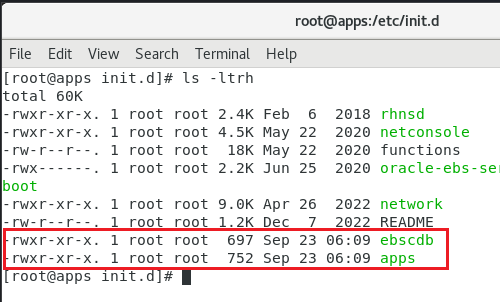
Oracle has the appliance set to start the database and application instances automatically during every reboot. I strongly suggest you to disable the automatic start of these instances. Oracle starts “ebscdb” and “apps” services every time when the box restarts. We can disable these services using chkconfig command
chkconfig apps off
chkconfig ebscdb off
That’s it. Now, when you restart the box, Oracle services will not start automatically.
Shutdown the server. Change the network configuration for the sever like seen in the below image.
This means, your server will start sharing the host’s active connection(s). If your host machine has an active internet connection, your EBS server will able to access internet this way from it’s environment.
Start the EBS server and complete the OS update. This should be around 2.2GB total downloads and minimum 30-40 minutes, depending upon the hardware resources you have allocated for the virtual machine.
Once the box is update, proceed with “Server with GUI” group installation.
yum groupinstall "Server with GUI"
Restart the server after GUI installed. You can temporarily switch to graphical run level by issuing the command
systemctl isolate graphical.target
and to make the graphical interface as default, issue the below command as root
systemctl set-default graphical.target
Please note, your box doesn’t have VirtualBox extensions yet, which is a MUST for proper mouse integration and more. Prior installing the VirtualBox extensions, make sure to install kernel devel package. Issue the following command
yum install kernel-uek-devel
Additionally install the packages gcc, make & perl (pre-installed usually)
yum install gcc make perl -y
Reboot the server & install the VirtualBox extensions.
If you remember, we changed the network settings earlier for the update & if you try to start the database and application, this may not work. Depending upon how you want to access the VISION instance, you have to configure additional networking now. I suggest to leave the NAT configuration as it is and to configure an additional Network adapter for the intended connectivity.
For example, if you want to share the VISION instance with your teammates within a Class C network, do the following.
Use “Bridged Adapter” & select the adaptor that is connected to the network under “Name”. Recent computers have multiple network and WiFi adapters & selecting the correct adapter is very important for client connectivity. Make sure to setup “Promiscous Mode” to “Allow All”.
Find one free IP address and set up the same for your EBS VISION box. You will have to setup this information at multiple places.
For example, change the hosts file (most important)
Network settings. My box have NAT as first Network Adapter and Host Only network as 2nd Network Adapter. Hence my configurations are like below
For the NAT (Connection #1) I have the following setup
and for the Host Only network (Connection #2)
By having the NAT as first adapter, my box is able to connect to internet, shared from the host and my host can access the EBS instance from the virtual machine using the host only network.
No post should look good, started with a statement asking the visitor to move on because “There is nothing much to see here”. Trust me, if you already referred my previous post(s) for Oracle Forms & Reports 12.2.1.4, then there is nothing new I have for you in this post. As I don’t have much to offer other than what I have already did through my previous post, let us see how we can insure your fresh attempt to get this whole complex stack installed & configured successfully on your computer.
Are you excited? Don’t be. Oracle has released the much waited Windows version for their Oracle Forms & Reports couple of days back and I must say, I was super excited based on the promises given about the IDE improvements. For improvements what I could see what line numbers inside PL/SQL editor.
Software Requirements
Side note before anything else. Please note, you must install software from the same architecture. Said, if you install JDK 32-Bit and expect your 64-Bit Weblogic to work properly, that is not going to happen. Hence insure all the software you download and install belong to the same architecture.
Microsoft Visual C++ Redistributable packages (Specific to Weblogic 12.2)
and for Oracle Forms 12.2.1.19, you have to install Visual Studio 2017 VC++ compoments.
Before you start the installation, let’s do a checklist
Is your Windows machine updated with latest patches for OS and .Net?
Do you have a static IP address for your computer/laptop?
What is the name of your computer? does it looks like some random letters?
Have your read the installation document? :) nobody does it right?
Legal, cracked, pirated… OS comes in different flavors & nothing can stop it. However, keeping your box up to date is your responsibility. Oracle is a very complex technology, that depends upon many OS elements. A broken box will not get you anywhere.
Static IP address is 2nd most important element when you are installing a server software, that is WebLogic in our case. As this server has to be identified and reached by clients, a fixed IP address is a must, however not always possible when a user has limited infrastructure. Microsoft has provided “Microsoft Loopback” interface for such requirements. Please Google and find more about setting it up, if you are one of those users. Microsoft Loopback helps you to setup a static IP address, please note other computers in your network cannot reach your computer using this IP address or setup!
Name of your computer or HOST name. Much of the Computer/Laptop that you buy with Windows preinstalled come with some whacky names. You should change such names to something more meaningful like “JOHN-PC”,”XYZ” etecetra.
I didn’t either read installation manuals until recent times. I realized that, I could avoid hours or sometimes days long Googling merely by reading the instruction manuals.
Once you are done with Microsoft Visual Studio C++ redistributable package(s) installations, we can proceed. Please follow the below post that should take you through installation and setting up a classic weblogic domain, report server instance etc. I hope you will have least issues installating and configuring Oracle Forms & Reports following my post 🙏(Don’t get discouraged by the title of the referred post, as I stated in the beginning, there is nothing new HERE!). The one thing I want to warn you about the time that your computer might take to bring up the UI for the Oracle Forms & Reports installer. This could be nothing less that 7-8 minutes, much more depending upon your hardware resources.
I do loads of labs & after upgrading a cloned instance of EBS R12 (12.2) database 19c (19.14) to 19.16 & started noticing the error “ORA-00800: soft external error, arguments: [Set Priority Failed], [VKTM], [Check traces and OS configuration]” being logged. I tried to figure out what went wrong after the upgrade & after referring dozens of blog posts and Oracle documents, couldn’t fix this error.
Then, I configured this VM for Oracle ORDS & broke the system by applying few updates that overwritten few mandatory packages for Oracle EBS, forcing me to wipe the system and fresh installation of Oracle Linux 7.9
After applying the prerequisites, I brought up the cloned instance once again & decided to go by the book. After the database clone, I didn’t forget to apply “root.sh” from $ORACLE_HOME/bin folder as “root” this time.
If you are ever coming across this error, please ensure the folder/file accesses ($ORACLE_HOME/bin) are like the images below. Running “root.sh” fixes much of these access rights.
“oradism“
“extjob” & “jssu“
This should mostly address the VKTM related issues. If not, please proceed with further measures. If interested refer these documents/posts.
You might come across this error when trying to attach an existing MDF file.
TITLE: Microsoft SQL Server Management Studio
------------------------------

Failed to retrieve data for this request. (Microsoft.SqlServer.Management.Sdk.Sfc)

For help, click: https://go.microsoft.com/fwlink?ProdName=Microsoft%20SQL%20Server&LinkId=20476

------------------------------
ADDITIONAL INFORMATION:

An exception occurred while executing a Transact-SQL statement or batch. (Microsoft.SqlServer.ConnectionInfo)

------------------------------

CREATE FILE encountered operating system error 5(Access is denied.) while attempting to open or create the physical file 'D:\Microsoft SQL Server\MSSQL\Data\AM8K.mdf'. (Microsoft SQL Server, Error: 5123)

For help, click: https://docs.microsoft.com/sql/relational-databases/errors-events/mssqlserver-5123-database-engine-error

------------------------------
BUTTONS:

OK
------------------------------
Please do the following:
Make sure currently logged in Windows/Domain user has access to the physical folder where the MDF file resides.
Start “Microsoft SQL Server Management Studio” as administrator.
Now, try to attach the MDF file, this should resolve the Access Denied error.
Recently I updated one of my posts that discussed about applying patches to Oracle 19c instance, that has minimum one PDB. This time we will discuss about how to rollback a patch. For the exercise I will be rolling back patch number 34110685 “Windows Database Bundle Patch : 19.16.0.0.220719 (34110685)”
Please note, to install patch 34110685 you must have opatch 12.2.0.1.30 or higher. The same applies for rolling back also.
Use opatch to find out the latest patch details.
D:\Oracle19c\OPatch>opatch lsinventory
Oracle Interim Patch Installer version 12.2.0.1.32
Copyright (c) 2022, Oracle Corporation.  All rights reserved.


Oracle Home       : D:\Oracle19c
Central Inventory : C:\Program Files\Oracle\Inventory
   from           :
OPatch version    : 12.2.0.1.32
OUI version       : 12.2.0.7.0
Log file location : D:\Oracle19c\cfgtoollogs\opatch\opatch2022-09-15_10-59-45AM_1.log

Lsinventory Output file location : D:\Oracle19c\cfgtoollogs\opatch\lsinv\lsinventory2022-09-15_10-59-45AM.txt
--------------------------------------------------------------------------------
Local Machine Information::
Hostname: ora.abc.com
ARU platform id: 233
ARU platform description:: Microsoft Windows (64-bit AMD)


Installed Top-level Products (1):

Oracle Database 19c                                                  19.0.0.0.0
There are 1 products installed in this Oracle Home.


Interim patches (1) :

Patch  34110685     : applied on Sun Aug 14 12:02:50 AST 2022
Unique Patch ID:  24797704
Patch description:  "Windows Database Bundle Patch : 19.16.0.0.220719 (34110685)"
   Created on 28 Jul 2022, 09:34:43 hrs UTC
   Bugs fixed:
     34208548, 34264633, 34291960, 34293849, 34311758, 30151886, 31649223
     32012137, 32079097, 32223654, 33115620, 33182177, 33324055, 33360476
     33390342, 33423383, 33510227, 33899902, 33907346, 33957025, 33964258
     34034279, 34088985, 34088989, 34110342, 34132318, 34147169, 34162335,.......


--------------------------------------------------------------------------------

OPatch succeeded.
Once we have the latest patch details, shutdown all running Oracle instances and stop Windows services for Oracle (listener & database services)
D:\Oracle19c\OPatch>opatch rollback -id 34110685
Oracle Interim Patch Installer version 12.2.0.1.32
Copyright (c) 2022, Oracle Corporation.  All rights reserved.


Oracle Home       : D:\Oracle19c
Central Inventory : C:\Program Files\Oracle\Inventory
   from           :
OPatch version    : 12.2.0.1.32
OUI version       : 12.2.0.7.0
Log file location : D:\Oracle19c\cfgtoollogs\opatch\opatch2022-09-15_11-02-48AM_1.log


Patches will be rolled back in the following order:
   34110685
The following patch(es) will be rolled back: 34110685

Please shutdown Oracle instances running out of this ORACLE_HOME on the local system.
(Oracle Home = 'D:\Oracle19c')


Is the local system ready for patching? [y|n]
y
User Responded with: Y

Rolling back patch 34110685...

RollbackSession rolling back interim patch '34110685' from OH 'D:\Oracle19c'

Patching component oracle.has.common.cvu, 19.0.0.0.0...

Patching component oracle.has.rsf, 19.0.0.0.0...

Patching component oracle.assistants.server, 19.0.0.0.0...

Patching component oracle.ons, 19.0.0.0.0...

Patching component oracle.has.common, 19.0.0.0.0...

Patching component oracle.rdbms.util, 19.0.0.0.0...

Patching component oracle.sdo.locator.jrf, 19.0.0.0.0...

Patching component oracle.sqlplus, 19.0.0.0.0...

Patching component oracle.dbjava.jdbc, 19.0.0.0.0...

Patching component oracle.network.listener, 19.0.0.0.0...

Patching component oracle.odbc.ic, 19.0.0.0.0...

Patching component oracle.rdbms.rman, 19.0.0.0.0...

Patching component oracle.dbjava.ucp, 19.0.0.0.0...

Patching component oracle.ldap.rsf, 19.0.0.0.0...

Patching component oracle.precomp.common.core, 19.0.0.0.0...

Patching component oracle.oracore.rsf, 19.0.0.0.0...

Patching component oracle.ntoledb.odp_net_2, 19.0.0.0.0...

Patching component oracle.has.db, 19.0.0.0.0...

Patching component oracle.ntoramts, 19.0.0.0.0...

Patching component oracle.marvel, 19.0.0.0.0...

Patching component oracle.xdk.parser.java, 19.0.0.0.0...

Patching component oracle.network.client, 19.0.0.0.0...

Patching component oracle.blaslapack, 19.0.0.0.0...

Patching component oracle.tfa.db, 19.0.0.0.0...

Patching component oracle.ctx, 19.0.0.0.0...

Patching component oracle.rdbms.hsodbc, 19.0.0.0.0...

Patching component oracle.assistants.deconfig, 19.0.0.0.0...

Patching component oracle.ldap.owm, 19.0.0.0.0...

Patching component oracle.duma, 19.0.0.0.0...

Patching component oracle.precomp.lang, 19.0.0.0.0...

Patching component oracle.rdbms.rsf, 19.0.0.0.0...

Patching component oracle.rdbms.install.common, 19.0.0.0.0...

Patching component oracle.ldap.security.osdt, 19.0.0.0.0...

Patching component oracle.sdo, 19.0.0.0.0...

Patching component oracle.rdbms.rsf.ic, 19.0.0.0.0...

Patching component oracle.sqlplus.ic, 19.0.0.0.0...

Patching component oracle.rdbms.lbac, 19.0.0.0.0...

Patching component oracle.oraolap, 19.0.0.0.0...

Patching component oracle.precomp.rsf, 19.0.0.0.0...

Patching component oracle.ntoledbolap, 19.0.0.0.0...

Patching component oracle.assistants.acf, 19.0.0.0.0...

Patching component oracle.ntoledb, 19.0.0.0.0...

Patching component oracle.javavm.server, 19.0.0.0.0...

Patching component oracle.precomp.common, 19.0.0.0.0...

Patching component oracle.network.rsf, 19.0.0.0.0...

Patching component oracle.ovm, 19.0.0.0.0...

Patching component oracle.install.deinstalltool, 19.0.0.0.0...

Patching component oracle.rdbms.oci, 19.0.0.0.0...

Patching component oracle.rsf, 19.0.0.0.0...

Patching component oracle.clrintg.ode_net_2, 19.0.0.0.0...

Patching component oracle.nlsrtl.rsf, 19.0.0.0.0...

Patching component oracle.rdbms.install.plugins, 19.0.0.0.0...

Patching component oracle.javavm.client, 19.0.0.0.0...

Patching component oracle.rdbms.deconfig, 19.0.0.0.0...

Patching component oracle.dbjava.ic, 19.0.0.0.0...

Patching component oracle.rdbms.dv, 19.0.0.0.0...

Patching component oracle.aspnet_2, 19.0.0.0.0...

Patching component oracle.usm.deconfig, 19.0.0.0.0...

Patching component oracle.dbdev, 19.0.0.0.0...

Patching component oracle.ons.ic, 19.0.0.0.0...

Patching component oracle.mgw.common, 19.0.0.0.0...

Patching component oracle.xdk, 19.0.0.0.0...

Patching component oracle.oracler.server, 19.0.0.0.0...

Patching component oracle.rdbms.plsql, 19.0.0.0.0...

Patching component oracle.xdk.rsf, 19.0.0.0.0...

Patching component oracle.ctx.atg, 19.0.0.0.0...

Patching component oracle.rdbms.dbscripts, 19.0.0.0.0...

Patching component oracle.rdbms.olap, 19.0.0.0.0...

Patching component oracle.rdbms, 19.0.0.0.0...

Patching component oracle.sdo.locator, 19.0.0.0.0...

Patching component oracle.rdbms.scheduler, 19.0.0.0.0...

Patching component oracle.xdk.xquery, 19.0.0.0.0...

Patching component oracle.jdk, 1.8.0.201.0...
RollbackSession removing interim patch '34110685' from inventory
Inactive sub-set patch [33575656] has become active due to the rolling back of a super-set patch [34110685].
Please refer to Doc ID 2161861.1 for any possible further required actions.
Log file location: D:\Oracle19c\cfgtoollogs\opatch\opatch2022-09-15_11-02-48AM_1.log

OPatch succeeded.
Restart all Windows services for Oracle & startup the database instance.
D:\Oracle19c\OPatch>sqlplus / as sysdba

SQL*Plus: Release 19.0.0.0.0 - Production on Thu Sep 15 11:07:07 2022
Version 19.14.0.0.0

Copyright (c) 1982, 2021, Oracle.  All rights reserved.

Connected to an idle instance.

SQL> startup
ORACLE instance started.

Total System Global Area 4294965408 bytes
Fixed Size                  9275552 bytes
Variable Size            1207959552 bytes
Database Buffers         3070230528 bytes
Redo Buffers                7499776 bytes
Database mounted.
Database opened.
SQL> alter pluggable database all open;

Pluggable database altered.

SQL> exit
Disconnected from Oracle Database 19c Enterprise Edition Release 19.0.0.0.0 - Production
Version 19.14.0.0.0
Now we should apply the data patch to the database.
D:\Oracle19c\OPatch>datapatch.bat -verbose
SQL Patching tool version 19.14.0.0.0 Production on Thu Sep 15 11:09:47 2022
Copyright (c) 2012, 2021, Oracle.  All rights reserved.

Log file for this invocation: D:\Oracle19c\cfgtoollogs\sqlpatch\sqlpatch_1148_2022_09_15_11_09_47\sqlpatch_invocation.log

Connecting to database...OK
Gathering database info...done

Note:  Datapatch will only apply or rollback SQL fixes for PDBs
       that are in an open state, no patches will be applied to closed PDBs.
       Please refer to Note: Datapatch: Database 12c Post Patch SQL Automation
       (Doc ID 1585822.1)

Bootstrapping registry and package to current versions...done
Determining current state...done

Current state of interim SQL patches:
  No interim patches found

Current state of release update SQL patches:
  Binary registry:
    19.14.0.0.0 Release_Update 211229195225: Installed
  PDB CDB$ROOT:
    Applied 19.16.0.0.0 Release_Update 220717095735 successfully on 14-AUG-22 12.38.13.440000 PM
  PDB SCT:
    Applied 19.16.0.0.0 Release_Update 220717095735 successfully on 14-AUG-22 12.38.16.841000 PM
  PDB PDB$SEED:
    Applied 19.16.0.0.0 Release_Update 220717095735 successfully on 14-AUG-22 12.38.15.127000 PM

Adding patches to installation queue and performing prereq checks...done
Installation queue:
  For the following PDBs: CDB$ROOT PDB$SEED SCT
    No interim patches need to be rolled back
    Patch 34110685 (Windows Database Bundle Patch : 19.16.0.0.220719 (34110685)):
      Rollback from 19.16.0.0.0 Release_Update 220717095735 to 19.14.0.0.0 Release_Update 211229195225
    No interim patches need to be applied

Installing patches...
Patch installation complete.  Total patches installed: 3

Validating logfiles...done
Patch 34110685 rollback (pdb CDB$ROOT): SUCCESS
  logfile: D:\Oracle19c\cfgtoollogs\sqlpatch\34110685\24797704/34110685_rollback_SCTCD_CDBROOT_2022Sep15_11_10_47.log (no errors)
Patch 34110685 rollback (pdb PDB$SEED): SUCCESS
  logfile: D:\Oracle19c\cfgtoollogs\sqlpatch\34110685\24797704/34110685_rollback_SCTCD_PDBSEED_2022Sep15_11_13_25.log (no errors)
Patch 34110685 rollback (pdb SCT): SUCCESS
  logfile: D:\Oracle19c\cfgtoollogs\sqlpatch\34110685\24797704/34110685_rollback_SCTCD_SCT_2022Sep15_11_13_26.log (no errors)
SQL Patching tool complete on Thu Sep 15 11:16:25 2022
Now we have to recompile database components.
D:\Oracle19c\OPatch>sqlplus / as sysdba
SQL*Plus: Release 19.0.0.0.0 - Production on Thu Sep 15 11:24:39 2022
Version 19.14.0.0.0
Copyright (c) 1982, 2021, Oracle. All rights reserved.
Connected to:
Oracle Database 19c Enterprise Edition Release 19.0.0.0.0 - Production
Version 19.14.0.0.0
SQL> @?/rdbms/admin/utlrp.sql
Session altered.
TIMESTAMP
--------------------------------------------------------------------------------
COMP_TIMESTAMP UTLRP_BGN 2022-09-15 11:24:49
DOC> The following PL/SQL block invokes UTL_RECOMP to recompile invalid
DOC> objects in the database. Recompilation time is proportional to the
DOC> number of invalid objects in the database, so this command may take
DOC> a long time to execute on a database with a large number of invalid
DOC> objects.
DOC>
DOC> Use the following queries to track recompilation progress:
DOC>
DOC> 1. Query returning the number of invalid objects remaining. This
DOC> number should decrease with time.
DOC> SELECT COUNT(*) FROM obj$ WHERE status IN (4, 5, 6);
DOC>
DOC> 2. Query returning the number of objects compiled so far. This number
DOC> should increase with time.
DOC> SELECT COUNT(*) FROM UTL_RECOMP_COMPILED;
DOC>
DOC> This script automatically chooses serial or parallel recompilation
DOC> based on the number of CPUs available (parameter cpu_count) multiplied
DOC> by the number of threads per CPU (parameter parallel_threads_per_cpu).
DOC> On RAC, this number is added across all RAC nodes.
DOC>
DOC> UTL_RECOMP uses DBMS_SCHEDULER to create jobs for parallel
DOC> recompilation. Jobs are created without instance affinity so that they
DOC> can migrate across RAC nodes. Use the following queries to verify
DOC> whether UTL_RECOMP jobs are being created and run correctly:
DOC>
DOC> 1. Query showing jobs created by UTL_RECOMP
DOC> SELECT job_name FROM dba_scheduler_jobs
DOC> WHERE job_name like 'UTL_RECOMP_SLAVE_%';
DOC>
DOC> 2. Query showing UTL_RECOMP jobs that are running
DOC> SELECT job_name FROM dba_scheduler_running_jobs
DOC> WHERE job_name like 'UTL_RECOMP_SLAVE_%';
DOC>#
PL/SQL procedure successfully completed.
TIMESTAMP
--------------------------------------------------------------------------------
COMP_TIMESTAMP UTLRP_END 2022-09-15 11:24:50
DOC> The following query reports the number of invalid objects.
DOC>
DOC> If the number is higher than expected, please examine the error
DOC> messages reported with each object (using SHOW ERRORS) to see if they
DOC> point to system misconfiguration or resource constraints that must be
DOC> fixed before attempting to recompile these objects.
DOC>#
OBJECTS WITH ERRORS
-------------------
0
DOC> The following query reports the number of exceptions caught during
DOC> recompilation. If this number is non-zero, please query the error
DOC> messages in the table UTL_RECOMP_ERRORS to see if any of these errors
DOC> are due to misconfiguration or resource constraints that must be
DOC> fixed before objects can compile successfully.
DOC> Note: Typical compilation errors (due to coding errors) are not
DOC> logged into this table: they go into DBA_ERRORS instead.
DOC>#
ERRORS DURING RECOMPILATION
---------------------------
0
Function created.
PL/SQL procedure successfully completed.
Function dropped.
PL/SQL procedure successfully completed.
SQL> alter session set container=PDB$SEED;
Session altered.
SQL> alter session set "_oracle_script"=TRUE;
Session altered.
SQL> alter pluggable database pdb$seed close immediate instances=all;
Pluggable database altered.
SQL> alter pluggable database pdb$seed OPEN READ WRITE;
Pluggable database altered.
SQL> @?/rdbms/admin/utlrp.sql
Session altered.
TIMESTAMP
--------------------------------------------------------------------------------
COMP_TIMESTAMP UTLRP_BGN 2022-09-15 11:25:56
DOC> The following PL/SQL block invokes UTL_RECOMP to recompile invalid
DOC> objects in the database. Recompilation time is proportional to the
DOC> number of invalid objects in the database, so this command may take
DOC> a long time to execute on a database with a large number of invalid
DOC> objects.
DOC>
DOC> Use the following queries to track recompilation progress:
DOC>
DOC> 1. Query returning the number of invalid objects remaining. This
DOC> number should decrease with time.
DOC> SELECT COUNT(*) FROM obj$ WHERE status IN (4, 5, 6);
DOC>
DOC> 2. Query returning the number of objects compiled so far. This number
DOC> should increase with time.
DOC> SELECT COUNT(*) FROM UTL_RECOMP_COMPILED;
DOC>
DOC> This script automatically chooses serial or parallel recompilation
DOC> based on the number of CPUs available (parameter cpu_count) multiplied
DOC> by the number of threads per CPU (parameter parallel_threads_per_cpu).
DOC> On RAC, this number is added across all RAC nodes.
DOC>
DOC> UTL_RECOMP uses DBMS_SCHEDULER to create jobs for parallel
DOC> recompilation. Jobs are created without instance affinity so that they
DOC> can migrate across RAC nodes. Use the following queries to verify
DOC> whether UTL_RECOMP jobs are being created and run correctly:
DOC>
DOC> 1. Query showing jobs created by UTL_RECOMP
DOC> SELECT job_name FROM dba_scheduler_jobs
DOC> WHERE job_name like 'UTL_RECOMP_SLAVE_%';
DOC>
DOC> 2. Query showing UTL_RECOMP jobs that are running
DOC> SELECT job_name FROM dba_scheduler_running_jobs
DOC> WHERE job_name like 'UTL_RECOMP_SLAVE_%';
DOC>#
PL/SQL procedure successfully completed.
TIMESTAMP
--------------------------------------------------------------------------------
COMP_TIMESTAMP UTLRP_END 2022-09-15 11:25:58
DOC> The following query reports the number of invalid objects.
DOC>
DOC> If the number is higher than expected, please examine the error
DOC> messages reported with each object (using SHOW ERRORS) to see if they
DOC> point to system misconfiguration or resource constraints that must be
DOC> fixed before attempting to recompile these objects.
DOC>#
OBJECTS WITH ERRORS
-------------------
0
DOC> The following query reports the number of exceptions caught during
DOC> recompilation. If this number is non-zero, please query the error
DOC> messages in the table UTL_RECOMP_ERRORS to see if any of these errors
DOC> are due to misconfiguration or resource constraints that must be
DOC> fixed before objects can compile successfully.
DOC> Note: Typical compilation errors (due to coding errors) are not
DOC> logged into this table: they go into DBA_ERRORS instead.
DOC>#
ERRORS DURING RECOMPILATION
---------------------------
0
Function created.
PL/SQL procedure successfully completed.
Function dropped.
PL/SQL procedure successfully completed.
SQL> alter pluggable database pdb$seed close immediate instances=all;
Pluggable database altered.
SQL> alter pluggable database pdb$seed OPEN READ ONLY;
Pluggable database altered.
SQL> alter session set "_oracle_script"=FALSE;
Session altered.
SQL> alter pluggable database pdb$seed close immediate instances=all;
Pluggable database altered.
SQL> alter pluggable database pdb$seed OPEN READ ONLY;
Pluggable database altered.
SQL> alter session set container="SCT";
Session altered.
SQL> @?/rdbms/admin/utlrp.sql
Session altered.
TIMESTAMP
--------------------------------------------------------------------------------
COMP_TIMESTAMP UTLRP_BGN 2022-09-15 11:27:44
DOC> The following PL/SQL block invokes UTL_RECOMP to recompile invalid
DOC> objects in the database. Recompilation time is proportional to the
DOC> number of invalid objects in the database, so this command may take
DOC> a long time to execute on a database with a large number of invalid
DOC> objects.
DOC>
DOC> Use the following queries to track recompilation progress:
DOC>
DOC> 1. Query returning the number of invalid objects remaining. This
DOC> number should decrease with time.
DOC> SELECT COUNT(*) FROM obj$ WHERE status IN (4, 5, 6);
DOC>
DOC> 2. Query returning the number of objects compiled so far. This number
DOC> should increase with time.
DOC> SELECT COUNT(*) FROM UTL_RECOMP_COMPILED;
DOC>
DOC> This script automatically chooses serial or parallel recompilation
DOC> based on the number of CPUs available (parameter cpu_count) multiplied
DOC> by the number of threads per CPU (parameter parallel_threads_per_cpu).
DOC> On RAC, this number is added across all RAC nodes.
DOC>
DOC> UTL_RECOMP uses DBMS_SCHEDULER to create jobs for parallel
DOC> recompilation. Jobs are created without instance affinity so that they
DOC> can migrate across RAC nodes. Use the following queries to verify
DOC> whether UTL_RECOMP jobs are being created and run correctly:
DOC>
DOC> 1. Query showing jobs created by UTL_RECOMP
DOC> SELECT job_name FROM dba_scheduler_jobs
DOC> WHERE job_name like 'UTL_RECOMP_SLAVE_%';
DOC>
DOC> 2. Query showing UTL_RECOMP jobs that are running
DOC> SELECT job_name FROM dba_scheduler_running_jobs
DOC> WHERE job_name like 'UTL_RECOMP_SLAVE_%';
DOC>#
PL/SQL procedure successfully completed.
TIMESTAMP
--------------------------------------------------------------------------------
COMP_TIMESTAMP UTLRP_END 2022-09-15 11:27:46
DOC> The following query reports the number of invalid objects.
DOC>
DOC> If the number is higher than expected, please examine the error
DOC> messages reported with each object (using SHOW ERRORS) to see if they
DOC> point to system misconfiguration or resource constraints that must be
DOC> fixed before attempting to recompile these objects.
DOC>#
OBJECTS WITH ERRORS
-------------------
3
DOC> The following query reports the number of exceptions caught during
DOC> recompilation. If this number is non-zero, please query the error
DOC> messages in the table UTL_RECOMP_ERRORS to see if any of these errors
DOC> are due to misconfiguration or resource constraints that must be
DOC> fixed before objects can compile successfully.
DOC> Note: Typical compilation errors (due to coding errors) are not
DOC> logged into this table: they go into DBA_ERRORS instead.
DOC>#
ERRORS DURING RECOMPILATION
---------------------------
0
Function created.
PL/SQL procedure successfully completed.
Function dropped.
PL/SQL procedure successfully completed.
SQL> shutdown immediatePluggable Database closed.
SQL> exit
Disconnected from Oracle Database 19c Enterprise Edition Release 19.0.0.0.0 - Production
Version 19.14.0.0.0
D:\Oracle19c\OPatch>sqlplus / as sysdba
SQL*Plus: Release 19.0.0.0.0 - Production on Thu Sep 15 11:28:27 2022
Version 19.14.0.0.0
Copyright (c) 1982, 2021, Oracle. All rights reserved.
Connected to:
Oracle Database 19c Enterprise Edition Release 19.0.0.0.0 - Production
Version 19.14.0.0.0
SQL> shutdown immediate
Database closed.
Database dismounted.
ORACLE instance shut down.
SQL>
That’s all folks. My PDB SCT has 3 objects in error and they are custom objects created by us & not anymore required for the application.
I hope this gives a fair about how to rollback an applied patch from Oracle database. As my database is pretty small with limited number of objects, I didn’t face any issues. This may not be the case when you are dealing with a huge PRODUCTION database. Insure as many backups are taken prior you rollback a PRODUCTION instance.