I have one Windows 10 guest from last many years, upgraded through VirtualBox versions 5, 6. Recently I upgraded VirtualBox to 7. While Windows XP & Oracle Linux guests automatically resized the display on host, Windows 10 guest was adamant. Uninstalling and installing the guest addons didn’t help.
After scavenging through few posts over VirtualBox forums, came across one of them discussing about fixing the resizing issue by choosing “VBoxVGA”, though it was not supported. I decided to give it a try and Windows 10 guest resized the display when I toggled the “Auto-Resize Guest Display” from the view menu.
Then I shutdown the guest, changed the Display back to “VBoxSVGA” & the guest allowed me to resize the display using View menu & subsequent restarts were resizing the guest display as expected. However, there were times when I had to manually adjust the display size. Hope Oracle fixes this issue in coming releases.
You might come across this error when trying to attach an existing MDF file.
TITLE: Microsoft SQL Server Management Studio
------------------------------

Failed to retrieve data for this request. (Microsoft.SqlServer.Management.Sdk.Sfc)

For help, click: https://go.microsoft.com/fwlink?ProdName=Microsoft%20SQL%20Server&LinkId=20476

------------------------------
ADDITIONAL INFORMATION:

An exception occurred while executing a Transact-SQL statement or batch. (Microsoft.SqlServer.ConnectionInfo)

------------------------------

CREATE FILE encountered operating system error 5(Access is denied.) while attempting to open or create the physical file 'D:\Microsoft SQL Server\MSSQL\Data\AM8K.mdf'. (Microsoft SQL Server, Error: 5123)

For help, click: https://docs.microsoft.com/sql/relational-databases/errors-events/mssqlserver-5123-database-engine-error

------------------------------
BUTTONS:

OK
------------------------------
Please do the following:
Make sure currently logged in Windows/Domain user has access to the physical folder where the MDF file resides.
Start “Microsoft SQL Server Management Studio” as administrator.
Now, try to attach the MDF file, this should resolve the Access Denied error.
Today I managed to narrow down the issues to Intel driver specific. AX201 Wi-Fi module driver 22.160 and above breaks the mobile hotspot on both Windows 10 & Windows 11. The only possible solution is to rollback to driver version 22.150.x.x & stay there until Intel identifies and fixes this issue. I have opened a thread with Intel and the representative is investigating this issue. If you are interested, follow the thread here
We’ve poor cellular coverage by the datacenter area from the service provider & most of the times I use my work laptop as Mobile hotspot & it did work. Well, minimum until recent days.
I started seeing my mobile phone showing “Connected without internet” once in few minutes times & I had to reconnect which was a recent development. Unfortunately, I couldn’t land upon any relevant solutions after spending almost two working days searching for solutions & executing my own logic with resetting network/Winsock etcetera.
As I use Samsung Galaxy A71 5G Android phone, I thought of giving another attempt by searching for “Galaxy a71 5g connected without internet” & one of the first search results was:
Samsung Galaxy Phones “Connected without Internet”
Here, the vlogger talks about “Randomized MAC” Galaxy phones use when connecting to Wi-Fi networks. Although the vlogger suggests Static IP address & other changes to resolve this issue, I only changed the connection property from “Random MAC” to “Phone MAC” & days long frustrations were over.
I wanted to figure out why all of a sudden this issue started. I remember using the Mobile Hotspot without any issues, had a PowerShell script to start the mobile hotspot startup automatically whenever I am connected to work network for months & couldn’t just give up because I found a solution. Hence, I continued to find more answers.
There were more videos discussing the same issue about Samsung Galaxy phones & subsequently I landed on a Samsung community discussion here
My mobile is paired over Bluetooth to my laptop & it connects every time laptop restarts. One of the initial settings I checked was to ensure Mobile Hotspot was not setup for 2.4GHz, that causes issues for Bluetooth which uses 2.4GHz by default.
In my case, at work I am not connected to Wi-Fi networks & mobile hotspot is configured to share internet from my domain network connection. By default, as the 5GHz is not consumed by Wi-Fi connections, mobile hotspot utilizes that frequency and leaves a notification, asking to switch the frequency if devices fail to connect.
Hence, it could be one of the many elements as discussed in the Samsung community thread. All you need is to try and find out one that suits your situation. Regardless, if it is a Samsung Galaxy phone, the first solution you could try is to setup Phone MAC instead of Randomized MAC for the specific Wi-Fi connection that you have issues with. If that didn’t resolve, try others.
Recently I was trying to update one of the Oracle Linux 7 boxes that is used for lab & came across multiple errors.
OCI : Yum Fails with [Errno 14] curl#6 - "Could not resolve host: yum-iad.$ocidomain; Unknown error"
[Errno 14] curl#60 - "Peer's certificate issuer has been marked as not trusted by the user."
I kept on doing almost everything yum was suggesting, disable the repos, cleaning etc. Yes, I did ping both google.com & yahoo.com to “insure” that I was connected to “internet” (I’m still struggling to figure out how the heck I managed to ping these hosts when I was actually unable to connect to Oracle mirrors)
However, after exhausting more than couple of hours, I decided to access the server through VNC & see whether I am missing something, that cannot be done from the command line.
Fired up Firefox & realized, I am not connected to “Internet” in real terms. I couldn’t open any pages and I proceeded with adding the static IP address to exclusion list and that was it.
So, if you ever come across the above mentioned errors, make sure you ARE connected!
Recently at a gathering I was asked about my job. I told a group of young chaps that I work with Oracle EBS and my primary role is developing extensions using Oracle Forms & Reports. Interestingly, none of them knew anything about Oracle Forms & Reports.
Couple of days back I installed Oracle 11G R2 database once “again” as I had to open our legacy software for some historical data access. Then I had to develop a report and to my utter surprise, found Oracle 10g report developer will not connect to 11G database, generating the following errors:
REP-0501: Unable to connect to the specified database.
ORA-12640: Authentication adapter initialization failed
I hurried to check the database sqlnet.ora file and found the authentication set as NTS (Windows default for Oracle products) & interestingly Developer 6i products were connecting to the database without any issues. This helped me to confirm that issues were from Developer 10g side & I changed the sqlnet.ora settings for the Developer 10g Suite.
from NTS to NONE did the trick.
I don’t know how my people are ever going to land on this page! Trust me, I haven’t seen an interesting question about Oracle Forms/Reports in any of the Oracle support forums from last many years. I will be pretty sad to see such a wonderful product that was built for developing Business applications on the go being ignored for some crappy browser based gimmicks.
Last couple of years, I stopped evaluating new Windows OS, as they were shipped with so many bugs and updates breaking them further. I felt reporting the bugs didn’t make anything better & few of the folks from Microsoft on Twitter are just lame like their OS. Always finding excuses for a broken OS.
Well, regardless, I always applied the updates, always fixed the issues and continued working on my projects, which are Oracle development (mostly). Like usual, I’ve downloaded the Windows11 22H2 the very first day it was released and upgraded my work laptop. Basically the OS is once again filled with many bugs, one of the notorious being the large file copying lag issues, that is openly acknowledged by Microsoft.
Well I was stuck by an undocumented issue ;) Whenever I tried to open File Explorer, it took many minutes before it was ready to interact with. None of the searches landed me on a proper solution & I just wasted hours tweaking the OS following tips to parameterize the OS for better performance. Then I was expected to copy a large SQL output for our sales manager and I had a shortcut for a folder in his computer on my desktop. I couldn’t open this folder this time & I couldn’t find his laptop’s hostname in the DNS. As the folder was mapped using the hostname, every time I tried to access the folder, gave me the same network path not found error. It took the same amount of time file explorer tried to open & I could make a guess towards what was going wrong with the file explorer.
I remembered this particular folder always listed under the quick access area of the File explorer & I removed it from the quick access area once after the File Explorer was ready next time. File Explorer started opening as snappier as possible then onwards.
Now, this looks like another problem from Microsoft’s latest release that attempts to connect to all the items listed under quick access, ie, like connecting the network folders & failing to establish a connection, throws the exception “File explorer not responding” and taking minutes until the attempts are aborted.
I’ve many folders pinned to quick access area, as a developer I work with multiple projects and this saves loads of time for me. Windows 10, 11 keep tabs on regularly accessed items and pin them to quick access area, a default behavior of the OS. This might create certain unexpected situations like the one I described above. I will not say this feature is useless, but sometimes a user who is not that tech savvy may never realize what is going on here. If I were the File explorer designer/developer I will definitely make sure to code the piece in a way that Explorer would try to connect to network folders only when the user tries to open the folder.
Said, if you are having the same issues with File Explorer taking too much time to open, please check whether any network folders are listed under Quick Access area. If yes, remove them. Unless you are a die hard of fan of automatically pinning items in the Quick Access area, disable the automatic pinning.
This could OS automatically pinning items to your Quick access area & avoid the issue I were discussing.
If your hardware is eligible, might have noticed a banner like below
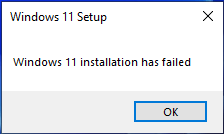
whenever you visited Windows update settings area. It’s free, it’s ready & there are a million possibilities stop your computer from upgrading to Windows 11. The only one thing Windows upgrade manages to show is a popup telling you “Windows 11 installation has failed” after a failure.
Please note, as I already mentioned, there could be a million reasons failing the upgrade, especially when you are upgrading from Windows 10 that was upgraded from different versions of Windows 7,8 and 10 itself. I’ve lost the count of upgrades I’ve made to my semi-server type desktop machine and didn’t expect Windows 11 upgrade to be all smooth at the first place. I knew I was in for a long game. My machine has different database software installed for testing, my Kids have heavy games like Doom & other and a clean installation was not at all my first choice.
So my first task was to find out where exactly the installation process writes the errors. To be quite frank, I haven’t had many installation/upgrade issues in near future and I totally forgot where to look for the logs! A quick search landed me on this post Log files that are created when you upgrade to a new version of Windows (microsoft.com) & as my upgrade failed, I was able to locate the “setuperr.log” file at this location “C:\$Windows.~BT\Sources\panther”
Based on the errors, the log file could have hundreds of lines. Mine had the below listed.
2022-10-08 10:40:19, Error MOUPG CDlpActionImpl<class CDlpErrorImpl<class CDlpObjectInternalImpl<class CUnknownImpl<class IMoSetupDlpAction> > > >::Suspend(1253): Result = 0xC1800104[gle=0x00000002] 2022-10-08 10:40:19, Error MOUPG CDlpTask::CheckUserInterruptEx(3060): Result = 0x800704D3 2022-10-08 10:40:19, Error MOUPG CDlpTask::CheckUserInterrupt(3112): Result = 0x800704D3 2022-10-08 10:40:19, Error MOUPG CSetupManager::ExecuteInstallMode(1006): Result = 0x800705BB 2022-10-08 10:40:19, Error MOUPG CSetupManager::ExecuteDownlevelMode(569): Result = 0x800705BB 2022-10-08 10:40:20, Error MOUPG CSetupManager::Execute(313): Result = 0x800705BB 2022-10-08 10:40:20, Error MOUPG CSetupHost::Execute(454): Result = 0x800705BB 2022-10-08 10:40:25, Error CONX Appraiser: ERROR,SdbpGetManifestedMergeStubAlloc,1017,SdbpGetMergeSdbsDisabled failed [c0000034] 2022-10-08 10:43:37, Error DU DU::CDUSession::Search: Failed to set WU internal configuration property for targeted scans. hr = 0x80070057 2022-10-08 10:45:12, Error CONX Appraiser: ERROR,SdbpGetManifestedMergeStubAlloc,1017,SdbpGetMergeSdbsDisabled failed [c0000034] 2022-10-08 10:45:19, Error CONX aeinv: ERROR,StoreAppFinder::EnumeratePackages,414,onecore\base\appcompat\inventory\software\inv\lib\storeappfinder.cpp(489)\aeinv.dll!00007FFF5F3ABB72: (caller: 00007FFF5F3AACD0) Exception(1) tid(13c8) 80070780 The file cannot be accessed by the system.## 2022-10-08 10:45:19, Error CONX aeinv: ERROR,StoreAppFinder::EnumeratePackages,414,onecore\base\appcompat\inventory\software\inv\lib\storeappfinder.cpp(489)\aeinv.dll!00007FFF5F3ABB72: (caller: 00007FFF5F3AACD0) Exception(2) tid(13c8) 80070780 The file cannot be accessed by the system.## 2022-10-08 10:45:36, Error CONX aeinv: ERROR,OrphanFileFinder::GetEvidence,98,onecore\base\appcompat\inventory\software\inv\lib\file.cpp(1881)\aeinv.dll!00007FFF5F3A6E51: (caller: 00007FFF5F3E8532) Exception(3) tid(13c8) 80070001 Incorrect function.## 2022-10-08 10:45:43, Error CONX devinv: ERROR,DeviceMapInitializeTelemetryAndCache,144,TelCacheProvider::Initialize failed [0x80004002] 2022-10-08 10:45:43, Error CONX acmigration: ERROR,CheckDriverStatus,2249,GetDevInventory failed_ 80004002 2022-10-08 10:54:05, Error [0x0803b6] MIG Can't retrieve group information for user NT SERVICE\SQLTELEMETRY. NetUserGetLocalGroups failed 0x000008AD 2022-10-08 10:54:05, Error [0x0803b6] MIG Can't retrieve group information for user NT SERVICE\SQLSERVERAGENT. NetUserGetLocalGroups failed 0x000008AD 2022-10-08 10:54:05, Error [0x0803b6] MIG Can't retrieve group information for user NT SERVICE\MSSQLSERVER. NetUserGetLocalGroups failed 0x000008AD 2022-10-08 10:54:05, Error [0x0803b6] MIG Can't retrieve group information for user NT SERVICE\SQLServerReportingServices. NetUserGetLocalGroups failed 0x000008AD 2022-10-08 10:54:05, Error [0x0803b6] MIG Can't retrieve group information for user IIS APPPOOL\Classic .NET AppPool. NetUserGetLocalGroups failed 0x000008AD 2022-10-08 10:54:05, Error [0x0803b6] MIG Can't retrieve group information for user IIS APPPOOL\.NET v4.5. NetUserGetLocalGroups failed 0x000008AD 2022-10-08 10:54:05, Error [0x0803b6] MIG Can't retrieve group information for user IIS APPPOOL\DefaultAppPool. NetUserGetLocalGroups failed 0x000008AD 2022-10-08 10:54:05, Error [0x0803b6] MIG Can't retrieve group information for user IIS APPPOOL\.NET v2.0. NetUserGetLocalGroups failed 0x000008AD 2022-10-08 10:54:05, Error [0x0803b6] MIG Can't retrieve group information for user IIS APPPOOL\.NET v4.5 Classic. NetUserGetLocalGroups failed 0x000008AD 2022-10-08 10:54:05, Error [0x0803b6] MIG Can't retrieve group information for user IIS APPPOOL\.NET v2.0 Classic. NetUserGetLocalGroups failed 0x000008AD 2022-10-08 10:54:05, Error [0x0803b6] MIG Can't retrieve group information for user IIS APPPOOL\nop. NetUserGetLocalGroups failed 0x000008AD 2022-10-08 10:54:05, Error SP Failure while getting the known folder path for CSIDL_PRINTHOOD (S-1-5-82-3682073875-1643277370-2842298652-3532359455-2406259117): Win32Exception: The system cannot find the file specified. [0x00000002] class UnBCL::String *__cdecl Mig::CFacadeUser::GetKnownFolderLocation(class UnBCL::String *,int *,class UnBCL::String **) 2022-10-08 10:54:05, Error SP Failure while getting the known folder path for CSIDL_PRINTHOOD (S-1-5-80-2652535364-2169709536-2857650723-2622804123-1107741775): Win32Exception: The system cannot find the file specified. [0x00000002] class UnBCL::String *__cdecl Mig::CFacadeUser::GetKnownFolderLocation(class UnBCL::String *,int *,class UnBCL::String **) 2022-10-08 10:54:05, Error SP Failure while getting the known folder path for CSIDL_PRINTHOOD (S-1-5-21-3050672445-3209544092-517134063-1010): Win32Exception: The system cannot find the file specified. [0x00000002] class UnBCL::String *__cdecl Mig::CFacadeUser::GetKnownFolderLocation(class UnBCL::String *,int *,class UnBCL::String **) 2022-10-08 10:54:05, Error SP Failure while getting the known folder path for CSIDL_PRINTHOOD (S-1-5-82-3006700770-424185619-1745488364-794895919-4004696415): Win32Exception: The system cannot find the file specified. [0x00000002] class UnBCL::String *__cdecl Mig::CFacadeUser::GetKnownFolderLocation(class UnBCL::String *,int *,class UnBCL::String **) 2022-10-08 10:54:05, Error SP Failure while getting the known folder path for CSIDL_PRINTHOOD (S-1-5-80-4050220999-2730734961-1537482082-519850261-379003301): Win32Exception: The system cannot find the file specified. [0x00000002] class UnBCL::String *__cdecl Mig::CFacadeUser::GetKnownFolderLocation(class UnBCL::String *,int *,class UnBCL::String **) 2022-10-08 10:54:05, Error SP Failure while getting the known folder path for CSIDL_PRINTHOOD (S-1-5-21-3050672445-3209544092-517134063-500): Win32Exception: The system cannot find the file specified. [0x00000002] class UnBCL::String *__cdecl Mig::CFacadeUser::GetKnownFolderLocation(class UnBCL::String *,int *,class UnBCL::String **) 2022-10-08 10:54:05, Error SP Failure while getting the known folder path for CSIDL_PRINTHOOD (S-1-5-21-3050672445-3209544092-517134063-1001): Win32Exception: The system cannot find the file specified. [0x00000002] class UnBCL::String *__cdecl Mig::CFacadeUser::GetKnownFolderLocation(class UnBCL::String *,int *,class UnBCL::String **) 2022-10-08 10:54:05, Error SP Failure while getting the known folder path for CSIDL_PRINTHOOD (S-1-5-82-4068219030-1673637257-3279585211-533386110-4122969689): Win32Exception: The system cannot find the file specified. [0x00000002] class UnBCL::String *__cdecl Mig::CFacadeUser::GetKnownFolderLocation(class UnBCL::String *,int *,class UnBCL::String **) 2022-10-08 10:54:05, Error SP Failure while getting the known folder path for CSIDL_PRINTHOOD (S-1-5-82-4155437066-4169509114-2127487463-1916158496-2406408509): Win32Exception: The system cannot find the file specified. [0x00000002] class UnBCL::String *__cdecl Mig::CFacadeUser::GetKnownFolderLocation(class UnBCL::String *,int *,class UnBCL::String **) 2022-10-08 10:54:05, Error SP Failure while getting the known folder path for CSIDL_PRINTHOOD (S-1-5-82-271721585-897601226-2024613209-625570482-296978595): Win32Exception: The system cannot find the file specified. [0x00000002] class UnBCL::String *__cdecl Mig::CFacadeUser::GetKnownFolderLocation(class UnBCL::String *,int *,class UnBCL::String **) 2022-10-08 10:54:05, Error SP Failure while getting the known folder path for CSIDL_PRINTHOOD (S-1-5-80-3880718306-3832830129-1677859214-2598158968-1052248003): Win32Exception: The system cannot find the file specified. [0x00000002] class UnBCL::String *__cdecl Mig::CFacadeUser::GetKnownFolderLocation(class UnBCL::String *,int *,class UnBCL::String **) 2022-10-08 10:54:05, Error SP Failure while getting the known folder path for CSIDL_PRINTHOOD (S-1-5-80-344959196-2060754871-2302487193-2804545603-1466107430): Win32Exception: The system cannot find the file specified. [0x00000002] class UnBCL::String *__cdecl Mig::CFacadeUser::GetKnownFolderLocation(class UnBCL::String *,int *,class UnBCL::String **) 2022-10-08 10:54:05, Error SP Failure while getting the known folder path for CSIDL_PRINTHOOD (S-1-5-21-3050672445-3209544092-517134063-1023): Win32Exception: The system cannot find the file specified. [0x00000002] class UnBCL::String *__cdecl Mig::CFacadeUser::GetKnownFolderLocation(class UnBCL::String *,int *,class UnBCL::String **) 2022-10-08 10:54:05, Error SP Failure while getting the known folder path for CSIDL_PRINTHOOD (S-1-5-82-3876422241-1344743610-1729199087-774402673-2621913236): Win32Exception: The system cannot find the file specified. [0x00000002] class UnBCL::String *__cdecl Mig::CFacadeUser::GetKnownFolderLocation(class UnBCL::String *,int *,class UnBCL::String **) 2022-10-08 10:54:05, Error SP Failure while getting the known folder path for CSIDL_PRINTHOOD (S-1-5-82-1036420768-1044797643-1061213386-2937092688-4282445334): Win32Exception: The system cannot find the file specified. [0x00000002] class UnBCL::String *__cdecl Mig::CFacadeUser::GetKnownFolderLocation(class UnBCL::String *,int *,class UnBCL::String **) 2022-10-08 10:54:05, Error SP Failure while getting the known folder path for CSIDL_PRINTHOOD (S-1-5-80-2885764129-887777008-271615777-1616004480-2722851051): Win32Exception: The system cannot find the file specified. [0x00000002] class UnBCL::String *__cdecl Mig::CFacadeUser::GetKnownFolderLocation(class UnBCL::String *,int *,class UnBCL::String **) 2022-10-08 10:54:05, Error SP Failure while getting the known folder path for CSIDL_PRINTHOOD (S-1-5-21-3050672445-3209544092-517134063-1022): Win32Exception: The system cannot find the file specified. [0x00000002] class UnBCL::String *__cdecl Mig::CFacadeUser::GetKnownFolderLocation(class UnBCL::String *,int *,class UnBCL::String **) 2022-10-08 10:56:30, Error [0x0803b6] MIG Can't retrieve group information for user NT SERVICE\SQLTELEMETRY. NetUserGetLocalGroups failed 0x000008AD 2022-10-08 10:56:30, Error [0x0803b6] MIG Can't retrieve group information for user NT SERVICE\SQLSERVERAGENT. NetUserGetLocalGroups failed 0x000008AD 2022-10-08 10:56:30, Error [0x0803b6] MIG Can't retrieve group information for user NT SERVICE\MSSQLSERVER. NetUserGetLocalGroups failed 0x000008AD 2022-10-08 10:56:30, Error [0x0803b6] MIG Can't retrieve group information for user NT SERVICE\SQLServerReportingServices. NetUserGetLocalGroups failed 0x000008AD 2022-10-08 10:56:30, Error [0x0803b6] MIG Can't retrieve group information for user IIS APPPOOL\Classic .NET AppPool. NetUserGetLocalGroups failed 0x000008AD 2022-10-08 10:56:30, Error [0x0803b6] MIG Can't retrieve group information for user IIS APPPOOL\.NET v4.5. NetUserGetLocalGroups failed 0x000008AD 2022-10-08 10:56:30, Error [0x0803b6] MIG Can't retrieve group information for user IIS APPPOOL\DefaultAppPool. NetUserGetLocalGroups failed 0x000008AD 2022-10-08 10:56:30, Error [0x0803b6] MIG Can't retrieve group information for user IIS APPPOOL\.NET v2.0. NetUserGetLocalGroups failed 0x000008AD 2022-10-08 10:56:30, Error [0x0803b6] MIG Can't retrieve group information for user IIS APPPOOL\.NET v4.5 Classic. NetUserGetLocalGroups failed 0x000008AD 2022-10-08 10:56:30, Error [0x0803b6] MIG Can't retrieve group information for user IIS APPPOOL\.NET v2.0 Classic. NetUserGetLocalGroups failed 0x000008AD 2022-10-08 10:56:30, Error [0x0803b6] MIG Can't retrieve group information for user IIS APPPOOL\nop. NetUserGetLocalGroups failed 0x000008AD 2022-10-08 10:56:43, Error [0x0803b6] MIG Can't retrieve group information for user NT SERVICE\SQLTELEMETRY. NetUserGetLocalGroups failed 0x000008AD 2022-10-08 10:56:43, Error [0x0803b6] MIG Can't retrieve group information for user NT SERVICE\SQLSERVERAGENT. NetUserGetLocalGroups failed 0x000008AD 2022-10-08 10:56:43, Error [0x0803b6] MIG Can't retrieve group information for user NT SERVICE\MSSQLSERVER. NetUserGetLocalGroups failed 0x000008AD 2022-10-08 10:56:43, Error [0x0803b6] MIG Can't retrieve group information for user NT SERVICE\SQLServerReportingServices. NetUserGetLocalGroups failed 0x000008AD 2022-10-08 10:56:43, Error [0x0803b6] MIG Can't retrieve group information for user IIS APPPOOL\Classic .NET AppPool. NetUserGetLocalGroups failed 0x000008AD 2022-10-08 10:56:43, Error [0x0803b6] MIG Can't retrieve group information for user IIS APPPOOL\.NET v4.5. NetUserGetLocalGroups failed 0x000008AD 2022-10-08 10:56:43, Error [0x0803b6] MIG Can't retrieve group information for user IIS APPPOOL\DefaultAppPool. NetUserGetLocalGroups failed 0x000008AD 2022-10-08 10:56:44, Error [0x0803b6] MIG Can't retrieve group information for user IIS APPPOOL\.NET v2.0. NetUserGetLocalGroups failed 0x000008AD 2022-10-08 10:56:44, Error [0x0803b6] MIG Can't retrieve group information for user IIS APPPOOL\.NET v4.5 Classic. NetUserGetLocalGroups failed 0x000008AD 2022-10-08 10:56:44, Error [0x0803b6] MIG Can't retrieve group information for user IIS APPPOOL\.NET v2.0 Classic. NetUserGetLocalGroups failed 0x000008AD 2022-10-08 10:56:44, Error [0x0803b6] MIG Can't retrieve group information for user IIS APPPOOL\nop. NetUserGetLocalGroups failed 0x000008AD 2022-10-08 10:56:54, Error [0x0808ff] MIG COutOfProcPluginFactory::CreateInstance: m_currentHostSurrogate->LoadDllServer(C:\$WINDOWS.~BT\Sources\ReplacementManifests\Microsoft-Windows-RasServer-MigPlugin\RasMigPlugin.dll, {D26AA4A5-92AD-48DB-8D59-95EF0DCE6939}, 1) failed, hr=[0x8007007f]. 2022-10-08 10:56:54, Error [0x080387] MIG Failure while calling IDiscovery->Discover for Plugin={ServerPath="Microsoft-Windows-RasServer-MigPlugin\RasMigPlugin.dll", CLSID={D26AA4A5-92AD-48DB-8D59-95EF0DCE6939}, ThreadingModel=Apartment, ExceptionHandling=Default}. Error: 0x8007007F 2022-10-08 10:56:55, Error [0x0803b6] MIG Can't retrieve group information for user NT SERVICE\SQLTELEMETRY. NetUserGetLocalGroups failed 0x000008AD 2022-10-08 10:56:55, Error [0x0803b6] MIG Can't retrieve group information for user NT SERVICE\SQLSERVERAGENT. NetUserGetLocalGroups failed 0x000008AD 2022-10-08 10:56:55, Error [0x0803b6] MIG Can't retrieve group information for user NT SERVICE\MSSQLSERVER. NetUserGetLocalGroups failed 0x000008AD 2022-10-08 10:56:55, Error [0x0803b6] MIG Can't retrieve group information for user NT SERVICE\SQLServerReportingServices. NetUserGetLocalGroups failed 0x000008AD 2022-10-08 10:56:55, Error [0x0803b6] MIG Can't retrieve group information for user IIS APPPOOL\Classic .NET AppPool. NetUserGetLocalGroups failed 0x000008AD 2022-10-08 10:56:55, Error [0x0803b6] MIG Can't retrieve group information for user IIS APPPOOL\.NET v4.5. NetUserGetLocalGroups failed 0x000008AD 2022-10-08 10:56:55, Error [0x0803b6] MIG Can't retrieve group information for user IIS APPPOOL\DefaultAppPool. NetUserGetLocalGroups failed 0x000008AD 2022-10-08 10:56:55, Error [0x0803b6] MIG Can't retrieve group information for user IIS APPPOOL\.NET v2.0. NetUserGetLocalGroups failed 0x000008AD 2022-10-08 10:56:55, Error [0x0803b6] MIG Can't retrieve group information for user IIS APPPOOL\.NET v4.5 Classic. NetUserGetLocalGroups failed 0x000008AD 2022-10-08 10:56:55, Error [0x0803b6] MIG Can't retrieve group information for user IIS APPPOOL\.NET v2.0 Classic. NetUserGetLocalGroups failed 0x000008AD 2022-10-08 10:56:55, Error [0x0803b6] MIG Can't retrieve group information for user IIS APPPOOL\nop. NetUserGetLocalGroups failed 0x000008AD 2022-10-08 10:56:55, Error SP Failure while getting the known folder path for CSIDL_PRINTHOOD (S-1-5-82-3682073875-1643277370-2842298652-3532359455-2406259117): Win32Exception: The system cannot find the file specified. [0x00000002] class UnBCL::String *__cdecl Mig::CFacadeUser::GetKnownFolderLocation(class UnBCL::String *,int *,class UnBCL::String **) 2022-10-08 10:56:55, Error SP Failure while getting the known folder path for CSIDL_PRINTHOOD (S-1-5-80-2652535364-2169709536-2857650723-2622804123-1107741775): Win32Exception: The system cannot find the file specified. [0x00000002] class UnBCL::String *__cdecl Mig::CFacadeUser::GetKnownFolderLocation(class UnBCL::String *,int *,class UnBCL::String **) 2022-10-08 10:56:55, Error SP Failure while getting the known folder path for CSIDL_PRINTHOOD (S-1-5-21-3050672445-3209544092-517134063-1010): Win32Exception: The system cannot find the file specified. [0x00000002] class UnBCL::String *__cdecl Mig::CFacadeUser::GetKnownFolderLocation(class UnBCL::String *,int *,class UnBCL::String **) 2022-10-08 10:56:55, Error SP Failure while getting the known folder path for CSIDL_PRINTHOOD (S-1-5-82-3006700770-424185619-1745488364-794895919-4004696415): Win32Exception: The system cannot find the file specified. [0x00000002] class UnBCL::String *__cdecl Mig::CFacadeUser::GetKnownFolderLocation(class UnBCL::String *,int *,class UnBCL::String **) 2022-10-08 10:56:55, Error SP Failure while getting the known folder path for CSIDL_PRINTHOOD (S-1-5-80-4050220999-2730734961-1537482082-519850261-379003301): Win32Exception: The system cannot find the file specified. [0x00000002] class UnBCL::String *__cdecl Mig::CFacadeUser::GetKnownFolderLocation(class UnBCL::String *,int *,class UnBCL::String **) 2022-10-08 10:56:55, Error SP Failure while getting the known folder path for CSIDL_PRINTHOOD (S-1-5-21-3050672445-3209544092-517134063-500): Win32Exception: The system cannot find the file specified. [0x00000002] class UnBCL::String *__cdecl Mig::CFacadeUser::GetKnownFolderLocation(class UnBCL::String *,int *,class UnBCL::String **) 2022-10-08 10:56:55, Error SP Failure while getting the known folder path for CSIDL_PRINTHOOD (S-1-5-21-3050672445-3209544092-517134063-1001): Win32Exception: The system cannot find the file specified. [0x00000002] class UnBCL::String *__cdecl Mig::CFacadeUser::GetKnownFolderLocation(class UnBCL::String *,int *,class UnBCL::String **) 2022-10-08 10:56:55, Error SP Failure while getting the known folder path for CSIDL_PRINTHOOD (S-1-5-82-4068219030-1673637257-3279585211-533386110-4122969689): Win32Exception: The system cannot find the file specified. [0x00000002] class UnBCL::String *__cdecl Mig::CFacadeUser::GetKnownFolderLocation(class UnBCL::String *,int *,class UnBCL::String **) 2022-10-08 10:56:55, Error SP Failure while getting the known folder path for CSIDL_PRINTHOOD (S-1-5-82-4155437066-4169509114-2127487463-1916158496-2406408509): Win32Exception: The system cannot find the file specified. [0x00000002] class UnBCL::String *__cdecl Mig::CFacadeUser::GetKnownFolderLocation(class UnBCL::String *,int *,class UnBCL::String **) 2022-10-08 10:56:55, Error SP Failure while getting the known folder path for CSIDL_PRINTHOOD (S-1-5-82-271721585-897601226-2024613209-625570482-296978595): Win32Exception: The system cannot find the file specified. [0x00000002] class UnBCL::String *__cdecl Mig::CFacadeUser::GetKnownFolderLocation(class UnBCL::String *,int *,class UnBCL::String **) 2022-10-08 10:56:55, Error SP Failure while getting the known folder path for CSIDL_PRINTHOOD (S-1-5-80-3880718306-3832830129-1677859214-2598158968-1052248003): Win32Exception: The system cannot find the file specified. [0x00000002] class UnBCL::String *__cdecl Mig::CFacadeUser::GetKnownFolderLocation(class UnBCL::String *,int *,class UnBCL::String **) 2022-10-08 10:56:55, Error SP Failure while getting the known folder path for CSIDL_PRINTHOOD (S-1-5-80-344959196-2060754871-2302487193-2804545603-1466107430): Win32Exception: The system cannot find the file specified. [0x00000002] class UnBCL::String *__cdecl Mig::CFacadeUser::GetKnownFolderLocation(class UnBCL::String *,int *,class UnBCL::String **) 2022-10-08 10:56:55, Error SP Failure while getting the known folder path for CSIDL_PRINTHOOD (S-1-5-21-3050672445-3209544092-517134063-1023): Win32Exception: The system cannot find the file specified. [0x00000002] class UnBCL::String *__cdecl Mig::CFacadeUser::GetKnownFolderLocation(class UnBCL::String *,int *,class UnBCL::String **) 2022-10-08 10:56:55, Error SP Failure while getting the known folder path for CSIDL_PRINTHOOD (S-1-5-82-3876422241-1344743610-1729199087-774402673-2621913236): Win32Exception: The system cannot find the file specified. [0x00000002] class UnBCL::String *__cdecl Mig::CFacadeUser::GetKnownFolderLocation(class UnBCL::String *,int *,class UnBCL::String **) 2022-10-08 10:56:55, Error SP Failure while getting the known folder path for CSIDL_PRINTHOOD (S-1-5-82-1036420768-1044797643-1061213386-2937092688-4282445334): Win32Exception: The system cannot find the file specified. [0x00000002] class UnBCL::String *__cdecl Mig::CFacadeUser::GetKnownFolderLocation(class UnBCL::String *,int *,class UnBCL::String **) 2022-10-08 10:56:55, Error SP Failure while getting the known folder path for CSIDL_PRINTHOOD (S-1-5-80-2885764129-887777008-271615777-1616004480-2722851051): Win32Exception: The system cannot find the file specified. [0x00000002] class UnBCL::String *__cdecl Mig::CFacadeUser::GetKnownFolderLocation(class UnBCL::String *,int *,class UnBCL::String **) 2022-10-08 10:56:55, Error SP Failure while getting the known folder path for CSIDL_PRINTHOOD (S-1-5-21-3050672445-3209544092-517134063-1022): Win32Exception: The system cannot find the file specified. [0x00000002] class UnBCL::String *__cdecl Mig::CFacadeUser::GetKnownFolderLocation(class UnBCL::String *,int *,class UnBCL::String **) 2022-10-08 10:57:11, Error MigPlatformStartupOnline caught exception: Win32Exception: Duplicate profile detected for S-1-5-21-3050672445-3209544092-517134063-1023. Abandoning.: The specified user does not have a valid profile. [0x000004E5] class Mig::CUserContext *__cdecl Mig::COnlineWinNTPlatform::AddUserContext(class Mig::CRegistryDataStore *,class UnBCL::String *,class UnBCL::String *,class UnBCL::String *,class UnBCL::String *,class UnBCL::String *,class UnBCL::Array<class UnBCL::String *> *,int,struct _FILETIME,int,int,int,class UnBCL::String *,class UnBCL::String *) 2022-10-08 10:57:11, Error SP pSPDoMainGather: Engine initialization failed with error: 0x00000004 2022-10-08 10:57:11, Error SP CGatherData: Migration phase failed. Status: 4 2022-10-08 10:57:11, Error SP Operation failed: Gather data, scope: EVERYTHING. Error: 0x8007001F[gle=0x000000b7] 2022-10-08 10:57:12, Error SP CSetupPlatform::ResurrectAutomation: Failed to resurrect automation: 0x80070002[gle=0x00000002] 2022-10-08 11:07:23, Error InitDownlevelOCMode caught exception: Win32Exception: Duplicate profile detected for S-1-5-21-3050672445-3209544092-517134063-1023. Abandoning.: The specified user does not have a valid profile. [0x000004E5] class Mig::CUserContext *__cdecl Mig::COnlineWinNTPlatform::AddUserContext(class Mig::CRegistryDataStore *,class UnBCL::String *,class UnBCL::String *,class UnBCL::String *,class UnBCL::String *,class UnBCL::String *,class UnBCL::Array<class UnBCL::String *> *,int,struct _FILETIME,int,int,int,class UnBCL::String *,class UnBCL::String *) 2022-10-08 11:07:23, Error MIG OC Exception: OC::CDownlevelOCStore::CDownlevelOCStore: Engine's InitDownlevelOCMode failed. 2022-10-08 11:07:23, Error SP OC Validator: Failed to gather OC status. Errors are not ignored 2022-10-08 11:07:24, Error [0x0803b6] MIG Can't retrieve group information for user NT SERVICE\SQLTELEMETRY. NetUserGetLocalGroups failed 0x000008AD 2022-10-08 11:07:24, Error [0x0803b6] MIG Can't retrieve group information for user NT SERVICE\SQLSERVERAGENT. NetUserGetLocalGroups failed 0x000008AD 2022-10-08 11:07:24, Error [0x0803b6] MIG Can't retrieve group information for user NT SERVICE\MSSQLSERVER. NetUserGetLocalGroups failed 0x000008AD 2022-10-08 11:07:24, Error [0x0803b6] MIG Can't retrieve group information for user NT SERVICE\SQLServerReportingServices. NetUserGetLocalGroups failed 0x000008AD 2022-10-08 11:07:24, Error [0x0803b6] MIG Can't retrieve group information for user IIS APPPOOL\Classic .NET AppPool. NetUserGetLocalGroups failed 0x000008AD 2022-10-08 11:07:24, Error [0x0803b6] MIG Can't retrieve group information for user IIS APPPOOL\.NET v4.5. NetUserGetLocalGroups failed 0x000008AD 2022-10-08 11:07:24, Error [0x0803b6] MIG Can't retrieve group information for user IIS APPPOOL\DefaultAppPool. NetUserGetLocalGroups failed 0x000008AD 2022-10-08 11:07:24, Error [0x0803b6] MIG Can't retrieve group information for user IIS APPPOOL\.NET v2.0. NetUserGetLocalGroups failed 0x000008AD 2022-10-08 11:07:24, Error [0x0803b6] MIG Can't retrieve group information for user IIS APPPOOL\.NET v4.5 Classic. NetUserGetLocalGroups failed 0x000008AD 2022-10-08 11:07:24, Error [0x0803b6] MIG Can't retrieve group information for user IIS APPPOOL\.NET v2.0 Classic. NetUserGetLocalGroups failed 0x000008AD 2022-10-08 11:07:24, Error [0x0803b6] MIG Can't retrieve group information for user IIS APPPOOL\nop. NetUserGetLocalGroups failed 0x000008AD 2022-10-08 11:07:25, Error [0x0803b6] MIG Can't retrieve group information for user NT SERVICE\SQLTELEMETRY. NetUserGetLocalGroups failed 0x000008AD 2022-10-08 11:07:25, Error [0x0803b6] MIG Can't retrieve group information for user NT SERVICE\SQLSERVERAGENT. NetUserGetLocalGroups failed 0x000008AD 2022-10-08 11:07:25, Error [0x0803b6] MIG Can't retrieve group information for user NT SERVICE\MSSQLSERVER. NetUserGetLocalGroups failed 0x000008AD 2022-10-08 11:07:25, Error [0x0803b6] MIG Can't retrieve group information for user NT SERVICE\SQLServerReportingServices. NetUserGetLocalGroups failed 0x000008AD 2022-10-08 11:07:25, Error [0x0803b6] MIG Can't retrieve group information for user IIS APPPOOL\Classic .NET AppPool. NetUserGetLocalGroups failed 0x000008AD 2022-10-08 11:07:25, Error [0x0803b6] MIG Can't retrieve group information for user IIS APPPOOL\.NET v4.5. NetUserGetLocalGroups failed 0x000008AD 2022-10-08 11:07:25, Error [0x0803b6] MIG Can't retrieve group information for user IIS APPPOOL\DefaultAppPool. NetUserGetLocalGroups failed 0x000008AD 2022-10-08 11:07:25, Error [0x0803b6] MIG Can't retrieve group information for user IIS APPPOOL\.NET v2.0. NetUserGetLocalGroups failed 0x000008AD 2022-10-08 11:07:25, Error [0x0803b6] MIG Can't retrieve group information for user IIS APPPOOL\.NET v4.5 Classic. NetUserGetLocalGroups failed 0x000008AD 2022-10-08 11:07:25, Error [0x0803b6] MIG Can't retrieve group information for user IIS APPPOOL\.NET v2.0 Classic. NetUserGetLocalGroups failed 0x000008AD 2022-10-08 11:07:25, Error [0x0803b6] MIG Can't retrieve group information for user IIS APPPOOL\nop. NetUserGetLocalGroups failed 0x000008AD 2022-10-08 11:07:26, Error SP Failure while getting the known folder path for CSIDL_PRINTHOOD (S-1-5-82-3682073875-1643277370-2842298652-3532359455-2406259117): Win32Exception: The system cannot find the file specified. [0x00000002] class UnBCL::String *__cdecl Mig::CFacadeUser::GetKnownFolderLocation(class UnBCL::String *,int *,class UnBCL::String **) 2022-10-08 11:07:26, Error SP Failure while getting the known folder path for CSIDL_PRINTHOOD (S-1-5-80-2652535364-2169709536-2857650723-2622804123-1107741775): Win32Exception: The system cannot find the file specified. [0x00000002] class UnBCL::String *__cdecl Mig::CFacadeUser::GetKnownFolderLocation(class UnBCL::String *,int *,class UnBCL::String **) 2022-10-08 11:07:26, Error SP Failure while getting the known folder path for CSIDL_PRINTHOOD (S-1-5-21-3050672445-3209544092-517134063-1010): Win32Exception: The system cannot find the file specified. [0x00000002] class UnBCL::String *__cdecl Mig::CFacadeUser::GetKnownFolderLocation(class UnBCL::String *,int *,class UnBCL::String **) 2022-10-08 11:07:26, Error SP Failure while getting the known folder path for CSIDL_PRINTHOOD (S-1-5-82-3006700770-424185619-1745488364-794895919-4004696415): Win32Exception: The system cannot find the file specified. [0x00000002] class UnBCL::String *__cdecl Mig::CFacadeUser::GetKnownFolderLocation(class UnBCL::String *,int *,class UnBCL::String **) 2022-10-08 11:07:26, Error SP Failure while getting the known folder path for CSIDL_PRINTHOOD (S-1-5-80-4050220999-2730734961-1537482082-519850261-379003301): Win32Exception: The system cannot find the file specified. [0x00000002] class UnBCL::String *__cdecl Mig::CFacadeUser::GetKnownFolderLocation(class UnBCL::String *,int *,class UnBCL::String **) 2022-10-08 11:07:26, Error SP Failure while getting the known folder path for CSIDL_PRINTHOOD (S-1-5-21-3050672445-3209544092-517134063-500): Win32Exception: The system cannot find the file specified. [0x00000002] class UnBCL::String *__cdecl Mig::CFacadeUser::GetKnownFolderLocation(class UnBCL::String *,int *,class UnBCL::String **) 2022-10-08 11:07:26, Error SP Failure while getting the known folder path for CSIDL_PRINTHOOD (S-1-5-21-3050672445-3209544092-517134063-1001): Win32Exception: The system cannot find the file specified. [0x00000002] class UnBCL::String *__cdecl Mig::CFacadeUser::GetKnownFolderLocation(class UnBCL::String *,int *,class UnBCL::String **) 2022-10-08 11:07:26, Error SP Failure while getting the known folder path for CSIDL_PRINTHOOD (S-1-5-82-4068219030-1673637257-3279585211-533386110-4122969689): Win32Exception: The system cannot find the file specified. [0x00000002] class UnBCL::String *__cdecl Mig::CFacadeUser::GetKnownFolderLocation(class UnBCL::String *,int *,class UnBCL::String **) 2022-10-08 11:07:26, Error SP Failure while getting the known folder path for CSIDL_PRINTHOOD (S-1-5-82-4155437066-4169509114-2127487463-1916158496-2406408509): Win32Exception: The system cannot find the file specified. [0x00000002] class UnBCL::String *__cdecl Mig::CFacadeUser::GetKnownFolderLocation(class UnBCL::String *,int *,class UnBCL::String **) 2022-10-08 11:07:26, Error SP Failure while getting the known folder path for CSIDL_PRINTHOOD (S-1-5-82-271721585-897601226-2024613209-625570482-296978595): Win32Exception: The system cannot find the file specified. [0x00000002] class UnBCL::String *__cdecl Mig::CFacadeUser::GetKnownFolderLocation(class UnBCL::String *,int *,class UnBCL::String **) 2022-10-08 11:07:26, Error SP Failure while getting the known folder path for CSIDL_PRINTHOOD (S-1-5-80-3880718306-3832830129-1677859214-2598158968-1052248003): Win32Exception: The system cannot find the file specified. [0x00000002] class UnBCL::String *__cdecl Mig::CFacadeUser::GetKnownFolderLocation(class UnBCL::String *,int *,class UnBCL::String **) 2022-10-08 11:07:26, Error SP Failure while getting the known folder path for CSIDL_PRINTHOOD (S-1-5-80-344959196-2060754871-2302487193-2804545603-1466107430): Win32Exception: The system cannot find the file specified. [0x00000002] class UnBCL::String *__cdecl Mig::CFacadeUser::GetKnownFolderLocation(class UnBCL::String *,int *,class UnBCL::String **) 2022-10-08 11:07:26, Error SP Failure while getting the known folder path for CSIDL_PRINTHOOD (S-1-5-21-3050672445-3209544092-517134063-1023): Win32Exception: The system cannot find the file specified. [0x00000002] class UnBCL::String *__cdecl Mig::CFacadeUser::GetKnownFolderLocation(class UnBCL::String *,int *,class UnBCL::String **) 2022-10-08 11:07:26, Error SP Failure while getting the known folder path for CSIDL_PRINTHOOD (S-1-5-82-3876422241-1344743610-1729199087-774402673-2621913236): Win32Exception: The system cannot find the file specified. [0x00000002] class UnBCL::String *__cdecl Mig::CFacadeUser::GetKnownFolderLocation(class UnBCL::String *,int *,class UnBCL::String **) 2022-10-08 11:07:26, Error SP Failure while getting the known folder path for CSIDL_PRINTHOOD (S-1-5-82-1036420768-1044797643-1061213386-2937092688-4282445334): Win32Exception: The system cannot find the file specified. [0x00000002] class UnBCL::String *__cdecl Mig::CFacadeUser::GetKnownFolderLocation(class UnBCL::String *,int *,class UnBCL::String **) 2022-10-08 11:07:26, Error SP Failure while getting the known folder path for CSIDL_PRINTHOOD (S-1-5-80-2885764129-887777008-271615777-1616004480-2722851051): Win32Exception: The system cannot find the file specified. [0x00000002] class UnBCL::String *__cdecl Mig::CFacadeUser::GetKnownFolderLocation(class UnBCL::String *,int *,class UnBCL::String **) 2022-10-08 11:07:26, Error SP Failure while getting the known folder path for CSIDL_PRINTHOOD (S-1-5-21-3050672445-3209544092-517134063-1022): Win32Exception: The system cannot find the file specified. [0x00000002] class UnBCL::String *__cdecl Mig::CFacadeUser::GetKnownFolderLocation(class UnBCL::String *,int *,class UnBCL::String **) 2022-10-08 11:07:41, Error MigPlatformStartupOnline caught exception: Win32Exception: Duplicate profile detected for S-1-5-21-3050672445-3209544092-517134063-1023. Abandoning.: The specified user does not have a valid profile. [0x000004E5] class Mig::CUserContext *__cdecl Mig::COnlineWinNTPlatform::AddUserContext(class Mig::CRegistryDataStore *,class UnBCL::String *,class UnBCL::String *,class UnBCL::String *,class UnBCL::String *,class UnBCL::String *,class UnBCL::Array<class UnBCL::String *> *,int,struct _FILETIME,int,int,int,class UnBCL::String *,class UnBCL::String *) 2022-10-08 11:07:41, Error SP pSPDoMainGather: Engine initialization failed with error: 0x00000004 2022-10-08 11:07:41, Error SP CGatherData: Migration phase failed. Status: 4 2022-10-08 11:07:41, Error SP Operation failed: Gather data, scope: EVERYTHING. Error: 0x8007001F[gle=0x000000b7] 2022-10-08 11:07:41, Error SP COperationQueue::Sort: Could not find an execution phase for 56[gle=0x00000002] 2022-10-08 11:07:41, Error SP ExecuteOperations: Operations cannot be sorted. This is a fatal failure.[gle=0x00000002] 2022-10-08 11:07:41, Error SP ExecuteOperations: Main operation execution failed. Error: 0x8007000D 2022-10-08 11:07:41, Error SP ExecuteOperations: Failed execution phase Finalize. Error: 0x8007000D 2022-10-08 11:07:41, Error MOUPG MoSetupPlatform: Finalize reported failure![gle=0x8007000d] 2022-10-08 11:07:41, Error MOUPG MoSetupPlatform: Using action error code: [0x8007001F][gle=0x8007000d] 2022-10-08 11:07:41, Error MOUPG CDlpActionFinalize::ExecuteSetupPlatformFinalize(1192): Result = 0x8007001F[gle=0x8007000d] 2022-10-08 11:07:41, Error MOUPG CDlpActionFinalize::ExecuteRoutine(514): Result = 0x8007001F[gle=0x8007000d] 2022-10-08 11:07:43, Error MOUPG CDlpActionImpl<class CDlpErrorImpl<class CDlpObjectInternalImpl<class CUnknownImpl<class IMoSetupDlpAction> > > >::Execute(493): Result = 0x8007001F 2022-10-08 11:07:43, Error MOUPG CDlpTask::ExecuteAction(3300): Result = 0x8007001F 2022-10-08 11:07:43, Error MOUPG CDlpTask::ExecuteActions(3454): Result = 0x8007001F 2022-10-08 11:07:43, Error MOUPG CDlpTask::Execute(1631): Result = 0x8007001F 2022-10-08 11:07:43, Error MOUPG CSetupManager::ExecuteTask(2928): Result = 0x8007001F 2022-10-08 11:07:43, Error MOUPG CSetupManager::ExecuteTask(2891): Result = 0x8007001F 2022-10-08 11:07:43, Error MOUPG CSetupManager::ExecuteInstallMode(1110): Result = 0x8007001F 2022-10-08 11:07:43, Error MOUPG CSetupManager::ExecuteDownlevelMode(569): Result = 0x8007001F 2022-10-08 11:07:47, Error MOUPG CSetupManager::Execute(313): Result = 0x8007001F 2022-10-08 11:07:47, Error MOUPG CSetupHost::Execute(454): Result = 0x8007001F
Among of a list of issues, I recognized the duplicate profile error(s) without much sweat as this issue has been persistent from the Windows 7 times.
Now the fix that is discussed here is not for a normal computer user. If you have landed here, searching for a solution for your home computer and haven’t dealt with Windows registry in the past, manually managing it, please stop & seek the help of someone who is familiar with these kind of activities.
Make a backup for complete Windows Registry. This is very important to rollback incase if something goes wrong.
Go to “Computer\HKEY_LOCAL_MACHINE\SOFTWARE\Microsoft\Windows NT\CurrentVersion\ProfileList” node. From the setuperr.log file you already have a profile id that is reported as “duplicate”. Browse through the profile ids and locate the profile that doesn’t exist. For example, my user account for the system is “rajesh” and I had two profile ids, one having the Profile Image Path “C:\Users\rajesh” and the other profile id having profile image path “C:\Users\Rajesh”
I deleted that non-existing profile id from the registry (ie, C:\Users\Rajesh) and restarted upgrade. Everything went ahead smooth and within next 10-15 minutes, Windows 11 booted without issues.
A list of other measures that you could try in case if your upgrade fails are:
Remove all connected external devices other than keyboard & mouse
Uninstall SSD/NVMe managers (software that help you to monitor the SSD drives)
Uninstall 3rd party antivirus software. One of the major reasons for failures
Check for adequate free storage space on your system drive, normally C: drive
Use Windows built-in troubleshoot to fix Windows update errors
During installation, let the installer check for updates and download the necessary
Recently I updated one of my posts that discussed about applying patches to Oracle 19c instance, that has minimum one PDB. This time we will discuss about how to rollback a patch. For the exercise I will be rolling back patch number 34110685 “Windows Database Bundle Patch : 19.16.0.0.220719 (34110685)”
Please note, to install patch 34110685 you must have opatch 12.2.0.1.30 or higher. The same applies for rolling back also.
Use opatch to find out the latest patch details.
D:\Oracle19c\OPatch>opatch lsinventory
Oracle Interim Patch Installer version 12.2.0.1.32
Copyright (c) 2022, Oracle Corporation.  All rights reserved.


Oracle Home       : D:\Oracle19c
Central Inventory : C:\Program Files\Oracle\Inventory
   from           :
OPatch version    : 12.2.0.1.32
OUI version       : 12.2.0.7.0
Log file location : D:\Oracle19c\cfgtoollogs\opatch\opatch2022-09-15_10-59-45AM_1.log

Lsinventory Output file location : D:\Oracle19c\cfgtoollogs\opatch\lsinv\lsinventory2022-09-15_10-59-45AM.txt
--------------------------------------------------------------------------------
Local Machine Information::
Hostname: ora.abc.com
ARU platform id: 233
ARU platform description:: Microsoft Windows (64-bit AMD)


Installed Top-level Products (1):

Oracle Database 19c                                                  19.0.0.0.0
There are 1 products installed in this Oracle Home.


Interim patches (1) :

Patch  34110685     : applied on Sun Aug 14 12:02:50 AST 2022
Unique Patch ID:  24797704
Patch description:  "Windows Database Bundle Patch : 19.16.0.0.220719 (34110685)"
   Created on 28 Jul 2022, 09:34:43 hrs UTC
   Bugs fixed:
     34208548, 34264633, 34291960, 34293849, 34311758, 30151886, 31649223
     32012137, 32079097, 32223654, 33115620, 33182177, 33324055, 33360476
     33390342, 33423383, 33510227, 33899902, 33907346, 33957025, 33964258
     34034279, 34088985, 34088989, 34110342, 34132318, 34147169, 34162335,.......


--------------------------------------------------------------------------------

OPatch succeeded.
Once we have the latest patch details, shutdown all running Oracle instances and stop Windows services for Oracle (listener & database services)
D:\Oracle19c\OPatch>opatch rollback -id 34110685
Oracle Interim Patch Installer version 12.2.0.1.32
Copyright (c) 2022, Oracle Corporation.  All rights reserved.


Oracle Home       : D:\Oracle19c
Central Inventory : C:\Program Files\Oracle\Inventory
   from           :
OPatch version    : 12.2.0.1.32
OUI version       : 12.2.0.7.0
Log file location : D:\Oracle19c\cfgtoollogs\opatch\opatch2022-09-15_11-02-48AM_1.log


Patches will be rolled back in the following order:
   34110685
The following patch(es) will be rolled back: 34110685

Please shutdown Oracle instances running out of this ORACLE_HOME on the local system.
(Oracle Home = 'D:\Oracle19c')


Is the local system ready for patching? [y|n]
y
User Responded with: Y

Rolling back patch 34110685...

RollbackSession rolling back interim patch '34110685' from OH 'D:\Oracle19c'

Patching component oracle.has.common.cvu, 19.0.0.0.0...

Patching component oracle.has.rsf, 19.0.0.0.0...

Patching component oracle.assistants.server, 19.0.0.0.0...

Patching component oracle.ons, 19.0.0.0.0...

Patching component oracle.has.common, 19.0.0.0.0...

Patching component oracle.rdbms.util, 19.0.0.0.0...

Patching component oracle.sdo.locator.jrf, 19.0.0.0.0...

Patching component oracle.sqlplus, 19.0.0.0.0...

Patching component oracle.dbjava.jdbc, 19.0.0.0.0...

Patching component oracle.network.listener, 19.0.0.0.0...

Patching component oracle.odbc.ic, 19.0.0.0.0...

Patching component oracle.rdbms.rman, 19.0.0.0.0...

Patching component oracle.dbjava.ucp, 19.0.0.0.0...

Patching component oracle.ldap.rsf, 19.0.0.0.0...

Patching component oracle.precomp.common.core, 19.0.0.0.0...

Patching component oracle.oracore.rsf, 19.0.0.0.0...

Patching component oracle.ntoledb.odp_net_2, 19.0.0.0.0...

Patching component oracle.has.db, 19.0.0.0.0...

Patching component oracle.ntoramts, 19.0.0.0.0...

Patching component oracle.marvel, 19.0.0.0.0...

Patching component oracle.xdk.parser.java, 19.0.0.0.0...

Patching component oracle.network.client, 19.0.0.0.0...

Patching component oracle.blaslapack, 19.0.0.0.0...

Patching component oracle.tfa.db, 19.0.0.0.0...

Patching component oracle.ctx, 19.0.0.0.0...

Patching component oracle.rdbms.hsodbc, 19.0.0.0.0...

Patching component oracle.assistants.deconfig, 19.0.0.0.0...

Patching component oracle.ldap.owm, 19.0.0.0.0...

Patching component oracle.duma, 19.0.0.0.0...

Patching component oracle.precomp.lang, 19.0.0.0.0...

Patching component oracle.rdbms.rsf, 19.0.0.0.0...

Patching component oracle.rdbms.install.common, 19.0.0.0.0...

Patching component oracle.ldap.security.osdt, 19.0.0.0.0...

Patching component oracle.sdo, 19.0.0.0.0...

Patching component oracle.rdbms.rsf.ic, 19.0.0.0.0...

Patching component oracle.sqlplus.ic, 19.0.0.0.0...

Patching component oracle.rdbms.lbac, 19.0.0.0.0...

Patching component oracle.oraolap, 19.0.0.0.0...

Patching component oracle.precomp.rsf, 19.0.0.0.0...

Patching component oracle.ntoledbolap, 19.0.0.0.0...

Patching component oracle.assistants.acf, 19.0.0.0.0...

Patching component oracle.ntoledb, 19.0.0.0.0...

Patching component oracle.javavm.server, 19.0.0.0.0...

Patching component oracle.precomp.common, 19.0.0.0.0...

Patching component oracle.network.rsf, 19.0.0.0.0...

Patching component oracle.ovm, 19.0.0.0.0...

Patching component oracle.install.deinstalltool, 19.0.0.0.0...

Patching component oracle.rdbms.oci, 19.0.0.0.0...

Patching component oracle.rsf, 19.0.0.0.0...

Patching component oracle.clrintg.ode_net_2, 19.0.0.0.0...

Patching component oracle.nlsrtl.rsf, 19.0.0.0.0...

Patching component oracle.rdbms.install.plugins, 19.0.0.0.0...

Patching component oracle.javavm.client, 19.0.0.0.0...

Patching component oracle.rdbms.deconfig, 19.0.0.0.0...

Patching component oracle.dbjava.ic, 19.0.0.0.0...

Patching component oracle.rdbms.dv, 19.0.0.0.0...

Patching component oracle.aspnet_2, 19.0.0.0.0...

Patching component oracle.usm.deconfig, 19.0.0.0.0...

Patching component oracle.dbdev, 19.0.0.0.0...

Patching component oracle.ons.ic, 19.0.0.0.0...

Patching component oracle.mgw.common, 19.0.0.0.0...

Patching component oracle.xdk, 19.0.0.0.0...

Patching component oracle.oracler.server, 19.0.0.0.0...

Patching component oracle.rdbms.plsql, 19.0.0.0.0...

Patching component oracle.xdk.rsf, 19.0.0.0.0...

Patching component oracle.ctx.atg, 19.0.0.0.0...

Patching component oracle.rdbms.dbscripts, 19.0.0.0.0...

Patching component oracle.rdbms.olap, 19.0.0.0.0...

Patching component oracle.rdbms, 19.0.0.0.0...

Patching component oracle.sdo.locator, 19.0.0.0.0...

Patching component oracle.rdbms.scheduler, 19.0.0.0.0...

Patching component oracle.xdk.xquery, 19.0.0.0.0...

Patching component oracle.jdk, 1.8.0.201.0...
RollbackSession removing interim patch '34110685' from inventory
Inactive sub-set patch [33575656] has become active due to the rolling back of a super-set patch [34110685].
Please refer to Doc ID 2161861.1 for any possible further required actions.
Log file location: D:\Oracle19c\cfgtoollogs\opatch\opatch2022-09-15_11-02-48AM_1.log

OPatch succeeded.
Restart all Windows services for Oracle & startup the database instance.
D:\Oracle19c\OPatch>sqlplus / as sysdba

SQL*Plus: Release 19.0.0.0.0 - Production on Thu Sep 15 11:07:07 2022
Version 19.14.0.0.0

Copyright (c) 1982, 2021, Oracle.  All rights reserved.

Connected to an idle instance.

SQL> startup
ORACLE instance started.

Total System Global Area 4294965408 bytes
Fixed Size                  9275552 bytes
Variable Size            1207959552 bytes
Database Buffers         3070230528 bytes
Redo Buffers                7499776 bytes
Database mounted.
Database opened.
SQL> alter pluggable database all open;

Pluggable database altered.

SQL> exit
Disconnected from Oracle Database 19c Enterprise Edition Release 19.0.0.0.0 - Production
Version 19.14.0.0.0
Now we should apply the data patch to the database.
D:\Oracle19c\OPatch>datapatch.bat -verbose
SQL Patching tool version 19.14.0.0.0 Production on Thu Sep 15 11:09:47 2022
Copyright (c) 2012, 2021, Oracle.  All rights reserved.

Log file for this invocation: D:\Oracle19c\cfgtoollogs\sqlpatch\sqlpatch_1148_2022_09_15_11_09_47\sqlpatch_invocation.log

Connecting to database...OK
Gathering database info...done

Note:  Datapatch will only apply or rollback SQL fixes for PDBs
       that are in an open state, no patches will be applied to closed PDBs.
       Please refer to Note: Datapatch: Database 12c Post Patch SQL Automation
       (Doc ID 1585822.1)

Bootstrapping registry and package to current versions...done
Determining current state...done

Current state of interim SQL patches:
  No interim patches found

Current state of release update SQL patches:
  Binary registry:
    19.14.0.0.0 Release_Update 211229195225: Installed
  PDB CDB$ROOT:
    Applied 19.16.0.0.0 Release_Update 220717095735 successfully on 14-AUG-22 12.38.13.440000 PM
  PDB SCT:
    Applied 19.16.0.0.0 Release_Update 220717095735 successfully on 14-AUG-22 12.38.16.841000 PM
  PDB PDB$SEED:
    Applied 19.16.0.0.0 Release_Update 220717095735 successfully on 14-AUG-22 12.38.15.127000 PM

Adding patches to installation queue and performing prereq checks...done
Installation queue:
  For the following PDBs: CDB$ROOT PDB$SEED SCT
    No interim patches need to be rolled back
    Patch 34110685 (Windows Database Bundle Patch : 19.16.0.0.220719 (34110685)):
      Rollback from 19.16.0.0.0 Release_Update 220717095735 to 19.14.0.0.0 Release_Update 211229195225
    No interim patches need to be applied

Installing patches...
Patch installation complete.  Total patches installed: 3

Validating logfiles...done
Patch 34110685 rollback (pdb CDB$ROOT): SUCCESS
  logfile: D:\Oracle19c\cfgtoollogs\sqlpatch\34110685\24797704/34110685_rollback_SCTCD_CDBROOT_2022Sep15_11_10_47.log (no errors)
Patch 34110685 rollback (pdb PDB$SEED): SUCCESS
  logfile: D:\Oracle19c\cfgtoollogs\sqlpatch\34110685\24797704/34110685_rollback_SCTCD_PDBSEED_2022Sep15_11_13_25.log (no errors)
Patch 34110685 rollback (pdb SCT): SUCCESS
  logfile: D:\Oracle19c\cfgtoollogs\sqlpatch\34110685\24797704/34110685_rollback_SCTCD_SCT_2022Sep15_11_13_26.log (no errors)
SQL Patching tool complete on Thu Sep 15 11:16:25 2022
Now we have to recompile database components.
D:\Oracle19c\OPatch>sqlplus / as sysdba
SQL*Plus: Release 19.0.0.0.0 - Production on Thu Sep 15 11:24:39 2022
Version 19.14.0.0.0
Copyright (c) 1982, 2021, Oracle. All rights reserved.
Connected to:
Oracle Database 19c Enterprise Edition Release 19.0.0.0.0 - Production
Version 19.14.0.0.0
SQL> @?/rdbms/admin/utlrp.sql
Session altered.
TIMESTAMP
--------------------------------------------------------------------------------
COMP_TIMESTAMP UTLRP_BGN 2022-09-15 11:24:49
DOC> The following PL/SQL block invokes UTL_RECOMP to recompile invalid
DOC> objects in the database. Recompilation time is proportional to the
DOC> number of invalid objects in the database, so this command may take
DOC> a long time to execute on a database with a large number of invalid
DOC> objects.
DOC>
DOC> Use the following queries to track recompilation progress:
DOC>
DOC> 1. Query returning the number of invalid objects remaining. This
DOC> number should decrease with time.
DOC> SELECT COUNT(*) FROM obj$ WHERE status IN (4, 5, 6);
DOC>
DOC> 2. Query returning the number of objects compiled so far. This number
DOC> should increase with time.
DOC> SELECT COUNT(*) FROM UTL_RECOMP_COMPILED;
DOC>
DOC> This script automatically chooses serial or parallel recompilation
DOC> based on the number of CPUs available (parameter cpu_count) multiplied
DOC> by the number of threads per CPU (parameter parallel_threads_per_cpu).
DOC> On RAC, this number is added across all RAC nodes.
DOC>
DOC> UTL_RECOMP uses DBMS_SCHEDULER to create jobs for parallel
DOC> recompilation. Jobs are created without instance affinity so that they
DOC> can migrate across RAC nodes. Use the following queries to verify
DOC> whether UTL_RECOMP jobs are being created and run correctly:
DOC>
DOC> 1. Query showing jobs created by UTL_RECOMP
DOC> SELECT job_name FROM dba_scheduler_jobs
DOC> WHERE job_name like 'UTL_RECOMP_SLAVE_%';
DOC>
DOC> 2. Query showing UTL_RECOMP jobs that are running
DOC> SELECT job_name FROM dba_scheduler_running_jobs
DOC> WHERE job_name like 'UTL_RECOMP_SLAVE_%';
DOC>#
PL/SQL procedure successfully completed.
TIMESTAMP
--------------------------------------------------------------------------------
COMP_TIMESTAMP UTLRP_END 2022-09-15 11:24:50
DOC> The following query reports the number of invalid objects.
DOC>
DOC> If the number is higher than expected, please examine the error
DOC> messages reported with each object (using SHOW ERRORS) to see if they
DOC> point to system misconfiguration or resource constraints that must be
DOC> fixed before attempting to recompile these objects.
DOC>#
OBJECTS WITH ERRORS
-------------------
0
DOC> The following query reports the number of exceptions caught during
DOC> recompilation. If this number is non-zero, please query the error
DOC> messages in the table UTL_RECOMP_ERRORS to see if any of these errors
DOC> are due to misconfiguration or resource constraints that must be
DOC> fixed before objects can compile successfully.
DOC> Note: Typical compilation errors (due to coding errors) are not
DOC> logged into this table: they go into DBA_ERRORS instead.
DOC>#
ERRORS DURING RECOMPILATION
---------------------------
0
Function created.
PL/SQL procedure successfully completed.
Function dropped.
PL/SQL procedure successfully completed.
SQL> alter session set container=PDB$SEED;
Session altered.
SQL> alter session set "_oracle_script"=TRUE;
Session altered.
SQL> alter pluggable database pdb$seed close immediate instances=all;
Pluggable database altered.
SQL> alter pluggable database pdb$seed OPEN READ WRITE;
Pluggable database altered.
SQL> @?/rdbms/admin/utlrp.sql
Session altered.
TIMESTAMP
--------------------------------------------------------------------------------
COMP_TIMESTAMP UTLRP_BGN 2022-09-15 11:25:56
DOC> The following PL/SQL block invokes UTL_RECOMP to recompile invalid
DOC> objects in the database. Recompilation time is proportional to the
DOC> number of invalid objects in the database, so this command may take
DOC> a long time to execute on a database with a large number of invalid
DOC> objects.
DOC>
DOC> Use the following queries to track recompilation progress:
DOC>
DOC> 1. Query returning the number of invalid objects remaining. This
DOC> number should decrease with time.
DOC> SELECT COUNT(*) FROM obj$ WHERE status IN (4, 5, 6);
DOC>
DOC> 2. Query returning the number of objects compiled so far. This number
DOC> should increase with time.
DOC> SELECT COUNT(*) FROM UTL_RECOMP_COMPILED;
DOC>
DOC> This script automatically chooses serial or parallel recompilation
DOC> based on the number of CPUs available (parameter cpu_count) multiplied
DOC> by the number of threads per CPU (parameter parallel_threads_per_cpu).
DOC> On RAC, this number is added across all RAC nodes.
DOC>
DOC> UTL_RECOMP uses DBMS_SCHEDULER to create jobs for parallel
DOC> recompilation. Jobs are created without instance affinity so that they
DOC> can migrate across RAC nodes. Use the following queries to verify
DOC> whether UTL_RECOMP jobs are being created and run correctly:
DOC>
DOC> 1. Query showing jobs created by UTL_RECOMP
DOC> SELECT job_name FROM dba_scheduler_jobs
DOC> WHERE job_name like 'UTL_RECOMP_SLAVE_%';
DOC>
DOC> 2. Query showing UTL_RECOMP jobs that are running
DOC> SELECT job_name FROM dba_scheduler_running_jobs
DOC> WHERE job_name like 'UTL_RECOMP_SLAVE_%';
DOC>#
PL/SQL procedure successfully completed.
TIMESTAMP
--------------------------------------------------------------------------------
COMP_TIMESTAMP UTLRP_END 2022-09-15 11:25:58
DOC> The following query reports the number of invalid objects.
DOC>
DOC> If the number is higher than expected, please examine the error
DOC> messages reported with each object (using SHOW ERRORS) to see if they
DOC> point to system misconfiguration or resource constraints that must be
DOC> fixed before attempting to recompile these objects.
DOC>#
OBJECTS WITH ERRORS
-------------------
0
DOC> The following query reports the number of exceptions caught during
DOC> recompilation. If this number is non-zero, please query the error
DOC> messages in the table UTL_RECOMP_ERRORS to see if any of these errors
DOC> are due to misconfiguration or resource constraints that must be
DOC> fixed before objects can compile successfully.
DOC> Note: Typical compilation errors (due to coding errors) are not
DOC> logged into this table: they go into DBA_ERRORS instead.
DOC>#
ERRORS DURING RECOMPILATION
---------------------------
0
Function created.
PL/SQL procedure successfully completed.
Function dropped.
PL/SQL procedure successfully completed.
SQL> alter pluggable database pdb$seed close immediate instances=all;
Pluggable database altered.
SQL> alter pluggable database pdb$seed OPEN READ ONLY;
Pluggable database altered.
SQL> alter session set "_oracle_script"=FALSE;
Session altered.
SQL> alter pluggable database pdb$seed close immediate instances=all;
Pluggable database altered.
SQL> alter pluggable database pdb$seed OPEN READ ONLY;
Pluggable database altered.
SQL> alter session set container="SCT";
Session altered.
SQL> @?/rdbms/admin/utlrp.sql
Session altered.
TIMESTAMP
--------------------------------------------------------------------------------
COMP_TIMESTAMP UTLRP_BGN 2022-09-15 11:27:44
DOC> The following PL/SQL block invokes UTL_RECOMP to recompile invalid
DOC> objects in the database. Recompilation time is proportional to the
DOC> number of invalid objects in the database, so this command may take
DOC> a long time to execute on a database with a large number of invalid
DOC> objects.
DOC>
DOC> Use the following queries to track recompilation progress:
DOC>
DOC> 1. Query returning the number of invalid objects remaining. This
DOC> number should decrease with time.
DOC> SELECT COUNT(*) FROM obj$ WHERE status IN (4, 5, 6);
DOC>
DOC> 2. Query returning the number of objects compiled so far. This number
DOC> should increase with time.
DOC> SELECT COUNT(*) FROM UTL_RECOMP_COMPILED;
DOC>
DOC> This script automatically chooses serial or parallel recompilation
DOC> based on the number of CPUs available (parameter cpu_count) multiplied
DOC> by the number of threads per CPU (parameter parallel_threads_per_cpu).
DOC> On RAC, this number is added across all RAC nodes.
DOC>
DOC> UTL_RECOMP uses DBMS_SCHEDULER to create jobs for parallel
DOC> recompilation. Jobs are created without instance affinity so that they
DOC> can migrate across RAC nodes. Use the following queries to verify
DOC> whether UTL_RECOMP jobs are being created and run correctly:
DOC>
DOC> 1. Query showing jobs created by UTL_RECOMP
DOC> SELECT job_name FROM dba_scheduler_jobs
DOC> WHERE job_name like 'UTL_RECOMP_SLAVE_%';
DOC>
DOC> 2. Query showing UTL_RECOMP jobs that are running
DOC> SELECT job_name FROM dba_scheduler_running_jobs
DOC> WHERE job_name like 'UTL_RECOMP_SLAVE_%';
DOC>#
PL/SQL procedure successfully completed.
TIMESTAMP
--------------------------------------------------------------------------------
COMP_TIMESTAMP UTLRP_END 2022-09-15 11:27:46
DOC> The following query reports the number of invalid objects.
DOC>
DOC> If the number is higher than expected, please examine the error
DOC> messages reported with each object (using SHOW ERRORS) to see if they
DOC> point to system misconfiguration or resource constraints that must be
DOC> fixed before attempting to recompile these objects.
DOC>#
OBJECTS WITH ERRORS
-------------------
3
DOC> The following query reports the number of exceptions caught during
DOC> recompilation. If this number is non-zero, please query the error
DOC> messages in the table UTL_RECOMP_ERRORS to see if any of these errors
DOC> are due to misconfiguration or resource constraints that must be
DOC> fixed before objects can compile successfully.
DOC> Note: Typical compilation errors (due to coding errors) are not
DOC> logged into this table: they go into DBA_ERRORS instead.
DOC>#
ERRORS DURING RECOMPILATION
---------------------------
0
Function created.
PL/SQL procedure successfully completed.
Function dropped.
PL/SQL procedure successfully completed.
SQL> shutdown immediatePluggable Database closed.
SQL> exit
Disconnected from Oracle Database 19c Enterprise Edition Release 19.0.0.0.0 - Production
Version 19.14.0.0.0
D:\Oracle19c\OPatch>sqlplus / as sysdba
SQL*Plus: Release 19.0.0.0.0 - Production on Thu Sep 15 11:28:27 2022
Version 19.14.0.0.0
Copyright (c) 1982, 2021, Oracle. All rights reserved.
Connected to:
Oracle Database 19c Enterprise Edition Release 19.0.0.0.0 - Production
Version 19.14.0.0.0
SQL> shutdown immediate
Database closed.
Database dismounted.
ORACLE instance shut down.
SQL>
That’s all folks. My PDB SCT has 3 objects in error and they are custom objects created by us & not anymore required for the application.
I hope this gives a fair about how to rollback an applied patch from Oracle database. As my database is pretty small with limited number of objects, I didn’t face any issues. This may not be the case when you are dealing with a huge PRODUCTION database. Insure as many backups are taken prior you rollback a PRODUCTION instance.
Oracle developer Forms version 10g is still used. Used by Oracle for their E-Business Suite & they will continue using this obsolete, unstable version until the day EBS is discontinued. So, let us see how to make the best out of what is available.
One of the major nuisances a developer (definitely) will come across while using this obsolete version of Oracle Developer on Windows 7 or later versions of Microsoft OS is, opening a module that has underlying database level objects changed (procedures/functions/packages), this IDE crashes without generating any error logs. Simple as it is. This could completely cripple the developer, especially when rapid developments miss to document the changes.
Is it possible to open FMB files without being connected to database? it is another BIG NO NO. Developer 10G will crash immediately incase if you try to open an FMB file that has database objects referred. So what is the next possible solution?
Well there is a solution that is dirty, having to install Oracle Forms Developer 12c (12.2.1.4). Just install the suite as standalone without Weblogic. This version is fault tolerant and will not try to validate the database level object calls & crash. By this, you can verify, compile and see what objects were changed, non-existing etcetera.
Oh yes, make sure you have copied your source FMB files to a new folder prior opening them with Forms Developer 12c!. Always remember, Oracle EBS R12 only compiles FMB files created using Oracle forms 10g. You could lose your original files forever if you forgot to do that.
Here is an excellent article explains how to install standalone Oracle Forms 12c.
Well, Oracle hardly fixes many errors for Windows OS. They “successfully” inherit bugs in latest versions, mostly because not many businesses are hosting Oracle products on Windows? A poll conducted by https://oracle-base.com reveals just 8% Windows OS share for hosting Oracle products! Interested? read details here
We recently migrated to 19c (19.14) & one of our 3rd party solutions needed to create a Linked Server connection to this instance from MS SQL database. Although 11g client could successfully connect to 19c, I decided to go with the 19c client, that looked less challenging to configure. Installed the client, and tried to install Oracle Services for Microsoft Transaction Server component as additional feature and nightmare started. Software was getting installed, however failing when configuring it.
As the GUI didn’t produce much details about what went wrong, I decided to try configuring it from command line after referring Oracle Services for Microsoft Transaction Server installation documents on Oracle site.
C:\Windows\system32>C:\app\oracle\product\19.0.0\client_1\oui\bin\runConfig.bat ORACLE_HOME=C:\app\oracle\product\19.0.0\client_1 MODE=perform ACTION=configure RERUN=true

C:\Windows\system32>REM Copyright (c) 2003, 2018, Oracle and/or its affiliates.

C:\Windows\system32>REM All rights reserved.

C:\Windows\system32>SET PATH=C:\app\oracle\product\19.0.0\client_1\bin;C:\Program Files (x86)\Common Files\Oracle\Java\javapath;C:\Oracle\product\11.2.0\dbhome_1\bin;C:\oracle\product\11.2.0\client_1\bin;C:\orant\bin;C:\Oracle\19c\bin;C:\Windows\system32;C:\Windows;C:\Windows\System32\Wbem;C:\Windows\System32\WindowsPowerShell\v1.0\;C:\Windows\System32\OpenSSH\;C:\orant\jdk\bin;C:\Program Files (x86)\Microsoft SQL Server\150\DTS\Binn\;C:\Program Files\Azure Data Studio\bin;C:\Users\rajesh.RTHAMPI\AppData\Local\Microsoft\WindowsApps;C:\app\oracle\product\19.0.0\client_1\oui\lib

C:\Windows\system32>"C:\app\oracle\product\19.0.0\client_1\jdk\jre\bin\java" -classpath "C:\app\oracle\product\19.0.0\client_1\oui\jlib\OraInstaller.jar;C:\app\oracle\product\19.0.0\client_1\oui\jlib\OraInstallerNet.jar;C:\app\oracle\product\19.0.0\client_1\oui\jlib\xmlparserv2.jar;C:\app\oracle\product\19.0.0\client_1\oui\jlib\srvm.jar;C:\app\oracle\product\19.0.0\client_1\oui\jlib\emCfg.jar;C:\app\oracle\product\19.0.0\client_1\oui\jlib\share.jar;C:\app\oracle\product\19.0.0\client_1\oui\jlib\ojmisc.jar;C:\app\oracle\product\19.0.0\client_1\oui\jlib\xml.jar;C:\app\oracle\product\19.0.0\client_1\oui\jlib\OraCheckPoint.jar;C:\app\oracle\product\19.0.0\client_1\oui\jlib\OraPrereq.jar" oracle.sysman.oii.oiic.OiicRunConfig C:\app\oracle\product\19.0.0\client_1\oui ORACLE_HOME=C:\app\oracle\product\19.0.0\client_1 MODE=perform ACTION=configure RERUN=true

perform - mode is starting for action: configure

Apr 15, 2022 7:20:46 PM oracle.install.config.common.MTSInternalPlugIn invoke
INFO: MTSInternalPlugIn: ... adding </ouiinternal>
Apr 15, 2022 7:20:46 PM oracle.install.commons.util.FileUtils changeUnixFilePermissions
INFO: Not changing the permissions of file \configTools_2022-04-15_07-20-46PM.log, because current platform is not unix.
Apr 15, 2022 7:20:46 PM oracle.install.driver.oui.config.GenericInternalPlugIn invoke
INFO: Executing MTS
Apr 15, 2022 7:20:46 PM oracle.install.driver.oui.config.GenericInternalPlugIn invoke
INFO: Command C:\Windows\system32\cmd.exe /c call C:\app\oracle\product\19.0.0\client_1\bin\oramtsctl.exe -new -internal
Apr 15, 2022 7:20:46 PM oracle.install.driver.oui.config.GenericInternalPlugIn handleProcess
INFO: ... GenericInternalPlugIn.handleProcess() entered.
Apr 15, 2022 7:20:46 PM oracle.install.driver.oui.config.GenericInternalPlugIn handleProcess
INFO: ... GenericInternalPlugIn: getting configAssistantParmas.
Apr 15, 2022 7:20:46 PM oracle.install.driver.oui.config.GenericInternalPlugIn handleProcess
INFO: ... GenericInternalPlugIn: checking secretArguments.
Apr 15, 2022 7:20:46 PM oracle.install.driver.oui.config.GenericInternalPlugIn handleProcess
INFO: No arguments to pass to stdin
Apr 15, 2022 7:20:46 PM oracle.install.driver.oui.config.GenericInternalPlugIn handleProcess
INFO: ... GenericInternalPlugIn: starting read loop.
Apr 15, 2022 7:20:46 PM oracle.install.driver.oui.config.GenericInternalPlugIn handleProcess
INFO: Skipping line: Service is being created.
Apr 15, 2022 7:20:46 PM oracle.install.driver.oui.config.GenericInternalPlugIn handleProcess
INFO: End of argument passing to stdin
Apr 15, 2022 7:20:46 PM oracle.install.driver.oui.config.GenericInternalPlugIn handleProcess
INFO: Skipping line: Service creation failed.
Apr 15, 2022 7:20:46 PM oracle.install.driver.oui.config.GenericInternalPlugIn handleProcess
Then came the message that said what went wrong
INFO: Skipping line: WSE-00008: Unsupported Oracle home type.
I found a solution immediately there after on stackoverflow. This answer discusses about the registry values that could cause the installation issues for Oracle client version 12.x & quickly I tried the same, and the configuration completed successfully.
So here is how to address the problem. Please make sure that you will take a backup of Windows Registry prior attempting to manually modify the values. A corrupt registry might force you to re-install Windows.
As we could see here, ORACLE_HOME_TYPE after a default install doesn’t have a value, failing MTS in my case. As I was trying to configure the Oracle client, expected value was “2” and for the Database, the value should be “1”
Modify key & exit registry editor.
Try to configure MTS once again from the command prompt. This time configurations must complete successfully!