
I’ve been a Windows insider from the very beginning. However, my insider experiments were always limited to a virtual machine as release previews previously broke my fine tuned environments. This time I couldn’t get the Windows 11 VM upgraded due to some unknown issues preventing VirtualBox getting stuck at boot after the update installed. So, I decided to upgrade my development machine. One of the funniest situations I came across was the upgrade not being offered after setting up “insider program”
Let us check how to get the update step by step this time.
You must share diagnostic data with Microsoft for the insider program to work properly.
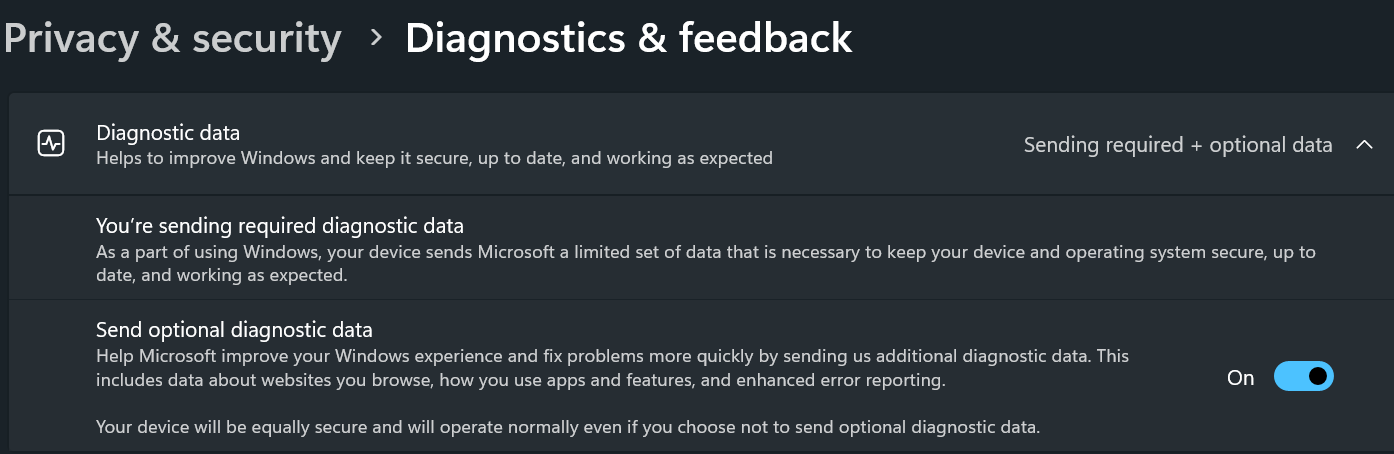
Once set, you can go to Windows update and enroll for insider program. Setting up the insider account could get stuck, just wait for few minutes and try again. It should be fixed. As I was only interested about #24H2, I’ve opted for unenrollment when the update is generally available for everyone.

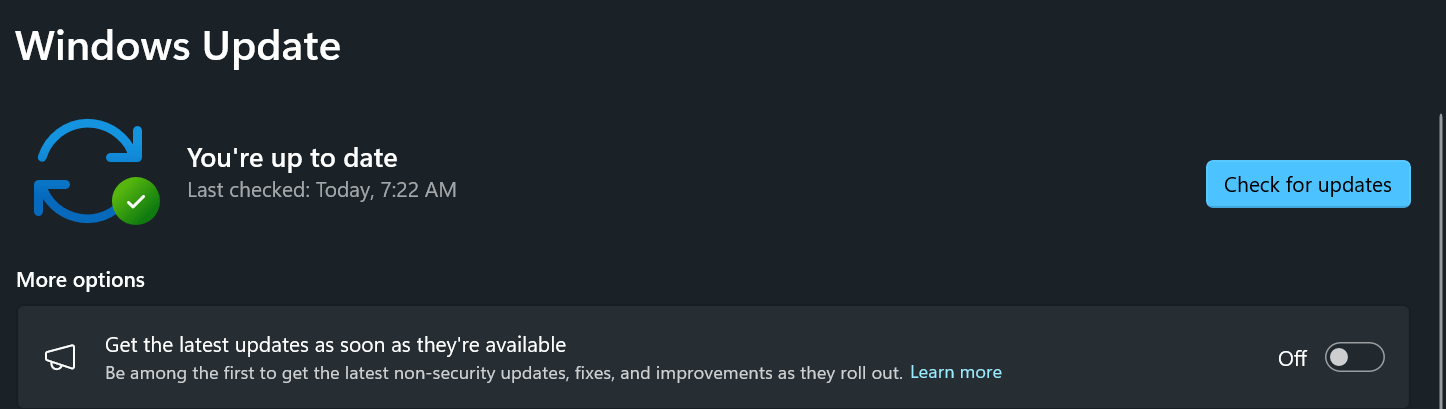
Well, setting up and restarting and checking for new updates may not show you the #24H2 update yet, you need to enable one more setting. You need to turn on “Get the latest updates as soon as they’re available” option. Do another round of check for updates and #24H2 will be definitely offered to you. Happy upgrading.
If you are a seasoned Windows OS user, every update opens room for more bugs & release previews WILL not be anything different. If you don’t have the luxury to reset if required, wait for the final version of the update is available. That could save you some frustrations.