Please find instructions explaining Creating Sales Orders against inventory items with “At Sales Order Issue” attribute
Defining Inventory Attributes
Once the item created, assign the item to Organizations wherever the item would be used for pre-determined business requirements
Switch to Order Management Responsibility and start creating a Sales order for the item you defined above
Book the order and note down the Sales Order Number for Shipping Transaction
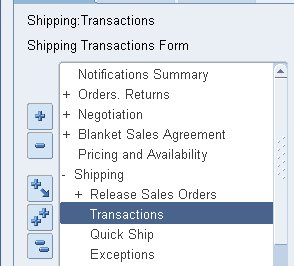
Navigate to Shipping Transactions form
Find your Sales Order Details using “Query Manager”
Verify the details and make sure the “pick status” information message as “Ready to Release”
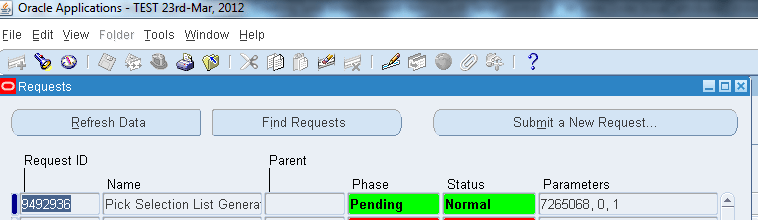
From Actions dropdown menu select “Launch pick release” and press the “Go” button. This will submit the concurrent program “Pick Selection List Generation”. Wait until the concurrent program completed successfully.
Once the concurrent program completed successfully, re-query the sales order using “Query Manager”
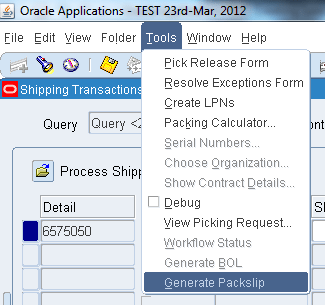
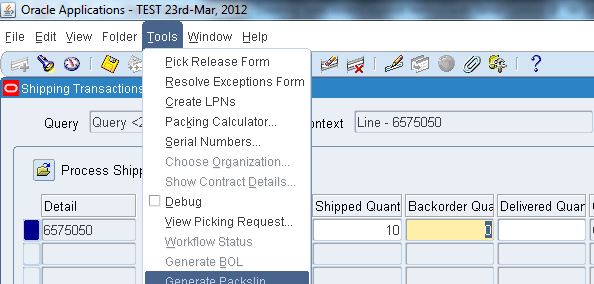
Scroll to right and locate the column “Shipped Quantity”. Click on Tools menu and check whether the Serial Numbers menu option is yet enabled, it shouldn’t be…
Now enter the desired quantity in the “Shipped Quantity” column and save the transaction, which will turn the “Backorder Quantity” column mandatory.
Recheck whether the “Serial Numbers” menu option under “Tools” menu has been enabled for populating serial numbers for the item.
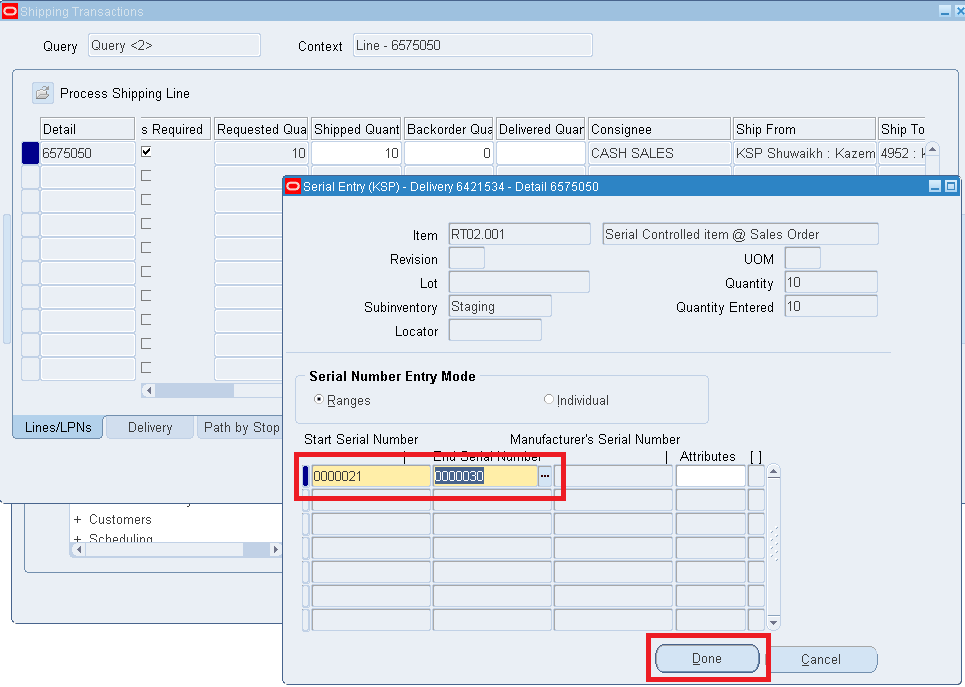
The menu option should be enabled for you now, click on “Serial Numbers” menu option and proceed towards generating Serial Numbers for the item.
(Enter the starting serial number and system will populate the end serial number based on the Shipped Quantity you provided in the above step)
Click the “Done” button if everything seems fine and save the transaction.
Click on “Delivery” Sub-Tab and Click on “Ship Confirm” which will popup another window
Accept/Modify according to your specific business requirements and click the “Ok” button
Confirm whether the message states the delivery was successful, if not start investigating the issues. On successful delivery, recall the Sales order and check the line status, it must be “Shipped”
We’ve rectified the minor inventory value differences between the API generated values & the standard report “Inventory Value Report – by Subinventory” as due to the item costs those are used.
For average costing organizations, the report always generates the cut off date values again the current costs, instead of the costs those are populated to the intermediate tables.
IC_TOTAL_COST, the column that shows the cost as on cut off date is using the following formula
following the same formula with the private API function has generated the same value as per the inventory report.
The updated API is packaged once again and available to download from here
Update: 06.May.2013
Recently we received few comments about the inventory values generated using the below hack not matching the transaction historical summary report values (R12). We had gone through a series of exercises to evaluate such claims and confirmed that all those comments were valid. Below are the few possible explanations.
Though both the above said reports call the same API to populate inventory details, parameters passed into the API are slightly different.
For the report “Inventory Value By Subinventory” the API is called like following
Parameter “p_intransit_value => 1” makes the entire scenario different from “Transaction Historical Summary” as the inventory values are calculated against the quantities including the quantities in transit also. Further, for Average cost organizations, the report calculates the values against the current date item costs (We are trying to get an explanation for the same from multiple oracle communities, including communities.oracle.com)
Further, the rollback date column, unless entered as cutoff date 23:59:59 (eg: 31-dec-2012 23:59:59) always rolls back to 31-dec-2012 00:00:00, thus not picking up lines whichever were processed later for the entered date.
On the other hand, Transaction Historical Summary report calls the API like following
Here the parameter “p_intransit_value => NULL” is set as NULL, thus the quantities in transit are not calculated. Further, the historical average costs are picked up for the transactions (material costs)
Further the rollback date is always expected to be entered like “31-dec-2012 23:59:59” in order to include the all the material transactions happened on the date.
So the in-transit quantity differences, item costs and the material transactions happened within the cutoff date time frame creates the variances what the user see with both the reports.
We had done the exercises more than few dozen times to reach to these unconfirmed conclusions. If as an experienced Oracle application user, dealing with Oracle inventory has any other explanations, Please, come ahead and we will amend the post with your valued inputs.
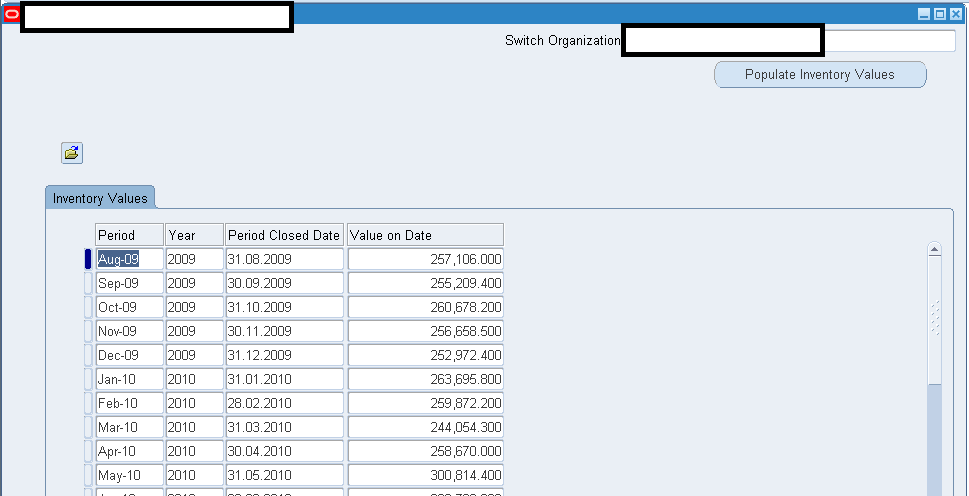
Requirement details: Oracle provides multiple standard reports to generate Inventories values on specified dates and depending upon the volume of transactions all these reports generate thousands of lines details to reach to such cut off date inventory values. Our requirement was to provide the auditors a quick view to inventory values as on end of each month, thus the entire development of below provided solution started.
How it works
Folder view supported form module developed by us calls a stored procedure, generates the rows into GLOBAL TEMPORARY tables and a stored function sum ups the material value and inserts into a local table (Base table with the form module)
For all the closed inventory periods, an insert statement picks up the values for the cut off dates from the view“cst_period_summary_v” and the months which are not already in the “cst_period_summary_v” view are populated by calling PVT APIs what we have heavily customized.
We achieved our goal by disabling the gather table statistics which are called from the PUBLIC API, then exclusively calling a COMMIT from the primary loop initiated by “populate history values” button press, thus indirectly flushing out the GLOBAL TEMPORARY TABLES for next run.
We hope this solution will be useful for organizations around the world who are running Oracle ERP 12.x.xx suites.
Oracle clearly states the API CST_Inventory_PUB is private and shouldn’t be called by the users exclusively from any other procedures or packages. Please refer to :“Using Oracle API CST_Inventory_PUB Package ID 847101.1]”
Hence you are going to use the solution provided by us at your own risk (Ironically, this PVT API is nothing more than few select statements based on different parameters passed in)
…
Here we are providing a solution to populate inventory values until “last month” by a mere mouse click