

Last updated on 27th January 2025
As on date, latest version of Oracle Analytical Publisher (12.2.7.6.0) is fully compatible with Microsoft Office 2021 & users can continue with updating the Office software (until Oracle/Microsoft breaks it)

Installing Oracle software on Windows is always fun. One time it gets installed & the other times it won’t. As simple as that. For our Oracle E-Business suite, we adapted XML reporting from last many years & faced one or more issues with almost every version of Microsoft Office. Sometimes the 64Bit version of the Analytics Publisher will not work with the version of Office you have, forcing you to install the 32Bit Office. The most perplexing is when the add-in gets disabled once after the software crashes. I will get back to that area by the end of this article.

Oracle has two support documents explaining how to resolve this installation issue. Let’s see the beauty of their documentation.
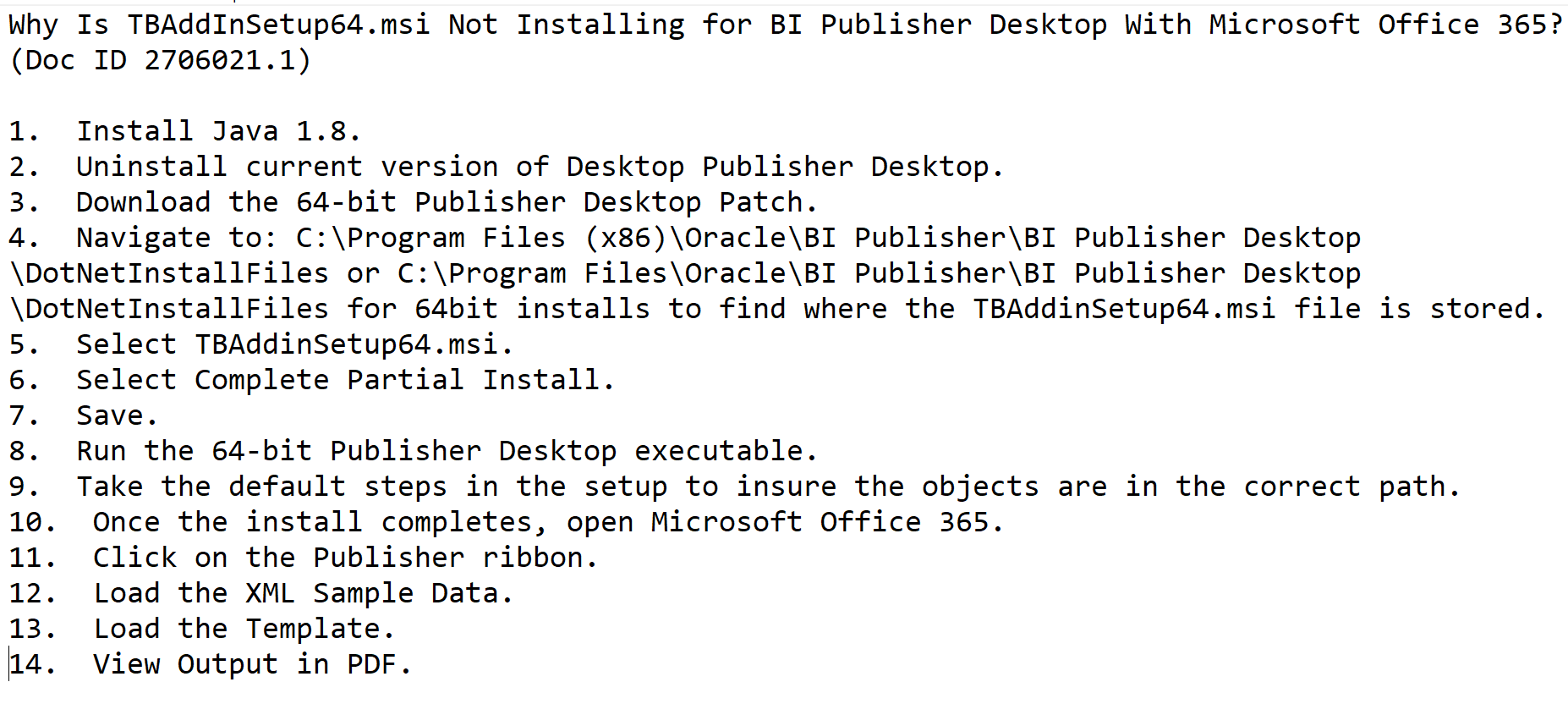
Starting from the point number 3 everything is mere bullshit as uninstalling the software deletes all executables from the paths mentioned. They are missing the reference for the patch and points 5,6,7?? Anyway, discussing about Oracle documents is like opening a can of worms.
So, what is the immediate solution if all of a sudden you find the “Publisher” stopped appearing over the menu area? Well, the simplest solution is to uninstall Office & re-install it. Then try to install Oracle publisher. As simple as it is. This hack was tested with Office 2021 Professional, both 32 & 64Bit. You may follow the below sequence to ensure a successful installation.
- Uninstall Microsoft Office & all other office products like OneNote
- Uninstall Oracle Analytics Publisher Desktop
- RESTART your computer!!! If you don’t, it’s certain that your next attempt will also fail.
- Install Microsoft office first, then proceed with installing Oracle software.
Now, coming back to the Add-in getting disabled, especially from Microsoft Word. I’ve came across some convincing Oracle community discussions & confirming that, it’s due to the latest Microsoft Office updates, Add-in for Word gets disabled. Oracle has a bug logged and they are investigating the issues. Rolling back to a previous build of Office will resolve this issue. Please check the following links for more details. Please note, you must use the exact version number for the update rollback mentioned in the articles. For example, Office 2019, 2021 & 365 bear the version number “16” & you can get the exact version number from the about product page. Please disable the automatic update for Office products prior you attempt the below given instructions.

Based on the Oracle discussions, the safest version was 2406 & If your Office version is 16.0.x.x, from an elevated command prompt execute the following command:
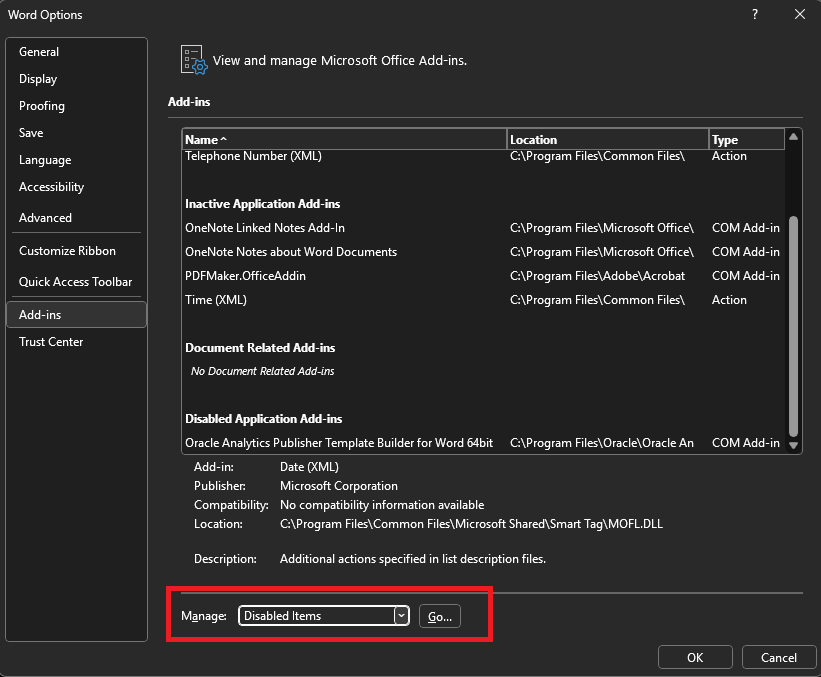
C:\Program Files\Common Files\microsoft shared\ClickToRun\OfficeC2RClient.exe /update user updatetoversion=16.0.17726.20160After downgrading your Office, open Microsoft Word as Administrator (right click, run as administrator). Navigate to File->Options. Below image shows “Oracle Analytics Publisher Desktop” as disabled.

Change the Manage option to “Disabled” and click the “Go” button.
(Please don’t mind the Add-in appearing twice in the below image, be sure I did something wrong ;) )
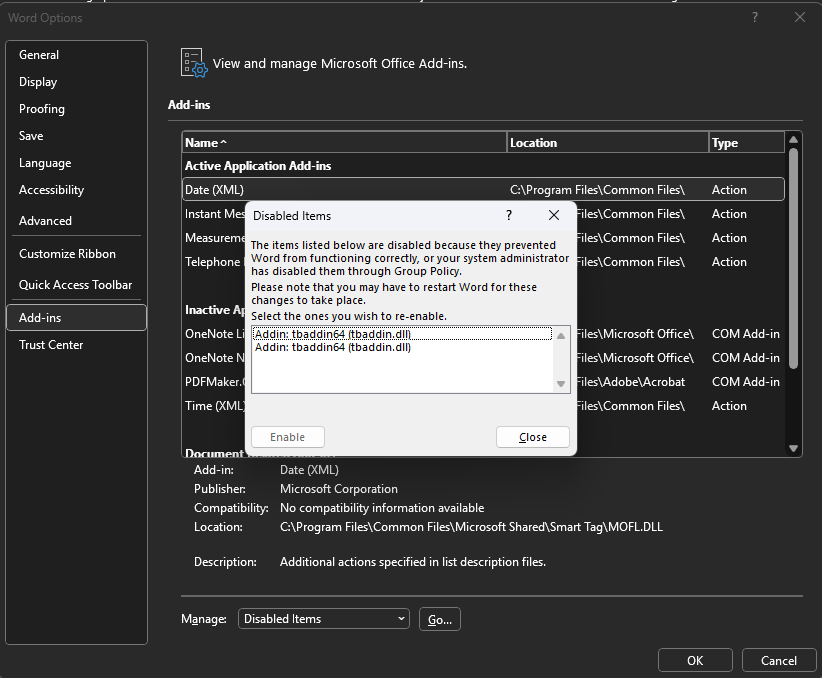
Select the Add-in “tbaddin64” and try to enable, that closes the window. Close Word and open again. This should bring back the “Publisher” back in the menu.