
A day back Elon Musk has complained about Microsoft being petty about forcing users to use Microsoft accounts to setup a new PC. Well, “you really don’t have to” is the shortest answer. So let us see how to setup Windows11 without Microsoft account.
Once the installation completed, Windows will start setting up the PC, collecting information about the geographical location, keyboard and layout etc. Once after renaming your PC, the box will restart.

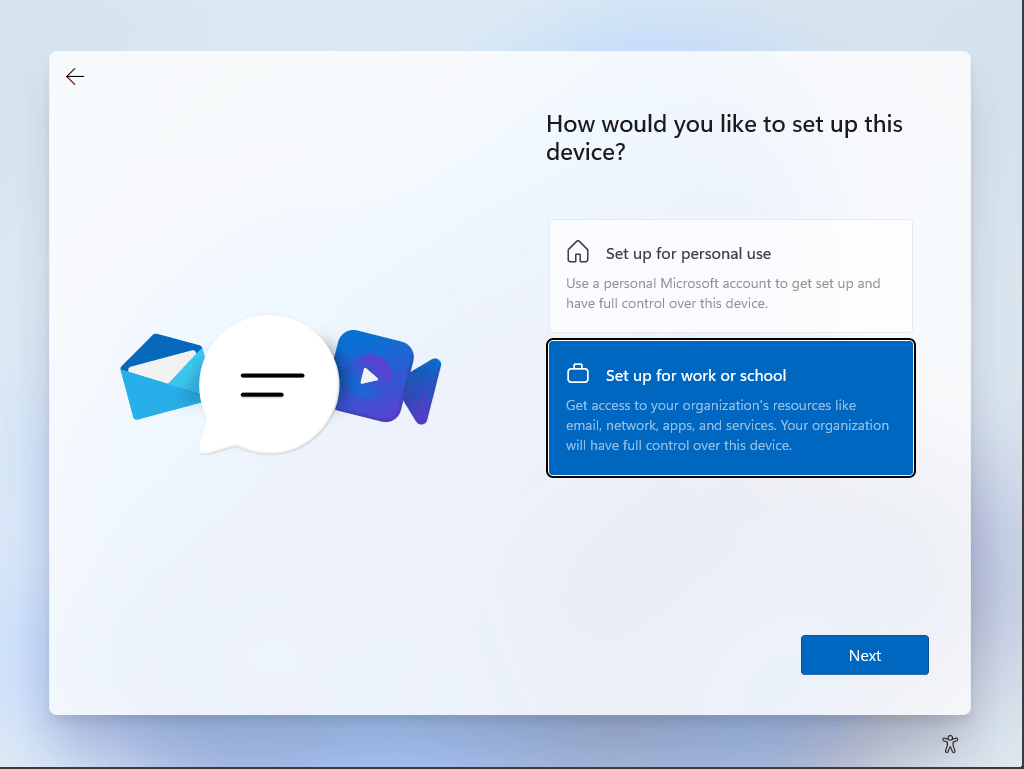
Now you can setup the PC without a Microsoft account by following the instructions below. Select “Set up for work or school” from the given options.
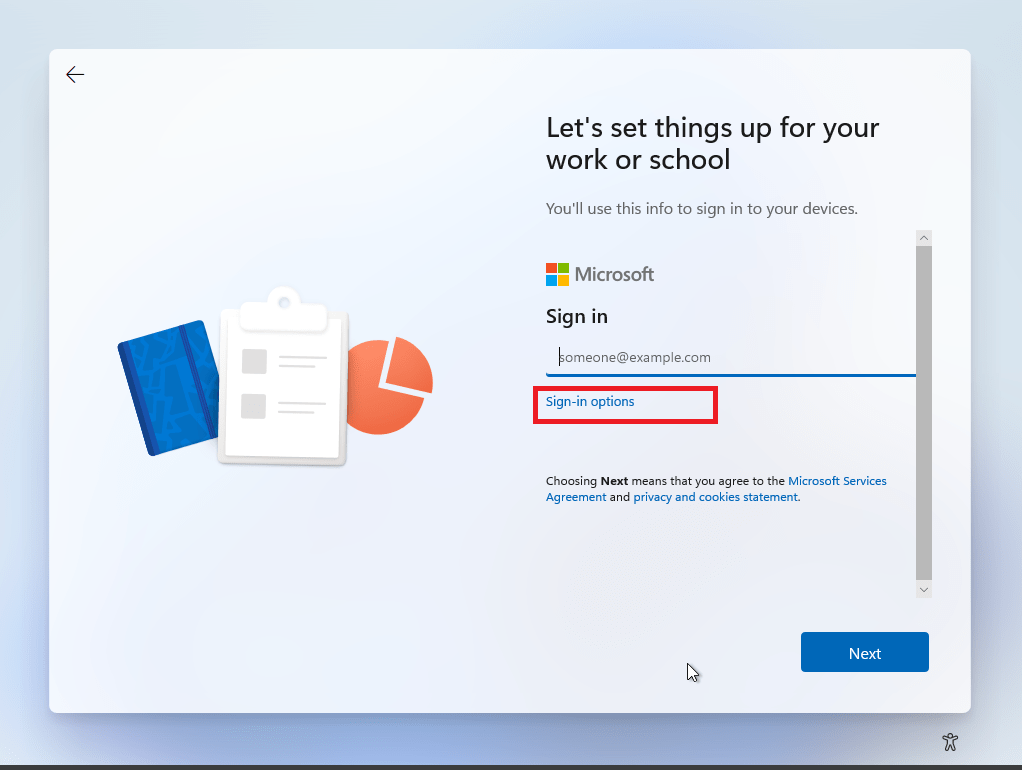
Click “Sign-in option” that Microsoft tries to make look less significant & that’s what let you create a local account instead of using Microsoft account.
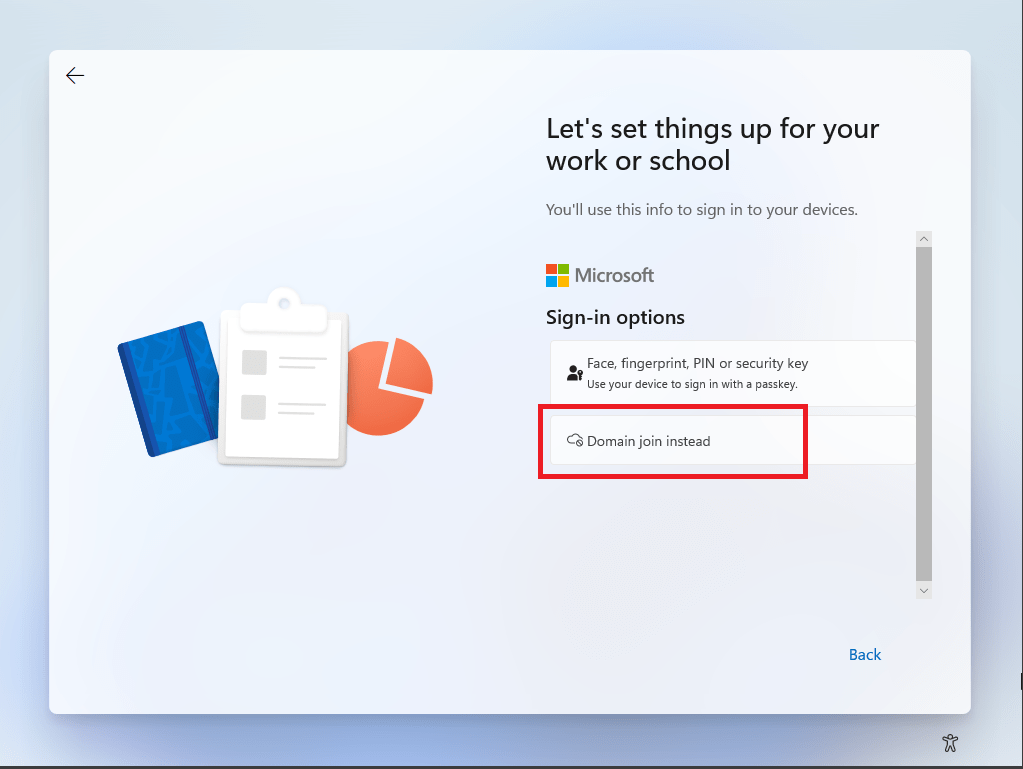
Select “Domain join instead”
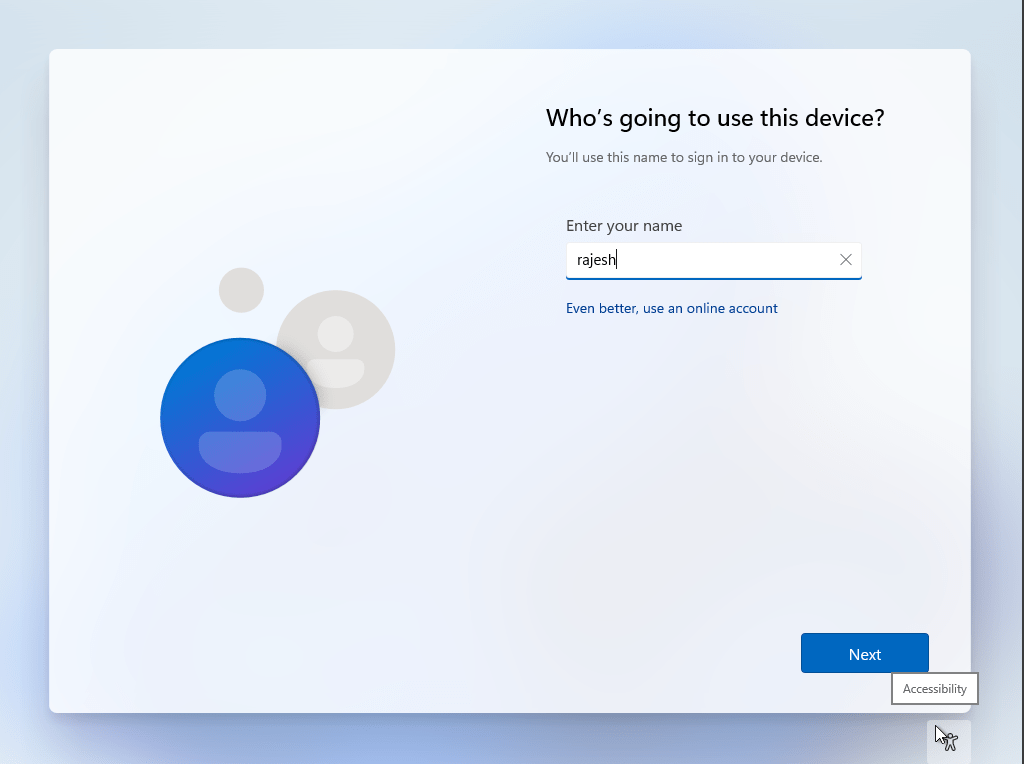
Enter your username
Setup your password
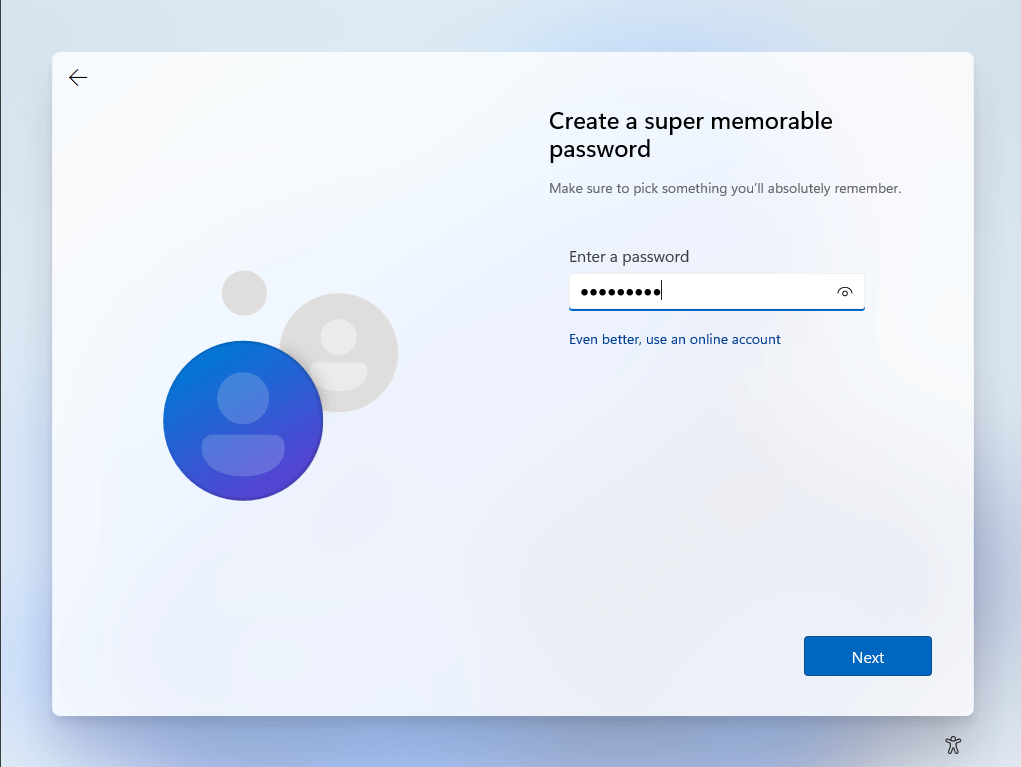
Confirm the password in the next screen.
Setup 3 different security questions and answers for situations when you forget your password in next three screens.
Basically you don’t have to agree to any of the options proved in the “Choose privacy settings for your device” screen. Toggle all of them to No if you prefer. I keep location yes (usually)
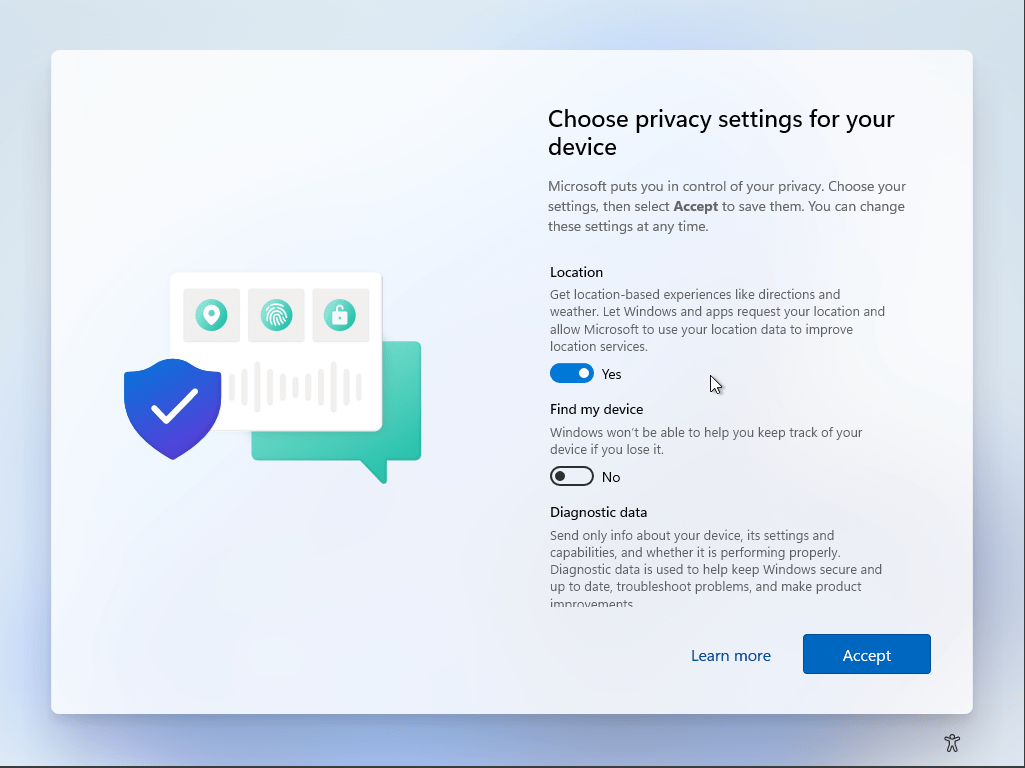
That’s all folks. Your PC will take few minutes to setup & soon you should using your PC without a Microsoft account.

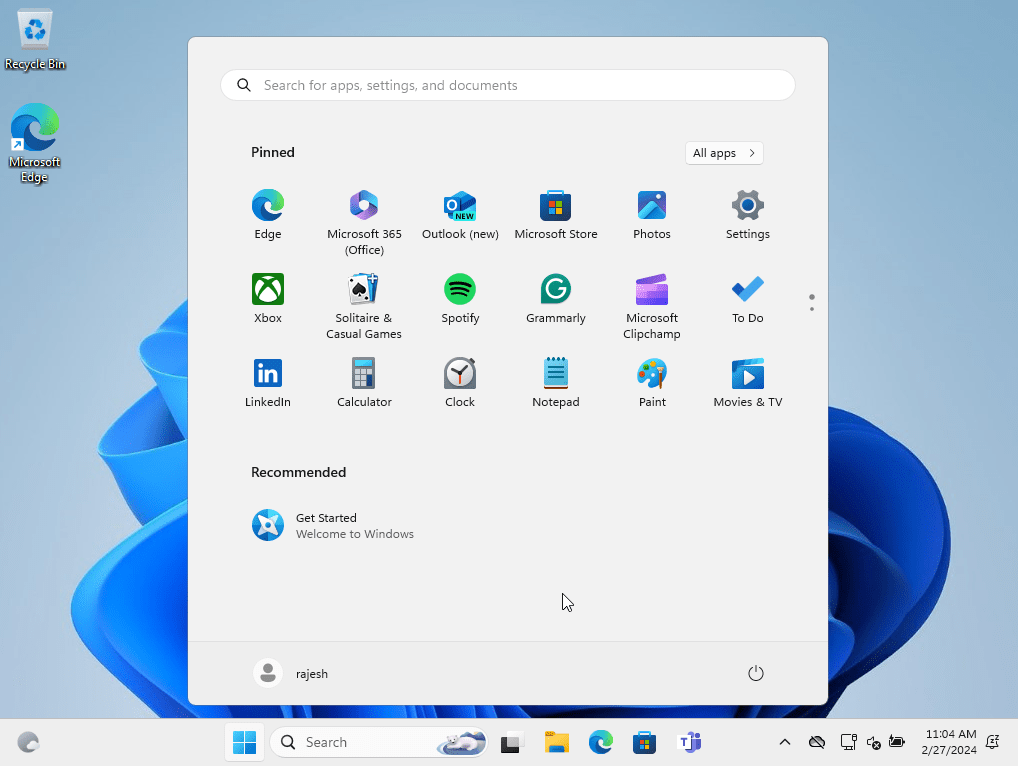
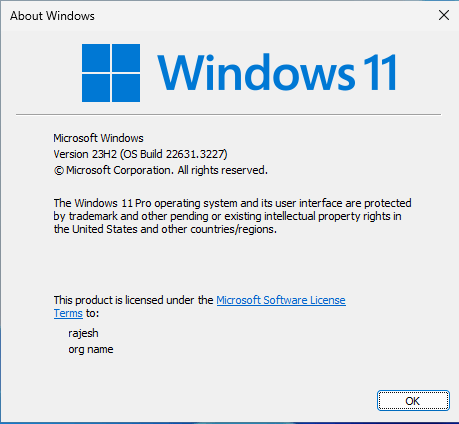
The above instructions were tested on Windows 11 23H2 (OS Build 22631.3227)
Yes, I am tagging #ElonMusk